

Last updated on January 23rd, 2026 at 06:43 pm
Building a vibrant online community has become a top goal for schools, corporations, and creators who desire more than just followers. Online community management software can help in situations like these.
To put it simply, it’s a platform that facilitates the gathering of individuals in a certain area, regular communication with them, and the management of activities such as conversations, live events, content sharing, memberships, and support.
The appropriate tool provides you with a central point where everything feels planned and intentional, as opposed to dispersing your audience among email lists, Facebook communities, and WhatsApp groups.
Through premium groups or membership plans, you can reward loyal members, monitor community engagement, and even make money off of your knowledge.
The necessity for effective community management has increased more quickly than before for Indian companies and artists.
Community is more than just a “nice-to-have“—it fosters repeat business and brand trust, whether you’re building a fan base, managing a learning cohort, or supporting customers after a sale.
Having a systematic approach is crucial because more Indian consumers are seeking individualized experiences and simple access to help.
To put it briefly, online community management software facilitates the transition from merely gaining followers to genuinely fostering connections.
Additionally, individuals stay longer, participate more, and become advocates for your cause as that connection gets stronger.
After checking multiple online community management software, we created a list of the 5 best online community management software in this article. Go through these tools and see which one matches your needs.
How We Selected These Online Community Platforms
It’s not enough to simply choose the most well-known name when selecting the best online community management software.
Each platform on this list has been assessed according to what is most important for long-term community development, particularly for Indian creators and companies.
Pricing That Scales With Growth
Community platforms shouldn’t seem pricey before your audience starts to grow. Tools that don’t push you into expensive upgrades too quickly and provide clear, flexible pricing plans were given priority.
A crucial component was the availability of free trials to evaluate real-world fit and fair value for features.
Engagement Features That Spark Real Interaction
Conversations and shared experiences are the essence of a community. We searched for solutions that made it simple to conduct live sessions, have discussions, provide updates, and entice people to come back.
The objective is straightforward: to boost daily engagement and decrease friction.
Analytics That Help You Understand Your Members
There is no benefit to guesswork. Robust statistics, such as post-interaction, growth patterns, and active member tracking, enable businesses and creators to make more informed choices.
Platforms with insight dashboards and strong metrics were scored higher on our ranking.
Monetization Options for Revenue-Focused Communities
Influencers, educators, and coaches frequently use communities as a source of money.
In order to help you create a long-lasting business around your community, we concentrated on features that support digital product sales, gated content, paid memberships, and subscriptions.
List of The Best Online Community Management Software
Here are the 5 best online community management software we liked the most. I explained all the nuances of these tools to give you a better perspective to make the right decision.
1. Circle
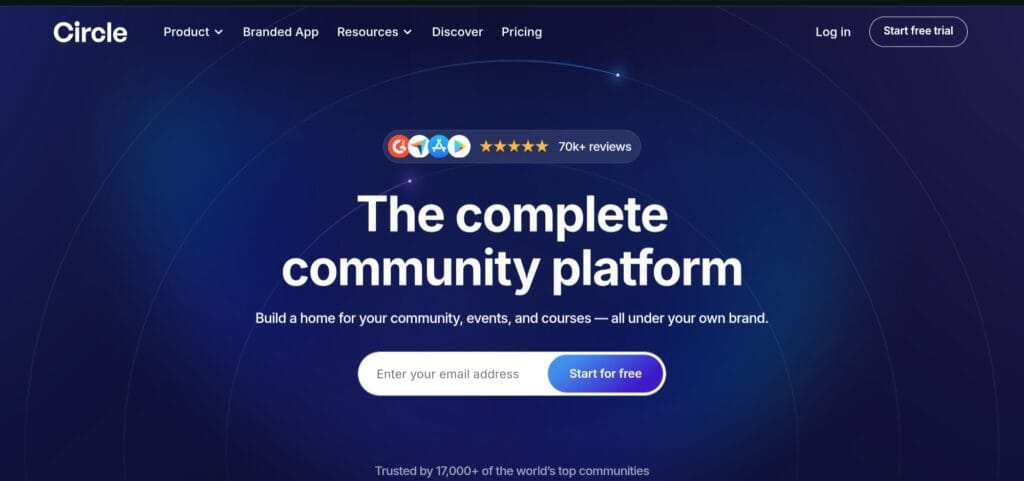
Circle is an all-in-one community management platform made to provide business owners, educators, coaches, and artists with a “home base” for their relationships, people, and content—all under their own brand.
Circle is perfect for you whether you’re developing a membership community, offering online courses, starting group coaching, or establishing an engaged audience around your brand or area of expertise.
Key Features
- Discussions & Real-Time Chat
Provides both real-time chat channels and forum-style posts and comments, allowing members to communicate in a variety of ways.
- Courses, Live Events & Streaming
There is no need for additional tools because you can run courses, plan live sessions or webinars, and stream right within the platform.
- Branded Mobile App (iOS & Android)
The choice of launching a fully branded mobile application will enable you to give members a more native, app-like experience.
- Payments & Membership / Subscription Support
Gated content, member access, integrated checkout, and support for one-time or recurring fees and subscriptions make it perfect for monetized groups.
- Email Marketing & Communication Tools
Segmentation, automation, and an integrated email hub for newsletters or updates allow you to interact with members directly without the need for outside tools.
- Website / Landing-Page Builder
Enables you to create landing pages, sales pages, or a small website that connects to your community, classes, and payment system.
- Analytics & Engagement Insights
Monitor member engagement, activity, and growth over time to learn what works and where to concentrate.
- Automation / Workflows / API Support
Automation workflows and API integrations make it easier for customers on more expensive subscriptions to manage big communities.
Pricing
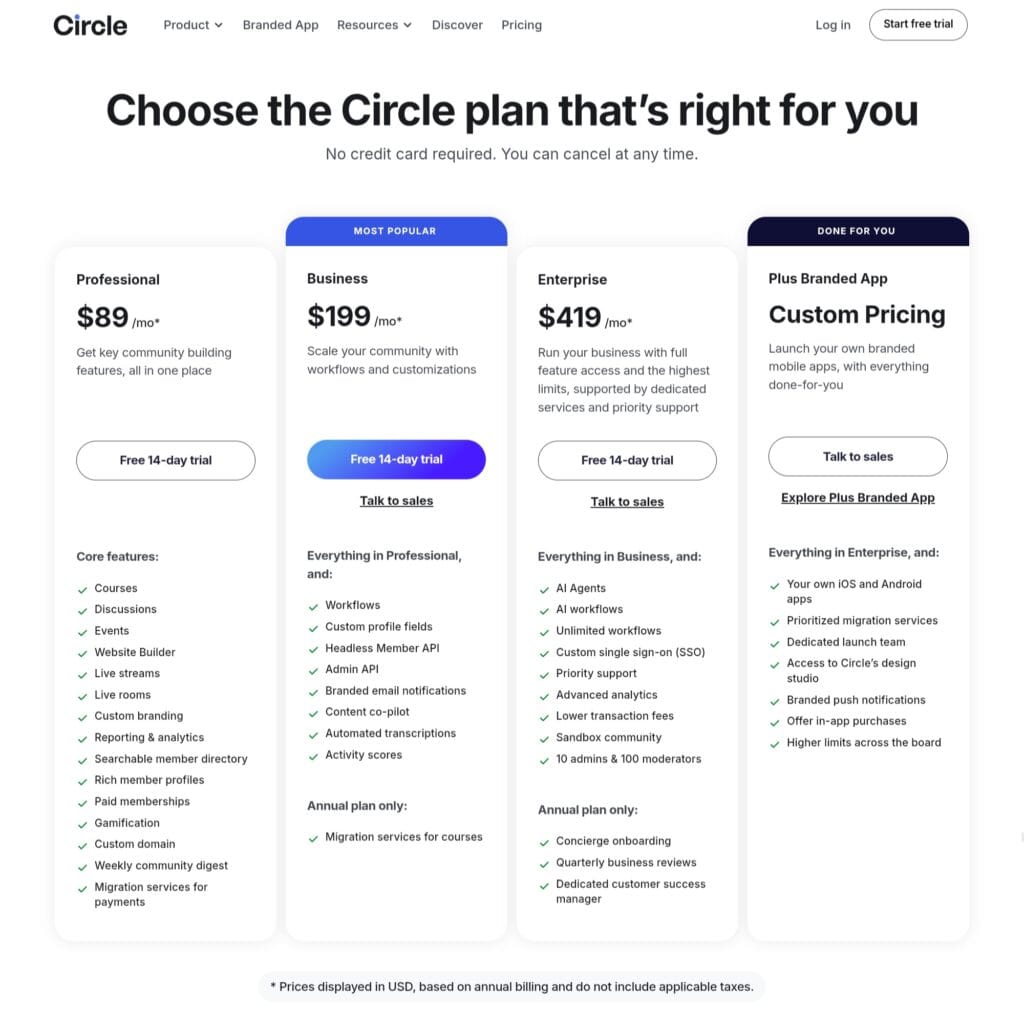
The Circle pricing plan has multiple tiers for different types of customers.
Professional Plan costs $89 per month, which comes with entry-level features for small businesses and creators.
The Business Plan has more features and is ideal for those who want to build larger communities. This plan costs $199 per month.
Next comes the Enterprise Plan, which costs $419 per month. This is for high-volume communities that need advanced support, features, and customization.
Pros & Cons
✅ Pros
- Compared to many complicated tools, the interface is simple and easy to use for both makers and members.
- You don’t need numerous tools because of its extensive feature set, which includes community, courses, payments, email, and mobile apps.
- Users who manage paid communities or membership programs frequently mention the strong support for monetization.
- Branded experience: the capacity to white-label (own brand, own app), which contributes to the development of brand identification and credibility.
- Automation and scalability: With workflows and API support, the platform can grow with the community without requiring too much manual administration.
⚠️ Cons
- Expense: For tiny or early-stage communities in particular, the combination of subscription and transaction fees can be costly.
- Workflows, custom APIs, and complete branding are examples of advanced capabilities that are exclusive to higher-tier plans; basic users cannot use all of these services.
Who Should Use It
- Coaches, instructors, and course designers who wish to integrate membership, community, and course content into a single branded environment and make money appropriately.
- Instead of depending on social media groups, content creators, influencers, and niche-community builders want to develop a devoted, active following under their own brand.
- Instead of distributing people among WhatsApp, social media, or email lists, small to medium-sized enterprises or startups want to create a customer community, membership club, or support/feedback hub.
- Serious business owners and brands looking to expand—if you want automation, analytics, complete control over UX and payment flow, and anticipate scaling to hundreds or thousands of users.
2. GoBrunch

Compared to typical video chats, GoBrunch is a virtual event, meeting, and community hosting platform that offers a more captivating and immersive experience.
It allows you to create virtual “rooms,” such as auditoriums, classrooms, coffee shops, and breakout areas, in place of a static grid of faces, giving participants the impression that they are a part of an actual event or community center.
Coaches, educators, course designers, online trainers, event planners, small businesses, and community builders who wish to promote genuine connection, conduct workshops or webinars, or establish virtual coworking/community spaces will find this product excellent.
Key Features
- Virtual Rooms & Real-World Layouts
GoBrunch offers interactive rooms with seating arrangements, an auditorium atmosphere, and breakout-room features instead of just a simple video grid. Online sessions feel more “human” and interesting as a result.
- Browser-Based — No Downloads Needed
It operates solely through a web browser; no further software or apps need to be installed. Regardless of device, participants can easily join using a link.
- Live Video / Screen Sharing / Media / Presentations
Suitable for webinars, classes, and workshops, it supports live video sessions, screen sharing (with sound), slide decks, and media presentations, among other features.
- Breakout Rooms & Multi-Session Support
The ability to divide people into smaller groups is helpful for Q&A sessions, teamwork, workshops, and group discussions.
- Persistent Rooms / On-Demand Content & Recordings
Asynchronous engagement or replay is facilitated by the ability to record and archive sessions, as well as the accessibility to rooms and content even after live events.
- Branding & Customization
To make your community or course feel more professional, you can alter backgrounds, room layouts, and even add your own brand identification (logo, custom URL/subdomain, depending on package).
- Scalable Participant & Organizer Support
It can be used for both small workshops and larger events, with support from a few dozen to hundreds (200–600 attendees, depending on tier) and several organizers/presenters per session.
Pricing
GoBrunch is presently accessible through a lifetime offer on AppSumo, which means access is granted for a single purchase rather than ongoing monthly costs.
It is available in three tiers, whereTier 1 is for entry-level users, which costs $89.
The License Tier 2 has more abilities than the previous one and costs $199.
If you need maximum capacity for large communities, you can choose the License Tier 3, which costs $269.
Pros & Cons
✅ Pros
- Assists with audience connection and retention by offering a more realistic, human, and engaging “virtual venue” than traditional webinar grids.
- There are no software installations or downloads required, which makes entry easier for participants.
- It is adaptable and useful for webinars, seminars, courses, community hangouts, coworking, and events because it is browser-based, has customized rooms, breakout rooms, and recordings.
- Lifetime-deal pricing: For small to mid-sized producers and enterprises in particular, a one-time purchase is far more appealing than monthly subscription models.
- Scalable: As the size of the audience or event increases, you can start small and go up to higher levels, giving you flexibility.
⚠️ Cons
- There may be a learning curve, particularly for participants who have no experience with “room-layout” platforms. According to some users, the interface may first seem a little complicated in comparison to simple video solutions.
- GoBrunch may be more complex than necessary for those who only want simple communication (text chat, small group calls), and the advantages might not outweigh the setup costs.
Who Should Use It
- Community builders and hosts of membership groups who desire a virtual gathering place or “home base” for their group, where members may congregate, engage, and feel connected outside of social media groups.
- Large webinars, conferences, or interactive sessions are organized by event planners, webinar hosts, and content creators, particularly when professional presentation, breakout rooms, and interaction are more important than a simple video call.
- Coaches, instructors, and course designers who provide live workshops, training sessions, or online courses with the goal of simulating a classroom or live workshop.
- Small to medium-sized companies or remote teams that require a coworking space, virtual office, or frequent group gatherings and events, particularly when fostering engagement or culture is important.
3. Mighty Networks
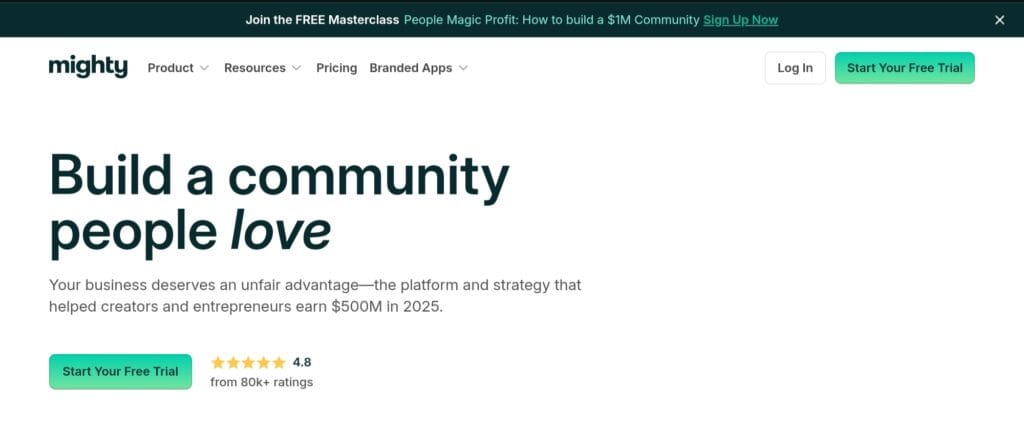
Instead of splitting users among social media or chat applications, Mighty Networks is an all-in-one community management tool that enables creators, entrepreneurs, coaches, and small-to-mid businesses to create their own branded place by merging community, courses, subscriptions, and events.
Mighty Networks is made to help if you want to create a serious membership community, offer courses, hold live events or seminars, and increase deeper involvement under your own brand.
Key Features
- Flexible “Spaces” for Community, Content & Learning
Depending on the demands of your community, you can establish a variety of spaces, such as discussion feeds, chat rooms, event calendars, member directories, and hubs for courses or content.
- Live Streaming & Events + Native Chat & Messaging
Enables webinars, live lectures, community hangouts, and member gatherings within the platform itself. It also supports livestreams, event hosting, and real-time chat and messaging.
- Course Creation & Membership / Paid Access
You may combine education and community in one location by creating and selling courses, managing memberships, and charging for access if you wish to offer organized courses or gated content.
- Mobile & Web — Multi-Device Access
The community is compatible with iOS, Android, and the web, allowing members to interact from any location.
- Analytics, Member Data & Automation
You can monitor engagement and workflows as community and revenue increase with built-in analytics, member data export, and automation/integration possibilities (via Zapier and others).
- Custom Branding & Branded Experience (on higher tiers)
In order to give your community a more polished, independent vibe, developers who are serious about brand identity have the option to modify branding (on premium plans).
Pricing
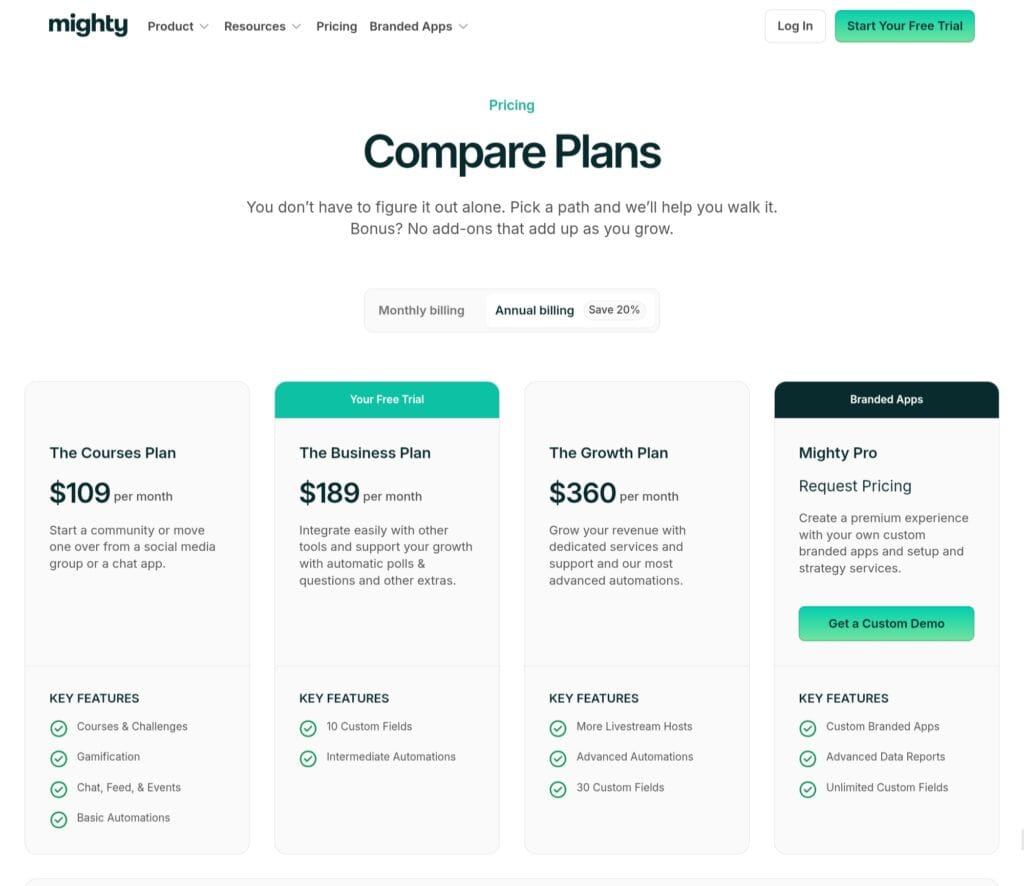
Depending on how sophisticated and feature-rich your community must be, Mighty Networks offers a variety of plans.
If you just need the basic features to build a community, you can go with The Community Plan, which costs $49 per month and is billed annually.
The Course Plan costs $129 per month, which is curated for course creators. You can save 20% on this plan by opting for an annual plan.
The Business Plan and The Growth Plan cost $229 and $430 per month, respectively. With the annual payment option, these plans get 20% cheaper.
Pros & Cons
✅ Pros
- Excellent balance between sophisticated capabilities and ease of use; many users believe the user interface (UI) to be simpler, more intuitive, and easier to use than complicated LMS platforms.
- Versatility: Instead of juggling several tools, you may integrate community, courses, live events, and subscriptions in one location.
- Scalable: You can expand without switching to a new solution, from local communities (using the Community Plan) to enterprise-level.
- For Indian creators whose audience may use smartphones, mobile and web support is beneficial.
⚠️ Cons
- Your profit margins may be impacted by transaction fees on paid memberships and content, particularly when membership fees are minimal.
- Compared to full-fledged course platforms, some customers claim limited flexibility (particularly on lesser tiers); for example, landing page design or sophisticated integrations may feel limiting.
Who Should Use It
- Influencers, creators, or specialized community builders who wish to take their following or admirers beyond social media groups and create a branded, long-term home.
- Entrepreneurs, small enterprises, or service providers wishing to develop customer communities, organize events/webinars, offer memberships, or subscription-based access for customers or members.
- Coaches, educators, course creators, and trainers who wish to provide structured learning while also building a community around their courses and monetizing memberships or live cohorts.
- People or companies catering to geographically scattered audiences—the platform’s web and mobile friendliness make it ideal for communities with members who live far away or in different countries.
- Teams and organizations with expanding membership, particularly if you anticipate reaching hundreds or thousands of members and require UX control, scalability, and analytics.
4. Bettermode
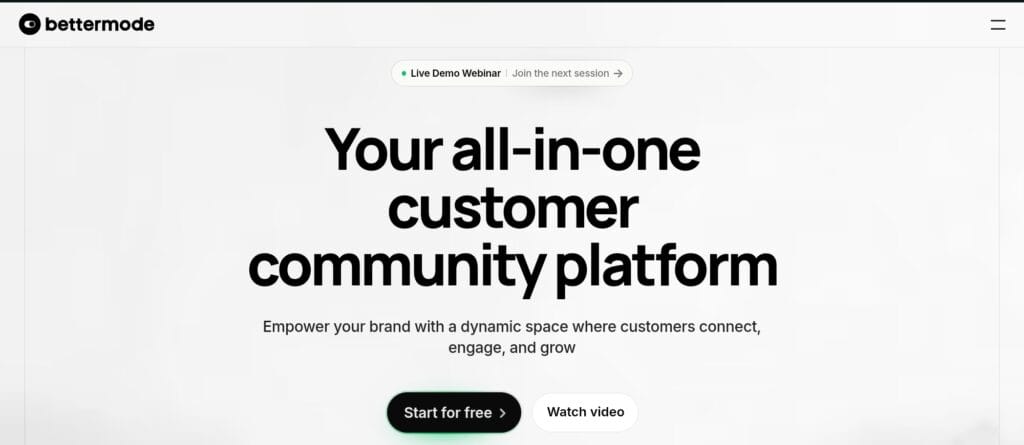
Formerly known as Tribe, Bettermode is an all-in-one, modular community management platform designed to assist companies, creators, product teams, and brands in hosting communities, knowledge hubs, conversations, events, and resources inside a single, configurable environment.
Bettermode can be a good home base for your community and customer interactions if you manage a user base that requires assistance, engagement, and community, a SaaS, a product-based firm, or a brand with customers or fans.
Key Features
- Spaces & Collections for Structured Community Building
Establish several “Spaces” (discussion boards, forums, resource centers, and event spaces) arranged under “Collections” to help you organize your community neatly by user type, topic, and purpose.
- Discussion, Content & Resource Management (CMS-like capabilities)
Organize talks, post articles or documentation pages, and keep up a knowledge base or resource center that is helpful for tutorials, FAQs, support material, and product updates.
- Private Messaging & Member Profiles / Directory
Members can communicate privately with one another, and the community can learn who is who through the directory and profiles. Beneficial for establishing contacts, peer support, and networking.
- Gamification, Reputation & Engagement Tools
Active contributors are rewarded, and involvement is encouraged via features like leaderboards, reputation systems, and engagement tools.
- Analytics, Admin Tools & Moderation
Administrators receive analytics, moderation tools to control member permissions and content, dashboards to monitor activity, and member data exports.
- Integrations & Extensibility (APIs, Webhooks, Third-Party Tools)
Bettermode integrates community data with more extensive workflows by connecting with a variety of third-party applications (such as analytics, marketing, and CRM).
- Multilingual & Customizable Layout / Branding
Provides theming, custom domains (for premium plans), look-and-feel customization, and even language support, which is helpful if your audience is diverse or worldwide.
Pricing
Bettermode has three pricing plans, and those are as follows.
The Starter plan is free, supports up to 100 members, offers 20 spaces, and is ideal for hobbyists or people who want to just explore online community management software.
The Pro plan costs $59 per month (20% discount with annual payment) and supports unlimited members, offering priority support, integrations, and advanced analytics. This is suitable for startups and creators who are scaling their community.
It has an Enterprise plan with custom pricing that is suitable for large organizations.
Pros & Cons
✅ Pros
- High degree of customization and flexibility: without knowing how to code, you may create a community center with forums, documents, and messages that are specific to your business.
- A consolidated platform makes community management easier by eliminating the need for several otherwise disparate technologies (forums, documents, chat, and CRM connectors).
- Reasonably affordable starting point: The Pro plan is still reasonably priced when compared to many enterprise solutions, while the Free plan is actually free and suitable for small groups or pilots.
- Beneficial to consumer communities and product-based brands: Because it facilitates knowledge bases, resource hubs, and integration, it functions effectively when a community is connected to a product, continuing engagement, or user support.
- Scalable and enterprise-ready: Bettermode offers solutions that support significant size for businesses requiring extensive integrations, security, compliance, and analytics.
⚠️ Cons
- Some customers complain about the learning curve for deeper integrations or more complex customisation, particularly in lower tiers.
- The platform may seem more appropriate for businesses than for creators searching for course-based communities or social media-style groups because it is largely focused on client communities.
Who Should Use It
- Product-based companies or SaaS companies looking to create a specialized community or customer center that combines resources, assistance, user and customer feedback, and interaction.
- Businesses or startups that want a branded, organized community platform with resource hubs, user directories, documentation, and the capacity to grow with their clientele.
- Businesses that value branding, customisation, and integrations, particularly if they have product, marketing, and support workflows where integration is important.
- Growing communities that want to start small and grow smoothly can start with a free plan and upgrade as membership increases without upsetting the current community.
5. Heartbeat.chat
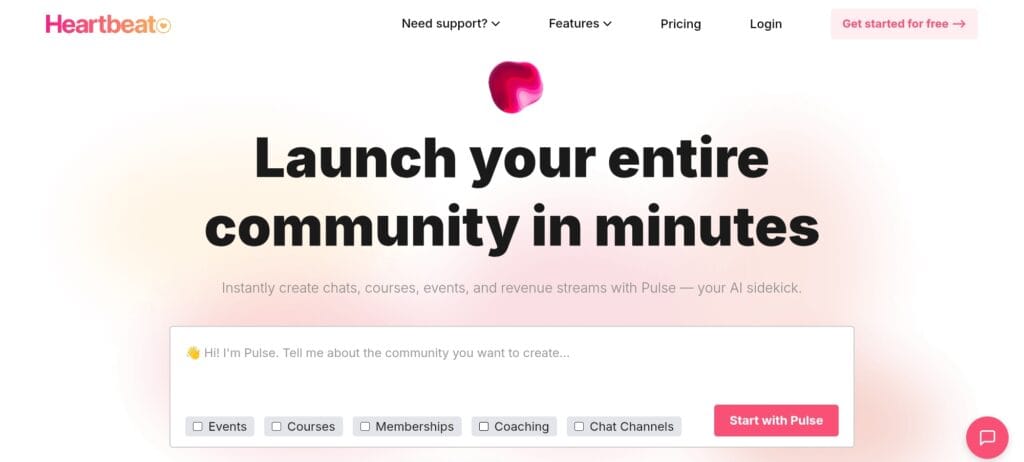
Heartbeat.chat is a cutting-edge, all-in-one community management software designed for small businesses, educators, coaches, and creators who want a single, branded area to manage community, courses, events, and revenue without juggling several tools.
Heartbeat.chat is ideal for you if you offer online classes, premium memberships, workshops, or want to create a close-knit community hub for your clients or followers.
Key Features
- Chats, Threads & Direct Messaging
Allows members to connect in a variety of ways by supporting public and private places, threaded discussions, direct messages, and media sharing (pictures, videos, and files).
- Courses & Learning Modules
Within your community, you can design evergreen courses, cohort-based courses, drip lessons, and assignments or information that is restricted to specific users.
- Events & Live Sessions
Organize live events, seminars, or workshops; track attendance; integrate with calendar and Zoom scheduling systems; send push/email reminders; and even sell event tickets.
- Payments & Monetization
You have the freedom to monetize your community or courses with built-in support for subscriptions, one-time payments, installment plans, upsells, and paid content/events.
- Content Library & Documents / Resource Hub
The capacity to save significant threads or content, host documentation, resource repositories, embed media, and transform community conversations into enduring resources.
- Voice & Video Rooms, Live Chat & Media Sharing
Allows for more engaging, real-time engagement than just forums or chat by offering live audio/video rooms.
- Integrations & Automation
Enables workflow automation, event reminders, payments, and smooth workflows between products by integrating with calendars, Zapier, Zoom, and other tools.
Pricing
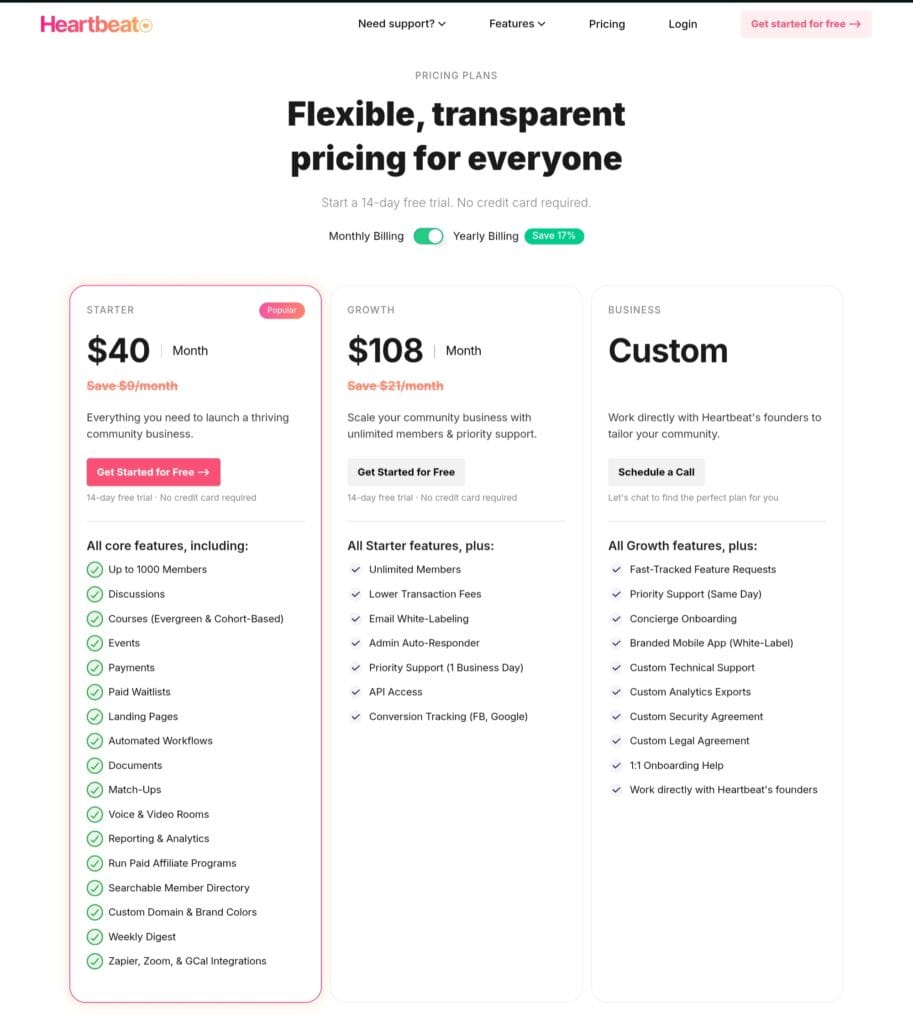
Heartbeat.chat is available in three pricing plans, namely Starter Plan, Growth Plan, and Business Plan.
The Starter Plan costs $40 per month, giving access to up to 1000 members, payment features, courses, events, landing pages, etc.
The Growth Plan costs $108 per month, which includes all features in the Starter Plan, along with access to unlimited members, priority support, API access, conversion tracking, etc.
The Business Plan is for large organizations and enterprises that have a custom pricing structure and include advanced features.
Pros & Cons
✅ Pros
- A true “all-in-one” community platform that eliminates the need for numerous different tools by combining chat, courses, events, payments, and documents under one roof.
- With capabilities for gated content, paid memberships, events, and resource libraries, this platform is great for creating structured communities and is perfect for membership sites, boot camps, and paid courses.
- Provides versatility by offering both public and private rooms, as well as the capacity to host events, courses, or just community discussions, depending on your needs.
- Integrated payment and membership management make it simpler to establish subscription-based communities or paid courses, which is beneficial for educators and producers looking to generate money.
⚠️ Cons
- Some users report that Heartbeat’s desktop or mobile software can feel a little slower or clumsier than lightweight chat programs because it is a comprehensive utility.
- The richness of functionality could be excessive if all you need is basic chat or conversation.
Who Should Use It
- Small to mid-sized companies and startups that provide goods, services, or memberships and are looking for a platform to host events, create a support community, or give clients access to restricted resources.
- For paid courses, bootcamps, or membership programs, coaches, educators, and course designers who wish to integrate community, content, and fees in a single branded area.
- Influencers, creators, or proprietors of specialist communities who want to switch from social media groups to a more regulated, centralized, and professional own-platform environment.
Conclusion
Community is now the cornerstone of sustained growth rather than merely a marketing tactic.
With the correct online community management software, you can create an environment where your audience not only follows you but also feels like they belong, contribute, learn, and invest in what you have to offer.
The ideal tool is the one that suits your objectives, your budget, and the manner in which your audience enjoys interacting, whether you’re a creator starting a premium membership, a coach leading live cohorts, or a company developing a devoted clientele.
If you must, start small. Find out what works. As your community grows, pick a platform that can grow with it.
Because when you create a vibrant, powerful community, you’re not only expanding your numbers but also your relationships. And that’s the true value.
All set to move forward? Select the platform that best suits your needs and begin building the new home for your community right now.
FAQs
What is the best community management software?
Your goals will determine the best software. Circle and Mighty Networks are excellent solutions if you want community, learning, and monetization all in one location. Bettermode is a good fit for SaaS companies or customer-focused communities.
Which platform is best for business communities?
For business use, platforms that facilitate knowledge bases, organized places, and customer interaction are most effective. Features appropriate for service providers, membership-based enterprises, and product branding are provided by Bettermode and Mighty Networks.
Can community tools help increase revenue?
Yes. Community platforms assist businesses and creators in generating recurring revenue and boosting consumer loyalty by offering paid memberships, courses, exclusive content, or event tickets.
Share Now

More Articles
Best Form Builders for WordPress (Expert Guide)
Best Web Analytics Tools To Improve Your Website
Best Website Builders for Beginners
Discover more from technicalstudies
Subscribe to get the latest posts sent to your email.