
Last updated on July 2nd, 2026 at 05:43 pm
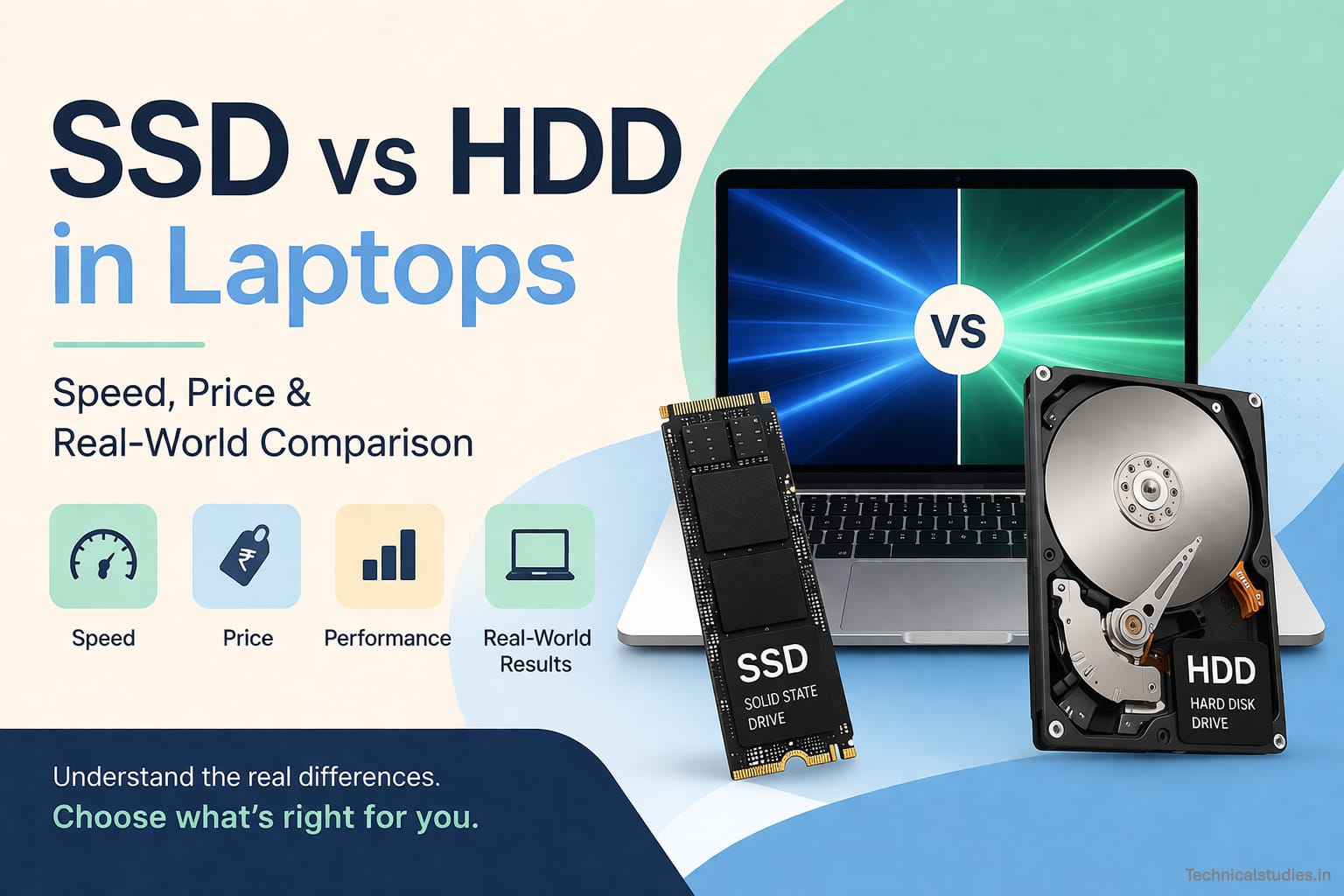
SSD vs HDD in laptops explained simply. Discover which is faster, cheaper, and better for students, gaming, and daily use.
Imagine yourself on a shopping site, completely lost between two laptops that cost the same, but one says “SSD” and the other says “1TB HDD“, and you have no idea which one to pick.
Been there. It’s frustrating.
Here’s what makes it worse: you open a few comparison articles, and suddenly you’re drowning in terms like “SATA III“, “NVMe protocol“, and “rotational latency.” Cool, but you just want a laptop that works fast and doesn’t burn a hole in your pocket. Right?
That confusion is real, and honestly, it’s not your fault. Laptop brands don’t make it easy. Two laptops, same ₹45,000 price tag. One ships with a 256GB SSD, the other with a 1TB HDD. More storage sounds better.
But is it actually the better deal? That’s exactly the kind of question most spec-comparison articles never truly answer.
So here I am going to discuss the real-world difference between SSD and HDD laptops without any technical jargon.
I will tell you how it feels to use each one, where your money goes, and most importantly, which one makes sense for your specific needs.
By the end of this, you’ll know exactly what to buy and why. Let’s get into it.
What are SSDs and HDDs in Laptops?
Before we get into which one wins, let me quickly break down what these two actually are in simple language.
What is an HDD (Hard Disk Drive)?
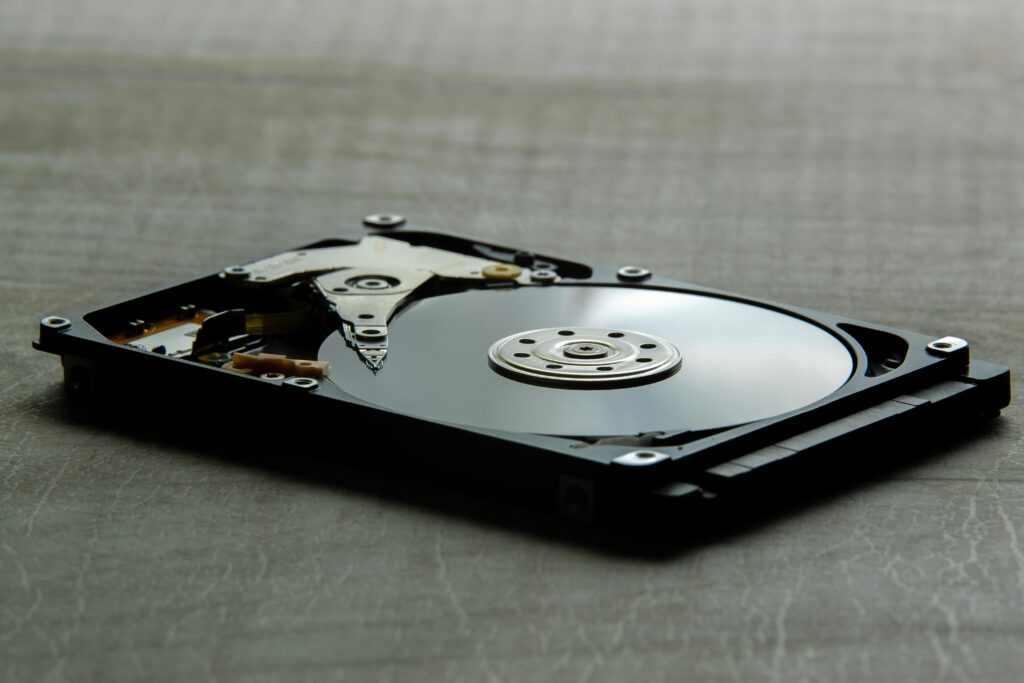
Think of an HDD like an old-school vinyl record player. Inside the drive, there’s an actual spinning magnetic disk, and a tiny mechanical arm moves back and forth to read and write your data.
Every time you open a file, save a document, or boot up your laptop, that disk is physically spinning to make it happen.
That’s the keyword here: mechanical. It has moving parts. Real, physical, old-fashioned moving parts.
HDDs have been around since the 1950s, and they’ve done a solid job for decades. The biggest reason they’re still around today? They’re cheap.
You can get 1TB of HDD storage for a fraction of what SSD storage costs. That’s why you’ll still find them in a lot of budget and entry-level laptops, especially ones that want to advertise “1TB storage!” on the box to make the deal look attractive.
But the truth of HDD laptops is laggy startup, that spinning wheel of death, that 3-minute boot time just to open Chrome. Yes, this is what HDD laptops are notorious for.
What is an SSD (Solid State Drive)?
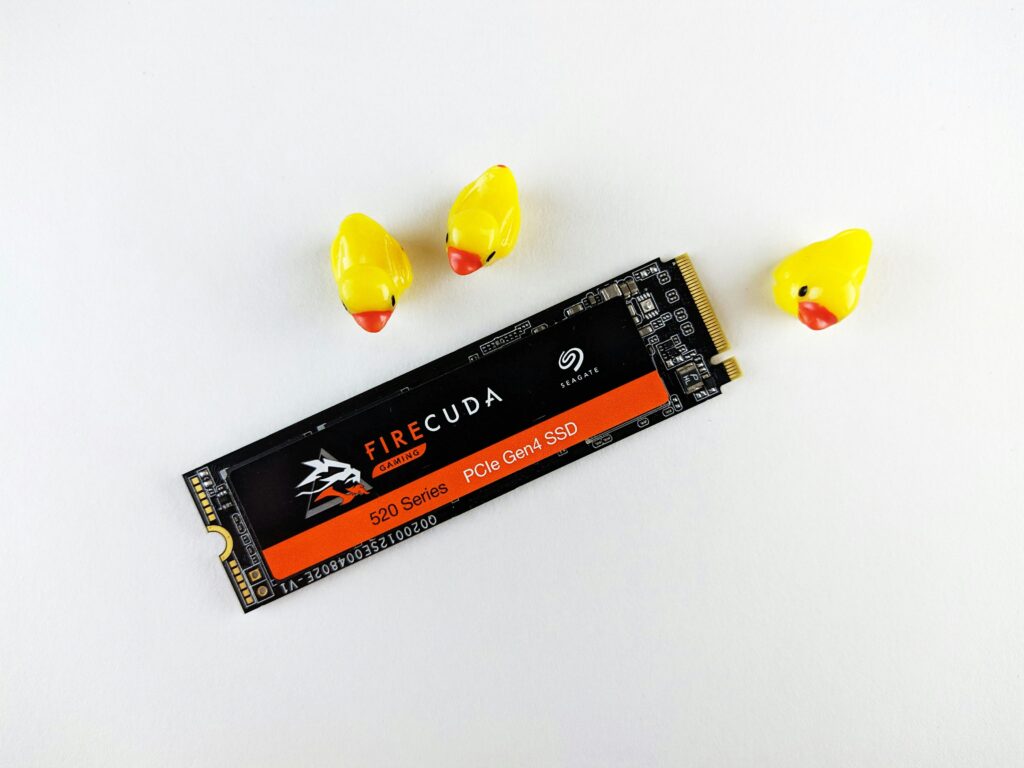
An SSD has zero moving parts. None. It stores your data on flash memory chips. The same technology is behind your phone’s storage or a USB pen drive, just way faster and more advanced.
Since there’s no spinning disk or mechanical arm involved, your laptop can access data almost instantly.
Your OS loads faster, your apps open faster, and your files transfer faster. Everything just feels snappier and more responsive the moment you switch to an SSD.
SSDs are now standard in most modern laptops, from mid-range options around ₹40,000–₹50,000 to premium ultrabooks and MacBooks.
And the prices have dropped significantly over the last few years, which means you no longer have to spend a fortune to get one.
However, the trade-off is that you usually get 256GB or 512GB storage for the same cost as a 1TB HDD laptop. This can bother you if you store a lot of files locally.
But trust me, once you’ve used an SSD laptop, going back to an HDD feels like switching from a smartphone to a Nokia 3310. It’s that different.
SSD vs HDD in Laptops — Key Differences
If you want the short answer before we get into the details, here it is.
| Feature | SSD | HDD |
|---|---|---|
| Speed | Vest fast | Slow |
| Price | Higher | Affordable |
| Durability | High | Low |
| Noise | Silent | Audible whirring |
| Power Usage | Low | Higher |
| Storage Capacity | 256GB–2TB (common) | 500GB–2TB (common) |
| Boot Time | 10 to 20 seconds | 45 to 90 seconds |
| Best For | Speed and performance | Bulk storage on a budget |
Related: Why Now Is The Best Time To Upgrade Your Laptop In India – Key Reasons You Can’t Ignore
SSD vs HDD Speed Comparison — Real-World Performance
Specs are one thing. But let me tell you what speed actually feels like when you’re sitting in front of your laptop at 9 AM, running late for a meeting or a lecture.
Because that’s where the real difference lives, not in a benchmark chart, but in your daily frustration levels.
Boot Time Comparison
How fast your laptop’s boost speed is sets the tone for your entire laptop experience.
With an SSD laptop, you hit the power button, grab your coffee, come back, and your desktop is already waiting for you. We’re talking 10 to 15 seconds, flat. Sometimes even less on newer machines.
With an HDD laptop? You hit the power button, pick up your phone, check a notification, scroll Instagram for a bit, come back, and it’s still loading. A typical HDD boot time sits anywhere from 40 to 60 seconds, and on older or budget machines, it can easily crawl past 90 seconds.
App Loading — Chrome, VS Code, Photoshop
Let’s talk about the apps you actually use every single day.
On an SSD laptop, you will feel that apps like Chrome, VS Code, and Photoshop launch fast, before you’ve even moved your hand off the trackpad. You click, and it opens.
On an HDD laptop, every app takes some extra seconds to open. Sometimes it extends up to 20 to 30 seconds or even more, depending on how your machine is optimized.
File Transfer Speed
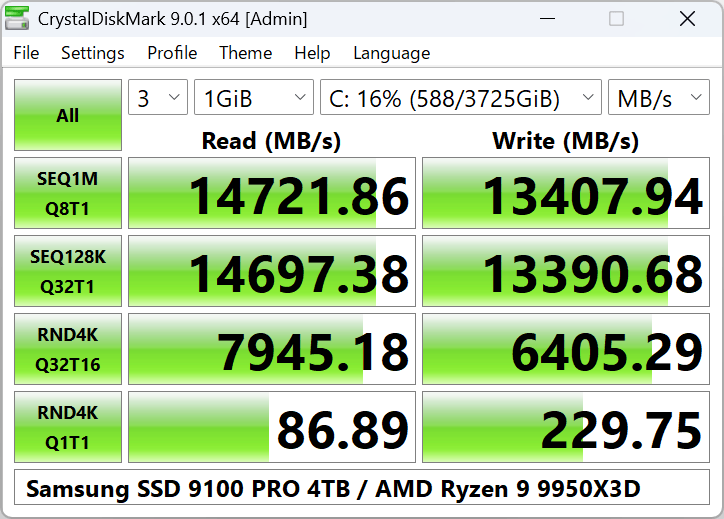
This is where you will actually see the speed. Here is a comparison table for the file transfer speed of SSD and HDD.
| Task | SSD | HDD |
|---|---|---|
| Sequential Read/Write | 400–3500 MB/s | 80–160 MB/s |
| Copying a 10GB file | ~10–25 seconds | 60–120 seconds |
| Moving a photo library | Near instant | Minutes |
An SSD doesn’t just transfer files faster. On NVMe SSDs, it transfers them absurdly faster. We’re talking up to 20x the speed of a traditional HDD in some cases.
Related: What Makes a Laptop Really Fast? – CPU, GPU, RAM, or Storage
SSD vs HDD Price Comparison in India — Budget Reality
Let’s talk about money, because in India, budget isn’t just a consideration, it’s often the deciding factor. And this is exactly where most buyers get confused, or worse, get misled by a spec sheet that makes a bad deal look like a great one.
Cost Per GB — What You’re Actually Paying For
On pure storage math, HDDs win. No debate there.
| Storage Type | Approx. Cost Per GB | 1TB Equivalent Cost |
|---|---|---|
| HDD | ₹3–₹5 per GB | ₹3,000–₹5,000 |
| SATA SSD | ₹8–₹12 per GB | ₹8,000–₹12,000 |
| NVMe SSD | ₹12–₹20 per GB | ₹12,000–₹20,000 |
This way, HDD is more affordable than SSD and looks great on paper, but in reality, you know the difference.
Most laptop buyers in India shop for laptops in the ₹40K–₹70K Range, which is the sweet spot. And within this range, the SSD vs HDD divide is very real and telling.
| Budget Range | HDD laptop | SSD laptop |
|---|---|---|
| ₹35,000–₹45,000 | 1TB HDD, older gen processor | 256GB–512GB SSD, newer gen processor |
| ₹45,000–₹55,000 | 1TB HDD + older dedicated GPU | 512GB SSD, better display, lighter build |
| ₹55,000–₹70,000 | Rarely seen — HDD becoming obsolete here | 512GB–1TB SSD, premium build, better thermals |
Notice the pattern? As you move up the budget ladder, HDD laptops quietly disappear. Because at ₹55K and above, brands know that serious buyers won’t tolerate slow storage anymore.
Now, in the ₹40K–₹50K range, which is where the real confusion happens, you’ll often find yourself choosing between something like:
- Option A: Laptop with 1TB HDD + decent processor → looks like more storage, feels like a better deal.
- Option B: Laptop with 512GB SSD + same or slightly newer processor → less storage, but a completely different performance league.
My honest take? Go with Option B — almost every single time.
Because you can solve the storage problem with an external hard drive or a pendrive, but you can not deal with a slow laptop every day.
SSD vs HDD — Which is Better for Different Users?
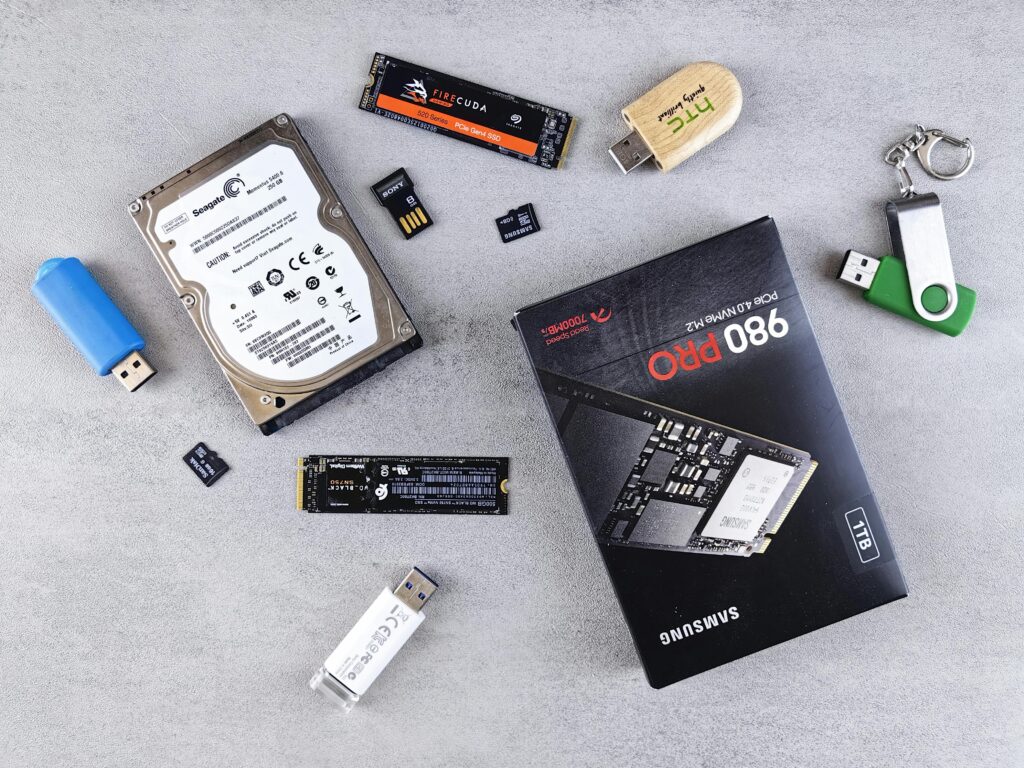
Now you know the speed difference and price difference between SSD and HDD laptops, and might be leading towards a conclusion that SSD is a better option, although it costs a few thousand more.
Here, I am giving you an overview of storage types for different use cases.
Students — Go SSD, No Second Thoughts
If you’re a student, in school, college, or coaching, it doesn’t matter; your laptop needs to keep up with you, not the other way around.
In the ₹40,000–₹55,000 range, you will easily find a laptop with at least 256 GB or 512 GB SSD.
Related: Best Laptops for Students in India
Gamers — SSD for Performance, but Storage Is the Conversation
Gaming on a laptop is a whole different beast, and storage plays a bigger role than most people realise.
SSD in gaming laptops is a must, but modern games are massive. We’re talking 50GB, 80GB, sometimes 150GB for a single title. A 512GB SSD fills up embarrassingly fast if you’re someone who keeps 4–5 games installed at once.
You can go with a 512GB SSD as your primary drive for your OS, your most-played games, and your apps, and an external HDD for archiving games you’re not actively playing. If your budget allows, you can even choose a 1TB SSD.
Related: Best Laptops For Gamers In India
Professionals — Coders & Video Editors, SSD Is Non-Negotiable
I will be straightforward here. If you are coding or editing video for work, an HDD isn’t just a disadvantage. It’s genuinely holding back your output.
Treat SSD as a non-negotiable baseline, not an upgrade. Go for at least a 512GB NVMe SSD, and if your budget allows, push for 1TB. Your time is literally money here.
Related: Best Laptops For Coding
Office & Casual Users — SSD Makes Everything Feel Premium
Maybe you’re not a student, gamer, or creative professional. Maybe you just need a laptop for emails, Excel sheets, video calls, Netflix, and the occasional document. You might be thinking, “Do I really need an SSD for that?“
Yes. And here’s why.
Even if your use case is light, the SSD experience is smoother, quieter, more reliable, and just better in every way that you’d actually notice day to day.
Related: Laptops for Personal Use in India
| User Type | Recommended Storage | Why |
|---|---|---|
| Student | 512GB SSD | Speed + multitasking for study workflow |
| Gamer | 512GB SSD + external HDD | Fast load times + bulk game storage |
| Coder/Editor | 512GB–1TB NVMe SSD | Performance-critical workflows demand it |
| Office/Casual | 256GB–512GB SSD | Smooth daily use + better battery |
SSD + HDD Combo — Best of Both Worlds?
A SSD + HDD combo setup is one of the most underrated configurations in the mid-range laptop market. Not enough people talk about it, and even fewer buying guides explain it properly. So let me break it down.
How the Combo Setup Actually Works
The concept is beautifully simple. Your laptop has two storage drives running together, each doing what it’s best at:
- SSD (128GB–512GB) → Handles your Operating System, all your apps, and your active working files. This is the “brain” of your storage, fast, responsive, always on.
- HDD (1TB–2TB) → Handles bulk storage. Movies, old projects, photo libraries, downloaded files, game archives, everything that just needs to sit somewhere without being accessed at lightning speed.
Think of it like your home. The SSD is your work desk; everything you need right now is within arm’s reach. The HDD is your storage room, bigger, slower to access, but it holds a ton of stuff you don’t need every minute of the day.
The result? Your laptop boots fast, runs fast, and still has room for everything you want to store. You get the snappy SSD experience without constantly worrying about running out of space.
Final Verdict — Which One Should You Choose?
Alright, we’ve covered the specs, the prices, the real-world performance, and the user scenarios. Now it’s time to stop dancing around it and just tell you straight, what should YOU actually buy?
Here’s my honest, no-fluff verdict.
Choose an SSD If You want a laptop that respects your time.
Seriously, that’s the simplest way I can put it.
Hope you got your answer for what you came here for. Consider sharing it with someone who is looking to buy a laptop and struggling to decide which storage to choose.
Frequently Asked Questions — SSD vs HDD Laptops
Is an SSD better than an HDD for a laptop?
Yes, for almost every use case in 2026, SSD is the better choice for laptops. It boots faster, handles multitasking smoothly, consumes less battery, and lasts longer mechanically.
Which lasts longer: SSD or HDD?
SSDs are significantly more durable in the long run. Since they have no moving parts, they’re resistant to physical shocks, drops, and vibrations, something HDDs are highly vulnerable to.
Is a 256GB SSD enough for a laptop in 2026?
For most students and casual users, yes, a 256GB SSD is workable, especially if you use cloud storage like Google Drive or OneDrive for documents and photos. However, if you install heavy software, edit videos, or game regularly, go for 512GB minimum. Storage regret is real and very annoying.
Can I upgrade my HDD laptop to an SSD later?
In most cases, yes, and it’s one of the best upgrades you can make to an older laptop.
Does an SSD improve laptop battery life?
Yes, noticeably. SSDs consume significantly less power than HDDs because they have no spinning mechanical parts drawing continuous electricity.
More Articles
Laptop Vs Tablet: Which One Is Best For Your Needs?
Best Chromebooks For Students In India
Must-Have Accessories for Your Laptop
The Ultimate Laptop Buying Guide for Indian Students and Professionals in India

Kanha is a electronics engineer, tech enthusiast, and writer at technicalstudies.in. His experience in tech, coupled with excellent writing skills, makes the text easy to understand and helps the reader make the correct decision. Outside of writing, Kanha is passionate about exploring new gadgets and gaming.