
AppSumo refund policy explained: Is it really risk-free? Discover the 60-day rule, hidden conditions, and how refunds actually work before you invest in any deal.
I’ve bought a lot of AppSumo deals. Some were game-changers. Some collected digital dust. And a few? I had to return them.
That’s exactly why I wrote this guide.
In this guide, I am walking you through how the AppSumo refund policy actually works in the real world, including the parts that most people won’t tell you.
Whether you’re eyeing your first lifetime deal or you’re a seasoned Sumo-ling wondering if you can still get your money back, this guide covers everything you need to know before you hit that buy button.
What Is AppSumo’s Refund Policy?
AppSumo offers a 60-day money-back guarantee on most lifetime deals — no questions asked.
Here are quick points about AppSumo’s refund policy.
- 60 days to request a refund from your purchase date
- Applies to most software deals on the platform
- You can get your money back to your original payment method (card, PayPal) or as AppSumo Credits (instant, vs. 5–10 business days for card refunds)
- Does not apply to digital downloads, courses, or certain deal types
- Request too many refunds? AppSumo can and will quietly restrict your refund access.
How AppSumo Refunds Actually Work (Step-by-Step)
Okay, so you bought a deal, gave it a fair shot, and it’s just not working for you. No shame in that. It happens to the best of us. Here’s exactly what you need to do to get your money back.
I’ll walk you through it like a friend who’s done this before because I have.
Step 1: Log in to Your AppSumo Account
Head over to AppSumo.com and log in. Simple enough, but don’t skip this. You can’t initiate a refund as a guest.
Step 2: Go to “My Purchases”
This is where most first-timers get confused. You don’t request a refund from the deal’s landing page. Instead:
- Click your profile icon (top right corner)
- Select “My Purchases” from the dropdown.
- Find the product you want to refund
Step 3: Click “I Want a Refund” on the Product
Once you’re inside your purchase history:
- Open the specific deal.
- Scroll down and look for the refund option.
- Click it — AppSumo will ask you why you’re returning it.
Now here’s something important: they do ask for a reason, but this is mostly for their internal feedback loop. It’s not a gatekeeping mechanism. You don’t need to write an essay or justify yourself. A short, honest answer works perfectly fine.
Step 4: Choose How You Want Your Money Back
This is the part most guides gloss over, and it actually matters quite a bit.
AppSumo gives you two refund options:
| Refund Type | Timeline | Best For |
|---|---|---|
| Original Payment Method | 5–10 business days | If you want actual cash back |
| AppSumo Credits | Instant | If you’re planning to buy another deal |
My honest take? If you’re done with AppSumo entirely, go with the original payment method.
But if you’re just swapping out one tool for another, take the credits. It’s instant, and you can start browsing right away. I’ve done both, and the credits route is genuinely frictionless.
Step 5: Confirm, and You’re Done
Once you select your refund preference and confirm, AppSumo processes it immediately on their end. You’ll get a confirmation email, and then:
- Credits land in your account within minutes
- Card/PayPal refunds show up in 5–10 business days, depending on your bank
One thing to note: The moment your refund is confirmed, you lose access to the product immediately.
No grace period, no “finish up your projects” window. It’s gone. So make sure you’ve exported your data or wrapped up anything important before hitting that confirm button.
What If the Refund Button Isn’t Showing Up?
If you are experiencing this, any of the following causes may be the reason.
- Your 60-day window may have passed
- The deal might fall under a non-refundable category (more on that in the next section)
- Or your auto-refund access may have been restricted due to a high refund history on your account
If none of those apply and the button is just missing, go straight to AppSumo’s support chat or email them at support@appsumo.com. Their support team is generally responsive and will sort it out manually.
AppSumo 60-Day Refund Rule — Explained Properly
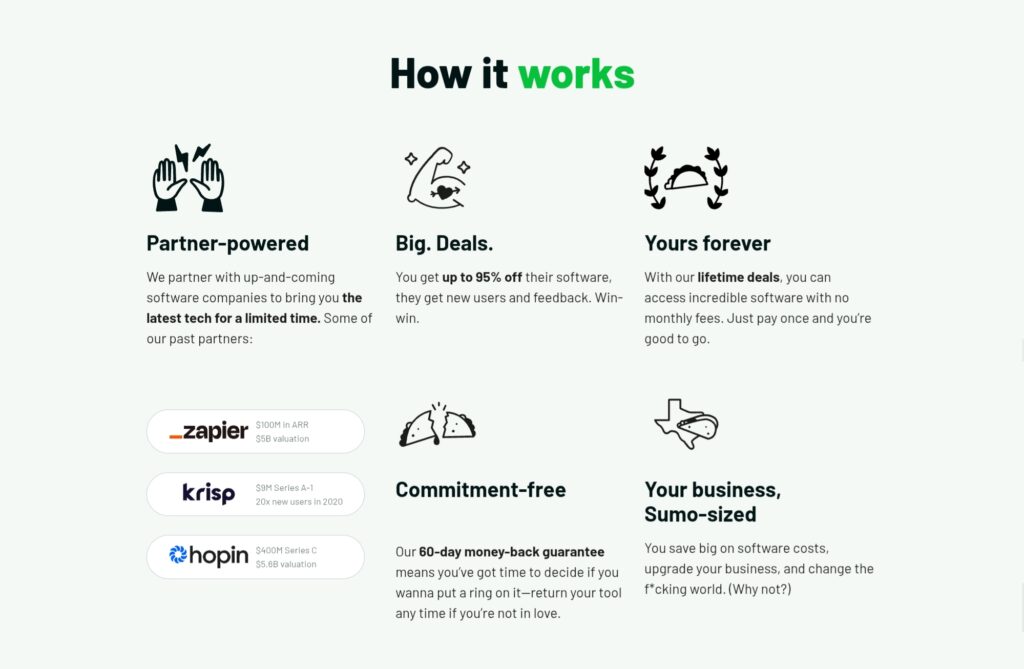
It is very common to perceive the 60-day refund policy as a universal, ironclad promise that applies to every single deal on AppSumo.
Here, I will break down what that actually means for you as a buyer.
The 60-Day Rule Is Real — But It Has Conditions
Yes, AppSumo’s standard refund window is 60 days from your purchase date. For the majority of their flagship software deals, the ones AppSumo negotiates directly with software companies, this holds up exactly as advertised.
But the moment you step outside that lane, things start to get more complicated.
The “60 Days From When?” Question
Another misconception I see constantly: people assume the 60-day clock starts when they activate the deal or when they start using the product.
The clock starts from the date of purchase. The moment your payment goes through, the countdown begins, whether you’ve activated the software or not.
So if you buy a deal on impulse during a sale, forget about it for three weeks, then finally log in and realize it doesn’t work for your use case, you now have about 39 days left, not 60.
Buy it. Activate it. Test it. Do all of that within the first week if you can.
Does the 60-Day Rule Apply to Upgrades and Add-Ons?
Short answer: no, not automatically.
If you buy a base deal on AppSumo and then purchase an upgrade, extra codes, or higher tiers directly from the vendor’s website, that transaction is outside AppSumo’s refund umbrella entirely.
You’d need to work it out with the vendor directly, and not every vendor has a generous policy.
The rule of thumb: if you didn’t buy it on AppSumo.com, AppSumo cannot refund it.
What About Deals You Bought Years Ago?
I’ve seen people in Facebook groups ask this. “I bought a deal two years ago — can I still get a refund if the tool broke?”
Under the standard refund policy? No. The 60-day window is long gone.
However, this is where AppSumo’s “We Got Your Back” guarantee comes in. If a tool you purchased shuts down within 12 months of your purchase date, you do have recourse. AppSumo Plus members get 100% store credit, and non-Plus members get 50% store credit.
It’s not a cash refund, but it’s better than nothing. And honestly, for lifetime deals, it’s a fair safety net.
Also Read: 75+ Best AppSumo Lifetime Deals for Everyone in 2026 [Top Software Picks by Category]
Can You Get a Refund After 60 Days on AppSumo?
This is probably the most Googled question about AppSumo’s refund policy. And I completely understand why. Life happens, tools break, and sometimes 60 days just slip by faster than you expect.
So let me give you the honest answer that most blogs are too cautious to say out loud.
Officially? No. After 60 days, you’re outside the refund window, and AppSumo’s policy doesn’t cover you.
But “officially” and “in practice” are two slightly different things, and that gap is worth understanding.
The Official Position (No Sugarcoating)
AppSumo is pretty clear in their Terms of Use: the refund window closes at 60 days. Once that window shuts, the standard guarantee no longer applies, and the system won’t let you self-serve a refund through your account dashboard.
There’s no loophole, no secret code, no magic phrase that automatically unlocks a late refund. Anyone telling you otherwise is setting you up for disappointment.
But Here’s Where Support Discretion Comes In
AppSumo’s support team is humans, not robots. And in rare, legitimate circumstances, they do have the ability to exercise discretion.
I’ve seen cases, from other buyers in the AppSumo community, where support made exceptions. But these were never arbitrary. There was always a genuine reason behind it.
Situations where a late refund exception might be considered:
- 🐛 The product was broken from day one, and you have clear evidence that you reported it early, but it went unresolved
- 📧 You never received your activation details, and the deal was essentially unusable through no fault of your own
- 🏥 A documented personal emergency that genuinely prevented you from testing the product within the window (this is rare, but support has been known to show empathy)
- 🛑 The vendor made a significant feature change post-purchase that fundamentally altered what you bought — effectively making it a different product
- ⚠️ A billing error or duplicate charge that AppSumo’s system caused on their end
Real-World Expectations: What Actually Happens
Let me be genuinely straight with you here, because I think you deserve a realistic picture.
Most late refund requests get denied. That’s just the reality. If your only reason is that you didn’t get around to testing the product, support will politely point you back to the 60-day policy and close the ticket.
Some edge cases get store credit instead of a cash refund. Even when support does show flexibility, they’re more likely to offer AppSumo credits as a goodwill gesture rather than reversing the original transaction. It’s not a full win, but it’s something.
The One Legitimate Post-60-Day Safety Net
If a tool you purchased completely shuts down after your refund window has closed, and it happens within 12 months of your purchase date, AppSumo’s “We Got Your Back” guarantee kicks in:
- AppSumo Plus members: 100% store credit
- Standard members: 50% store credit
It’s not a cash refund. But for a lifetime deal that just died, getting half or all of it back as credit is a meaningful safety net, and it’s one of the genuinely underrated reasons to consider AppSumo Plus if you buy deals regularly.
Also Read: How AppSumo Works (And Why Creators Love It)
Common AppSumo Refund Scenarios (And Exactly What Happens in Each)
Till now, we have understood that the refund policy is simple. It is 60 days, no questions asked, for most deals.
Some deals are non-refundable, and some have a 30-day refund window. These terms are clearly stated on the deal page.
Also, we understood how the AppSumo refund actually works and how to claim it.
Here I will walk you through the most common real-world refund scenarios I’ve personally experienced or seen play out in the AppSumo community, and tell you exactly what to expect in each one.
Scenario 1: “The Tool Just Didn’t Work as Expected”
This is probably the most common reason people request refunds on AppSumo. And honestly? It’s completely valid.
You figured out a tool for your workflow, watched the demo video, got excited, and purchased it.
Then the actual product didn’t live up to what was advertised. Maybe the UI is clunky, the features are half-baked, or it simply doesn’t integrate with the tools you’re already using.
This is the scenario the 60-day guarantee was literally designed for. If you’re within the window, you click refund, select your reason, and it’s done. No justification needed, no back-and-forth with support.
Scenario 2: “I Bought It But Never Used It”
This is another common reason behind refund requests on AppSumo. You found an amazing tool at a great price and bought it out of FOMO.
Then life happened, the tab got buried, and suddenly you’re on day 58 wondering what that $79 charge was for.
However, no worries. Since you are within the 60-day window, you can request a refund.
AppSumo doesn’t require proof that you used the product. The self-serve refund button doesn’t ask for usage data or screenshots. You genuinely can refund something you never opened.
But AppSumo tracks refund patterns. If you’re consistently buying deals and refunding them without meaningful usage, especially if this becomes a habit, your account gets flagged.
The self-serve refund button can quietly disappear from your dashboard without any formal warning. You’ll only notice when you try to use it, and it’s gone.
So ensure to activate the deal within 7 days of buying it or refund it immediately if it doesn’t meet your requirements. Don’t drag it till the end of the refund window.
Scenario 3: “I Stacked Codes, and Now I Want a Refund”
This is what you actually need to understand. AppSumo deals usually come in license codes, allowing users to choose codes as per their requirements.
Here is how it works when you refund a stalked deal.
If you bought 3 codes at $69 each ($207 total), you don’t get to keep 2 codes and refund 1. It’s all or nothing. You refund everything, lose access completely, and get the full $207 back. This is common practice, not a hard policy.
Scenario 4: “The Tool Worked, But They Changed It After I Bought”
This one genuinely stings, and it happens more than you’d think in the lifetime deal world.
You buy a deal, love it, use it for three months, and then the vendor quietly removes a core feature, raises limits, or pivots the product entirely. Suddenly, what you paid for isn’t what you have anymore.
If you’re still within 60 days and the change happened recently, you have a strong case for a refund. Go through the normal self-serve process and cite the feature change as your reason.
If you’re past 60 days, this is where it gets harder. Your standard refund window is closed. However, this is one of the stronger arguments for a support escalation, especially if you can document what was advertised vs. what exists now. You may not get a cash refund, but store credit is possible.
Scenario 5: “I Accidentally Bought the Same Deal Twice”
It sounds unlikely, but this happens, especially during AppSumo sales when you’re buying multiple deals quickly, or if you have multiple browser tabs open.
This is one of the most clear-cut refund cases AppSumo support deals with. Duplicate purchases are not ambiguous.
Contact support immediately with both order numbers, explain that it was an accidental double purchase, and they’ll process the refund for one of them without much friction.
Scenario 6: “I Bought an AppSumo Plus Membership and Want to Cancel”
AppSumo Plus is their annual membership that gives you 10% cashback on purchases, extended access to certain perks, and the enhanced “We Got Your Back” guarantee.
AppSumo Plus memberships are generally non-refundable once you’ve started using the benefits, specifically once you’ve redeemed cashback rewards or accessed Plus-exclusive perks.
If you signed up, haven’t used any benefits, and immediately realized it wasn’t for you, contact support quickly. There may be some goodwill flexibility in that narrow window.
But the moment you’ve used rewards from the membership, the refund case becomes significantly weaker.
Scenario 7: “The Vendor’s Website Is Gone — The Tool Is Dead”
This is the nightmare scenario for any lifetime deal buyer. You paid once for lifetime access, and now the company has disappeared, the website is down, and your account won’t load.
What happens: If this happens within 12 months of your purchase date, AppSumo’s “We Got Your Back” guarantee applies:
- AppSumo Plus members get 100% store credit
- Standard members get 50% store credit
Beyond 12 months? Unfortunately, you’re largely on your own. This is the inherent risk of lifetime deals.
Also Read: Best Email Marketing Software You Should Use [Top AppSumo Lifetime Deals Included]
Frequently Asked Questions About AppSumo Refund Policy
Does AppSumo really give refunds no questions asked?
Mostly yes, but “no questions asked” has limits in practice. AppSumo does ask for a refund during the process, though it’s not a gatekeeping step. For typical buyers who refund occasionally, it works exactly as advertised.
How long does an AppSumo refund take to process?
It depends entirely on which refund method you choose. AppSumo Credits land in your account instantly, while the original payment method takes 5 to 10 business days.
Can AppSumo ban your account for too many refunds?
Yes, and this is part of the policy AppSumo doesn’t advertise prominently. If you develop a pattern of buying deals and refunding them at a consistently high rate, AppSumo will restrict your self-serve refund access without sending a formal warning.
What happens to my access when I refund an AppSumo deal?
Your access is revoked immediately and permanently the moment your refund is confirmed.
Does AppSumo refund digital downloads or online courses?
No, digital downloads and most online course products are explicitly non-refundable on AppSumo.
Final Verdict — Should You Trust AppSumo’s Refund Policy?
We’ve covered a lot of ground in this guide.
The 60-day window. The credits vs. cash decision. The scenarios that go smoothly and the ones that don’t. The uncomfortable truths about account restrictions that most blogs quietly skip over.
So, my final verdict is that AppSumo is an excellent platform for lifetime deals on software.
Its refund policy is trustworthy, and for most buyers, it’s genuinely one of the best buyer protection frameworks in the software purchasing world.
Share Now

More Articles
55+ Best AppSumo Deals Worth Buying (Great Lifetime Tools for Indian Users)
Best Website Builders for Beginners
Best AppSumo Deals for Course Creators [Lifetime Tools Worth Buying]
Discover more from technicalstudies
Subscribe to get the latest posts sent to your email.