

Last updated on July 21st, 2026 at 06:50 pm
Your laptop becomes more than simply a tool when you’re creating engaging blog posts, editing articles while on the go, or incorporating narratives into your next best-selling book.
And as Indian writers and bloggers, we frequently encounter the same annoyances: a slow system when ideas are pouring, a stiff or small keyboard, an eye-straining display with a lot of glare, or a battery that runs out too quickly in the middle of a creative moment.
In reality, you don’t require a computer with excessive gaming specs or sophisticated graphics.
The ideal balance of comfort, portability, speed, and endurance specifically designed for workflows centered around writing is what you require.
That’s just what we looked for while compiling this list: laptops with outstanding typing performance, crisp, readable screens, dependable performance, and long-lasting batteries that allow for extended writing sessions without the need for a charger.
The best laptops for writers and bloggers in India are highlighted in this guide. They were carefully selected to meet the demands of actual writers, from students and freelance content producers to full-time bloggers operating out of cafés and airports.
These laptops give you the comfort and resources you need to continue being creative.
What Writers & Bloggers Should Look for in a Laptop
Choosing a laptop for blogging or long-form writing is not the same as selecting a powerful video editor or gaming device.
A device that improves comfort, minimizes distractions, and maintains the creative rhythm is essential for writers and content creators. These are the essential elements that all Indian writers and bloggers ought to focus on.
- Comfortable keyboard & key travel
More important than any flashy spec is a nice typing experience. To prevent tiredness when writing for extended periods of time, look for well-spaced keys, mild feedback, and at least 1.3–1.5 mm of key travel.
- Lightweight & portable
A laptop that weighs less than 1.5 kg might be really helpful if you write from coffee shops, coworking spaces, or while traveling. Bloggers and digital nomads place a high value on portability.
- Long battery life (8+ hours)
Creativity is disrupted by frequent charging. The finest laptops for writers have batteries that last all day, so you can write wherever inspiration strikes, even if there isn’t a power outlet nearby.
- Bright, anti-glare display
Eye comfort is important. To avoid eye strain during extended writing and editing sessions, use a display with an anti-glare coating and brightness of at least 300 nits.
- Fast storage (SSD)
Whether you’re going between WordPress, Grammarly, or research tabs, an SSD makes sure your computer wakes up quickly and can multitask.
Also Read: SSD vs HDD Laptops: Speed, Price & Real-World Comparison
- Budget options with solid performance
A costly powerhouse is not necessary for writers. Writing jobs are manageable even with an Intel i3 or Ryzen 3 or later.
The best laptops for blogging in India are available at different price ranges, so you may select the one that best suits your current stage of development.
List of The Best Laptops for Writers and Bloggers in India
1. Apple MacBook Air 13-inch (M4, 2025) — A Writer’s Ideal Companion
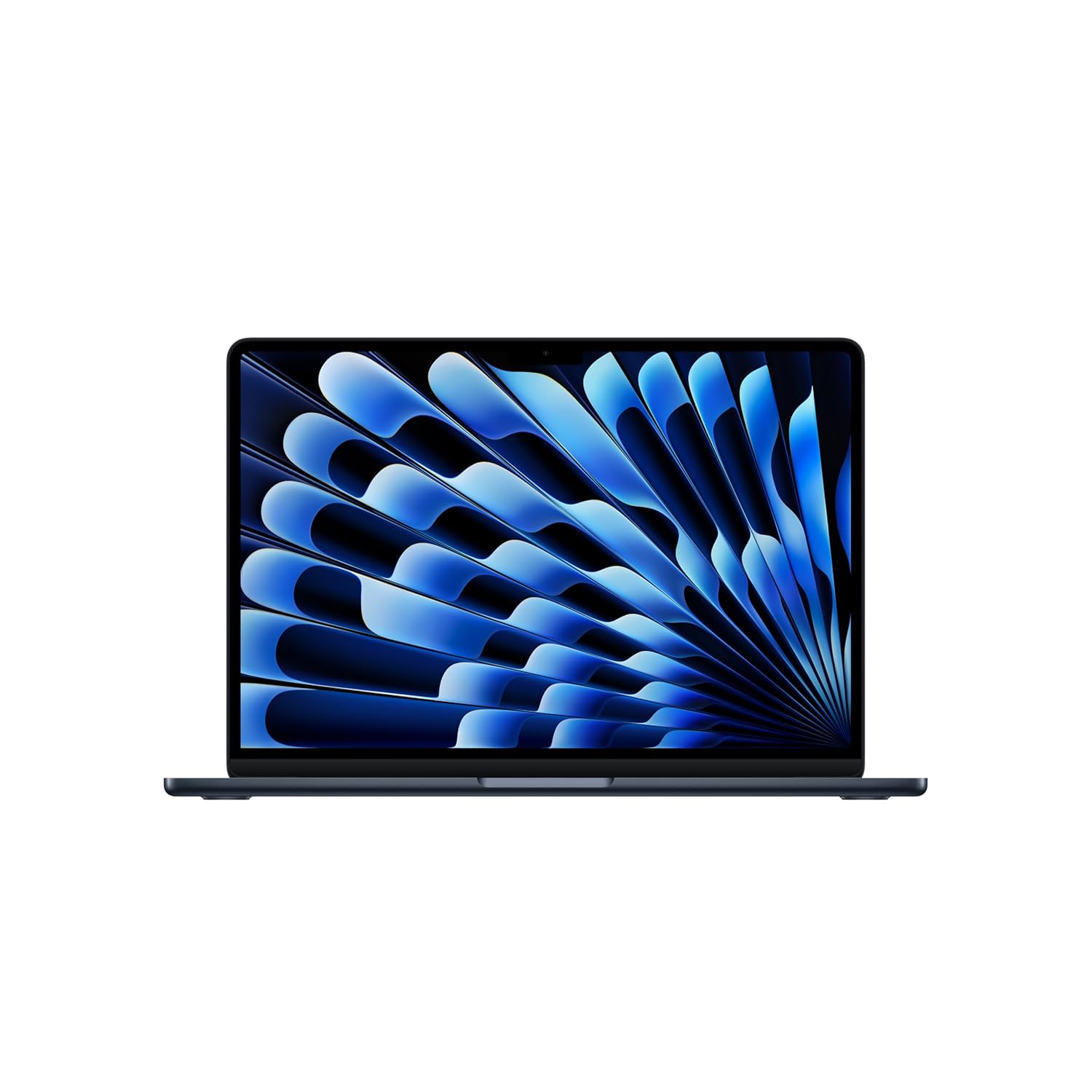
This 13-inch MacBook Air is almost perfect if you’re searching for a laptop that seems designed for writing, editing, blogging, or extended creative sessions.
It’s a sophisticated option that blends portability with practical performance thanks to its new Apple M4 silicon chip, elegant design, and writer-friendly ergonomics.
What Makes It Shine for Writers & Bloggers
Elegant, lightweight build.
The 13-inch MacBook Air is incredibly portable, which is a huge benefit if you frequently travel or move between cafés, homes, and co-working spaces.
It won’t put undue strain on your lap or backpack during extended work sessions because of its lightweight design and thin contour.
Outstanding display for clarity and focus.
Even after hours of writing or editing, the 13.6-inch Liquid Retina display produces clear, brilliant images that are kind to the eyes.
This greatly improves the ease of long-form writing, proofreading, and content planning, which is crucial for bloggers who handle responsibilities involving a lot of text.
Seamless performance & responsive feel.
Your word processor, browser tabs, picture editors, and content-management dashboards will all open and function smoothly thanks to the M4 chip’s 10-core CPU and GPU, unified memory, and SSD storage.
Bloggers who create, edit, upload, and manage material across platforms will find it ideal, as there is no lag even when multitasking.
Keyboard and typing comfort — a writer’s delight.
For writing-intensive tasks, the MacBook Air’s keyboard and trackpad have consistently been ranked among the finest.
The tactile feedback, key travel, and ergonomic layout make a noticeable difference for someone who spends hours composing articles, tales, or blogs.
Writing comfort is a top priority on the laptop for writers checklist, and this MacBook Air perfectly satisfies that requirement.
Quiet, fanless design — fewer distractions.
This MacBook operates silently when typing or working, in contrast to heavier laptops with noisy cooling systems.
This is advantageous when you want to focus completely or are in calm areas like libraries or cafés. That subtle calm is more important to authors than raw, huge details.
Long battery life — work anywhere, anytime.
The MacBook Air’s long battery life is a major benefit whether you’re writing at a café table, on a train, or during a lengthy commute. It allows you to write whenever inspiration strikes without having to search for a charger.
2. HP 15 (fc0690AU) — A Balanced, Budget-Friendly Writing Companion
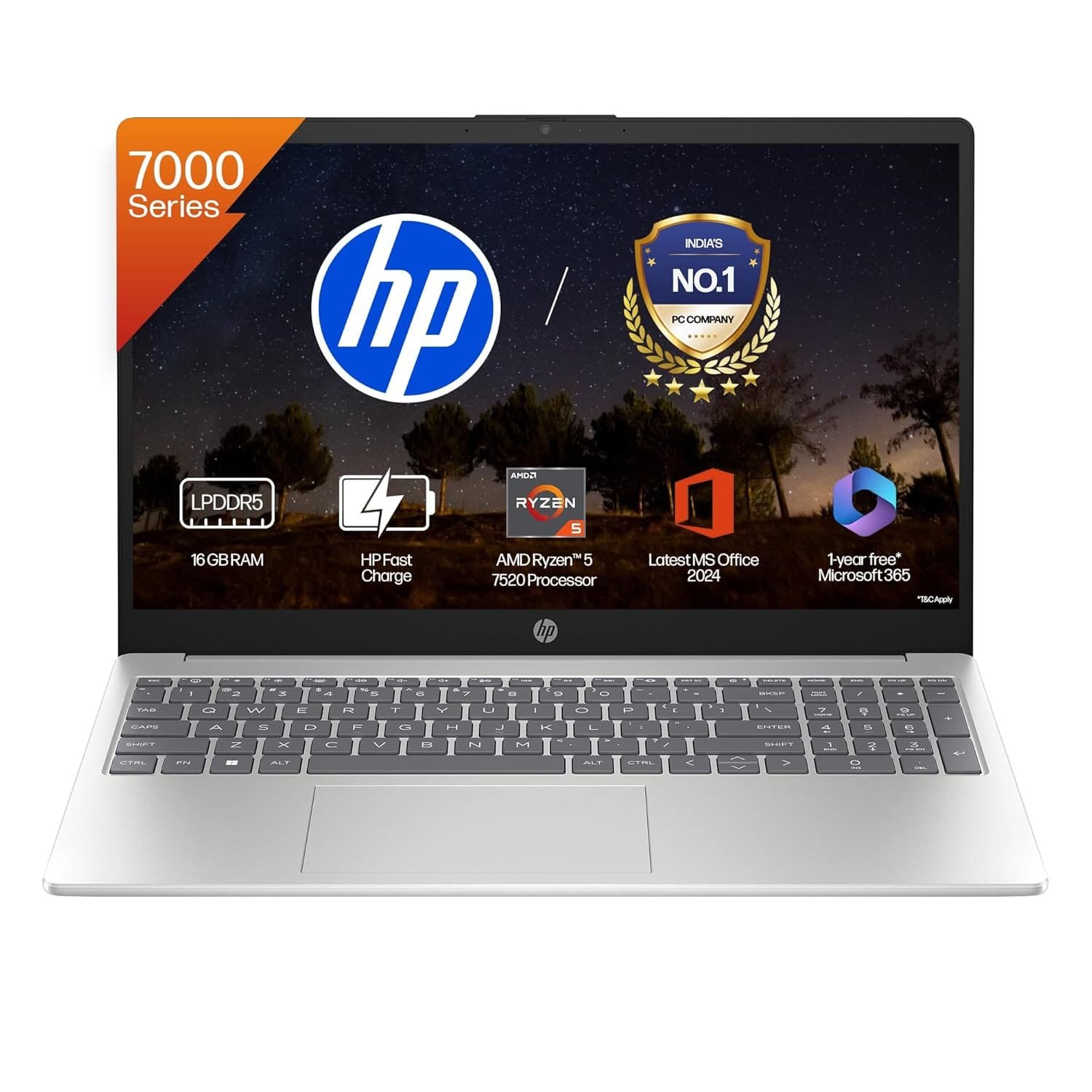
This HP 15 hits a sensible balance between performance, comfort, and cost if you’re searching for a dependable laptop for blogging, content writing, editing, or daily productivity without breaking the bank on high-end models.
Although it lacks high-end glitz, its advantages make it an excellent option for a serious writer or blogger.
What Works — And What Writers Will Appreciate
Good performance for everyday writing & content work.
A 512 GB NVMe SSD, 16 GB DDR5 RAM, and an AMD Ryzen 5 7520U processor power this HP 15.
This combination guarantees lag-free multitasking with your writing app, a browser with several tabs open, and possibly some research PDFs or photographs.
This degree of reactivity is more important than raw power for authors, editors, and bloggers who are in charge of CMS dashboards.
Fast storage & snappy boot-ups.
No more waiting for your word processor, browser, or note app to open, thanks to the SSD’s fast startup and almost instantaneous application launches.
When inspiration strikes, maintaining flow is crucial, and this responsiveness helps with that.
Comfortable, anti-glare FHD display.
With its micro-edge design and anti-glare coating, the 15.6-inch full HD display lessens reflections and eye strain during extended writing sessions.
Even though it’s not the brightest panel available, it’s more than sufficient for daily writing, blog post drafting, editing, and research, especially in standard home or office lighting.
Decent portability and is built for everyday mobility.
This laptop, which weighs only 1.59 kg, is light enough to go to coffee shops, coworking spaces, or on the go. It’s not as light as ultrabooks, but it’s still balanced for affordable portability.
Good value for money — strong for the price.
This model offers a good value proposition given its hardware combination, display, and general characteristics, particularly if you’re a writer, blogger, or journalist who doesn’t require pricey graphics or powerful gaming.
Related: Best Laptops For Coding in India
3. Lenovo Yoga Slim 7 — A Premium Writing-Ready Laptop
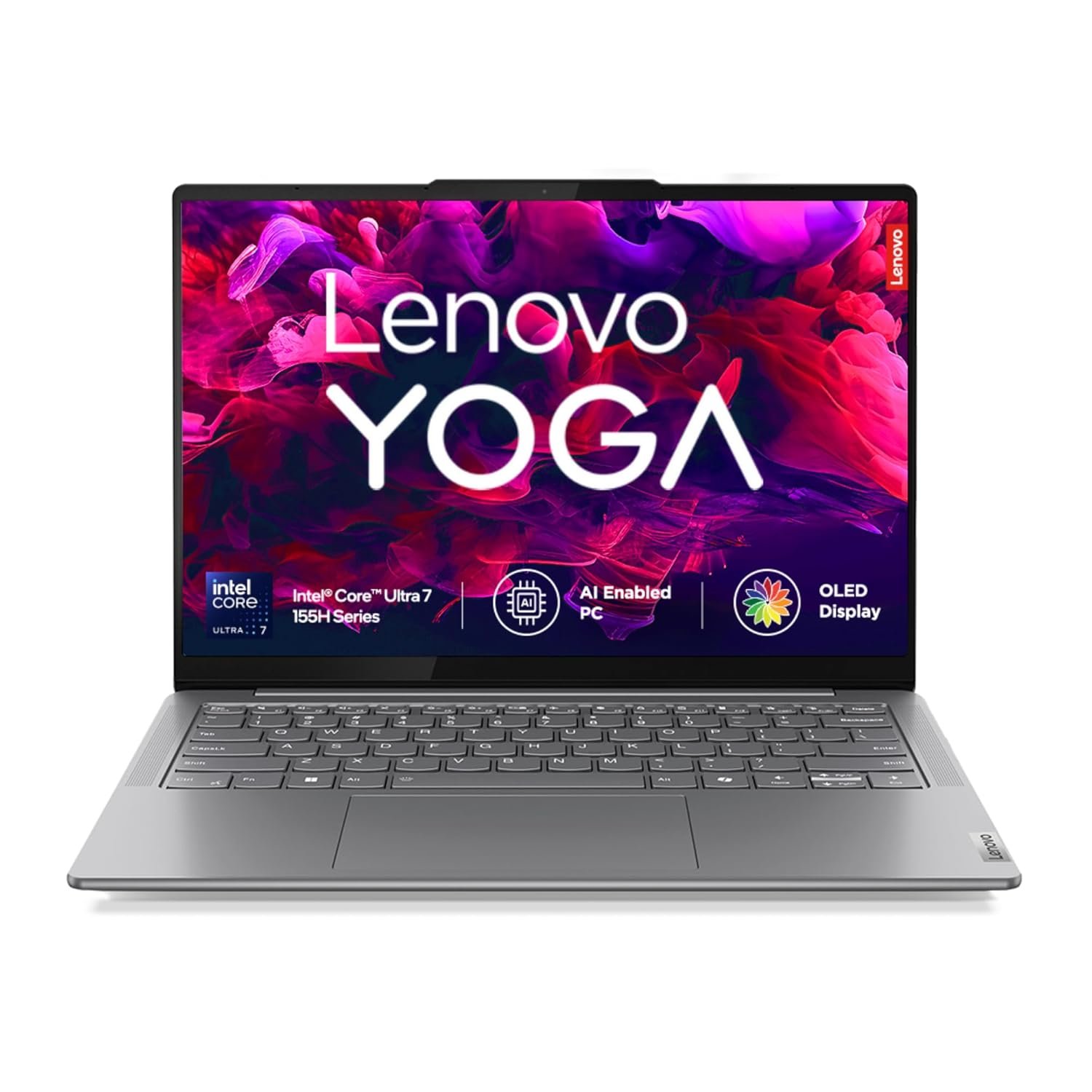
The Yoga Slim 7 stands out for writers and bloggers looking for a laptop that feels as much like a creative tool as a daily driver, especially if you value a high-end display and portability wrapped in a sleek, contemporary design.
This model is ideal for people who spend a lot of time creating, editing, and managing information online because it has a 14-inch WUXGA OLED monitor, quick internals, and comfortable ergonomics.
What Makes It a Great Match for Writers & Bloggers
Beautiful, easy-on-the-eyes display.
This Yoga Slim 7’s 14-inch WUXGA OLED display is perfect for extended reading, writing, and editing sessions because it offers rich contrast, deep blacks, and clear text. Deeper blacks lessen eye fatigue during extended usage, while OLED’s inherent greater color accuracy and contrast make text crisp and comfortable.
Balanced portability and build quality.
The Lenovo Yoga Slim 7, weighing only about 1.39 kg, is light enough to take to cafés, coworking spaces, or when traveling, which is ideal for bloggers or freelance writers who move about frequently.
Performance that keeps up with multitasking needs.
With 16 GB of RAM and SSD storage, the Yoga Slim 7 handles common writing chores, including word processing, browser tabs, research, and CMS dashboards, with ease. That level of responsiveness is more important than raw power when writing procedures.
Also Read: How Much RAM Do You Really Need in a Laptop Today? A Practical Guide for Every User
Slim, modern design with premium touches.
The design has a polished, minimalist style, and the illuminated keyboard improves usage during late-night work sessions or in low-light conditions.
4. ASUS Vivobook 15 X1504VA — A Smart Budget-Friendly Writing Laptop
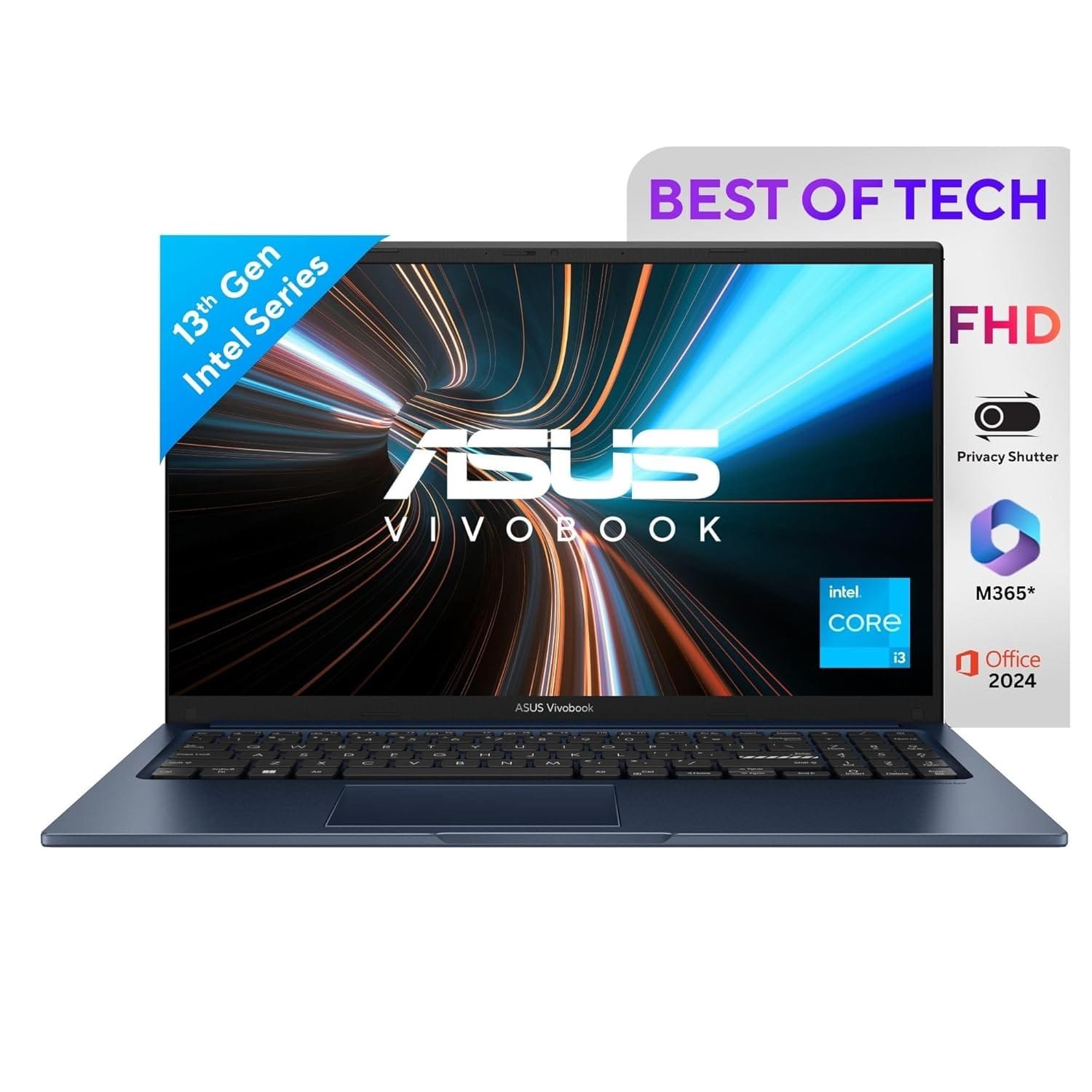
If you’re a blogger, student, or freelance content writer looking for a dependable, no-frills laptop that does the work without breaking the bank, the Vivobook 15 X1504VA is a solid contender.
This laptop has a 13th-generation Intel Core i3 CPU, SSD storage, a full-size display, and reasonable ergonomics, making it ideal for writing, editing, and general content work.
What Makes It Work for Writers and Bloggers
Balanced performance for everyday writing workflows.
With an Intel Core i3-1315U (6-core, up to 4.5 GHz turbo) and 512 GB NVMe SSD storage, the Vivobook 15 can easily manage word processors, CMS dashboards, browser tabs, notes, and light multitasking.
This arrangement offers snappy, lag-free performance for routine writing and blogging tasks, including creating posts, editing content, and conducting research.
Full-size, comfortable display for extended writing sessions.
The 15.6-inch Full HD (1920 × 1080) anti-glare display provides ample workspace for content management, writing, editing, and research. The larger screen makes multitasking more comfortable, such as keeping your research and draft side by side.
Decent keyboard and typing comfort for long hours.
The Vivobook offers a respectable typing experience with a precise touchpad and ~1.4 mm key travel, which is particularly helpful for writers who spend hours blogging, editing, or creating content.
Lightweight enough for portability and daily carry.
Although it’s not the lightest ultrabook, it weighs roughly 1.7 kg. It’s still portable enough for students or freelance writers who are constantly on the go to commute or carry between homes, coffee shops, or coworking spaces.
Value-for-money sweet spot.
The Vivobook 15 successfully combines necessary characteristics for a laptop in the budget-to-midrange range, such as SSD storage, a current CPU, a full-HD display, and a functional keyboard, without going over normal budgets for students or content creators.
For writers and bloggers in India, this makes it one of the better “budget options with decent performance.”
Read Also: Best Laptops For Travellers – Compact, Lightweight, And Powerful Options
5. Dell Inspiron 15 (i5-1334U) — A Balanced All-Rounder for Writers & Content Creators

This 15.6-inch Dell Inspiron is a strong, well-rounded option for writing, blogging, content editing, and daily digital work if you’re searching for a laptop in India that combines dependable performance, comfort, and usefulness without going crazy.
Why It Works Well for Writers & Bloggers
Smooth performance for multi-tab writing & browsing workflows.
The 13th-generation Intel Core i5-1334U processor (10 cores) that powers the Inspiron 15 is paired with SSD storage and, depending on the setup, perhaps 8–16 GB of RAM.
Word processors, CMS dashboards, online browsers, research tabs, and even mild multitasking (notes + browser + reference PDFs) all feel responsive and lag-free.
Large 15.6″ Full HD display — comfortable for long writing sessions.
There is enough room on the 15.6-inch Full HD screen to place writing windows, reference materials, and editing tools side by side.
If you spend hours writing blog entries or editing lengthy articles, the IPS/anti-glare Full HD panel (non-touch) is beneficial because it avoids the restricted screen space that smaller laptops sometimes require.
SSD storage for quick boot-ups and smooth startup.
SSD-based storage (usually 512 GB NVMe) makes it quick to boot up, open writing programs or browsers, and switch between tabs. Instead of waiting for disk load times, this helps you stay in “writing flow” and minimize distractions.
Full-sized build with practicality for everyday use.
Although the Inspiron 15 doesn’t claim to be an ultrabook, its form factor, keyboard arrangement, and display size make it useful for general productivity, content editing, and desktop-style writing.
This balance is important for home-based bloggers, students, and independent authors juggling writing and research.
Good value-for-money ratio for content work.
The Inspiron 15 is appealing to writers and bloggers in India who want a decent machine without going over budget for GPU-intensive jobs because it delivers a solid performance-to-price ratio when compared to high-end, pricey laptops.
6. HP 15s-FY5008TU — A Smart Mid-Range Writing Laptop for Bloggers & Creators
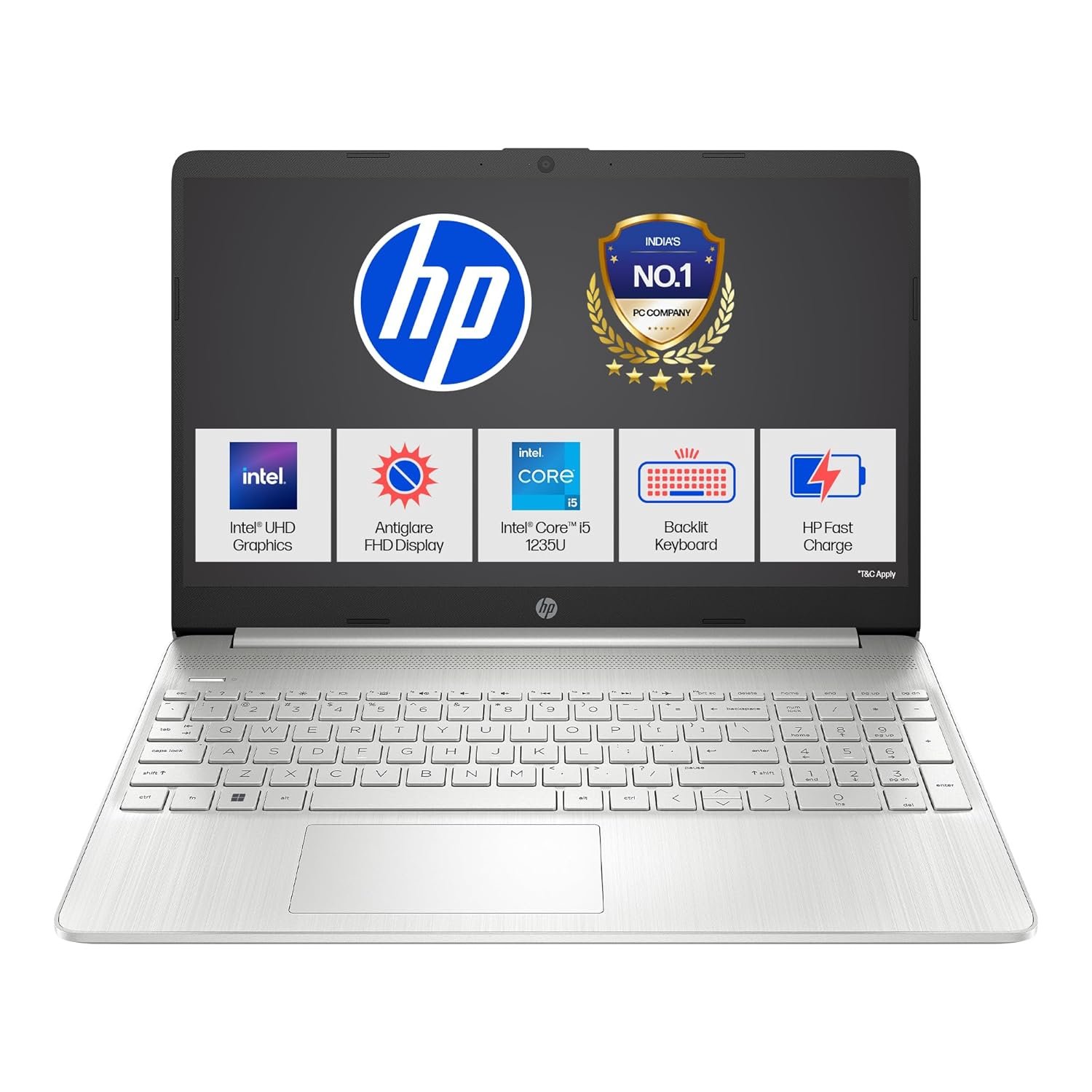
The HP 15s-FY5008TU stands out as a very sensible choice for writers and bloggers looking for a balanced laptop that offers dependable performance, sufficient storage, a readable display, and affordability.
It doesn’t claim to be a high-end ultrabook, but it combines a number of useful capabilities for regular writing, editing, research, and content publishing.
What Makes It Work for Writing & Blogging
Modern 12th-Gen Intel Core i5 for smooth multitasking.
The Intel Core i5-1235U (10-core, hybrid architecture) at the core of this model provides sufficient processing power for word processors, CMS dashboards, research tabs, writing programs, and mild multitasking, even when you have many browser tabs, post photos, or editing windows open.
SSD-based storage and fast performance — no waiting around.
The 512 GB SSD guarantees speedy system performance overall, including quicker document loading and boot-ups. SSD guarantees a seamless and uninterrupted workflow for bloggers who frequently alternate between writing, uploading content, light image editing, and surfing.
Generous 15.6″ Full HD anti-glare display — comfortable for long writing sessions.
Plenty of screen real estate is provided by a 15.6-inch FHD display with anti-glare coating, making it ideal for creating lengthy blog posts, handling CMS and content previews simultaneously, or comparing drafts with reference materials side by side.
During lengthy editing sessions in a variety of lighting conditions, the anti-glare aids lessen eye strain.
Backlit keyboard and usable ergonomics — helpful for late-night writing.
Typing in low light or late at night is made simple by the backlit keyboard and standard laptop keyboard layout found on many HP 15s models. This is a common situation for bloggers who work late or update content after hours.
Balanced price-to-performance ratio — good value for content creators on a budget.
This HP laptop fits well into the mid-range budget, given its processor, 512 GB SSD, full-HD display, and general setup. It provides an alluring combination of dependability and affordability for Indian writers, bloggers, students, and freelance content creators.
7. Lenovo IdeaPad Slim 5 — A Sophisticated, Writer-Centric Laptop

The IdeaPad Slim 5 is a strong option for writers, bloggers, and digital writers looking for a blend of style, functionality, and portability.
Instead of shouting “gaming rig” or “video editing workstation,” it offers what really counts when writing, editing, researching, and content publishing are your main responsibilities.
What Makes It Stand Out for Writers & Bloggers
The 14″ WUXGA (1920 × 1200) OLED panel produces outstanding contrast and sharp, crisp text, making formatting and paragraphs look clear and uncluttered.
A display that can clearly portray text with little strain is essential for long-form writing or editing. Even routine jobs like proofreading or browsing are made more enjoyable by the OLED’s rich clarity and deep blacks.
Strong performance and storage for fluid workflows.
The Slim 5 easily manages multitasking, including several browser tabs, word processors, CMS dashboards, research PDFs, and note-taking apps, thanks to its most recent Intel Core Ultra 5 125H processor, 16 GB LPDDR5 RAM, and a substantial 1 TB PCIe SSD.
You seldom ever have to wait for anything to “catch up,” and task switching is seamless, and boot-ups happen quickly. Your creative flow is preserved by that level of reactivity.
Portable, thin, and light — ideal for mobile writers.
This Slim 5 weighs approximately 1.4-1.5 kg and is light enough to transport to cafés, coworking spaces, libraries, or even on travel. This portability is especially beneficial for freelance bloggers and journalists who do not always write from a fixed location.
Backlit keyboard and ergonomic layout — writing after dark becomes easier.
The inclusion of a backlit keyboard means that late-night blogging or working in low-light conditions does not strain your eyes or break your typing rhythm. When deadlines approach, many authors find that convenience is really beneficial.
Balanced value — premium feel without an exorbitant price tag.
In comparison to top-end ultrabooks, the Slim 5 provides a plethora of writing-friendly features, an OLED display, an SSD, and a powerful CPU at a mid-to-upper-mid price point.
This is a wise investment for content creators in India looking for a computer that is future-proof without breaking the bank.
8. ASUS Vivobook 16 — A Solid Mid-Range Workhorse for Writers & Bloggers
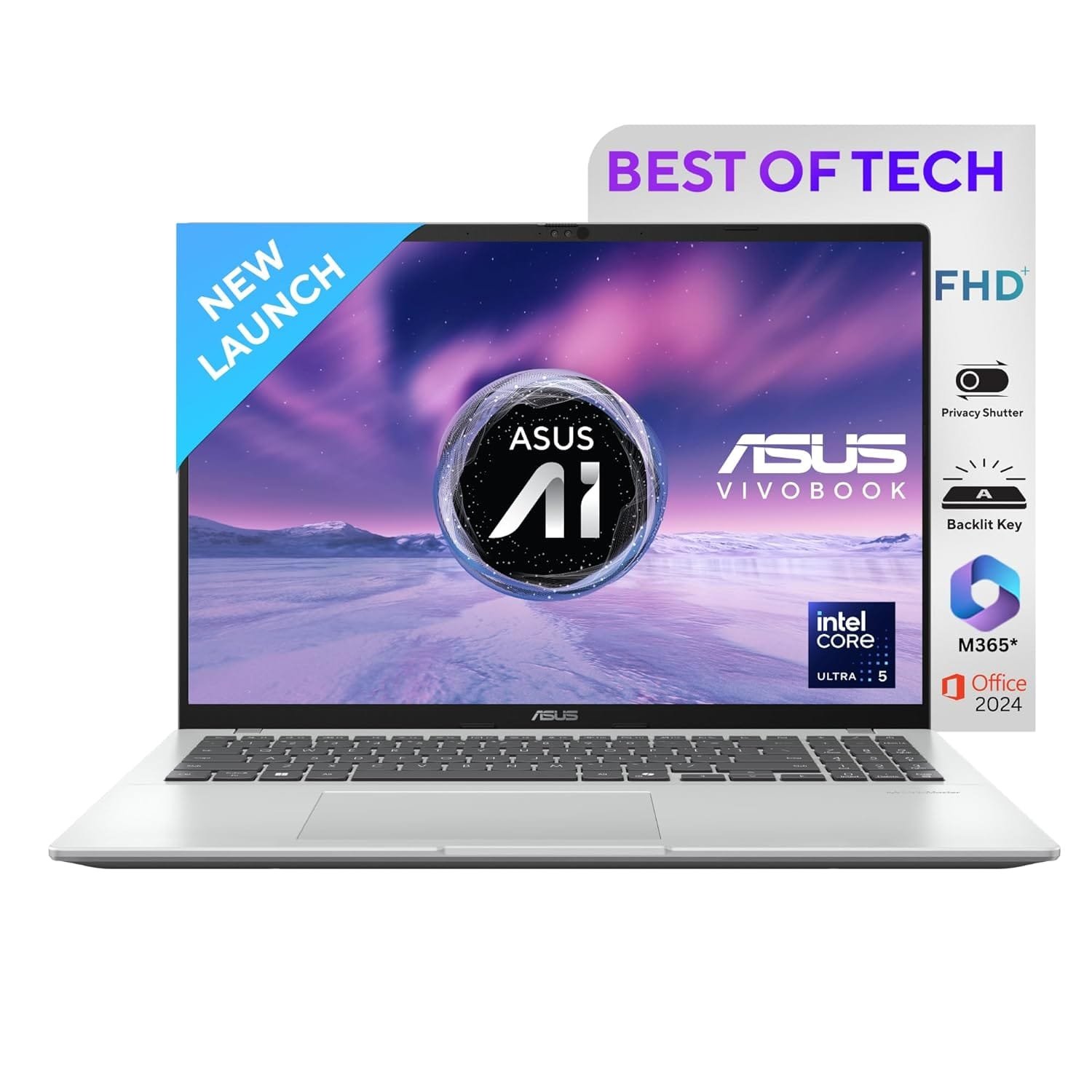
The Vivobook 16 is a strong option for writers, content producers, and bloggers who require a dependable writing partner that can also easily manage daily tasks.
If you’re looking for a laptop that strikes a balance between performance, display space, and practical usability without going into “ultrabook premium price” territory, this laptop is for you.
What Makes It Work for Writing, Editing & Content Work
Spacious display — ideal for writing, editing, and multitasking.
The 16.0-inch WUXGA (1920 × 1200) display on the Vivobook 16 has an aspect ratio of 16:10. You can view more on-screen material at once, including paragraphs, research windows, and CMS dashboards, thanks to the additional vertical real estate.
A somewhat larger canvas is more productive than cramped 13–14″ displays for bloggers who manage writing, editing, referring sources, and previewing content.
Smooth performance and storage — no more waiting around.
This Vivobook easily manages a variety of writing applications, browser tabs, note-taking tools, CMS, and research material thanks to its contemporary CPU (Intel Core Ultra 5, depending on the configuration), 16 GB DDR5 RAM, and 512 GB NVMe SSD.
Apps open fast, bootups are rapid, and task switching is seamless. When inspiration strikes, this responsiveness is essential to preserving “writing flow.”
Comfortable keyboard & ergonomic design — good for long writing sessions.
The “ASUS ErgoSense” keyboard, which is part of the Vivobook 16 range, is described by numerous reviews as quiet and comfortable for typing.
A tactile, responsive keyboard feels more natural and lessens typing fatigue for writers who spend hours creating articles or blog entries.
Backlit keyboard & full-size build — flexibility for different lighting conditions.
The backlit keyboard makes it comfortable to write or blog late at night in ambient (dim) light.
This, along with the wide screen, allows the laptop to be used without obvious compromise in a range of settings, including homes, cafés, and co-working spaces. These features are included in the VivoBook 16 configuration.
Good value for money — strong “performance + practicality” balance.
With its large display, RAM-SSD combination, and writing-friendly features, this laptop presents an attractive trade-off between price and performance.
This Vivobook offers good value without going above a mid-range budget for many writers, bloggers, students, or independent content producers who require a dependable tool for creating, editing, and organizing content.
9. Acer Aspire Lite AL15-52H — A Dependable Mid-Range Writing Companion
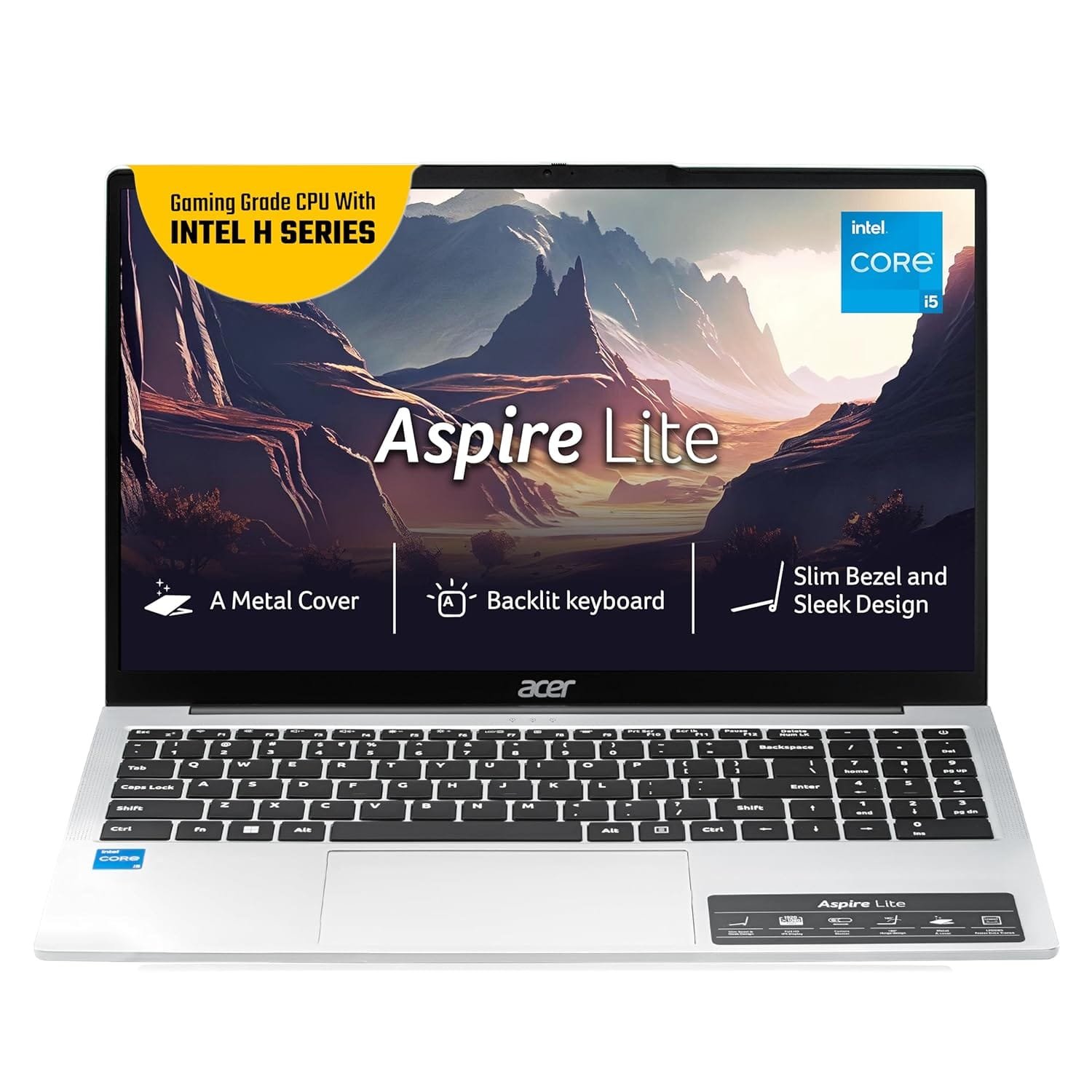
The Acer Aspire Lite AL15-52H stands out as a very sensible option for authors, bloggers, students, or content producers looking for a balance between performance, storage, display, and cost.
It doesn’t promise the ostentatious features of gaming consoles or ultrabooks, but it does what really counts for routine writing, editing, content management, and research tasks.
Why It Works For Writing & Blogging
Smooth performance for multitasking and content workflows.
This laptop easily manages writing applications, multiple browser tabs, CMS dashboards, and note-taking tools thanks to its 12th-generation Intel Core i5-12450H processor (octa-core, up to 4.4 GHz boost) and 16 GB LPDDR5 RAM, even when you’re concurrently referencing research PDFs, images, or draft versions.
When you’re deep in creative flow and regularly jumping between windows, this kind of responsiveness, without any discernible lag, is quite helpful.
Fast SSD storage and quick responsiveness.
The NVMe SSD guarantees almost instantaneous loading whether you start the computer, launch your word processor, or load massive documents and photographs.
This SSD-based storage makes operations feel seamless for bloggers and content producers who deal with several drafts, media assets, or backup papers.
15.6″ Full HD IPS display — good real estate for writing and editing.
Compared to smaller screens, the 15.6-inch Full HD panel offers plenty of screen area to retain your draft, research notes, preview panel (if you’re using WordPress), and reading material side by side, greatly increasing productivity.
If you frequently study or proofread text, the IPS panel’s wide viewing angles and clarity will be beneficial.
Backlit keyboard and usable ergonomics — useful for late-night writing sessions.
The backlit keyboard greatly improves typing comfort without requiring additional lighting if you frequently write in the dark or at night. This is a small but significant comfort feature for bloggers who might work past regular business hours or enjoy writing late at night.
Balanced value-for-money — pragmatic yet effective.
Considering the CPU, RAM, SSD, display size, and features like a backlit keyboard and Windows 11 preinstalled, AL15-52H offers a compelling mix of performance and value.
For many writers and content creators in India looking for a “workhorse” machine without overspending, this model strikes a sweet spot.
Related: What Makes a Laptop Really Fast? – CPU, GPU, RAM, or Storage
10. MSI Modern 14 C12MO-1205IN — A Lightweight, Budget-Friendly Writing Machine
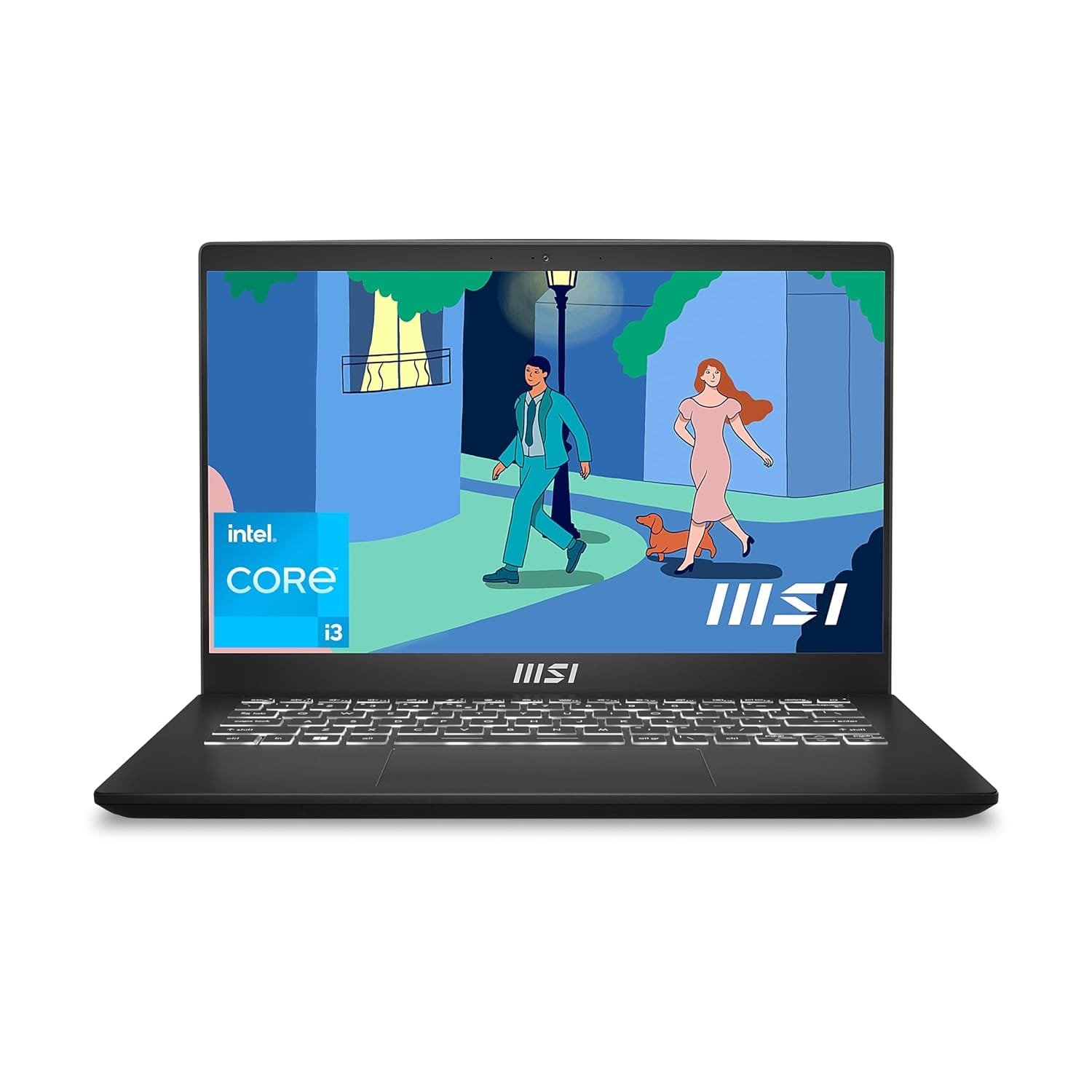
For bloggers, students, freelance writers, and casual content creators, the MSI Modern 14 C12MO-1205IN appears to be a smart option if you’re looking for a laptop that is portable, responsive enough for writing and content creation, and affordable.
It is one of the more appealing “budget-leaning yet writing-ready” alternatives since it strikes a mix between mobility and necessary performance.
What Works in Favor of Writers & Bloggers
Portability and slim footprint.
This Modern 14 is lightweight (around 1.4 kg) and has a small 14-inch chassis, making it perfect for writing from cafés, coworking spaces, libraries, or when traveling. You won’t feel heavy even with a full travel bag because of its thin and light design.
Adequate performance for writing and productivity tasks.
The 512 GB SSD and 12th-Gen Intel Core i3-1215U CPU (with turbo boost up to ~4.4 GHz) guarantee the smooth operation of word processors, browsers, note-taking apps, CMS dashboards, and many tabs. This setup is more than adequate for research, editing, blogging, and content creation.
Fast SSD storage and responsive boot-ups.
The laptop’s NVMe SSD storage keeps you in “writing flow” instead of having to wait for displays to load because it boots up swiftly, wakes up from sleep rapidly, and loads documents and apps without any discernible lag.
Compact Full HD display — usable for drafting and editing.
For writing, revising blog articles, reviewing references, and performing simple content management chores, the 14″ FHD (1920×1080) IPS-like panel is enough. Although it’s not a multimedia-grade display, it works well for text-focused tasks without sacrificing aesthetics.
Backlit keyboard & ergonomic typing comfort.
Many reviewers note that the keyboard’s usable key travel (~1.5 mm) is pleasant for typing and helpful for extended writing sessions. You can operate in poorly lit areas or late at night without outside lighting if you have a backlit keyboard.
Budget-friendly value — a responsible choice for budget-conscious writers.
This MSI is a sensible option if you want a “writing-ready” device without breaking the bank when compared to high-end ultrabooks or bulky content-creation laptops because it provides a useful balance of capabilities without going above ordinary budgets.
Comparison Table
| Laptop | Key Specs (CPU / RAM / Storage) | Weight / Portability | Strengths for Writers & Bloggers | Things to Note / Trade-offs |
|---|---|---|---|---|
| Apple MacBook Air 13-inch (M-series) | Apple M-series chip, 8–16 GB unified memory, 256–512 GB SSD | Ultra-portable, very light | Superb keyboard, silent fanless design, excellent battery life, sharp display – ideal for serious writers and bloggers | Expensive; base storage can feel limiting; only USB-C ports, needs dongles |
| HP 15 (15-fc0690AU, Ryzen 5) | AMD Ryzen 5 7520U, 16 GB RAM, 512 GB SSD | Standard 15.6″, reasonably portable | Strong everyday performance, good multitasking, anti-glare screen, great value for writers who want speed without premium pricing | Display brightness and colour are basic; plastic build; battery life is decent but not all-day for heavy use |
| Lenovo Yoga Slim 7 (14″ OLED) | Modern Intel processor (Ultra/Core series), 16 GB RAM, 512 GB SSD | Slim & light, travel-friendly | Gorgeous OLED display for reading and editing, premium build, smooth performance, great for bloggers who move a lot | Glossy screen can reflect light; pricier than mid-range options; integrated graphics only |
| Lenovo IdeaPad Slim 5 | Intel Core Ultra 5 125H, 16 GB RAM, 1 TB SSD | Light (~1.4–1.5 kg) | Eye-friendly OLED for long sessions, plenty of SSD space, fast multitasking, excellent mix of portability and power | OLED glare in bright light; costs more than basic laptops; not meant for heavy GPU work |
| ASUS Vivobook 15 X1504VA | Intel Core i3-1315U, 8–16 GB RAM, 512 GB SSD | Mid-size, moderate portability | Great budget option, SSD keeps everything snappy, big screen for writing + research, decent keyboard | Average battery life; basic display for colour work; not suitable for video editing or gaming |
| ASUS Vivobook 16 | Intel Core Ultra 5, 16 GB RAM, 512 GB SSD | Larger & heavier (~1.8–1.9 kg) | Huge screen ideal for multitasking (editor + CMS + research), comfy ErgoSense keyboard, good mid-range performance | Less portable, moderate battery life, integrated graphics only |
| Dell Inspiron 15 (i5-1334U) | Intel Core i5-1334U, 8–16 GB RAM, 512 GB SSD | Standard 15.6″ | Well-balanced all-rounder, smooth multitasking for blogs, research and office work, solid option for home/desk writers | A bit bulky for frequent travel; display is functional, not premium; no dedicated GPU |
| HP 15s-FY5008TU | Intel Core i5-1235U, 8–16 GB RAM, 512 GB SSD | Standard 15.6″ | Strong mid-range performance, SSD speed, anti-glare panel for long writing hours, optional backlit keyboard | Plastic chassis, average battery, integrated graphics – fine for writing, not for heavy media work |
| Acer Aspire Lite AL15-52H | Intel Core i5-12450H, 16 GB RAM, 512 GB SSD | Mid-size (~1.7 kg) | Very capable CPU for multitasking, fast SSD, plenty of RAM, good for writers juggling many tabs and tools | Battery life is okay but not ultrabook level; integrated graphics limit creative workloads |
| MSI Modern 14 C12MO-1205IN | Intel Core i3-1215U, 8 GB RAM, 512 GB SSD | Light & compact (~1.4 kg) | Excellent portability for café and travel writing, SSD keeps apps responsive, backlit keyboard, great option for budget-conscious bloggers | Smaller screen can feel tight for heavy editing, basic display, entry-level performance for light to moderate tasks |
How We Chose These Laptops
The “10 Best Laptops for Writers and Bloggers in India” list required more than just selecting well-known models or relying solely on hardware specifications.
To make sure every recommendation is truly appropriate for writing, blogging, and long-form content creation, we employed a strict, writer-centered review approach.
The main trust signals and criteria that influenced our choice are listed below, along with the reasons we think they are important when selecting a laptop for writing or blogging.
Also Check: The Ultimate Laptop Buying Guide for Indian Students and Professionals in India
Key Selection Criteria
- Battery tested for writing hours
In contrast to synthetic or infrequent use, we gave preference to laptops whose battery performance holds up under true writing-heavy use, such as composing posts, revising, perusing reference materials, or managing CMS dashboards.
For authors and bloggers, having a long-lasting battery means having the freedom to write from cafés, libraries, trains, or when traveling without having to look for a charger all the time.
- Keyboard comfort rating
We searched for laptops with ergonomic layouts, pleasant key travel, decent tactile feedback, and ideally illuminated keyboards because the keyboard serves as the primary interface for writers.
A decent keyboard helps prevent wrist strain, preserves natural posture, and lessens typing fatigue—all important for extended writing sessions.
- Price–value ratio (cost-effectiveness for writers)
We realized that not every blogger or writer requires a laptop fit for a workstation. Many people require a reliable, sturdy device that strikes a compromise between cost, comfort, and performance.
Therefore, we focused on laptops that offer good writing-friendly performance and features at affordable or mid-range price points, such as SSD storage, respectable CPUs, and functional displays.
This guarantees value for money, particularly for students, aspiring bloggers, and independent authors.
- Build quality & brand after-sales support.
For authors, long-term dependability is more important than specs when choosing a laptop.
We took into account factors such as general long-term usage, service network (important in India), weight/portability, build materials (durability), and brand reputation.
For a writer, a laptop that lasts three to four years without any hardware issues and is easily serviced is significantly more important than an ostentatious model with an unknown lifespan.
Conclusion
Choosing a laptop that fosters your creativity is more important for writers and bloggers than pursuing high-end graphics or gaming hardware. The best laptops for writers and bloggers in India strike the ideal combination between portability, quick SSD storage, extended battery life, and comfortable typing.
The laptops on this list are carefully chosen to improve your workflow and keep you focused on storytelling rather than troubleshooting, whether you’re writing your next book, managing WordPress dashboards, revising articles, or creating blog posts.
Are you prepared to improve your writing skills? Start creating with confidence after selecting the laptop that best suits your workflow.
FAQs
Which laptop is best for writers in India?
The best laptop for writers in India will depend on your workflow and budget, but models like the ASUS Vivobook, Lenovo IdeaPad Slim 5, and MacBook Air stand out for their portability, extended battery life, and comfy keyboards. These computers provide seamless writing, editing, and publishing performance without the need for excessive high-end graphics.
Do writers need a graphics card laptop?
No, a specialized graphics card is not necessary for writers. Instead of using GPU resources, writing operations like content research, blogging, and article authoring depend on CPU and SSD speed. Unless you want to conduct extensive video editing, 3D design, gaming, or sophisticated creative production in addition to writing, integrated graphics are sufficient.
Is the MacBook better for content writing?
Yes, MacBooks are a popular choice for writers and bloggers because of their superb keyboards, extended battery life, sharp screens, and seamless macOS environment. The typing experience is great, and apps like Notes, Pages, and Scrivener function nicely. The only drawback is that it costs more than its Windows counterparts.
What features matter most for writing laptops?
For writing laptops, the most important factors are comfortable typing, a long battery life, a bright anti-glare display, a lightweight design, and quick SSD storage. Instead of emphasizing gaming or graphics power, writers should focus on keyboard comfort, mobility, and screen readability. The ideal writing partner is a laptop that helps you stay focused and reduces stress.
More Articles
Best Gaming Laptops in India for Every Budget
Best Laptops for Students in India (Buyer’s Guide)
Best Laptops for Traders in India: Top Picks for Stock Market & Intraday Trading
Best OLED Laptops Under ₹1 Lakh in India in 2026 (Top Picks)

Kanha is a electronics engineer, tech enthusiast, and writer at technicalstudies.in. His experience in tech, coupled with excellent writing skills, makes the text easy to understand and helps the reader make the correct decision. Outside of writing, Kanha is passionate about exploring new gadgets and gaming.