

Picking the wrong laptop as a student isn’t just frustrating; it can genuinely hurt your productivity. A machine that lags during online exams, dies mid-lecture, or weighs your bag down every day costs you more than money; it costs you focus.
In 2026, students’ needs have shifted. You’re not just typing notes anymore. AI tools like ChatGPT and Copilot are part of daily workflows.
Coding assignments demand real processing power. Online learning platforms, video calls, and running multiple tabs simultaneously are the new normal. Your laptop needs to keep up with all of it.
So what should you actually prioritize? Battery life — because campus power outlets aren’t always available. Portability — because you’re carrying this thing everywhere. Performance — because sluggish hardware is a silent productivity killer. Display quality — because you’re staring at this screen for hours. And long-term value — because a laptop that lasts 4 years is a smarter buy than one that struggles by year two.
In this guide, I will cover student laptops across different budgets and how to pick the right laptop from the many options available. Here I have curated a list of the 10 best laptops for students in India with their features, pros, and cons for your reference.
Featured Picks
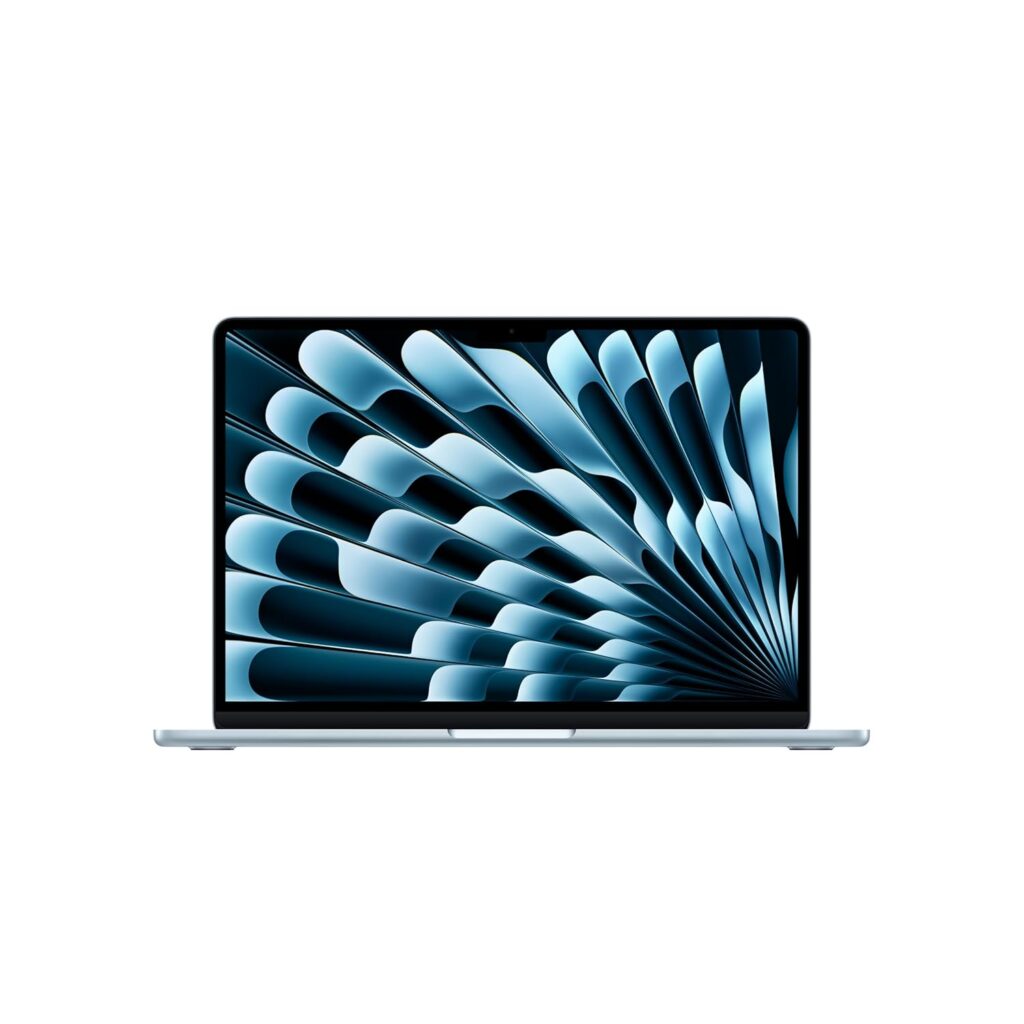
MacBook Air M5
The best all-round student laptop in 2026 with unbeatable battery life and silent performance.

Motobook 60 Pro
A 2.8K OLED display and Core Ultra 5 H-series chip under ₹65,000 — nothing else comes close at this price.
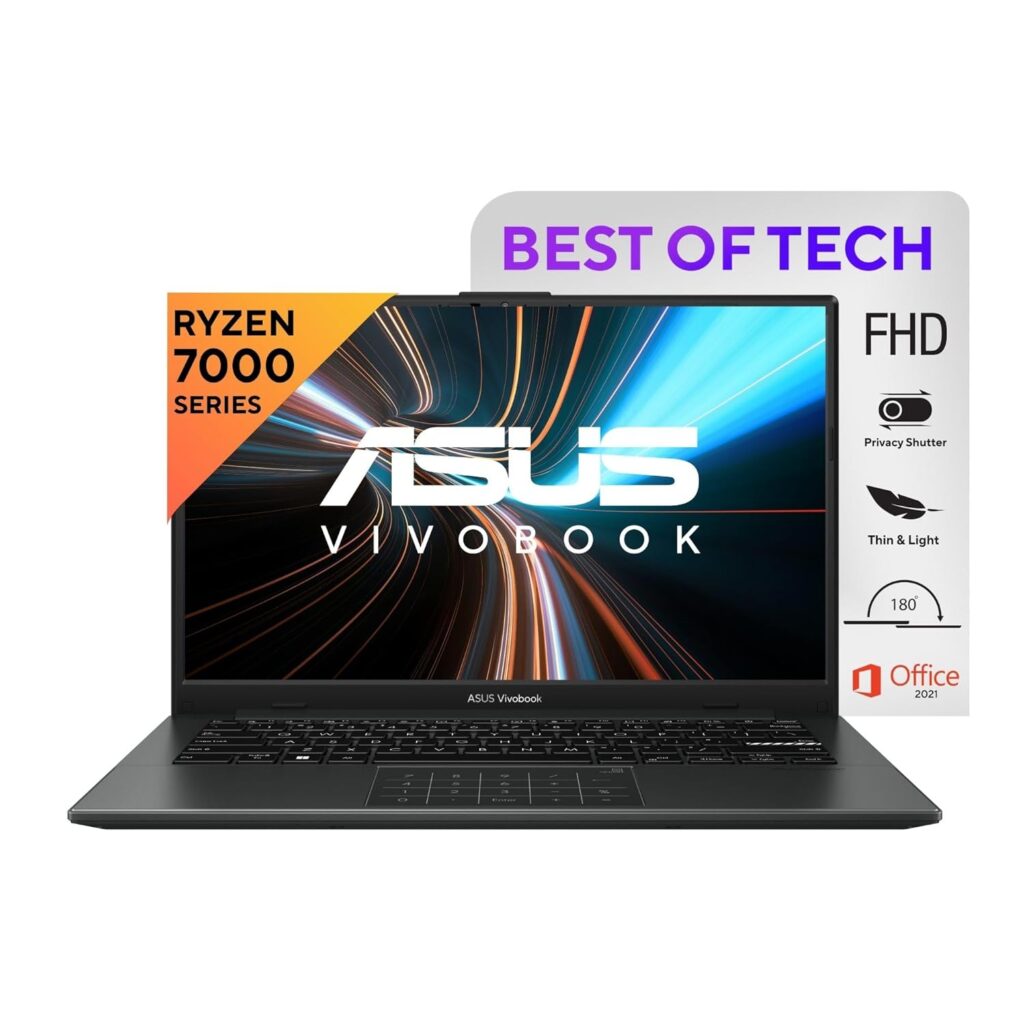
ASUS Vivobook Go 14
A light laptop with 16GB RAM under ₹50,000, built for students who travel light.
How to Choose the Best Laptop as a Student
Choose the Right Processor
Choosing the right processor makes everything else fall into place.
On the Intel side, a Core i3 handles basic tasks, browsing, documents, and video calls, but starts to struggle with heavier workloads.
A Core i5 hits the sweet spot for most students. If you’re seeing Core Ultra chips (Intel’s latest generation), they bring better efficiency and built-in AI capabilities, making them a strong long-term investment.
On the AMD side, Ryzen 3 is entry-level, Ryzen 5 is the popular student choice, and Ryzen 7 is overkill unless you’re into serious content creation or engineering software.
For most students, including those doing coding, presentations, and online learning, a Core i5 or Ryzen 5 is the ideal choice.
How Much RAM Do Students Need?
8GB RAM is workable, but it’s increasingly the bare minimum. If you’re running Chrome with 10 tabs, a video call, and a code editor simultaneously, you’ll feel the squeeze.
16GB RAM is where things get comfortable. It’s especially important if you use AI tools, run virtual machines, edit videos, or simply don’t want your laptop to feel outdated in two years. If your budget allows, always choose 16GB.
Why SSD Storage Is Essential
If a laptop still ships with an HDD in 2026, walk away. SSDs aren’t a premium feature anymore; they’re a basic necessity.
A 256GB SSD works if you store files on the cloud, but it fills up faster than you’d expect once you factor in software, projects, and downloads. 512GB gives you breathing room and is worth the small price bump.
Beyond storage, SSDs also mean your laptop boots in seconds, apps launch instantly, and multitasking stays smooth.
Battery Life Matters More Than You Think
Nobody wants to hunt for a power socket between lectures. For a college student, aim for a laptop that delivers at least 8 hours of real-world battery life.
Fast charging is a bonus that’s easy to undervalue until you actually need it. A laptop that charges to 50% in 30 minutes can be a lifesaver on a busy day.
Display and Eye Comfort
You’re looking at this screen for 6–8 hours a day. A bad display isn’t just uncomfortable; it causes real eye strain and fatigue over time.
Full HD (1920×1080) is the standard and works perfectly well for most students. OLED displays offer richer colours and deeper contrasts, making them great for design or media students.
Regardless of resolution, always look for an anti-glare panel. It makes a dramatic difference in brightly lit classrooms or outdoor use.
For screen size, 13–14 inches is ideal for portability, while 15.6 inches offers more screen real estate if you mostly work at a desk.
Thin and Light vs Gaming Laptops
A thin and light laptop, typically under 1.5kg, is easy to carry every day, runs quietly, and lasts longer on battery. It’s the right choice for most students.
Gaming laptops are powerful, but they’re heavier, louder, run hotter, and drain battery faster. Unless you’re genuinely gaming or running GPU-heavy software daily, carrying a 2.5kg machine to class every day will get old quickly.
Do Students Need a Dedicated GPU?
For most students, commerce, humanities, MBA, and even basic CS, the answer is no. Integrated graphics handle everyday tasks just fine.
But for engineering, video editing, and graphic design students, having a dedicated GPU is worthwhile.
If you fall into one of these categories, budget for a laptop with at least an NVIDIA RTX 3050 or equivalent.
AI PCs and NPU Laptops in 2026
You’ve probably noticed laptops being marketed as “AI PCs” lately. These machines come with a dedicated NPU (Neural Processing Unit), a chip designed specifically to run AI tasks locally, without relying on the cloud.
In practical terms, this means faster performance for AI-powered features in Windows, smoother video calls with background blur, and better battery efficiency when running AI tools.
Are they worth it for students in 2026? Yes, if you’re buying a mid-to-premium laptop anyway. Chips like the Intel Core Ultra and AMD Ryzen AI series already include NPUs, so you’re not paying a huge premium. For budget buyers, it’s a nice-to-have, not a dealbreaker.
Best Student Laptops in India – Comparison Table
| Laptop | Processor | RAM | Storage | Display | Weight | Price (India) | Best For |
|---|---|---|---|---|---|---|---|
| MacBook Air M5 13″ | Apple M5 | 16GB | 512GB | 13.6″ Liquid Retina | 1.23 kg | ₹1,19,900 | Best overall |
| Lenovo IdeaPad Slim 3 | Core i7-13620H | 16GB | 512GB | 15.3″ WUXGA IPS | 1.6 kg | ₹78,990 | Engineering power |
| HP OmniBook 5 OLED | Snapdragon X | 16GB | 1TB | 16″ 2K OLED | 1.59 kg | ₹73,490+ | Big screen OLED |
| MacBook Neo 13″ | Apple A18 Pro | 8GB | 256GB | 13″ Liquid Retina | 1.23 kg | ₹67,900 | Budget Apple |
| ASUS Vivobook 15 | Core i3-1315U | 12GB | 512GB | 15.6″ FHD IPS | 1.7 kg | ₹50,990 | Entry level |
| HP 15 fd1354TU | Core Ultra 5 125H | 16GB | 1TB | 15.6″ FHD IPS | 1.65 kg | ₹83,584 | Mid-range AI PC |
| Motobook 60 Pro | Core Ultra 5 225H | 16GB | 512GB | 14″ 2.8K OLED 120Hz | 1.38 kg | ₹64,990 | Best value OLED |
| Dell 15 Ryzen 7 | Ryzen 7 7730U | 16GB | 512GB | 15.6″ FHD 120Hz | 1.63 kg | ₹58,990 | AMD performance |
| ASUS Vivobook Go 14 | Ryzen 5 7520U | 16GB | 512GB | 14″ FHD IPS | 1.38 kg | ₹49,990 | Best budget pick |
| Acer AspireGo 14 | Core Ultra 5 125H | 16GB | 512GB | 14″ WUXGA IPS 16:10 | 1.5 kg | ₹58,990 | AI + coding |
Note: These prices may change during festivals or promotional offers. Check the actual price on official website.
Best Laptops for Students in India
1. Apple MacBook Air 13″ (M5, 2026) – Best Overall Laptop for Students
Key Specifications
| Specification | Details |
|---|---|
| Processor | Apple M5 (10-core CPU, 10-core GPU, 16-core Neural Engine) |
| RAM | 16GB Unified Memory |
| Storage | 512GB SSD |
| Display | 13.6″ Liquid Retina, 2560×1664, 500 nits, True Tone, P3 Wide Colour |
| Battery | 53.8Wh, up to 18 hours video playback |
| Fast Charging | Yes – 50% in ~30 minutes |
| Camera | 12MP Centre Stage |
| Connectivity | Wi-Fi 7, Bluetooth 6, Thunderbolt 4, MagSafe 3 |
| Weight | 1.23 kg |
| OS | macOS Tahoe |
Why It’s Great for Students
The MacBook Air M5 is not just the best laptop Apple makes for students; I think it is arguably the best student laptop you can buy in 2026, period.
Let’s start with what matters most: battery life. The M5 MacBook Air delivers up to 18 hours of battery life; that’s up to 6 more hours than previous models.
You can genuinely leave your charger at home for an entire college day. And when you do need to top up, fast charging gets you to 50% in about 30 minutes.
Performance is where the M5 chip truly separates itself. The M5 chip brings speed and fluidity to everything, from seamless switching between loads of apps and tabs to editing 4K video and playing immersive games.
No fan noise during online exams. No thermal throttling mid-presentation. It just works, quietly and consistently.
For students using AI tools in 2026, this machine is purpose-built. The M5 chip features a next-generation 10-core GPU, with each core including a Neural Accelerator, delivering up to 4x higher peak GPU compute performance for AI tasks than M4.
Whether you’re using Apple Intelligence features, running LLMs locally, or vibe coding your way through a project, the hardware doesn’t hold you back.
The display is stunning for a laptop this thin. The 13.6″ Liquid Retina panel with True Tone and P3 wide colour makes everything from design work to late-night Netflix look genuinely great. At just 1.23 kg, it’s one of the lightest laptops in this guide.
Related: Best Laptops For Engineering Students In India
Pros
- Exceptional real-world battery life that comfortably lasts a full college day.
- Fanless design means completely silent operation.
- The M5 chip handles everything from coding to light video editing without breaking a sweat.
- Lightweight at 1.23 kg with a premium, durable recycled aluminium build.
- Apple Intelligence is built in for AI-powered productivity features.
Cons
- Storage and RAM cannot be upgraded after purchase, so choose your config carefully.
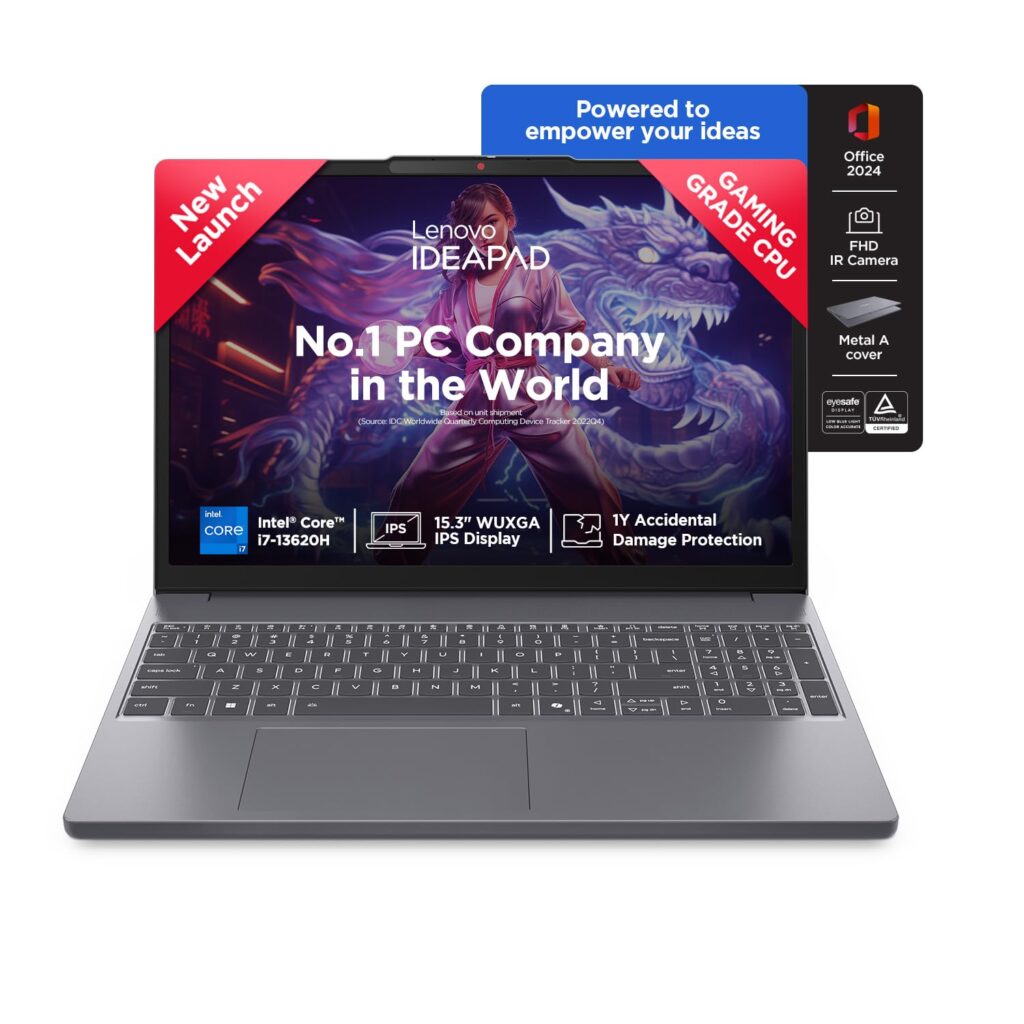
2. Lenovo IdeaPad Slim 3 – Best Windows Laptop for Students Under ₹80,000
Key Specifications
| Specification | Details |
|---|---|
| Processor | Intel Core i7-13620H (10 cores, up to 4.9GHz, 24MB Cache) |
| RAM | 16GB DDR5-4800 (8GB soldered + 8GB SO-DIMM, expandable to 24GB) |
| Storage | 512GB SSD M.2 PCIe 4.0 NVMe (expandable up to 1TB) |
| Display | 15.3″ WUXGA IPS (1920×1200), 300 nits, Anti-Glare, TÜV Low Blue Light |
| Graphics | Intel UHD Integrated Graphics |
| Camera | FHD 1080p with Privacy Shutter |
| Audio | Stereo 2W×2 speakers with Dolby Audio |
| OS & Software | Windows 11 Home + Microsoft Office Home 2024 (bundled) |
| Weight | 1.6 kg |
| Build | Top Metal Cover, Grey |
Why It’s Great for Students
The star of the show is the Intel Core i7-13620H, a proper H-series processor built for performance, not just light productivity.
With 10 cores, 16 threads, and a max turbo speed of 4.9GHz backed by 24MB cache, this chip handles demanding tasks like coding in multiple environments, running virtual machines, heavy browser multitasking, and even light video editing with ease.
The WUXGA display (1920×1200) is a thoughtful upgrade over the standard 1080p panels. That extra vertical height makes a real difference when you’re reading research papers, writing long documents, or coding.
The anti-glare coating and TÜV Low Blue Light certification make it noticeably more comfortable during extended study sessions.
One genuinely useful addition: Microsoft Office Home 2024 is bundled in the box. For students, that’s real money saved.
The RAM configuration is smart, too. The 16GB comes split as 8GB soldered and 8GB via SO-DIMM, with the total expandable up to 24GB.
Pros
- Powerful Core i7-13620H H-series chip punches well above its price bracket.
- The WUXGA (1920×1200) display offers more vertical screen space than standard FHD.
- TÜV Low Blue Light certified display.
- The backlit keyboard and metal top cover at this price is a nice touch.
Cons
- Battery life is average; heavy users may need to carry the charger to campus.
3. HP OmniBook 5 OLED 16″ – Best AI Laptop for Students Who Want a Big, Beautiful Screen

Key Specifications
| Specification | Details |
|---|---|
| Processor | Qualcomm Snapdragon X X1-26-100 (Copilot+ PC) |
| RAM | 16GB LPDDR5x |
| Storage | 1TB PCIe SSD |
| Display | 16″ 2K OLED, Micro-Edge, Anti-Glare |
| Graphics | Qualcomm Adreno Integrated GPU |
| Camera | FHD Webcam |
| Connectivity | Wi-Fi 7, Bluetooth 6 |
| OS & Software | Windows 11 + Microsoft 365 + Office 2024 (bundled) |
| Weight | 1.59 kg |
| AI Performance | 45 TOPS (NPU) — Copilot+ PC certified |
Why It’s Great for Students
The HP OmniBook 5 OLED makes a bold statement in a crowded market: what if you could get a 16-inch OLED display, a dedicated AI chip, 1TB storage, and a sub-1.6kg body in a laptop under 1 lakh? That’s exactly what this machine delivers.
Let’s start with the screen, because it’s the real reason to buy this laptop. A 2K OLED panel on a 16-inch display is genuinely rare at this price point. For students who stare at their screen for hours, this display is a genuine quality-of-life upgrade.
The Snapdragon X processor makes this a proper Copilot+ PC, which means on-device AI features such as live captions, real-time translation, AI-powered search, and Windows Recall run locally without draining the battery or depending on a cloud connection.
For students integrating AI tools into their daily workflow, this chip is built for exactly that.
Battery life is another strong suit. HP claims up to 34 hours of local video playback in optimised conditions; real-world usage will be lower, but students consistently report getting around 10 hours of mixed use, which is excellent for a 16-inch laptop. Moreover, the 1TB SSD is a practical win for students.
Related: Best OLED Laptops Under ₹1 Lakh in India in 2026 (Top Picks)
Pros
- A 2K OLED display on a 16″ screen is an exceptional value.
- Outstanding battery life for a large-screen laptop.
- Lightweight at 1.59 kg despite the 16″ form factor.
- Wi-Fi 7 and Bluetooth 6 for future-ready wireless connectivity.
- Copilot+ PC certified.
Cons
- Snapdragon X has limited app compatibility. Some legacy Windows software and older apps don’t run natively (they use emulation, which can be slower).
4. Apple MacBook Neo 13″ (A18 Pro, 2026) – Best Budget Apple Laptop for Students

Key Specifications
| Specification | Details |
|---|---|
| Processor | Apple A18 Pro (6-core CPU, 5-core GPU, 16-core Neural Engine) |
| RAM | 8GB Unified Memory |
| Storage | 256GB SSD |
| Display | 13″ Liquid Retina, 2408×1506, 500 nits, 1 billion colours |
| Battery | 36.5Wh, up to 16 hours of battery life |
| Charging | 20W USB-C |
| Camera | 1080p FaceTime HD |
| Connectivity | Wi-Fi 6E, Bluetooth 6, 1× USB 3, 1× USB 2, 3.5mm jack |
| Design | Fanless aluminium chassis, available in Blush, Indigo, Silver, Citrus |
| OS | macOS Tahoe with Apple Intelligence |
Why It’s Great for Students
Apple’s MacBook Air with the M5 chip costs ₹1,19,900, whereas the MacBook Neo starts at just ₹69,900; that’s a ₹50,000 difference for a laptop that still runs full macOS, Apple Intelligence, and carries the premium aluminium build Apple is known for.
For students on a tighter budget who’ve always wanted a Mac, this changes the equation completely.
The A18 Pro is the same chip that powers the iPhone 16 Pro. On a laptop with fanless cooling and macOS optimisation, it flies through everyday tasks, editing photos, powering through spreadsheets, using AI to summarise class notes, or playing Apple Arcade games, without breaking a sweat.
It handles everything a student needs for coursework, and the fanless design means it runs in complete silence.
The 13-inch Liquid Retina display offers a 2408×1506 resolution at 500 nits brightness; sharp, bright, and genuinely enjoyable to work on. Paired with dual side-firing speakers with Dolby Atmos support, this is a well-rounded media and productivity machine for its price.
Battery life is rated at up to 16 hours, which is more than enough to get through a full day of classes without hunting for a charger.
Pros
- The A18 Pro chip handles all everyday student workloads without lag.
- Sharp 13″ Liquid Retina display at 500 nits.
- Four vibrant colour options with matching keyboards.
- Completely silent, fanless design.
- Up to 16 hours of battery life.
Cons
- Only 8GB unified RAM.
- 256GB base storage fills up fast.
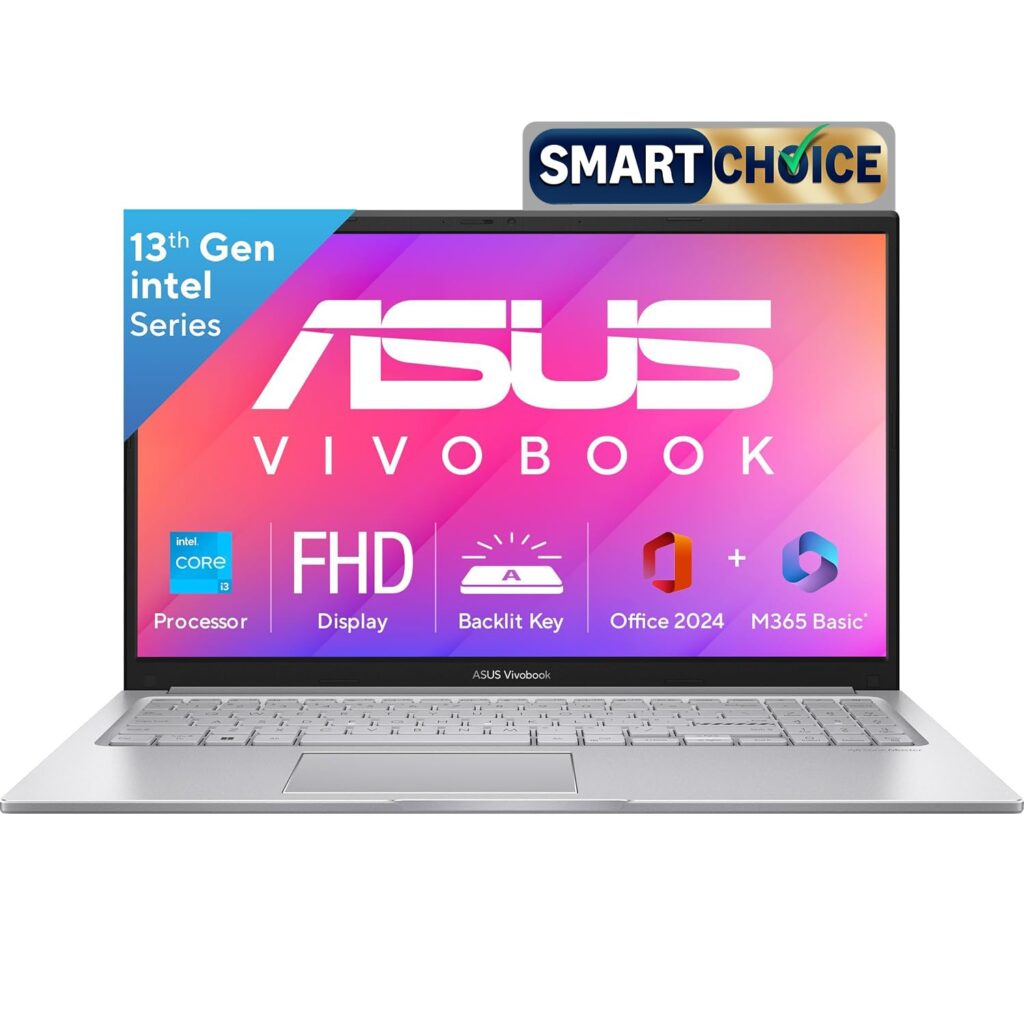
5. ASUS Vivobook 15 – Best Budget Laptop for Students Under ₹50,000
Key Specifications
| Specification | Details |
|---|---|
| Processor | Intel Core i3-1315U (6 cores, 8 threads, up to 4.5GHz, 10MB Cache) |
| RAM | 12GB DDR4 (8GB onboard + 4GB SO-DIMM, expandable to 16GB) |
| Storage | 512GB M.2 NVMe PCIe 4.0 SSD |
| Display | 15.6″ FHD (1920×1080), IPS, 60Hz, 250 nits, Anti-Glare, TÜV Low Blue Light |
| Graphics | Intel UHD Integrated Graphics |
| Battery | 42Whr |
| OS & Software | Windows 11 Home + Office Home 2024 (lifetime) + M365 Basic (1 year) |
| Weight | 1.7 kg |
| Colour | Cool Silver |
Why It’s Great for Students
If your budget is tight and you need a dependable Windows laptop that gets the job done, the ASUS Vivobook 15 i3 is one of the most sensible buys in the Indian student market right now.
The Core i3-1315U is not a powerhouse. But it doesn’t need to be. With 6 cores, 8 threads, and a boost speed up to 4.5GHz, it handles the real daily load of a student like multiple browser tabs, video calls, Word documents, PowerPoint presentations, and online learning platforms.
What makes this model stand out at its price is the 12GB RAM configuration. Most competitors at this price point ship with just 8GB. ASUS gives you an extra 4GB out of the box, with the option to expand further up to 16GB via the SO-DIMM slot.
The 512GB PCIe 4.0 SSD is another win. It is not the sluggish experience of older SATA drives. And the anti-glare FHD display comes TÜV Rheinland Low Blue Light certified, which is a genuinely thoughtful feature for students who spend hours on screen.
Related: Best Laptops for Medical Students in India (What You Actually Need + Smart Picks)
Pros
- 12GB RAM is above average for this budget and is expandable up to 16GB.
- 512GB PCIe 4.0 SSD.
- Office Home 2024 (lifetime) bundled.
- TÜV Low Blue Light certified anti-glare display.
Cons
- 250 nits display brightness is low.
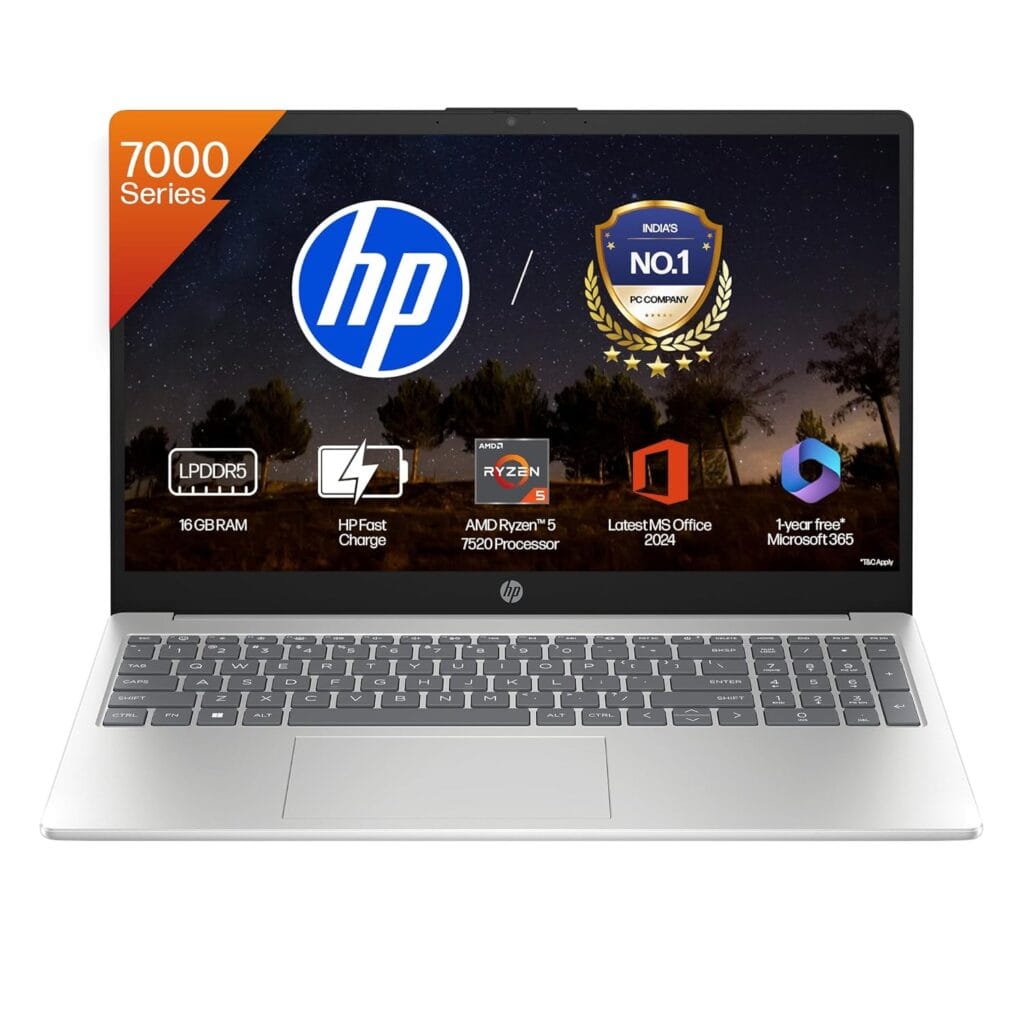
6. HP 15 (Core Ultra 5 125H) – Best Mid-Range AI Laptop for Students
Key Specifications
| Specs | Details |
|---|---|
| Processor | Intel Core Ultra 5 125H (14 cores, 18 threads, up to 4.5GHz, 18MB Cache) |
| RAM | 16GB DDR5-5600 MT/s (2×8GB) |
| Storage | 1TB PCIe NVMe M.2 SSD |
| Display | 15.6″ FHD (1920×1080), IPS, Micro-Edge, Anti-Glare, 300 nits, 62.5% sRGB |
| Graphics | Intel Arc Graphics (integrated) |
| Camera | FHD with Privacy Shutter |
| Ports | 2× USB-A (5Gbps), 1× USB-C (10Gbps, DisplayPort 1.4b, HP Sleep and Charge), 1× HDMI 1.4b, 3.5mm combo |
| OS & Software | Windows 11 Home + Office Home 2024 + M365 Basic (1 year) |
| Weight | 1.65 kg |
Why It’s Great for Students
The Intel Core Ultra 5 125H is the headline feature here, and it genuinely earns its place. With 14 cores, 18 threads, and a boost speed up to 4.5GHz backed by an 18MB L3 cache, this is an H-series chip; the kind typically found in performance laptops.
For students doing data analysis, running development environments, working with simulation tools, or just demanding more from their machine, that difference is real and noticeable.
Being a Core Ultra processor also means this is a genuine AI PC. The chip includes a built-in NPU for AI-accelerated tasks in Windows 11. For students integrating AI tools into their daily workflow, this hardware foundation matters.
The Intel Arc Graphics is a step above the standard Intel UHD found on most budget laptops. It won’t replace a dedicated GPU, but it handles light photo editing, casual gaming, and video playback noticeably better than integrated graphics from older Intel generations.
A full 1TB PCIe NVMe SSD means you won’t be juggling files or running out of space anytime soon. Combined with 16GB of DDR5-5600 RAM, this is a properly spec’d machine for the price.
The FHD camera with a privacy shutter is a thoughtful, practical addition.
Pros
- Core Ultra 5 125H H-series chip delivers serious performance for the price.
- Built-in NPU makes this a genuine AI PC.
- Good port selection, including USB-C with DisplayPort and HP Sleep and Charge.
- Office Home 2024 (lifetime) + M365 Basic bundled in.
- Intel Arc Graphics offers better visual performance than standard Intel UHD.
Cons
- The 300 nits display is adequate indoors but struggles in bright environments.
7. Motorola Motobook 60 Pro (Core Ultra 5 225H) – Best 14-inch OLED Laptop for Students
Key Specifications
| Specification | Details |
|---|---|
| Processor | Intel Core Ultra 5 225H (10 cores, up to 4.9GHz, 22MB Cache) |
| RAM | 16GB DDR5-5600 |
| Storage | 512GB M.2 PCIe 4.0 SSD |
| Display | 14″ OLED, 2.8K, 120Hz, Touch |
| Graphics | Intel Arc 130T |
| Battery | 60Wh, 65W USB-C fast charger in the box |
| AI Performance | 13 NPU TOPS, 83–96 Total TOPS |
| Camera | FHD Webcam with Windows Hello (Face Recognition) |
| Audio | 2×2W stereo speakers with Dolby Atmos |
| Build | Full metal chassis |
| Weight | 1.38–1.39 kg |
| OS & Software | Windows 11 Home + Office Home & Student 2024 |
Why It’s Great for Students
The Motobook 60 Pro is one of those rare laptops that makes you do a double-take at the price tag. A 2.8K OLED display at 120Hz, a full metal body, Intel Core Ultra 5 225H, and a sub-1.4kg weight — all under ₹65,000.
The display is genuinely the standout feature. The 14-inch OLED panel runs at 120Hz, which means scrolling is fluid, motion is smooth, and colours are vivid in a way that IPS panels simply can’t replicate.
For students who spend long hours reading, writing, or watching lecture videos, the difference between an OLED and a standard IPS display is something you feel after an hour of use. Eye fatigue drops noticeably.
The processor is equally impressive for the price. The Core Ultra 5 225H is a 10-core chip clocked up to 4.9GHz with 22MB of cache; a proper H-series performer built for demanding workloads.
The full metal chassis adds durability that plastic-bodied competitors at this price simply can’t match. At just 1.38 kg, it’s one of the lightest laptops in this guide.
The 60Wh battery ships with a 65W USB-C fast charger in the box, a detail that sounds small but matters when you’re rushing between classes. And the stereo speakers are enhanced with Dolby Atmos, making this an unusually good multimedia laptop for the price.
Related: Best Copilot+ PC Laptops in India for Work, Students & Creators
Pros
- A full metal build at this price is rare and adds real durability.
- 60Wh battery with 65W fast charger included in the box.
- Windows Hello face recognition for quick, secure login.
- Core Ultra 5 225H H-series chip.
- 2.8K OLED display at 120Hz.
Cons
- Brand trust and long-term reliability are still being established in the Indian market.
8. Dell 15 (Ryzen 7 7730U) – Best AMD Laptop for Students on a Budget

Key Specifications
| Specs | Details |
|---|---|
| Processor | AMD Ryzen 7 7730U (8 cores, 16 threads, up to 4.5GHz, 16MB Cache) |
| RAM | 16GB DDR4 |
| Storage | 512GB SSD |
| Display | 15.6″ FHD (1920×1080), IPS, 120Hz, 250 nits, Anti-Glare |
| Graphics | AMD Radeon Integrated Graphics |
| Ports | 1× USB-C 3.2 Gen1, 1× USB-A 3.2 Gen1, 1× USB-A 2.0, 1× HDMI 1.4, 1× SD 3.0, 3.5mm combo |
| OS & Software | Windows 11 Home + Microsoft Office Home 2024 |
| Weight | 1.63 kg |
| Build | Platinum Silver, Thin & Light |
Why It’s Great for Students
Let’s start with the processor. The Ryzen 7 7730U is an 8-core, 16-thread chip; that’s a lot of cores for a budget laptop, and it shows in real-world use. Heavy multitasking, running multiple development tools, processing large spreadsheets, and video calling simultaneously; this chip handles it with ease.
The 120Hz display is a standout at this price. Most laptops under ₹60,000 ship with 60Hz panels. The difference is immediately noticeable, as scrolling feels smoother, animations look cleaner, and everyday navigation just feels more responsive.
Dell’s reliability and after-sales service network are genuine advantages that are easy to overlook in a spec sheet comparison.
For students buying their first laptop without deep technical knowledge, knowing Dell has a strong service centre presence across India adds real peace of mind.
The port selection is practical — USB-C, two USB-A ports, HDMI, and an SD card slot cover most students’ needs without requiring a hub for basic setups.
Pros
- Ryzen 7 7730U with 8 cores and 16 threads.
- Practical port selection including USB-C, HDMI, and SD card slot.
- Microsoft Office Home 2024 bundled.
- Dell’s service network across India — reliable after-sales support.
Cons
- 250 nits brightness is low.
9. ASUS Vivobook Go 14 – Best Portable Budget Laptop for Students
Key Specifications
| Specification | Details |
|---|---|
| Processor | AMD Ryzen 5 7520U (4 cores, 8 threads, up to 4.3GHz, 6MB Cache) |
| RAM | 16GB LPDDR5 |
| Storage | 512GB M.2 NVMe PCIe 3.0 SSD |
| Display | 14″ FHD (1920×1080), 60Hz, 250 nits, Anti-Glare, NanoEdge |
| Graphics | AMD Radeon Integrated Graphics |
| Battery | 42Whr |
| Connectivity | Wi-Fi 6E |
| OS & Software | Windows 11 Home + Office Home 2024 (lifetime) + M365 Basic (1 year) |
| Weight | 1.38 kg |
| Build | Mixed Black, MIL-STD-810H military-grade tested |
Why It’s Great for Students
The ASUS Vivobook Go 14 is one of the most balanced options in the Indian market. At just 1.38 kg, it is a light and thin laptop you can carry every single day to college, to the library, on public transport.
The processor is well-suited to its price. The Ryzen 5 7520U has 4 cores, 8 threads, and boosts up to 4.3GHz with 6MB of cache, which is enough for smooth everyday multitasking, online classes, document work, and light coding.
The 16GB LPDDR5 RAM at this price is a genuine highlight. Most budget laptops ship with 8GB. This means you will get better multitasking headroom and a longer useful life before the laptop starts feeling outdated.
The 180-degree lay-flat hinge is a practical touch. It makes sharing your screen with a classmate or professor effortless. The physical webcam shield offers instant privacy, and ASUS’s AI noise-cancelling audio helps filter out ambient noise during video calls.
Build quality is another area where ASUS earns its reputation. The Vivobook Go 14 is MIL-STD-810H military-grade tested for reliability and durability. That’s reassuring at this price.
Pros
- Wi-Fi 6E for fast, reliable wireless connectivity.
- Office Home 2024 (lifetime) + M365 Basic bundled.
- MIL-STD-810H military-grade durability.
- Physical webcam privacy shutter.
Cons
- Ryzen 5 7520U is a 4-core chip, which is noticeably less powerful than Ryzen 7 or Core i5 H-series options in this article.
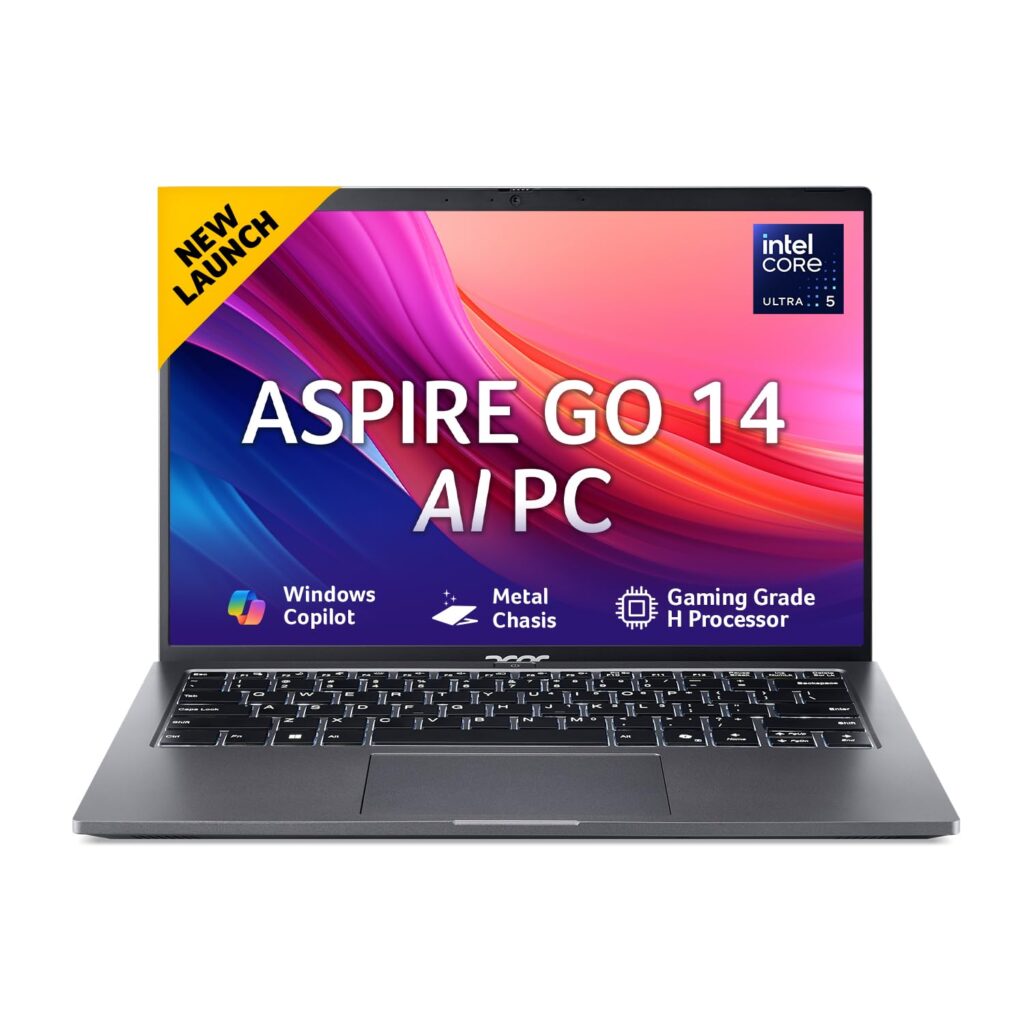
10. Acer AspireGo 14 (AG14-71M, Core Ultra 5 125H) – Best 14-inch AI Laptop for Students Under ₹65,000
Key Specifications
| Specs | Details |
|---|---|
| Processor | Intel Core Ultra 5 125H (14 cores, 18 threads, up to 4.5GHz, 18MB Cache) |
| RAM | 16GB DDR5 Dual-Channel (upgradable to 32GB via 2× SO-DIMM) |
| Storage | 512GB PCIe Gen3 NVMe SSD |
| Display | 14″ WUXGA IPS (1920×1200), 16:10, Acer ComfyView Anti-Glare, 170° viewing angle |
| Graphics | Intel Arc (7 Xe-cores, Ray Tracing, AV1 encode/decode) |
| Battery | 54.8Wh |
| Ports | USB-C, USB-A, HDMI, Ethernet, 3.5mm combo |
| OS & Software | Windows 11 Home + Office 2024 + M365 Basic (1 year) |
| Weight | 1.5 kg |
| Build | Steel Gray, Backlit Keyboard |
| AI Support | OpenVINO™, WindowsML, and ONNX Runtime AI frameworks supported |
Why It’s Great for Students
Start with the display. The WUXGA (1920×1200) panel with a 16:10 aspect ratio is a meaningful upgrade over the standard 1920×1080 screens found on most laptops in this bracket.
That extra vertical space, about 10% more screen height, adds up quickly when you’re reading research papers, writing long assignments, or browsing multiple documents side by side.
The IPS panel supports wide viewing angles up to 170 degrees, and the Acer ComfyView anti-glare coating keeps reflections manageable in bright classrooms and libraries.
The processor is where this laptop earns serious respect for its price. The Core Ultra 5 125H is built with 14 cores and 18 threads, including Performance, Efficient, and Low Power Efficient cores, balancing performance and battery life exceptionally well.
It’s the same H-series chip found in the HP 15 fd1354TU reviewed earlier in this guide.
For students interested in AI tools and workflows, this laptop is genuinely ready. Support for AI frameworks, including OpenVINO™, WindowsML, and ONNX Runtime, means it can engage with AI-enhanced applications natively.
The 16GB DDR5 RAM runs in dual-channel configuration and is upgradable to 32GB using two SO-DIMM slots.
Related: Best Chromebooks For Students In India
Pros
- 16GB DDR5 dual-channel RAM, upgradable to 32GB.
- Intel Arc graphics with Ray Tracing and AV1 support.
- AI framework support (OpenVINO™, WindowsML, ONNX).
- WUXGA 16:10 display.
Cons
- The 45% NTSC colour gamut is narrow.
MacBook vs Windows Laptop for Students
When a MacBook Makes Sense
If you’re in design, media, or content creation, or already own an iPhone, a MacBook’s battery life, build quality, and Apple Intelligence integration make it worth the premium. It simply lasts longer and ages better.
When Windows Is the Better Choice
Engineering and science students often need software, such as AutoCAD and MATLAB, and specific ERP tools that run natively only on Windows. It’s also the practical choice when the budget is a real constraint.
Are Gaming Laptops Good for Students?
Advantages
Gaming laptops pack powerful processors and dedicated GPUs that handle engineering software, video editing, and 3D rendering without compromise. If your coursework demands serious graphics performance, they genuinely deliver.
Disadvantages
They’re heavy, loud, run hot, and drain battery fast; sometimes within two hours under load. Carrying a 2.3kg machine to campus daily gets old quickly.
Who Should Actually Buy One?
Students in game design, animation, architecture, or those who genuinely game alongside their studies. For everyone else, a well-specced thin-and-light does the job without the baggage.
Frequently Asked Questions
How much RAM is enough for college students?
16GB is the sweet spot in 2026. It handles multitasking, AI tools, and heavy browser sessions comfortably. 8GB works for light users, but you’ll feel the limitation sooner than expected.
Which laptop is best for engineering students?
The Lenovo IdeaPad Slim 3 i7 or HP 15 Core Ultra 5 offer strong processing power for simulations and development tools. For premium performance, the MacBook Air M5 handles engineering workloads exceptionally well.
Are MacBooks good for students?
Yes, excellent battery life, silent performance, and long-term reliability make them ideal. The MacBook Neo now starts at ₹69,900, making Apple more accessible than ever for Indian students.
Which laptop brand is most reliable for students?
Apple leads on long-term reliability. Among Windows brands, Lenovo and ASUS consistently offer solid build quality and dependable after-sales service networks across India.
How long should a student laptop last?
A well-chosen laptop should comfortably last four to five years. Prioritising 16GB RAM, an SSD, and a capable processor from the start significantly extends useful life without performance degradation.
Final Verdict
In 2026, a student laptop should prioritize battery life, portability, 16GB RAM, SSD storage, and a processor strong enough for multitasking, coding, online classes, and AI-assisted workflows.
The best choice depends on budget, software needs, and whether you value Windows compatibility, long battery life, or a premium display.
Best Overall Choice
Apple MacBook Air M5 — unmatched battery life, silent performance, and long-term reliability make it the best all-around student laptop in 2026.
Best Budget Pick
ASUS Vivobook Go 14 — one of the lightest laptops in this guide, 16GB RAM, and a solid build under ₹65,000.
Best for Coding and Engineering
Lenovo IdeaPad Slim 3 i7 — Core i7 H-series muscle at a mid-range price, built for demanding workloads.
Best Premium Laptop
Apple MacBook Air M5 — worth every rupee if you’re investing for four years.
Best Value for Money Laptop
Motobook 60 Pro — a 2.8K OLED display, Core Ultra 5 H-series chip, and metal build under ₹65,000 is simply hard to beat.
Related Articles
Why is the Asus Vivobook 15 a Solid Choice for Freelancers and Remote Workers?
Top 5 Tech Gadgets Every Student Needs for Back to School
5 Must-Have Accessories for Your Laptop
Laptops for Personal Use in India

Kanha is a electronics engineer, tech enthusiast, and writer at technicalstudies.in. His experience in tech, coupled with excellent writing skills, makes the text easy to understand and helps the reader make the correct decision. Outside of writing, Kanha is passionate about exploring new gadgets and gaming.