
Last updated on June 23rd, 2026 at 09:21 pm
Discover the best Copilot+ PC laptops in India for students, professionals, and creators. Compare top AI-powered laptops with Snapdragon X Elite, Intel Core Ultra, and Ryzen AI processors for performance, battery life, portability, and productivity.
You’ve probably seen laptop brands throwing around terms like “AI laptop” or “AI-powered PC.” But Copilot+ PC is something more specific and more meaningful. Let’s quickly understand what it is.
What Is a Copilot+ PC?
A Copilot+ PC is a laptop that meets Microsoft’s minimum hardware requirements to run advanced AI features natively.
The key requirement: a Neural Processing Unit (NPU) capable of at least 40 TOPS (Trillion Operations Per Second). Current Copilot+ chips include Qualcomm Snapdragon X series, Intel Core Ultra 200V, and AMD Ryzen AI 300/400 series.
Related: The Role of NPUs in Laptops – Everything You Need to Know
Why Copilot+ PCs Matter in 2026
Faster On-Device AI Processing
Tasks like live image generation, subtitle translation, and content summarisation happen instantly, with no lag.
Better Battery Life
Because the NPU handles AI tasks more efficiently than the CPU or GPU, your battery lasts significantly longer during everyday use.
AI Features Built Into Windows 11
Copilot+ PCs unlock exclusive Windows 11 features like Recall, Cocreator in Paint, Live Captions with real-time translation, and AI-powered Windows Search.
Improved Video Calls and Productivity Tools
Studio Effects, eye contact correction, and voice focus work seamlessly, which is useful for students in online classes and professionals in back-to-back meetings.
In short, Copilot+ PCs are a fundamentally smarter category built for how we work today.
And selecting the right machine from the market is what makes all the difference. In this article, I will take you through the 10 Best Copilot+ PC Laptops in India for Work, Students & Creators.
Read on.
Quick Comparison Table of the Best Copilot+ PC Laptops in India
| Laptop | Processor | NPU TOPS | RAM | Display | Battery Life | Weight | Best For | Starting Price |
|---|---|---|---|---|---|---|---|---|
| Lenovo Yoga 7 2-in-1 | Intel Core Ultra 7 258V | 47 TOPS | 32GB | 14″ WQXGA+ OLED 120Hz | 15+ hrs | 1.38 kg | Best Convertible | ₹1,69,990 |
| ASUS Vivobook 14 | AMD Ryzen AI 5 330 | 50 TOPS | 16GB | 14″ FHD+ IPS | 6–8 hrs | 1.46 kg | Best Budget | ₹61,990 |
| Microsoft Surface Laptop 7 | Snapdragon X Plus (10-core) | 45 TOPS | 16GB | 13.8″ PixelSense LCD Touch | 15–16 hrs | 1.22 kg | Best Premium Build | ₹1,37,990 |
| Lenovo Yoga Slim 7 Aura | Intel Core Ultra 5 226V | 40 TOPS | 16GB | 14″ WUXGA OLED 60Hz | 10–12 hrs | 1.19 kg | Best Lightweight OLED | ₹99,990 |
| ASUS Zenbook A14 | Snapdragon X X1-26-100 | 45 TOPS | 16GB | 14″ WUXGA OLED 60Hz | 18–22 hrs | 0.98 kg | Best Battery & Portability | ₹86,990 |
| Lenovo IdeaPad 5 2-in-1 | AMD Ryzen AI 7 350 | 50 TOPS | 24GB | 14″ WUXGA OLED 60Hz | 8–10 hrs | 1.50 kg | Best Value Convertible | ₹95,990 |
| Samsung Galaxy Book4 Edge | Snapdragon X X1-26-100 | 45 TOPS | 16GB | 15.6″ FHD IPS | 18–20 hrs | 1.55 kg | Best Large Screen Budget | ₹67,990 |
| ASUS Vivobook 16 2026 | AMD Ryzen AI 7 445 | 50 TOPS | 16GB | 16″ FHD+ IPS | 8–10 hrs | 1.88 kg | Best Large Screen Performance | ₹89,990 |
| HP OmniBook X | Snapdragon X Elite X1E-78-100 | 45 TOPS | 16GB | 14″ 2.2K IPS Touch | 18–20 hrs | 1.34 kg | Best Touchscreen Performance | ₹1,10,990 |
| HP OmniBook 5 OLED | Snapdragon X X1-26-100 | 45 TOPS | 16GB | 14″ 2K OLED 60Hz | 16–20 hrs | 1.35 kg | Best Budget OLED | ₹61,990 |
Best Copilot+ PC Laptops in India
1. Lenovo Yoga 7 2-in-1 — Best Copilot+ Convertible Laptop
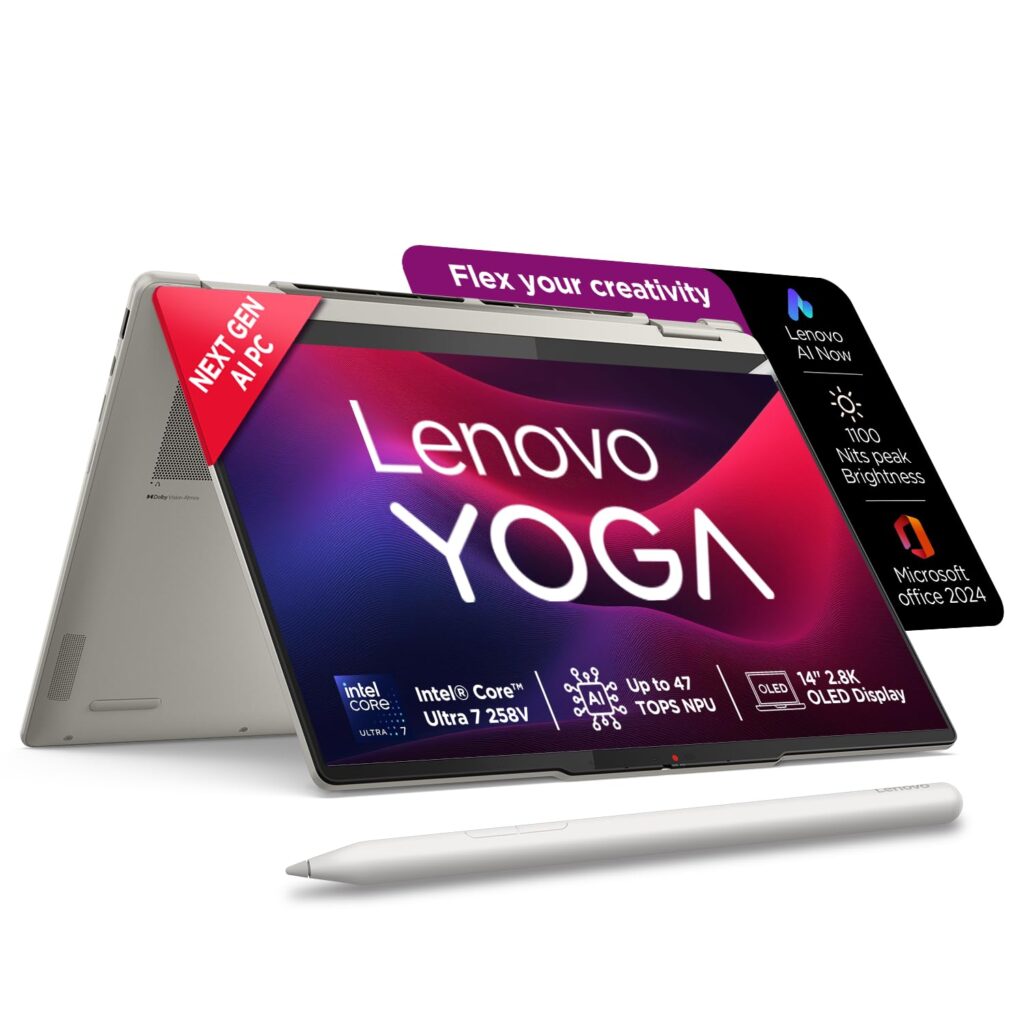
If you’ve ever wished your laptop could work like a tablet too, without sacrificing performance, the Lenovo Yoga 7 2-in-1 makes that trade-off feel effortless. It’s one of the most versatile Copilot+ PCs you can buy in India right now.
| Spec | Details |
|---|---|
| Processor | Intel Core Ultra 7 258V (Lunar Lake) |
| NPU | 47 TOPS (Copilot+ certified) |
| Display | 14″ WQXGA+ OLED (2880×1800), 120Hz, 1100 nits peak |
| RAM | 32GB LPDDR5x-8533 (soldered) |
| Storage | 1TB PCIe 4.0 NVMe SSD |
| Battery | 70Wh, 65W USB-C charging |
| Weight | 1.38 kg |
| In the Box | Yoga Pen stylus included |
Why It Stands Out
The WQXGA+ OLED panel delivers 2880×1800 resolution, 1100 nits peak brightness, 100% DCI-P3 colour gamut, Dolby Vision, and DisplayHDR True Black 1000 certification, which is a genuinely flagship-grade display.
What separates this from a standard ultrabook is the full 360-degree hinge, which lets you flip into tent, stand, or tablet mode.
The Yoga Pen stylus is included in the box, which makes this a ready-to-use tool for note-takers, designers, and students who sketch or annotate PDFs.
Audio is handled by four stereo speakers, two woofers and two tweeters, optimised with Dolby Atmos, which is a meaningful upgrade for anyone who watches content on the go.
Pros
- 360° convertible design works seamlessly across laptop, tablet, tent, and stand modes.
- Stunning OLED display with DisplayHDR True Black 1000 certification.
- Strong battery life — the Yoga 7 lasted over 15 hours in video loop testing.
- Fingerprint sensor and Thunderbolt 4 support for fast peripherals.
Cons
- RAM is soldered and not upgradable, but 32 GB RAM is enough for most users.
Best For
Students, working professionals, and digital artists who want a single device that handles laptop work, tablet note-taking, and media consumption.
2. ASUS Vivobook 14 — Best Budget Copilot+ Laptop
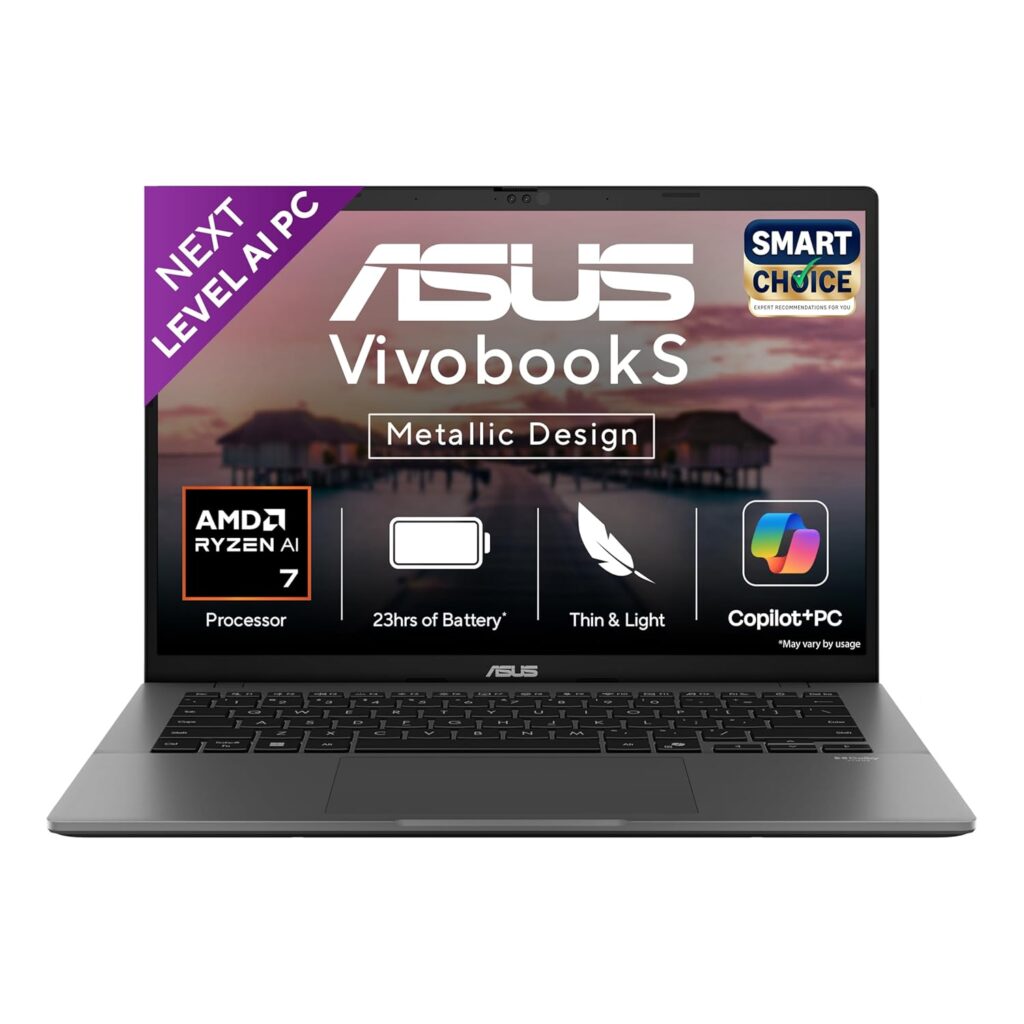
Under ₹65,000, getting a genuine Copilot+ PC feels almost too good to be true. The ASUS Vivobook 14 makes it happen, and it’s one of the most accessible entry points into the Copilot+ ecosystem in India right now.
Key Specifications
| Spec | Details |
|---|---|
| Processor | AMD Ryzen AI 5 330 (up to 4.5GHz, 4 cores / 8 threads) |
| NPU | AMD XDNA, up to 50 TOPS (Copilot+ certified) |
| Display | 14″ FHD+ (1920×1200), 16:10, IPS-level, Anti-glare, 300 nits |
| RAM | 16GB DDR5 (onboard) + 1x SO-DIMM slot (expandable to 32GB) |
| Storage | 512GB PCIe 4.0 NVMe SSD |
| Battery | 42Wh |
| Weight | 1.46 kg |
| In the Box | Office Home 2024 (lifetime) + M365 Basic (1 year) |
Why It Stands Out
The headline here is the NPU. The AMD Ryzen AI 5 330’s XDNA NPU delivers up to 50 TOPS, and it meets Microsoft’s threshold comfortably.
This means you get all Copilot+ exclusive Windows 11 features: Recall, Live Captions with real-time translation, Cocreator in Paint, and AI-powered Windows Search on a budget laptop.
The 16GB DDR5 RAM is onboard, but there’s one SO-DIMM slot available, letting you expand to 32GB later.
The 16:10 display ratio gives more vertical screen space than most budget laptops, which makes a real difference for reading, writing, and browsing.
Pros
- 50 TOPS NPU unlocks the full suite of Windows 11 AI features.
- RAM is expandable to 32GB via the SO-DIMM slot.
- Anti-glare FHD+ display with a taller 16:10 aspect ratio.
- Office Home 2024 (lifetime) and M365 Basic (1 year) bundled in the box.
Cons
- The display covers only 45% NTSC colour gamut at 300 nits brightness, which is not suitable for colour-critical creative work.
Best For
College students, first-time laptop buyers, and budget-conscious professionals who want a future-ready Copilot+ PC for everyday tasks.
3. Microsoft Surface Laptop 7 — Best Premium Copilot+ Laptop for Professionals
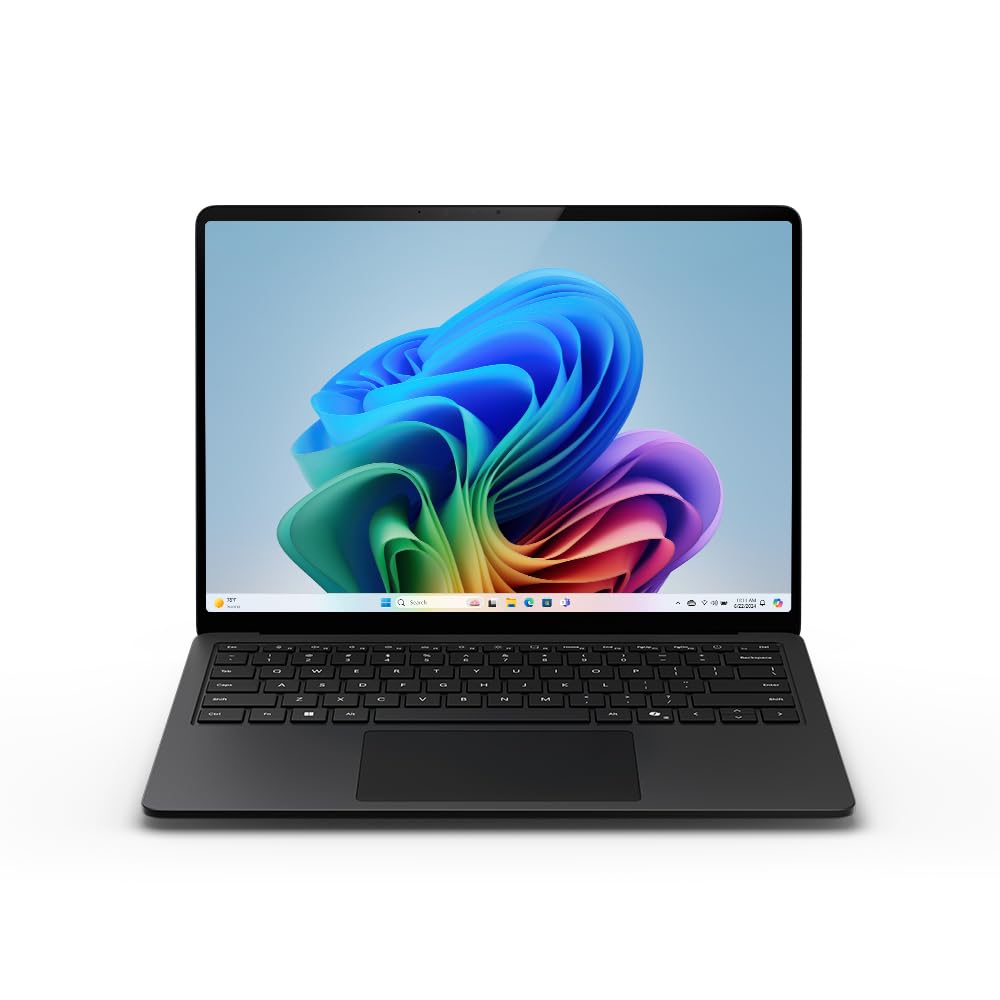
If you want the closest Windows equivalent to a MacBook Air, in terms of build quality, battery life, and everyday smoothness, the Surface Laptop 7 is it. This is Microsoft building its own Copilot+ PC from the ground up, and it shows.
Key Specifications
| Spec | Details |
|---|---|
| Processor | Qualcomm Snapdragon X Plus (10-core) |
| NPU | Qualcomm Hexagon, 45 TOPS (Copilot+ certified) |
| Display | 13.8″ PixelSense LCD, 2304×1536, 120Hz, 3:2 aspect ratio, Touchscreen |
| RAM | 16GB LPDDR5x (soldered) |
| Storage | 512GB M.2 NVMe PCIe 4.0 SSD |
| Battery | 54Wh |
| Ports | 2x USB4 Type-C, 1x USB 3.2 Gen 1, microSD, 3.5mm jack |
| Weight | 1.22 kg |
Why It Stands Out
The Surface Laptop 7 features a redesigned chassis, an outstanding keyboard and trackpad, a smooth 120Hz display, and the Snapdragon X processor.
The 3:2 PixelSense display ratio gives you noticeably more vertical screen space than a standard 16:9 laptop, which is a genuine productivity advantage for reading documents and spreadsheets.
On battery life, the Surface Laptop 7 lasted 15 hours and 44 minutes on Laptop Mag’s real-world battery test, surpassing even the MacBook Air 13 M3. That’s a landmark result for a Windows laptop.
Pros
- Performance, battery life, build quality, and sound quality are all top-notch for a premium ultrabook.
- Taller 3:2 PixelSense touchscreen is ideal for productivity workflows.
- Best-in-class keyboard and trackpad among Windows laptops.
- microSD slot included — useful for photographers and content creators.
Cons
- RAM is soldered and not upgradable.
Best For
Corporate professionals, frequent travellers, and power users who prioritise build quality, battery endurance, and a polished Windows experience.
4. Lenovo Yoga Slim 7 Aura Edition — Best Lightweight Copilot+ Laptop Under ₹1.10 Lakh
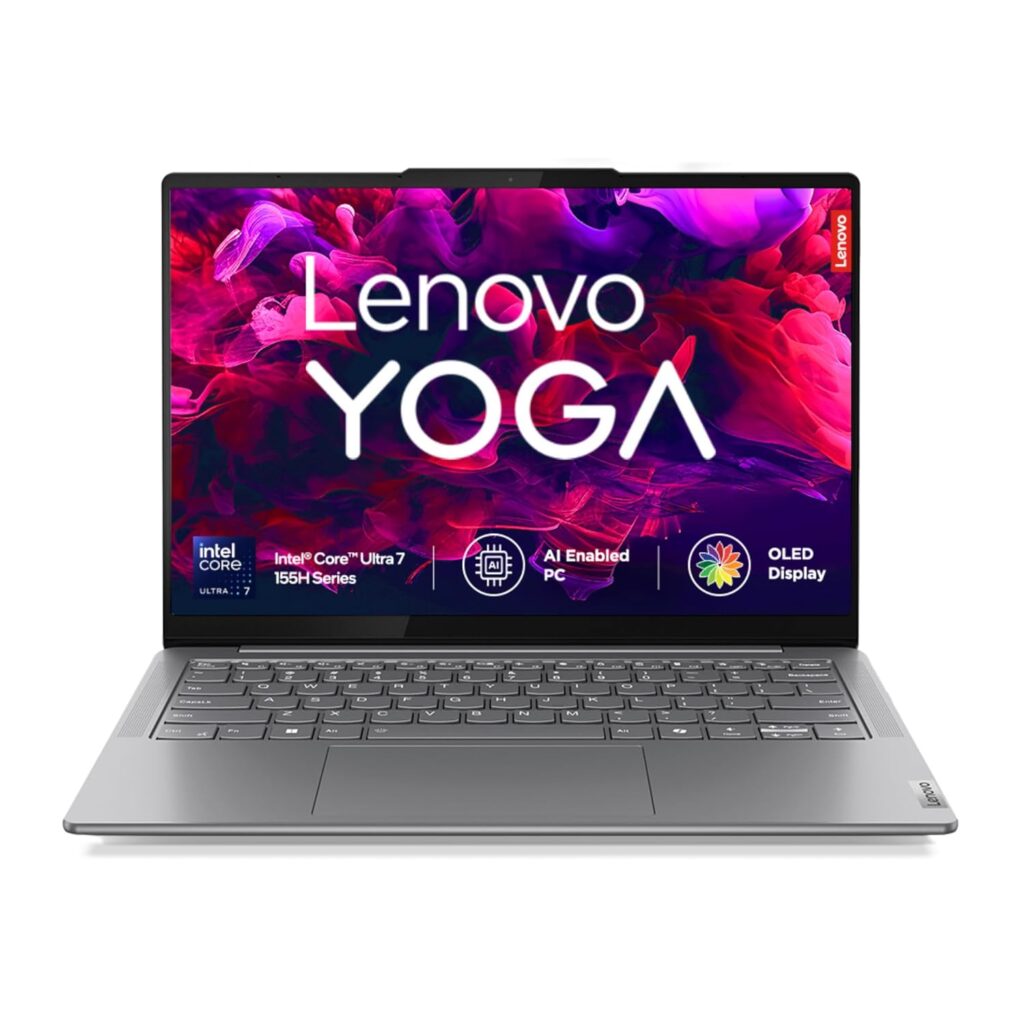
At just 1.19 kg with an OLED display and a full 1TB SSD, the Yoga Slim 7 Aura Edition punches well above its price. It’s the thinnest, lightest OLED Copilot+ laptop you can buy in India right now.
Key Specifications
| Spec | Details |
|---|---|
| Processor | Intel Core Ultra 5 226V (Lunar Lake, up to 4.5GHz) |
| NPU | Intel AI Boost, 40 TOPS (Copilot+ certified) |
| Display | 14″ WUXGA OLED (1920×1200), 60Hz, 400 nits typical / 600 nits peak, 100% DCI-P3 |
| RAM | 16GB LPDDR5x (soldered) |
| Storage | 1TB SSD |
| Battery | 70Wh, 65W USB-C charging |
| Weight | 1.19 kg |
Why It Stands Out
The Aura Edition initiative is aimed at fielding laptops that are thin, lightweight, and deliver superior battery life, and the Slim 7 impresses on all three fronts while also delivering a crisp display and premium build quality.
At 1.19 kg, it’s one of the lightest laptops on this list. The OLED panel covers 100% DCI-P3 colour gamut with DisplayHDR True Black 500 certification and peaks at 600 nits; a display quality you’d expect at a higher price point.
Lenovo deliberately tunes this chip to run cooler and quieter than competing laptops using the same CPU, making it one of the quietest ultrabooks in its class.
Related: Laptops for Personal Use in India
Pros
- The OLED display with 100% DCI-P3 and DisplayHDR True Black 500 at this price is an exceptional value.
- A full HDMI port on such a thin laptop is a rare and practical inclusion.
- Office Home 2024 (lifetime) bundled.
Cons
- Not suited for heavier tasks like video editing or 3D work.
Best For
Students, working professionals, and frequent commuters who want the lightest possible OLED Copilot+ laptop with a full 1TB SSD.
5. ASUS Zenbook A14 OLED — Best Copilot+ Laptop for Battery Life & Portability

If carrying your laptop all day without worrying about a charger is your top priority, nothing on this list comes close to the Zenbook A14. It’s under a kilogram, has an OLED display, and delivers battery life that sounds made up until you use it.
Key Specifications
| Spec | Details |
|---|---|
| Processor | Qualcomm Snapdragon X X1-26-100 (8 cores, up to 2.97GHz) |
| NPU | Qualcomm Hexagon, 45 TOPS (Copilot+ certified) |
| Display | 14″ WUXGA OLED (1920×1200), 16:10, 60Hz, 400 nits / 600 nits peak |
| RAM | 16GB LPDDR5x (soldered) |
| Storage | 512GB NVMe SSD |
| Battery | 70Wh, 65W USB-C fast charge (0–60% in 49 min) |
| Chassis | Ceraluminum (ceramic + aluminium composite) |
| Weight | 0.98 kg |
| In the Box | Office Home 2024 (lifetime) + M365 Basic (1 year) |
Why It Stands Out
The Zenbook A14 is built around one idea: go as light and as long as physically possible.
The chassis is crafted from Ceraluminum, making it anti-wear, anti-scratch, and smudge-resistant, while keeping the weight just under a kilogram.
That’s lighter than most premium 13-inch ultrabooks. The battery story is genuinely remarkable.
ASUS claims up to 32 hours of battery life, and in real-world workloads, reviewers consistently recorded over 20 hours of use, with 27–28 hours of Netflix streaming on a single charge.
In daily use covering split-screen multitasking, video playback, and web browsing, the laptop comfortably lasted around 18 hours on a single charge.
And if you do need to top up fast, the 65W USB-C charger gets you from zero to 60% in just 49 minutes.
Related: Best OLED Laptops Under ₹1 Lakh in India (Top Picks)
Pros
- Extraordinary real-world battery life: 18–22 hours in everyday use.
- OLED display with 100% DCI-P3 and DisplayHDR True Black 500.
- Wi-Fi 6E support for the fastest wireless connectivity available.
- Office Home 2024 (lifetime) + M365 Basic (1 year) bundled out of the box.
- Full HDMI 2.1 port included alongside USB4 ports.
Cons
- Windows on ARM still has some app compatibility gaps. Certain apps and games may not run natively.
Best For
Frequent travellers, college students, journalists, and remote workers who spend most of their day on documents, browsing, calls, and video calls.
6. Lenovo IdeaPad 5 2-in-1 — Best Value Copilot+ Convertible Under ₹1 Lakh
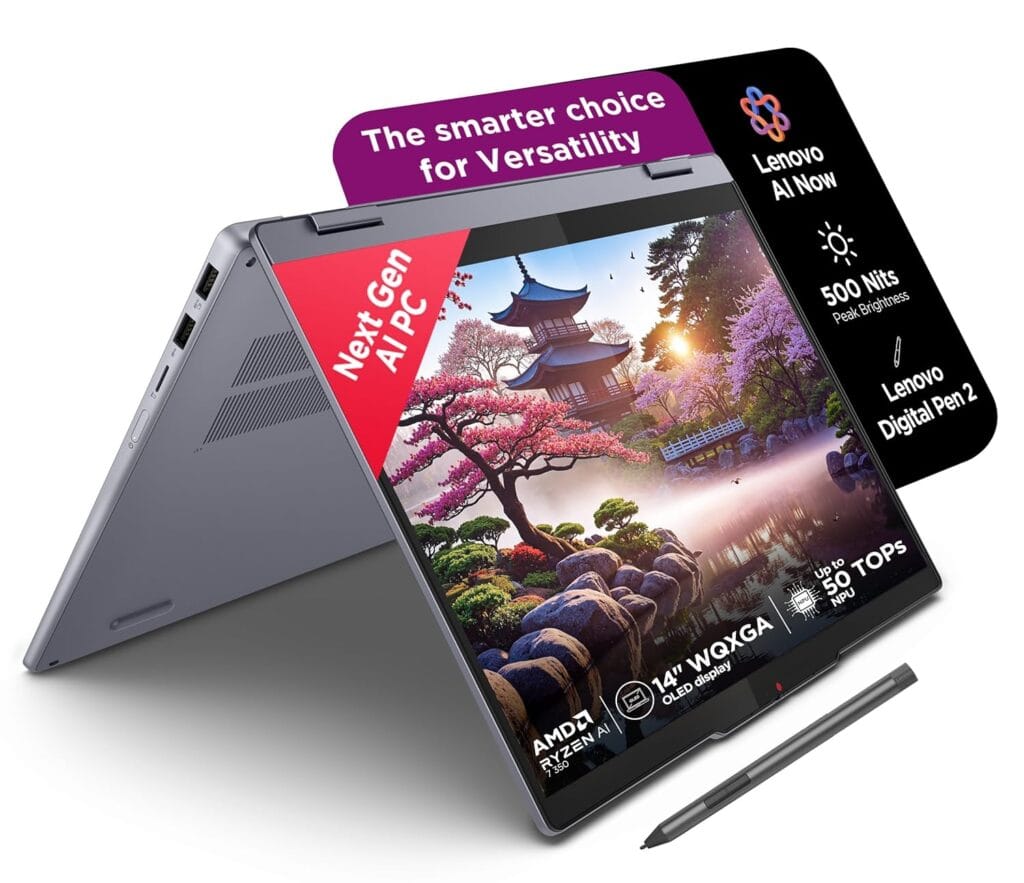
If you want a 2-in-1 Copilot+ laptop with an OLED display, a digital pen, 24GB RAM, and 1TB SSD under ₹1 lakh, the IdeaPad 5 2-in-1 is the perfect value-packed option on this list.
Key Specifications
| Spec | Details |
|---|---|
| Processor | AMD Ryzen AI 7 350 (8 cores / 16 threads, up to 5.0GHz, Zen 5) |
| NPU | AMD XDNA 2, up to 50 TOPS (Copilot+ certified) |
| GPU | AMD Radeon 860M (integrated) |
| Display | 14″ WUXGA OLED (1920×1200), 16:10, 60Hz, 100% DCI-P3 |
| RAM | 24GB LPDDR5x (soldered) |
| Storage | 1TB M.2 PCIe Gen 4 SSD |
| Battery | 57Wh with Rapid Charge Boost |
| Weight | 1.5 kg |
| In the Box | Digital Pen 2 included, Office Home 2024 |
Why It Stands Out
The IdeaPad 5 2-in-1 is an excellent device that combines an OLED display, a 360° convertible hinge, a Digital Pen 2 in the box, and 24GB RAM.
The AMD Ryzen AI 7 350 achieves the highest sustained CPU scores among the convertible laptops in its comparison group, so performance headroom is real.
The 360° hinge covers laptop, tablet, tent, and stand modes, and the OLED display delivers 100% DCI-P3 colour accuracy, which is rare at this price.
Lenovo’s Rapid Charge Boost technology gets you two hours of runtime from just 15 minutes of charging.
Related: Best Touchscreen Laptops in India – For Students, Designers and Engineers
Pros
- 360° convertible hinge with Digital Pen 2 included in the box.
- Wi-Fi 7 and Bluetooth 5.4 for latest-gen connectivity.
- Rapid Charge Boost: 2 hours of use from a 15-minute charge.
- Lenovo AI Now is onboard for added AI productivity features.
Cons
- Fan noise can be noticeable under heavier workloads.
Best For
Students, home users, and professionals who want a capable, versatile Copilot+ 2-in-1 with an OLED screen and pen support.
7. Samsung Galaxy Book4 Edge — Best 15.6″ Copilot+ Laptop
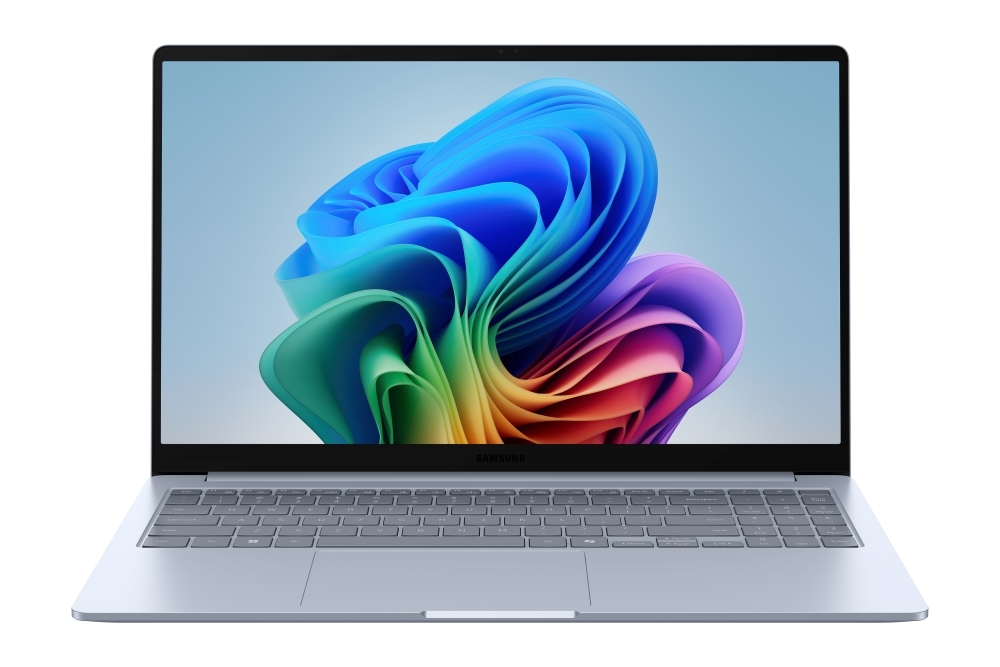
Most Copilot+ laptops on this list are 14-inch machines. The Galaxy Book4 Edge gives you a larger 15.6-inch screen in a surprisingly slim and light chassis, with Samsung’s deep Galaxy ecosystem integration baked right in.
Key Specifications
| Spec | Details |
|---|---|
| Processor | Qualcomm Snapdragon X (X1-26-100, 8 cores) |
| NPU | Qualcomm Hexagon, 45 TOPS (Copilot+ certified) |
| GPU | Qualcomm Adreno (integrated) |
| Display | 15.6″ FHD (1920×1080), LED, Anti-glare |
| RAM | 16GB LPDDR5x (soldered) |
| Storage | 512GB eUFS (embedded) |
| Battery | 61.2Wh, Super Fast Charging (44% in 30 mins) |
| Ports | 2x USB 4.0, 1x USB 3.2 Type-A, HDMI 2.1, microSD, 3.5mm jack |
| Weight | 1.55 kg |
Why It Stands Out
At under ₹72,000, the Galaxy Book4 Edge is an aggressively priced Copilot+ laptop on this list, and it comes from Samsung, which means the Galaxy ecosystem benefits are real.
Phone Link lets you access recently viewed webpages or launch up to 5 mobile apps right from the laptop, and Buds Auto Switch, Quick Share, and Connected Camera work seamlessly with other Samsung Galaxy devices.
The 61.2Wh battery supports up to 28 hours of video runtime and charges to 44% in just 30 minutes via Super Fast Charging.
The port selection is also notably generous for a thin laptop, offering two USB 4.0 ports, HDMI 2.1, a full USB-A, and a microSD slot.
Pros
- Best-in-class Galaxy ecosystem integration for Samsung phone users
- Super Fast Charging gets you 44% battery in 30 minutes
- Fingerprint sensor with Windows Hello for secure login
- Full Copilot+ PC feature access: Recall, Live Captions, Cocreator, Studio Effects
Cons
- Not suited for video editing, gaming, or GPU-heavy workloads
Best For
Samsung Galaxy phone users, students, and budget-conscious buyers who want a large-screen Copilot+ laptop.
8. ASUS Vivobook 16 2026 — Best Large-Screen Copilot+ Laptop for Multitaskers
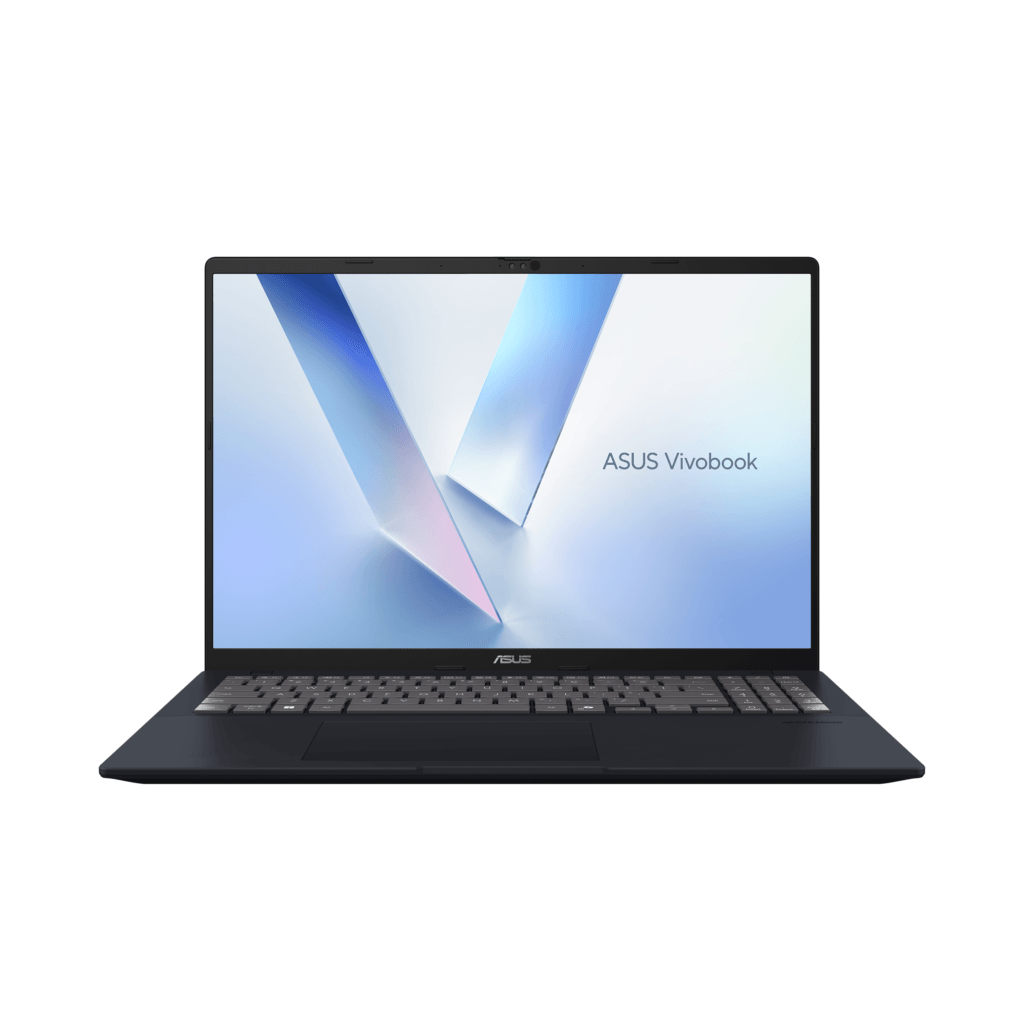
Most Copilot+ laptops are 14-inch machines built for portability. The Vivobook 16 gives you a larger 16-inch screen with a brand-new AMD Ryzen AI 400 Series chip, full Copilot+ certification, and one of the most generous displays in this price range.
Key Specifications
| Spec | Details |
|---|---|
| Processor | AMD Ryzen AI 7 445 (Hexa-core, up to 5.0GHz, Zen 5) |
| NPU | AMD XDNA 2, up to 50 TOPS (Copilot+ certified) |
| GPU | AMD Radeon Graphics (integrated) |
| Display | 16″ FHD+ (1920×1200), 16:10, IPS, 60Hz, Anti-glare, 89% screen-to-body |
| RAM | 16GB DDR5 onboard + 1x SO-DIMM slot (expandable) |
| Storage | 512GB PCIe 4.0 SSD |
| Battery | Fast charge — 60% in 49 minutes |
| Durability | MIL-STD 810H certified |
| Weight | ~1.88 kg |
| In the Box | Office Home 2024 (lifetime) + M365 Basic (1 year) |
Why It Stands Out
The Vivobook 16 (2026) is one of the first laptops in India powered by the AMD Ryzen AI 400 Series.
The Ryzen AI 7 445 processor includes a dedicated 50 TOPS NPU for on-device AI processing, and the laptop is built around a large display with slim bezels in a chassis that meets MIL-STD 810H durability standards.
The 16-inch 16:10 FHD+ panel gives you meaningfully more vertical screen space than a standard 16:9 display, which is useful for coding, spreadsheets, reading documents, or video editing timelines.
ASUS has also increased CPU wattage to up to 35W and improved the heat pipe design with a taller fan for better airflow and sustained performance under heavy loads.
The expandable RAM slot is a bonus: you can go beyond 16GB later without replacing the machine.
Pros
- Large 16″ FHD+ 16:10 display with slim bezels and anti-glare coating.
- RAM is expandable via the SO-DIMM slot.
- MIL-STD 810H durability certification for real-world toughness.
- Office Home 2024 (lifetime) + M365 Basic (1 year) bundled.
Cons
- At 1.88 kg, it’s the heaviest laptop on this list.
Best For
Students, home users, and work-from-home professionals who spend long hours on screen and want the biggest, most future-ready Copilot+ laptop under ₹1 lakh.
9. HP OmniBook X — Best Copilot+ Laptop for All-Day Battery with Touchscreen
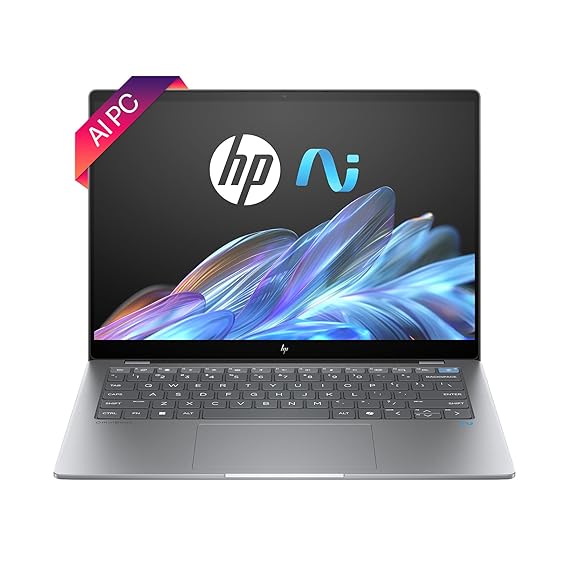
The HP OmniBook X is a slim, light, Snapdragon-powered Copilot+ laptop built entirely around productivity and endurance. It rounds out this list as the only laptop here with a 12-core Snapdragon X Elite chip paired with a touchscreen.
Key Specifications
| Specs | Details |
|---|---|
| Processor | Qualcomm Snapdragon X Elite X1E-78-100 (12-core, up to 3.4GHz) |
| NPU | Qualcomm Hexagon, 45 TOPS (Copilot+ certified) |
| GPU | Qualcomm Adreno (integrated) |
| Display | 14″ 2.2K IPS Touch (2240×1400), 16:10, 300 nits, Corning Gorilla Glass NBT |
| RAM | 16GB LPDDR5x-8448 (soldered) |
| Storage | 1TB PCIe Gen 4 NVMe SSD |
| Battery | 59Wh, 65W USB-C charging |
| Camera | 5MP IR camera with auto-switch HDR |
| Weight | 1.34 kg |
Why It Stands Out
The OmniBook X is HP’s relaunch of its iconic OmniBook line after more than two decades, and it comes out swinging with the 12-core Snapdragon X Elite, which is the more powerful Snapdragon chip compared to the base Snapdragon X found in the Samsung Galaxy Book4 Edge and ASUS Zenbook A14.
HP claims up to 26 hours of video playback from the 59Wh battery, and real-world reviews back this up strongly. In medium daily usage, the OmniBook X 14 delivered around 18 hours on a single charge.
The 2.2K touchscreen with Gorilla Glass protection is a practical differentiator at this price point, and the 5MP IR camera with HDR auto-switch is the best webcam on any laptop in this list.
Performance runs quietly with fans barely audible even during demanding tasks, prioritising a silent work experience over peak benchmark scores.
Related: Best Laptops For Beginners In India
Pros
- Touchscreen with Corning Gorilla Glass NBT protection
- Best-in-class 5MP IR webcam with HDR
- Wi-Fi 7 and Bluetooth 5.4 for latest-gen connectivity
- Recycled aluminium chassis with EPEAT Gold certification
Cons
- Display brightness peaks at just 300 nits.
Best For
Working professionals, corporate users, and frequent flyers who prioritise raw battery endurance, a sharp touchscreen, and a premium webcam.
10. HP OmniBook 5 OLED — Best Copilot+ OLED Laptop Under ₹70,000

The OmniBook 5 is HP’s mainstream-friendly Copilot+ laptop. If you’ve been waiting for an OLED + ARM + all-day battery combination without spending over a lakh, this is it.
Key Specifications
| Spec | Details |
|---|---|
| Processor | Qualcomm Snapdragon X X1-26-100 (8 cores, up to 2.97GHz) |
| NPU | Qualcomm Hexagon, 45 TOPS (Copilot+ certified) |
| GPU | Qualcomm Adreno (integrated) |
| Display | 14″ 2K OLED (1920×1200), 16:10, 60Hz, 300 nits, 99% DCI-P3 |
| RAM | 16GB LPDDR5x-8448 (soldered) |
| Storage | 512GB PCIe NVMe SSD |
| Battery | 51Wh, 65W USB-C fast charge (50% in 30 mins) |
| Camera | FHD IR camera with privacy shutter |
| Weight | 1.35 kg |
| In the Box | Office Home 2024 (lifetime) + M365 Basic (1 year) |
Why It Stands Out
The OmniBook 5 gives you an OLED panel, and that’s a meaningful difference in everyday use.
The panel measures 99% DCI-P3 colour coverage with a white point nearly dead-on the ideal of 6,500K and an average Delta E of 1.63, which is excellent colour accuracy for this price bracket. Battery life is the other headline.
In testing, the OmniBook 5 exceeded 25 hours in a video playback test. Real-world usage for mixed tasks lands comfortably above 16 hours for most users. The laptop runs completely silently.
Pros
- 99% DCI-P3 OLED panel with accurate colour.
- Silent operation.
- FHD IR camera with privacy shutter.
- Office Home 2024 (lifetime) + M365 Basic (1 year) bundled.
- EPEAT Gold certified recycled aluminium build.
Cons
- RAM is soldered with no upgrade path.
- Windows on ARM app compatibility gaps persist for niche software.
Best For
Students, first-time buyers, and everyday users who want the best display quality and longest battery life possible under ₹70,000.
Snapdragon X Elite vs Intel Core Ultra vs Ryzen AI — Which One Should You Choose?
All three power Copilot+ PCs, but they behave very differently in real use. Here’s how to cut through the confusion.
Snapdragon X Elite
Best For Battery Life and Portability
Snapdragon X laptops consistently deliver 15–25+ hours of real-world battery life. If you travel constantly or work away from power outlets, Snapdragon is the clear winner. These chips also run cooler and quieter, making them ideal for thin, light chassis under 1.2 kg.
ARM Compatibility Explained
Snapdragon runs Windows on ARM, a different instruction set from traditional x86. Most mainstream apps (Chrome, Office, Zoom, Photoshop, Lightroom) now run natively or through emulation without any issues.
The problem surfaces with niche software: Tally, MATLAB, some government portals, older legacy tools, and most PC games may not run at all.
Related: The Rise Of ARM-Based Laptops – Performance And Compatibility
Who Should Avoid Snapdragon Laptops
If you use specialised software for accounting, research, engineering, or gaming, stick with Intel or AMD. ARM compatibility is improving rapidly, but it isn’t fully there yet for every workflow.
Intel Core Ultra
Best For Software Compatibility
Intel is x86; every Windows application runs on it, guaranteed. No compatibility concerns, no workarounds. If you use a wide variety of software or aren’t sure what you’ll need, Intel is the safest choice.
Balanced AI and Productivity Performance
Intel Core Ultra Series 2 (Lunar Lake) chips deliver strong single-core performance, solid NPU scores (40–50 TOPS), and decent battery life; not as long as Snapdragon, but noticeably better than older Intel generations.
AMD Ryzen AI
Best For Creators and Heavy Workloads
AMD Ryzen AI 300/400 series chips hit harder under sustained load than both Snapdragon and Intel Lunar Lake. If you edit video, work in Lightroom, run large datasets, or multitask heavily, AMD gives you the most raw CPU power per rupee.
Strong Multi-Core Performance
AMD’s Zen 5 cores with up to 50 TOPS NPU make these the best-performing Copilot+ chips for demanding workloads, while still offering respectable battery life and full x86 compatibility.
Are Copilot+ PCs Actually Worth Buying in India?
Short answer: yes, but with conditions. Here’s what you actually need to know.
The Biggest Advantages of Copilot+ PCs
Excellent Battery Efficiency
The on-device NPU handles AI tasks without hammering your CPU or GPU, which means dramatically lower power draw. Copilot+ laptops routinely deliver 15–25 hours of real-world use.
Faster AI Features
Recall, Live Captions with real-time translation, Cocreator, and AI-powered Windows Search all run locally; no internet required, no cloud lag, no privacy concerns.
Better Video Calling Features
Studio Effects, eye contact correction, auto framing, and voice focus work seamlessly and in real time. For students in online classes and professionals on back-to-back calls, these features genuinely improve the experience.
Future-Ready Hardware
Windows 11 AI features will only deepen over time. Buying a Copilot+ PC now means your laptop stays relevant longer than a standard Windows machine purchased today.
Related: What are Copilot+ PCs? Everything You Need to Know
The Limitations You Should Know
ARM App Compatibility Issues
Snapdragon-based Copilot+ PCs run Windows on ARM. Tally, MATLAB, older government portals, and many niche tools may not work. Intel and AMD Copilot+ PCs don’t have this problem.
Gaming Limitations
No Copilot+ laptop on this list has a dedicated GPU. Light gaming is possible, but modern titles are out of reach.
Premium Pricing in India
Import duties push Copilot+ laptops noticeably higher here than in the US or Europe. Budget for at least ₹65,000–₹70,000 for the entry tier.
Who Should Buy a Copilot+ Laptop?
Students, remote workers, frequent travellers, content consumers, and professionals who live in Office, Chrome, and Zoom.
Who Should Skip Them Right Now?
Gamers, users of specialised legacy software, and anyone on a tight budget under ₹60,000. A well-specced Intel or AMD laptop without Copilot+ branding will serve you better today.
What to Look for Before Buying a Copilot+ Laptop in India
NPU Performance and TOPS
The minimum for Copilot+ certification is 40 TOPS. Aim for 45–50 TOPS for better future-proofing. More TOPS means faster on-device AI processing and access to more Windows 11 AI features as they roll out.
Minimum RAM Recommendation in 2026
16GB is the floor, not the ideal. If you multitask heavily, run multiple browser tabs, or plan to keep this laptop for 3+ years, 24GB or 32GB is worth the premium. Note that most Copilot+ laptops have soldered RAM.
OLED vs IPS Displays
OLED wins on contrast, colour accuracy, and visual richness. IPS wins on brightness, especially outdoors, and typically costs less. For everyday productivity, IPS is perfectly fine. For media consumption, design work, or long screen time, OLED is worth paying for.
Battery Life Expectations
Snapdragon-based Copilot+ laptops realistically deliver 15–22 hours of mixed use. Intel and AMD models land between 8 and 14 hours. Both beat traditional Windows laptops convincingly.
Snapdragon vs Intel Compatibility
If you use standard apps, Office, Chrome, Zoom, and Photoshop, Snapdragon is fine. If you rely on Tally, MATLAB, older government software, or PC gaming, go Intel or AMD.
Port Selection and Connectivity
Prioritise USB4 or Thunderbolt 4, HDMI, and at least one USB-A port. Avoid laptops that ship without USB-A entirely. Otherwise, you’ll be reaching for a dongle constantly.
Weight and Portability
Under 1.3 kg for daily commuters. Up to 1.5 kg to 1.8 kg is acceptable if you mostly work from one or two locations.
Frequently Asked Questions
What is a Copilot+ PC?
A Copilot+ PC is any laptop with an NPU capable of at least 40 TOPS, which is enough to run Microsoft’s on-device AI features like Recall, Live Captions, and Cocreator locally, without needing the internet or draining your battery.
Are Copilot+ PCs good for students?
Very. The battery life alone changes your day; 15+ hours means no charger in your bag. Lightweight builds, real-time caption translation for lectures, and AI-powered Windows Search make these genuinely useful for campus life.
Can Copilot+ laptops run normal Windows apps?
Intel and AMD Copilot+ laptops run every Windows app without exception. Snapdragon-based ones run most popular apps fine, but struggle with Tally, MATLAB, older government portals, and most PC games. Check arm64 compatibility before buying Snapdragon.
Are Snapdragon laptops compatible with Adobe apps?
Yes, Photoshop, Lightroom, Premiere Pro, and Acrobat all have native ARM versions and run well on Snapdragon. After Effects and Illustrator are mostly fine, too.
Are Copilot+ laptops good for programming?
Yes for web development, Python, JavaScript, and most modern stacks. Snapdragon handles VS Code, Docker basics, and Git well. Avoid Snapdragon if your workflow involves Linux VMs, specialised compilers, or tools that haven’t released ARM builds yet.
Final Verdict: Which Copilot+ PC Laptop Should You Buy?
There’s no single best Copilot+ laptop that I can suggest you buy. There’s only the best one for your situation.
Buy the ASUS Zenbook S 14 if you want the overall best. Buy the Lenovo Yoga 7 2-in-1 if you need a versatile convertible. Buy the ASUS Vivobook 14 if ₹65,000 is your ceiling. Buy the Surface Laptop 7 if build quality and battery are non-negotiable. Buy the ASUS Zenbook A14 if weight is your top priority. Buy the HP OmniBook 5 if you want OLED under ₹70,000.
Still unsure? Drop your use case and budget in the comments. We’ll point you to the right one.
More Articles
How AI-Powered Laptops Are Redefining Productivity
Best Laptops for Productivity and Multitasking in India
How To Clean And Maintain A Laptop Like A Pro For Peak Performance?
Best Laptops For Writers and Bloggers in India

Kanha is a electronics engineer, tech enthusiast, and writer at technicalstudies.in. His experience in tech, coupled with excellent writing skills, makes the text easy to understand and helps the reader make the correct decision. Outside of writing, Kanha is passionate about exploring new gadgets and gaming.