

Last updated on June 22nd, 2026 at 06:43 pm
Gaming laptops in India have come a long way. A few years ago, they were bulky, expensive, and built for one thing only — gaming.
Today, they’re powerful enough to handle video editing, 3D rendering, game streaming, heavy coding workloads, and college assignments.
That’s exactly why more Indian buyers, especially students and creators, are seriously considering them over traditional laptops.
The real turning point has been NVIDIA’s RTX lineup. RTX 4050 laptops hit the sweet spot for students who want solid 1080p gaming without burning a hole in their pocket.
Step up to an RTX 4060 gaming laptop, and you get a meaningful performance jump: smooth frame rates, better ray tracing, and enough headroom for creative work.
The RTX 4070 and above? That’s territory for serious gamers, professional video editors, and streamers who simply can’t afford bottlenecks.
In this guide, I will cover the best gaming laptops in India for every budget, from the most affordable options to premium powerhouses.
Instead of drowning you in specs, we’ve organized everything by budget so you can jump straight to what makes sense for your wallet and walk away with a clear decision.
Let’s get started.
Quick Comparison Table: Best Gaming Laptops in India 2026
| Laptop | GPU | CPU | Display | Refresh Rate | RAM | Weight | Best For | Approx Price |
|---|---|---|---|---|---|---|---|---|
| HP Victus | RTX 4050 6GB | Ryzen 7 7445HS | 15.6″ FHD IPS | 144Hz | 16GB DDR5 | 2.29kg | Students, first-time buyers | ₹83,000–93,000 |
| ASUS Gaming V16 2025 | RTX 4050 6GB | Intel Core 7 240H | 16″ FHD+ IPS 16:10 | 144Hz | 16GB DDR5 | 1.95kg | Students, daily commuters | ₹92,000–1,05,000 |
| Lenovo LOQ | RTX 4050 6GB | Intel Core i7-13650HX | 15.6″ FHD IPS | 144Hz | 16GB DDR5 | 2.3kg | Gamers, creators | ₹95,000–1,13,000 |
| HP Omen 16 | RTX 5050 8GB | Intel Core Ultra 7 255H | 16″ 2K IPS | 165Hz | 24GB DDR5 | 2.43kg | Gamers, creators, streamers | ₹1,29,000–1,50,000 |
| Acer ALG | RTX 3050 6GB | Intel Core i5-13420H | 15.6″ FHD IPS | 144Hz | 16GB DDR4 | 1.99kg | Budget buyers, first-time buyers | ₹67,000–79,000 |
| Lenovo Legion 5 2025 | RTX 5050 8GB | Ryzen 7 260 | 15.3″ WUXGA IPS 16:10 | 165Hz | 16GB DDR5 | 2.5kg | Serious gamers, power users | ₹1,38,000–1,50,000 |
| ASUS TUF A15 2025 | RTX 3050 4GB | Ryzen 7 7445HS | 15.6″ FHD IPS | 144Hz | 16GB DDR5 | 2.3kg | Budget buyers, students | ₹65,000–72,000 |
| Acer Nitro V 15 | RTX 4050 6GB | Intel Core 5 210H | 15.6″ FHD IPS | 144Hz | 16GB DDR5 | 2.11kg | Students, lightweight gaming | ₹85,000–1,00,000 |
| Dell G15 5530 | RTX 3050 6GB | Intel Core i5-13450HX | 15.6″ FHD IPS | 120Hz | 16GB DDR5 | 2.65kg | Brand-conscious buyers, families | ₹71,000–80,000 |
| MSI Thin A15 | RTX 3050 4GB | Ryzen 7 7735HS | 15.6″ FHD IPS | 144Hz | 16GB DDR5 | 1.86kg | Commuters, lightweight users | ₹58,000–70,000 |
| ASUS ROG Strix G16 2025 | RTX 5050 8GB | Ryzen 9 8940HX | 16″ FHD+ IPS 16:10 | 165Hz | 16GB DDR5 | 2.5kg | Power gamers, creators | ₹1,50,000–1,63,000 |
The prices of these laptops keep keep changing, so I mentioned an approx price range for all of these.
Best Gaming Laptops in India for Every Budget
1. HP Victus (Ryzen 7 7445HS + RTX 4050)
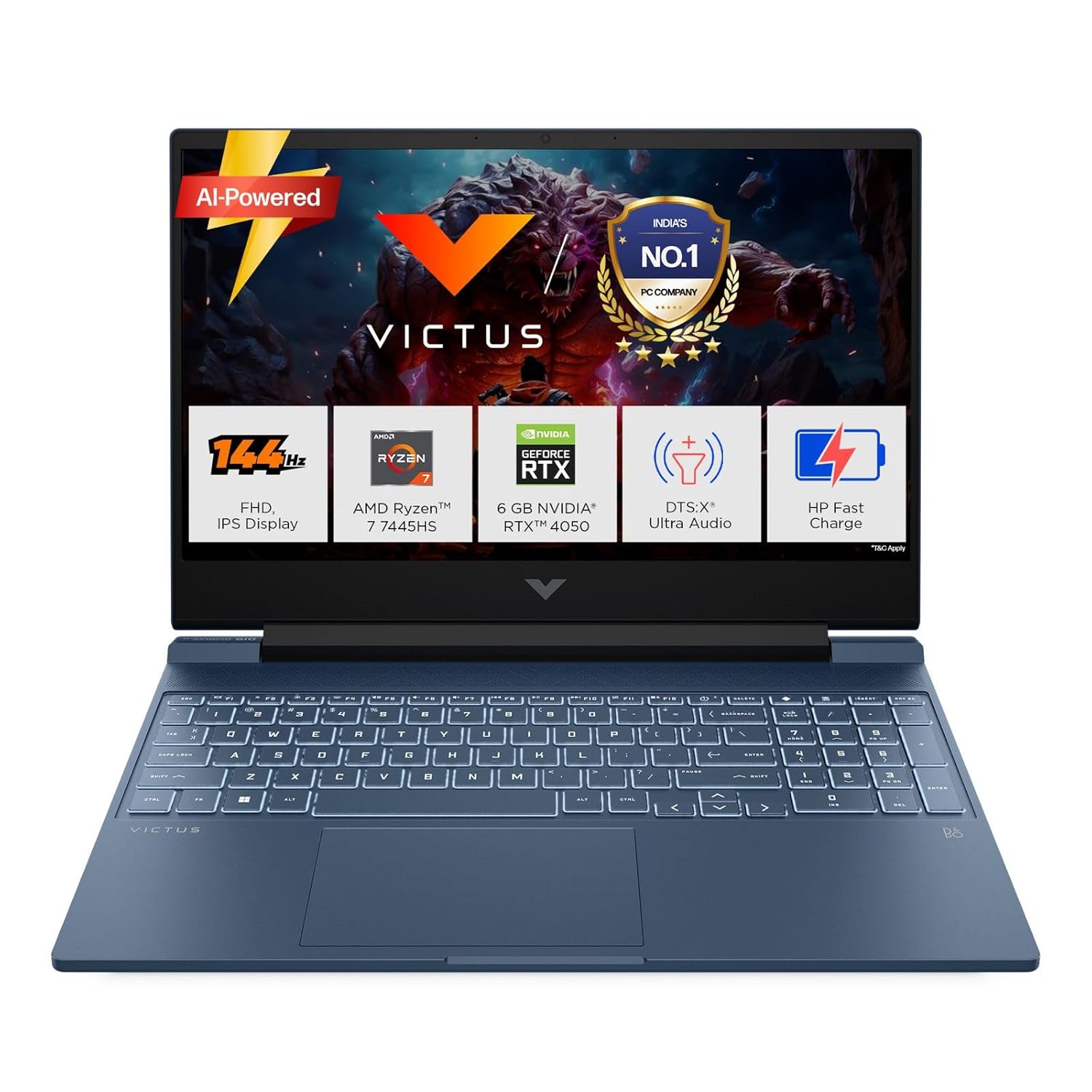
The HP Victus is one of those laptops that doesn’t try to be everything; it just focuses on doing the right things well.
If you’re a college student who wants to game after class, edit videos on weekends, and not carry a backpack full of regret, this machine makes a strong case for itself.
Key Specs
- Processor: AMD Ryzen 7 7445HS (up to 4.7GHz)
- GPU: NVIDIA RTX 4050 6GB GDDR6
- RAM: 16GB DDR5-5600 (Upgradeable)
- Storage: 512GB SSD
- Display: 15.6″ FHD IPS, 144Hz, 300 nits, Anti-glare
- Weight: 2.29 kg
- OS: Windows 11 + MS Office 2024
Gaming Performance
At 1080p, the RTX 4050 handles most popular titles really well. Games like Valorant, GTA V, and CS2 run smoothly well above 100fps, and the 144Hz display actually gets used.
Even in heavier titles like Cyberpunk 2077 or The Witcher 3, you’re looking at playable 60+ fps on medium-high settings.
It’s not a machine for maxing out every setting, but for the price, the gameplay experience feels genuinely smooth, not compromised.
The Ryzen 7 7445HS keeps up without becoming a bottleneck in most gaming scenarios.
Upgrade Options
The RAM is upgradeable; going from 16GB to 32GB DDR5 will noticeably improve multitasking and future-proof the machine.
The SSD slot supports an additional M.2 drive, which you’ll want if you’re installing multiple AAA games. Both upgrades are straightforward and worth doing down the line.
Pros
- Solid 1080p gaming at this price point.
- The 144Hz display actually delivers smooth gameplay.
- DDR5 RAM gives it a performance edge over older DDR4 competitors.
- Comes bundled with Windows 11 + MS Office 2024.
Cons
- 300 nits brightness feels dim in bright outdoor environments.
2. ASUS Gaming V16 2025 (Intel Core 7 240H + RTX 4050)
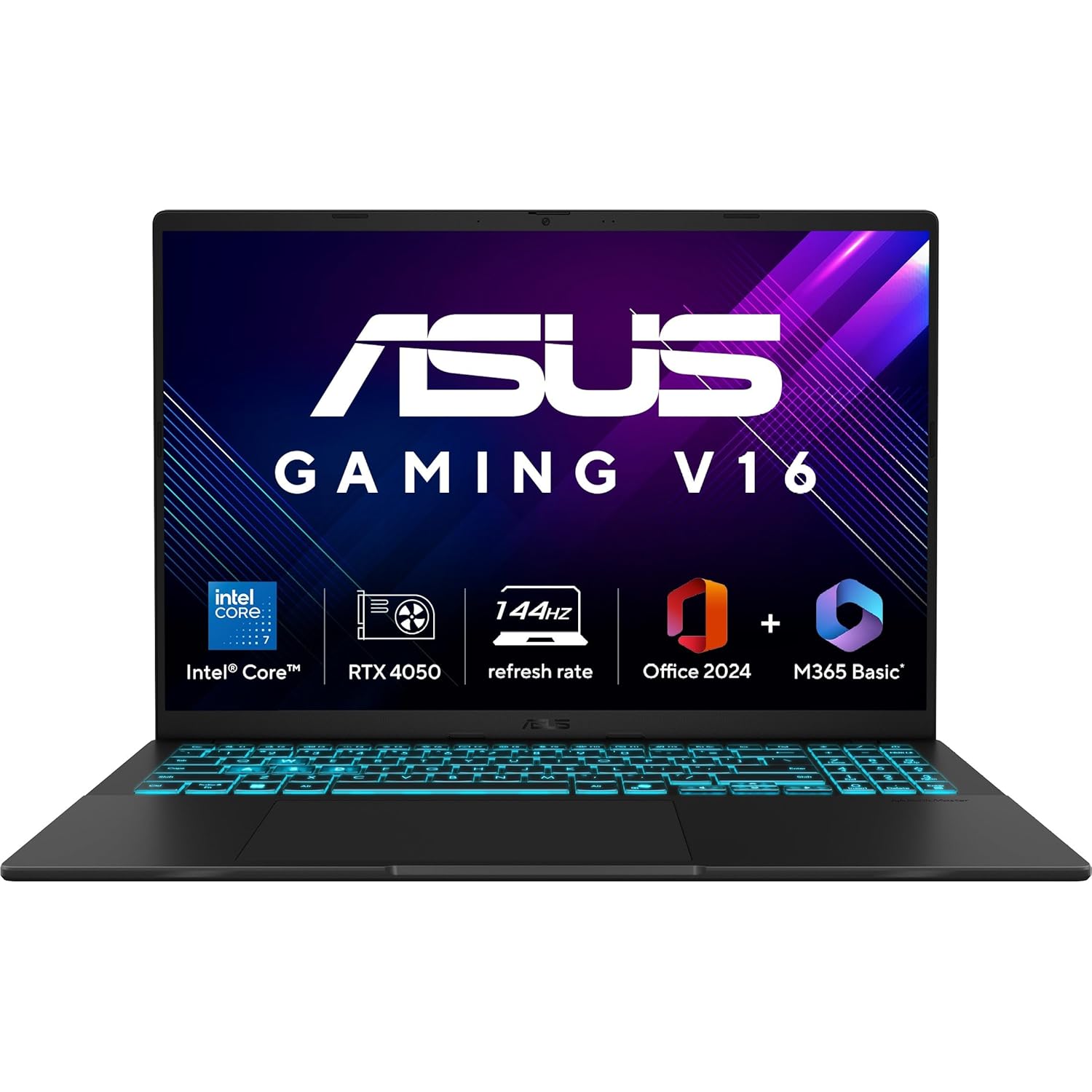
The ASUS Gaming V16 2025 is one of those laptops that surprises you. It looks like a regular productivity laptop from the outside: clean matte black finish, subtle design, but underneath it’s punching well above its price.
What makes it stand out in this segment is the 16-inch 16:10 display, which gives you noticeably more screen real estate than the typical 15.6″ competition.
If you’re gaming, editing, or just working with multiple windows open, that extra vertical space genuinely changes the experience.
The Intel Core 7 240H is also a meaningful upgrade over older-gen processors in this range; it handles multitasking, streaming, and background loads without breaking a sweat.
Key Specs
- Processor: Intel Core 7 240H (10 cores, up to 5.2GHz)
- GPU: NVIDIA RTX 4050 6GB GDDR6, 70W TDP
- RAM: 16GB DDR5-5600
- Storage: 512GB M.2 NVMe PCIe 4.0 SSD
- Display: 16″ FHD+ (1920×1200) IPS, 144Hz, 300 nits, Anti-glare, 89% screen-to-body ratio
- Weight: 1.95 kg
- OS: Windows 11 Home + MS Office 2024 + M365 Basic
Gaming Performance
At 1080p, the RTX 4050 here runs with a 70W TDP, which is on the higher end for this GPU, and that matters.
More power to the GPU directly translates to smoother, more consistent frame rates. Titles like Valorant and CS2 run effortlessly at 144fps, keeping that display busy.
In heavier games like Cyberpunk 2077 or Red Dead Redemption 2, expect 50–65fps on medium settings.
The Core 7 240H holds its own during sustained gaming sessions, maintaining strong clock speeds without throttling aggressively.
It’s not a machine for 4K ambitions, but for 1080p gaming it delivers a clean, stutter-free experience.
Related: Best OLED Laptops Under ₹1 Lakh in India (Top Picks)
Upgrade Options
The RAM is expandable up to 64GB via dual DDR5 SO-DIMM slots. The PCIe 4.0 SSD slot means you can add faster, higher-capacity storage without bottlenecking your system.
Both upgrades are accessible and well worth considering if you plan to hold this laptop for 3+ years.
Pros
- The 16:10 display gives more usable screen space than most competitors.
- Core 7 240H is a strong CPU for this price point.
- RTX 4050 at 70W TDP.
- Comes with Office 2024 lifetime + M365 Basic.
Cons
- Battery life takes a hit during gaming sessions.
3. Lenovo LOQ (Intel Core i7-13650HX + RTX 4050)
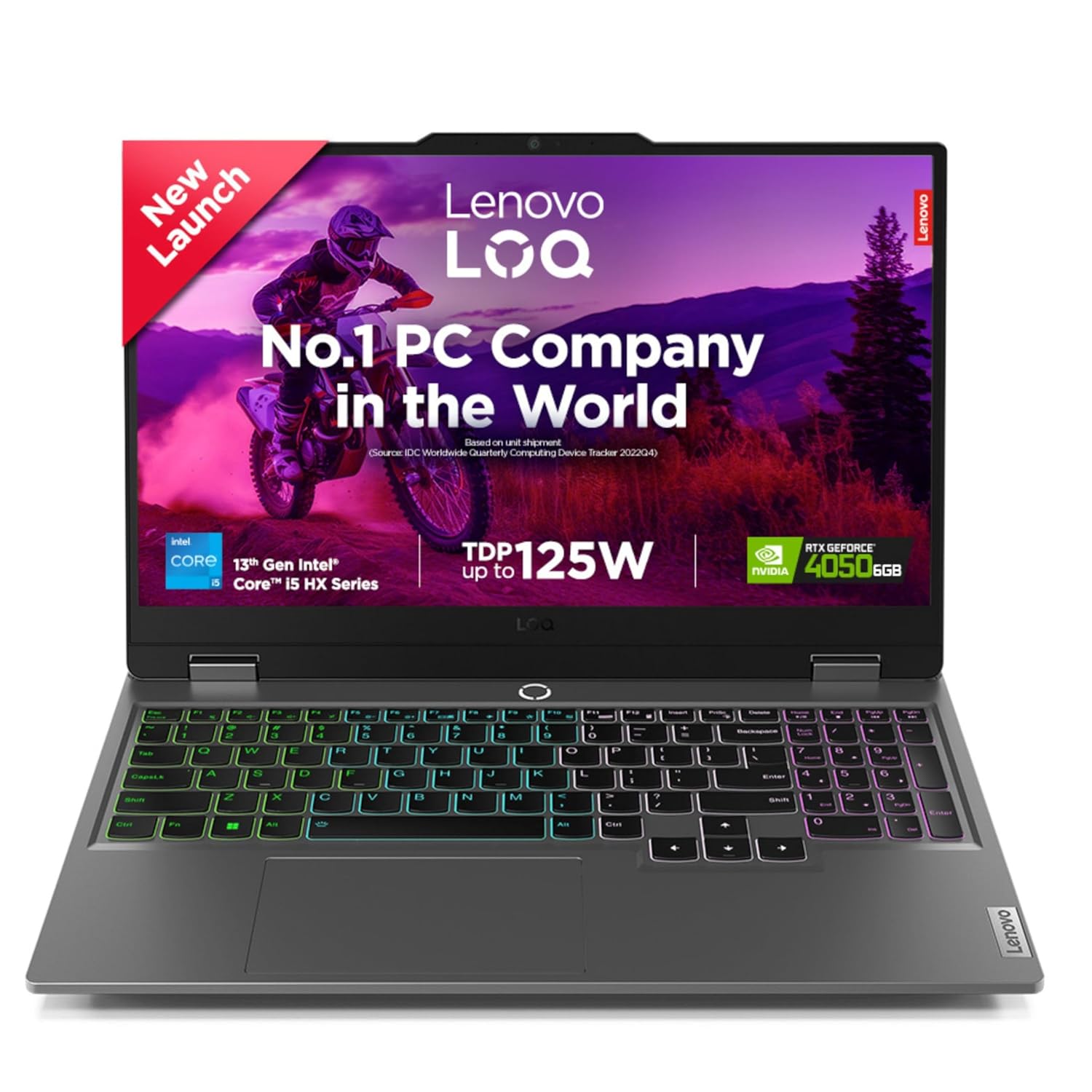
The Lenovo LOQ has built a strong reputation in India, and for good reason; it doesn’t cut corners where it matters.
The i7-13650HX is an HX-class processor, which means it’s closer to desktop-grade CPU performance than most laptops in this range.
Pair that with the RTX 4050, and you have a machine that handles not just gaming, but heavy multitasking, video editing, and coding sessions without flinching. Lenovo has also done a solid job with thermals here.
The LOQ runs cooler and quieter under load than many competitors at this price. If you want something that just works, consistently, session after session, the LOQ earns that trust.
Key Specs
- Processor: Intel Core i7-13650HX (14 cores, up to 4.9GHz)
- GPU: NVIDIA RTX 4050 6GB GDDR6
- RAM: 16GB DDR5
- Storage: 512GB SSD
- Display: 15.6″ FHD IPS, 144Hz, 300 nits, 100% sRGB
- Weight: 2.3 kg
- OS: Windows 11 Home + MS Office 2024
- Bonus: 1 Year ADP (Accidental Damage Protection)
Gaming Performance
The i7-13650HX is a beast of a CPU for this price bracket; it’s an HX-series chip with 14 cores, which means it rarely throttles and keeps the RTX 4050 fully fed during gaming.
In competitive titles like Valorant and CS2, you’re comfortably hitting 144fps and above. In demanding open-world games like Elden Ring or Forza Horizon 5, expect smooth 60–75fps on high settings at 1080p.
The 100% sRGB display also makes colours pop visually. Games actually look better on this panel compared to many rivals. Sustained gaming sessions stay stable thanks to Lenovo’s well-tuned cooling system.
Upgrade Options
RAM is upgradeable and supports dual-channel configuration. Going to 32GB will noticeably improve performance in memory-heavy workloads.
There are two M.2 slots, so adding a second SSD for game storage is straightforward. Both are practical upgrades worth planning for.
Pros
- The HX-class CPU gives a genuine performance edge over standard H-series chips.
- 100% sRGB display makes games and creative work look noticeably better.
- Thermals are well-managed for consistent performance under sustained load.
- Comes with a 1 Year ADP offering huge value for students and daily commuters.
- Solid port selection including USB-C with DisplayPort support.
Cons
- 512GB storage feels tight given the CPU’s capability pulling in creator workloads.
4. HP Omen (Intel Core Ultra 7 255H + RTX 5050)
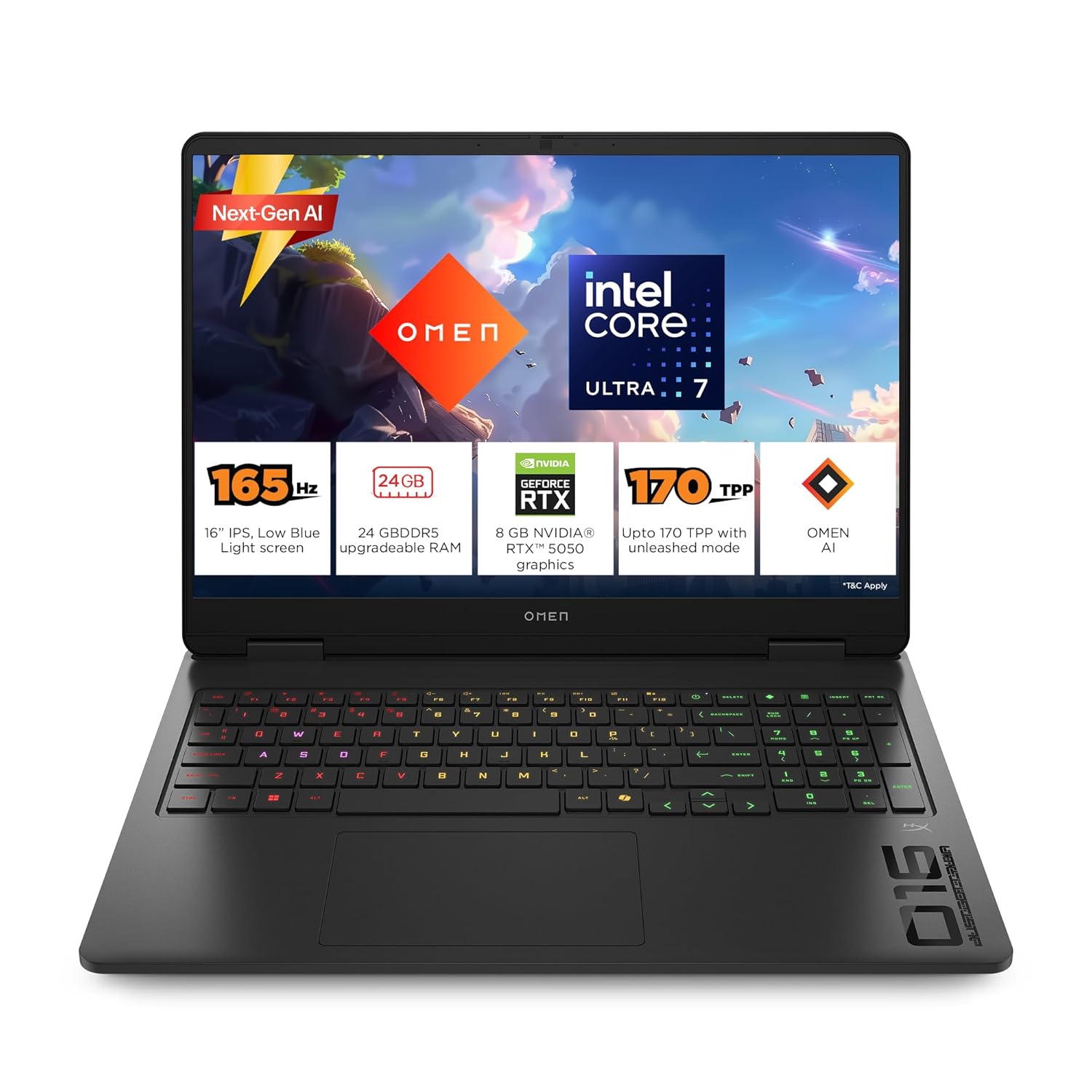
The HP Omen has always been about more than just raw gaming; it’s a complete package. This 2025 variant brings the next-gen RTX 5050 built on NVIDIA’s Blackwell architecture, paired with the Intel Core Ultra 7 255H.
What really sets this apart from the competition at this price is the 2K 165Hz display with a 3ms response time and 400 nits brightness.
That’s not a budget screen slapped onto a gaming chassis; it’s a genuinely good panel that makes everything from gaming to video editing look sharp and smooth.
Key Specs
- Processor: Intel Core Ultra 7 255H (16 cores, up to 5.1GHz)
- GPU: NVIDIA RTX 5050 8GB GDDR7, 70–115W TDP with Dynamic Boost
- RAM: 24GB DDR5-5600 (Upgradeable)
- Storage: 1TB PCIe Gen4 NVMe SSD (2 M.2 slots)
- Display: 16″ 2K (1920×1200) IPS, 165Hz, 3ms, 400 nits, 100% sRGB, Anti-glare
- Weight: 2.43 kg
- OS: Windows 11 + MS Office 2024 + M365 Basic
- Extras: RGB backlit keyboard, OMEN AI, G-Sync support
Gaming Performance
The RTX 5050 is NVIDIA’s Blackwell-architecture GPU, and it’s a meaningful step forward from the RTX 4050. At 1080p, competitive titles like Valorant and CS2 cruise well past 144fps.
In demanding AAA titles, Cyberpunk 2077 on high settings sits around 58fps at 1080p without ray tracing.
Switch on DLSS 4 (which the RTX 5050 fully supports) and those numbers jump noticeably. The 2K display is a bonus for creators and casual gaming, though for maxed-out AAA titles you’ll want to lean on DLSS at that resolution.
The Core Ultra 7 255H keeps pace comfortably; no throttling, no bottlenecks, just consistent frame delivery session after session.
Upgrade Options
The 24GB DDR5 config is already generous, but the two SODIMM slots let you push up to 64GB if needed.
With two M.2 slots available, adding a second NVMe drive for game storage is straightforward. Both upgrades are future-proofing moves that extend the machine’s lifespan significantly.
Pros
- RTX 5050 on Blackwell architecture, and next-gen AI upscaling with DLSS 4.
- 2K 165Hz display with 400 nits and 3ms response.
- 24GB DDR5 + 1TB SSD out of the box.
- OMEN AI for smart performance tuning per game.
- G-Sync support eliminates screen tearing entirely.
Cons
- RTX 5050 at this tier still struggles at 2K in the most demanding AAA titles without DLSS.
5. Acer ALG (Intel Core i5-13420H + RTX 3050)
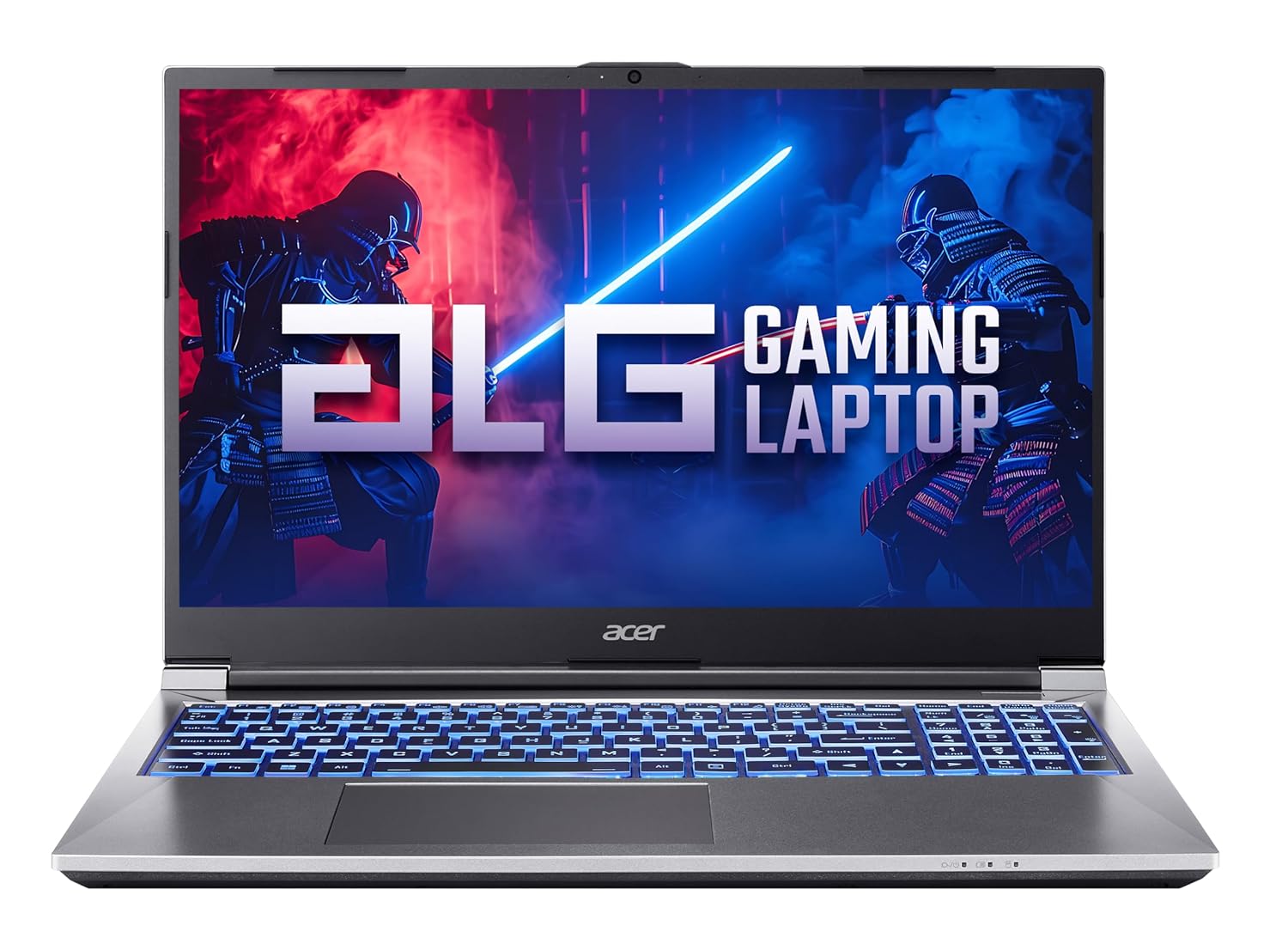
If your budget is tight but you still want a laptop with a real dedicated GPU, the Acer ALG AL15G-53 makes a reasonable case for itself.
It’s not trying to compete with RTX 4050 machines, and it doesn’t pretend to. What it offers is a genuine entry point into gaming: a 13th-gen Intel processor, a 6GB RTX 3050, 16GB RAM, and a 144Hz display, all packed into a 1.99kg chassis that won’t break your back or your bank.
For students who game on the side, or someone buying their very first gaming laptop, this is a practical, honest option.
Key Specs
- Processor: Intel Core i5-13420H (8 cores, up to 4.6GHz)
- GPU: NVIDIA RTX 3050 6GB GDDR6
- RAM: 16GB DDR4 (Upgradeable up to 64GB)
- Storage: 512GB SSD (2 M.2 slots, expandable up to 2TB)
- Display: 15.6″ FHD IPS, 144Hz, Anti-glare
- Weight: 1.99 kg
- OS: Windows 11 Home
Gaming Performance
The RTX 3050 is an entry-level GPU, and it’s important to go in with that expectation. Esports titles like Valorant, CS2, and BGMI run very well.
You’ll comfortably hit 100fps+ at 1080p, and the 144Hz display makes that feel responsive and smooth.
Step into heavier open-world games like GTA V or Far Cry 6, and you’re looking at 45–60fps on medium settings, which is playable, but you’ll need to dial back settings to get there.
Modern AAA titles at high settings will push this GPU to its limits. It’s not a machine for Cyberpunk 2077 on ultra, but for everyday gaming and college use, it gets the job done without stuttering out.
Upgrade Options
RAM is upgradeable up to 64GB DDR4, though 16GB is already comfortable for this tier. With two M.2 slots, adding a second SSD is easy and worth doing once your game library grows.
Pros
- Most affordable entry into dedicated GPU gaming in India.
- 6GB VRAM on RTX 3050 is better than older 4GB variants.
- 144Hz display at this price is a genuine value add.
- Upgrade-friendly build with dual RAM and SSD slots.
Cons
- RTX 3050 shows its limits in modern AAA titles at high settings.
6. Lenovo Legion 5 2025 (AMD Ryzen 7 260 + RTX 5050)
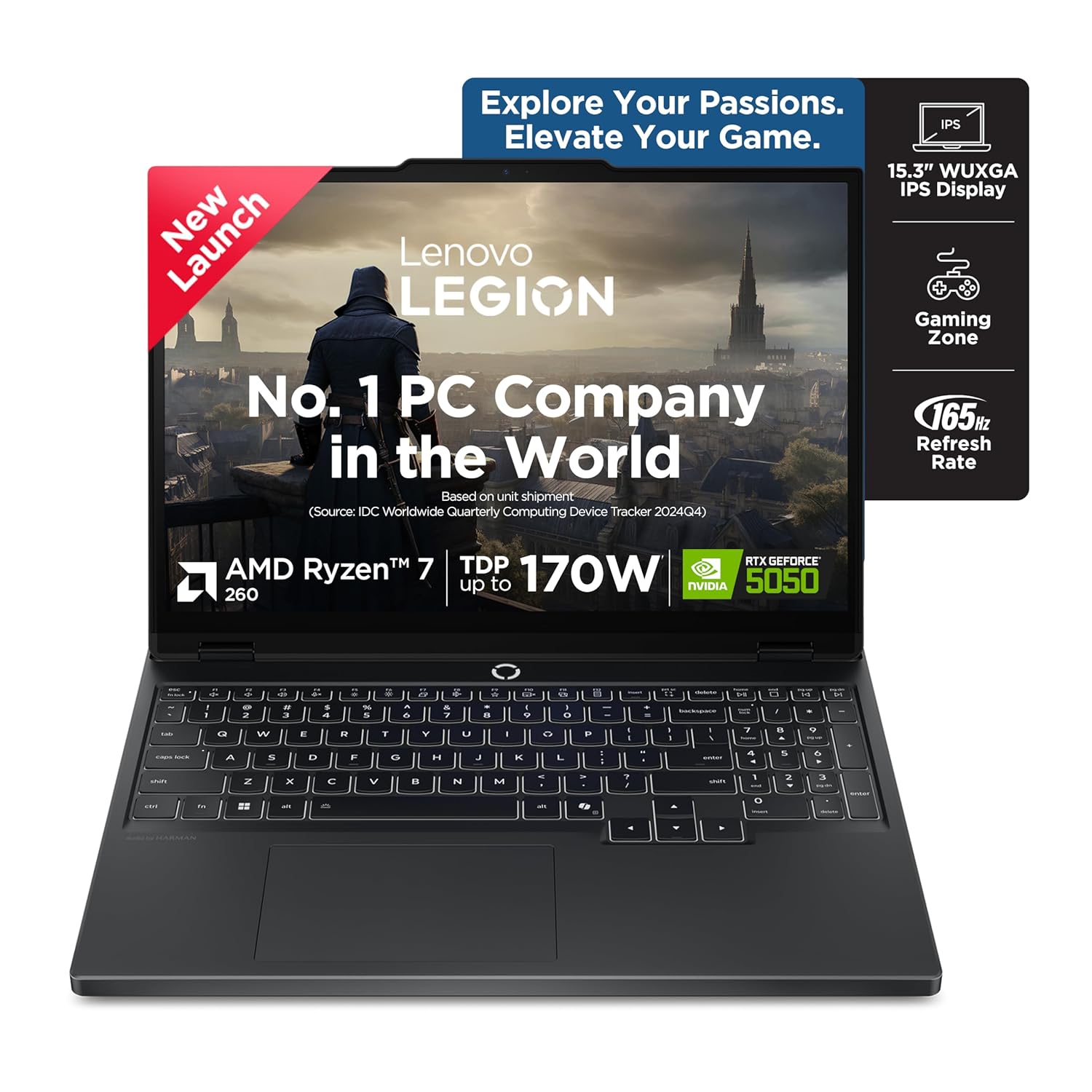
The Legion 5 has earned its reputation in India by consistently offering more than what the price tag suggests, and the 2025 model continues that trend.
This isn’t just a hardware refresh. The Ryzen 7 260 brings AMD’s latest AI-capable architecture, the RTX 5050 runs on NVIDIA’s Blackwell platform with 8GB GDDR7, and Lenovo has packed in a MUX switch, Coldfront Hyper cooling with copper 3D heatpipes, and an 80Wh battery with Rapid Charge.
For a gaming laptop at this price point, that’s a genuinely strong hardware story. The 16:10 WUXGA display with G-Sync and Dolby Vision is also the kind of panel you usually see on more expensive machines.
Key Specs
- Processor: AMD Ryzen 7 260 (8 cores, up to 5.1GHz)
- GPU: NVIDIA RTX 5050 8GB GDDR7, 115W TGP, 440 AI TOPS
- RAM: 16GB DDR5-5600 (Upgradeable up to 32GB)
- Storage: 1TB PCIe Gen4 NVMe SSD (2 M.2 slots)
- Display: 15.3″ WUXGA (1920×1200) IPS, 165Hz, 300 nits, 100% sRGB, G-Sync, Dolby Vision
- Battery: 80Wh, Rapid Charge (70% in 30 mins), 100W USB-C charging
- Weight: 2.5 kg
- OS: Windows 11 Home + Office 2024 + Lenovo AI Now
- Warranty: 1 Year Onsite + 1 Year ADP + 1 Year Legion Ultimate Support
Gaming Performance
The Ryzen 7 260 clocks up to 5.1GHz and does a solid job of keeping the GPU fed without becoming a bottleneck, which is exactly what you need for consistent frame delivery.
The RTX 5050 here runs at a full 115W TGP, which means it’s not power-limited like some budget configurations.
At 1080p, competitive titles like Valorant and CS2 fly well past 144fps. Heavier games like Forza Horizon 5 or Elden Ring deliver smooth 70–90fps on high settings.
The MUX switch is a standout feature at this price, and toggling it on pushes frames directly from the GPU to the display, giving you a real performance boost during gaming sessions.
DLSS 4 support means even demanding titles become significantly smoother when you lean on AI upscaling.
The Coldfront Vapour system with 160W TDP support and Lenovo’s AI Engine+ dynamically tunes performance based on what you’re running, so the machine breathes well even during long sessions.
Upgrade Options
RAM can be pushed to 32GB DDR5, which makes a noticeable difference in streaming and multitasking-heavy workflows. With two M.2 slots, a second SSD is easy to add.
Pros
- MUX switch included.
- RTX 5050 at full 115W TGP on Blackwell architecture with DLSS 4.
- 80Wh battery with Rapid Charge.
- Coldfront Hyper cooling keeps sustained performance stable.
- G-Sync + Dolby Vision display.
- MIL-STD-810H certified.
Cons
- 16GB RAM in single-channel config out of the box — dual-channel upgrade recommended for full performance.
- At 2.5kg, not the lightest option for daily commuting.
7. ASUS TUF Gaming A15 2025 (Ryzen 7 7445HS + RTX 3050)
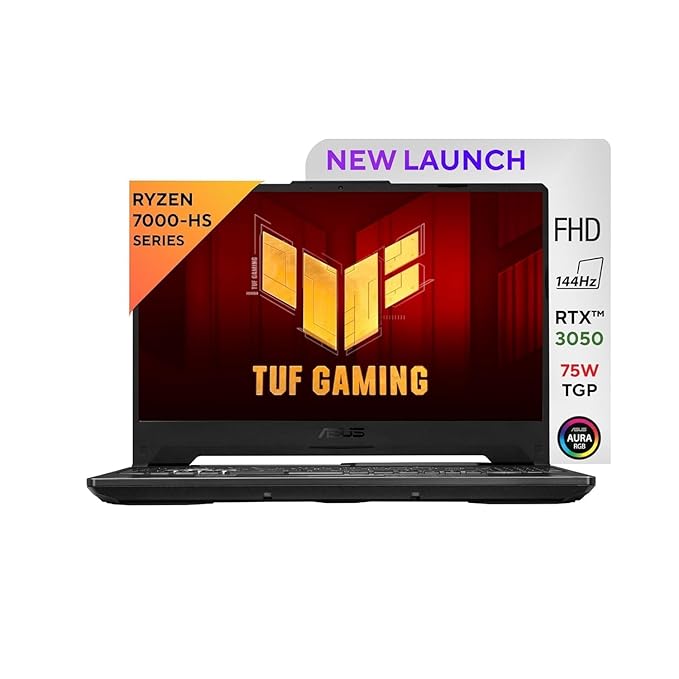
The ASUS TUF series has never been about being flashy; it’s about being dependable. And the 2025 A15 delivers exactly that.
What makes this particular config interesting is the pairing: the Ryzen 7 7445HS is a Zen 4 processor that genuinely punches above its price tier, and ASUS has given the RTX 3050 a 75W TGP here.
Throw in MIL-STD-810H certified build quality, DDR5 RAM upgradeable to 64GB, and a per-key RGB keyboard, and this is a seriously well-rounded machine for the money.
Key Specs
- Processor: AMD Ryzen 7 7445HS (6 cores, up to 5.0GHz, Zen 4)
- GPU: NVIDIA RTX 3050 4GB GDDR6, 75W TGP
- RAM: 16GB DDR5-4800 (Upgradeable up to 64GB)
- Storage: 512GB PCIe Gen4 NVMe SSD (2 M.2 slots)
- Display: 15.6″ FHD IPS, 144Hz, Anti-glare
- Weight: 2.3 kg
- Build: MIL-STD-810H certified
- OS: Windows 11 Home
Gaming Performance
At 75W TGP, the RTX 3050 GPU is running at its full rated power, and it shows. In esports titles like Valorant and CS2, the combination delivers 160–180fps at 1080p on high settings, and that 144Hz display stays genuinely busy.
The Ryzen 7 7445HS is a strong CPU partner here, handling multitasking, background apps, and gaming workloads without throttling.
In medium-weight titles like GTA V or Apex Legends, you’re looking at a comfortable 80–100fps on high settings.
Where you’ll feel the 4GB VRAM limitation is in heavier AAA games like Cyberpunk 2077 or Hogwarts Legacy. For esports-focused gamers and students who game on the side, this is more than enough.
Upgrade Options
Two SO-DIMM slots support DDR5 RAM up to 64GB. Dual M.2 slots mean adding a second SSD is easy when the 512GB base storage runs out. Both upgrades are worth planning for if you’re holding this machine for 3+ years.
Pros
- Ryzen 7 7445HS (Zen 4) is a powerful CPU for this budget.
- RTX 3050 at full 75W TGP.
- MIL-STD-810H certified.
- Per-key RGB keyboard.
- DDR5 RAM upgradeable up to 64GB.
Cons
- 4GB VRAM is a real limitation in modern AAA titles at high settings.
- Display brightness at 250 nits is noticeably dim.
8. Acer Nitro V 15 (Intel Core 5 210H + RTX 4050)
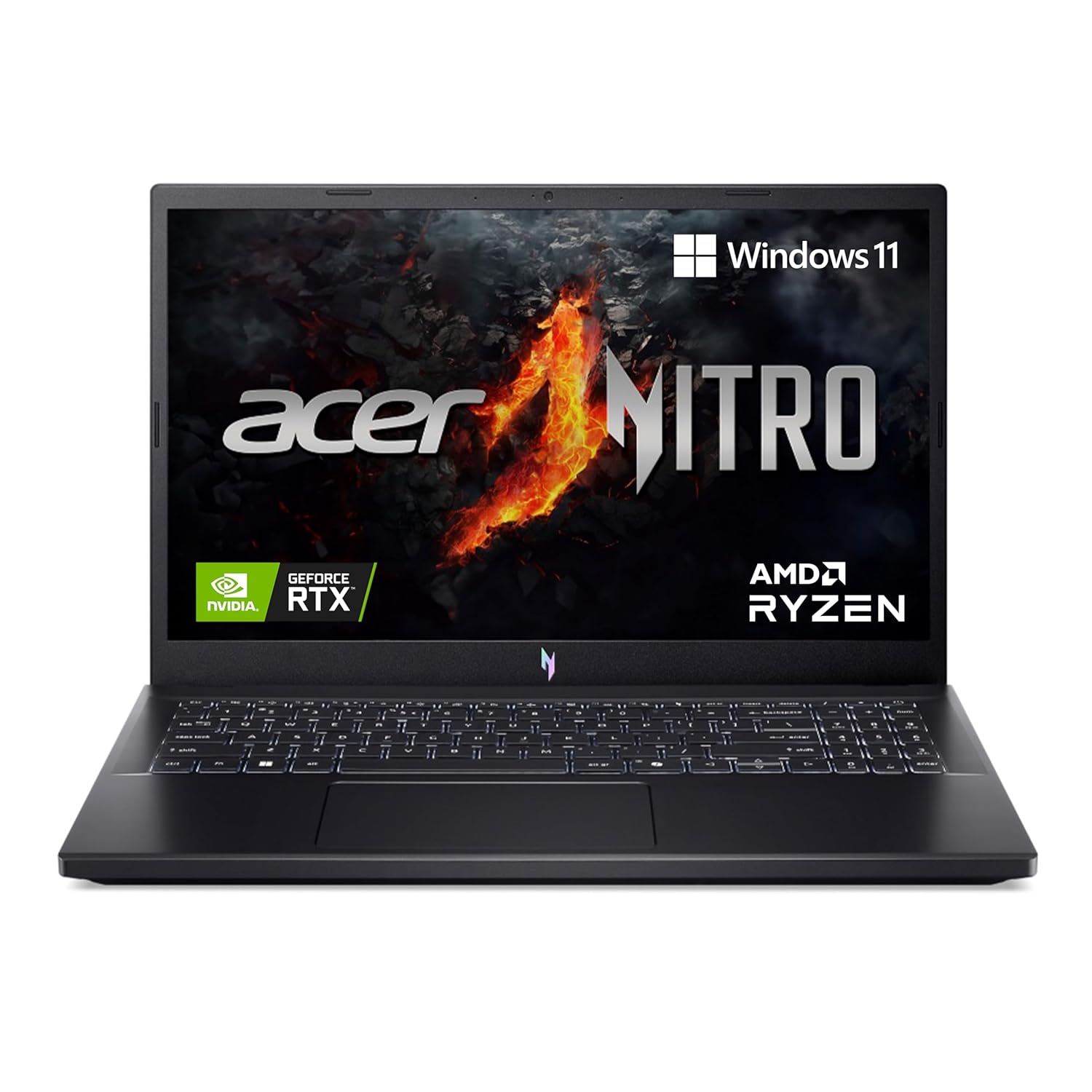
The Acer Nitro V 15 has quietly become one of the more compelling RTX 4050 options in India, and the 14th Gen Intel Core 5 210H variant continues that trend.
What makes this machine stand out isn’t just the GPU; it’s how well the whole system stays composed under pressure. The thermals here are genuinely impressive for this price tier.
The RTX 4050 maintains a stable average clock of 2459 MHz during extended gaming sessions, with peak GPU temperatures staying low at 71°C; that’s better thermal management than several more expensive competitors.
Key Specs
- Processor: Intel Core 5 210H (14th Gen, up to 4.7GHz)
- GPU: NVIDIA RTX 4050 6GB GDDR6, 75W TGP
- RAM: 16GB DDR5
- Storage: 512GB SSD
- Display: 15.6″ FHD IPS, 144Hz, Anti-glare
- Weight: 2.113 kg
- OS: Windows 11 Home
Gaming Performance
The RTX 4050 at 75W TGP is the right GPU for this chassis, and it shows in real gaming sessions.
In Counter-Strike 2, the Nitro V 15 delivers 131fps at 1080p on Very High settings, which is smooth, responsive, and well within what the 144Hz panel can display.
In titles like Shadow of the Tomb Raider, you’re looking at 122fps at 1080p on Medium settings; that’s a comfortable gaming experience with room to push settings higher if you want.
The Intel Core 5 210H handles everyday gaming and multitasking without becoming a bottleneck, though in heavily CPU-dependent workloads like video rendering, you’ll notice it’s not as muscular as HX-class chips in competing machines.
For pure gaming at 1080p though, this combination works well and stays consistent across long sessions.
Upgrade Options
RAM is upgradeable via dual SO-DIMM slots. Pushing to 32GB DDR5 will help with multitasking and future-proofing.
There’s an additional M.2 slot for a second SSD, which you’ll want once your game library grows beyond the 512GB base. Both are easy, accessible upgrades.
Pros
- Excellent thermal management.
- RTX 4050 at full 75W TGP.
- NitroSense key for on-the-fly thermal and performance monitoring.
- Dual DDR5 SO-DIMM slots for easy RAM upgrades.
- Solid port selection including USB-C with DisplayPort support.
Cons
- Display colour accuracy is average, so not suitable for serious creative work.
- Battery life takes a predictable hit during gaming sessions.
9. Dell G15 5530 (Intel Core i5-13450HX + RTX 3050)
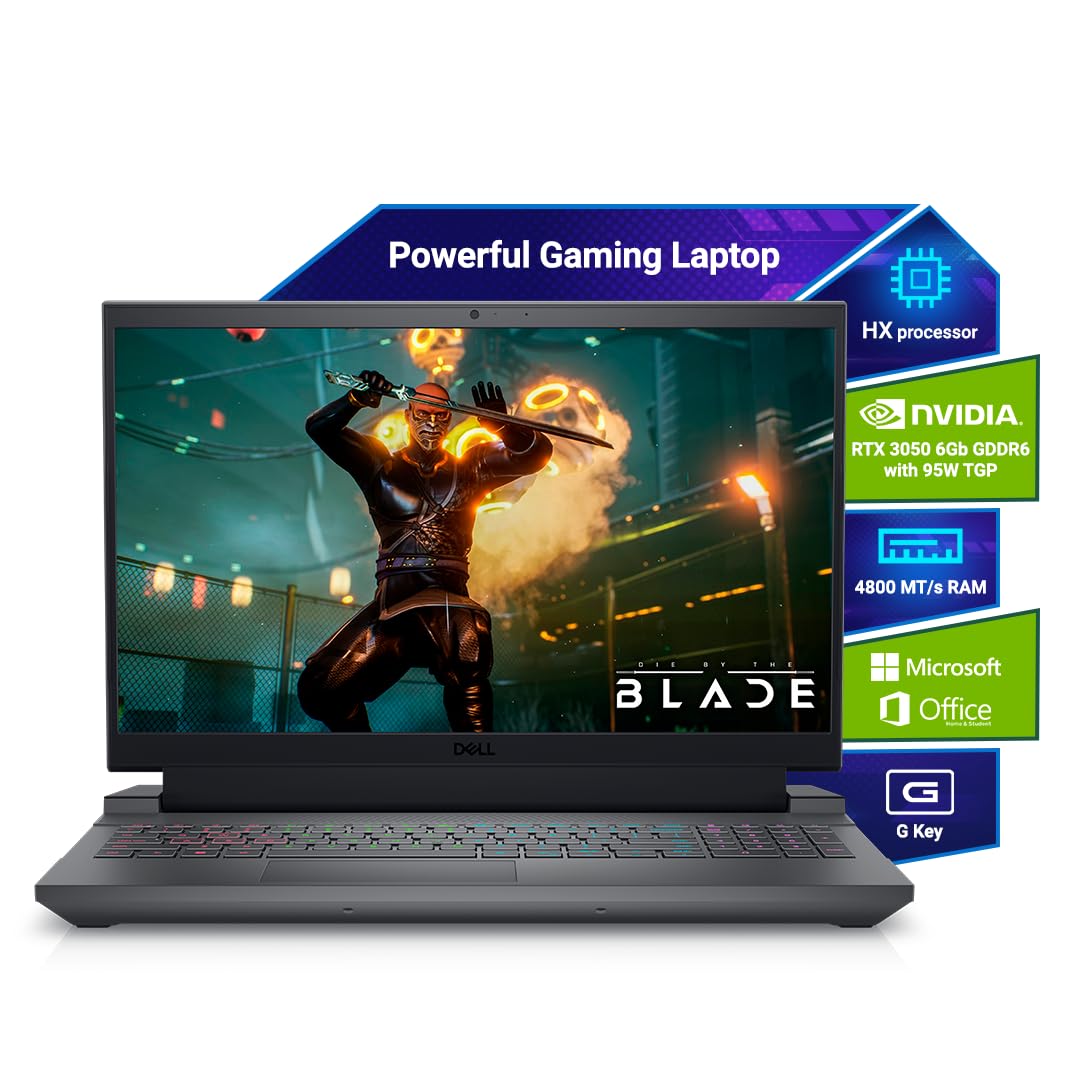
Dell’s G15 has always had one thing going for it that most budget gaming laptops can’t match, and that is the brand trust. In a market flooded with options, Dell’s service network and build consistency matter to buyers who don’t want to gamble.
The G15 5530 makes a solid case: it ships with a 1TB SSD right out of the box, includes MS Office Home 2024, and runs on the i5-13450HX, an HX-class processor with 10 cores that’s genuinely more capable than the standard H-series chips.
Dell has also paid attention to thermals here, integrating an improved cooling system that keeps the machine stable during extended sessions.
Key Specs
- Processor: Intel Core i5-13450HX (10 cores, up to 4.6GHz, HX-class)
- GPU: NVIDIA RTX 3050 6GB GDDR6
- RAM: 16GB DDR5
- Storage: 1TB SSD
- Display: 15.6″ FHD IPS, 120Hz, Anti-glare
- Weight: 2.65 kg
- OS: Windows 11 Home + MS Office Home 2024
Gaming Performance
It’s an HX-class chip with 10 cores, which means it handles the CPU side of gaming far better than standard H-series competitors.
It keeps the RTX 3050 properly fed without throttling. Games like GTA V and Euro Truck Simulator 2 run smoothly on high settings, and competitive titles like Valorant and CS2 sit comfortably above 100fps at 1080p.
Where the 120Hz display starts to feel like a missed opportunity is in esports titles. You’re generating the frames, but the panel can’t show them as smoothly as a 144Hz screen would.
In heavier AAA titles, expect 45–60fps on medium settings. The 6GB VRAM helps here compared to older 4GB RTX 3050 variants, giving better texture headroom.
The 10-core processor architecture also delivers strong multitasking; gaming alongside productivity tasks runs without obvious slowdowns.
Upgrade Options
RAM is upgradeable via dual SO-DIMM slots, so moving to 32GB DDR5 is a straightforward improvement.
The 1TB base SSD is already generous, but an additional M.2 slot is available for future expansion. Both upgrades are accessible and keep this machine relevant for years.
Pros
- HX-class i5 is a stronger CPU than most H-series chips at this price.
- 1TB SSD out of the box, so no immediate storage upgrades needed.
- MS Office Home 2024 included.
- RTX 3050 6GB variant.
- Dell’s service network is one of the best in India.
Cons
- The 120Hz display is a step behind the 144Hz panels on competing laptops.
10. MSI Thin A15 B7UC (Ryzen 7 7735HS + RTX 3050)
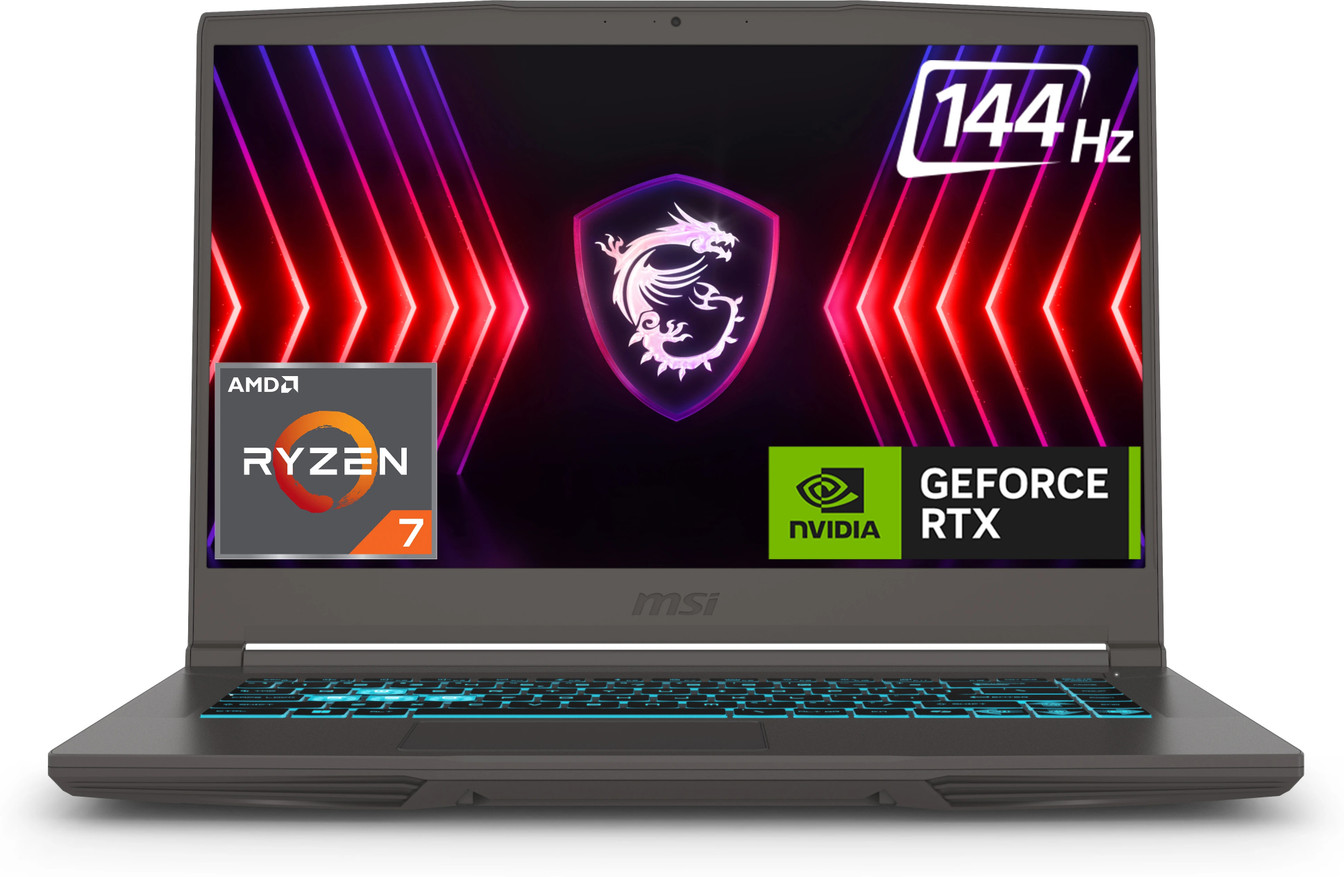
At just 1.86kg, the MSI Thin A15 is one of the lightest gaming laptops you’ll find at this price point in India. It’s easy to throw in a bag, carry across campus, and pull out without drawing attention.
The Cosmos Gray design is clean and professional-looking. Under the hood, the Ryzen 7 7735HS is a strong multi-core performer.
It outpaces the Intel Core 5 210H and sits close to AMD’s newer Ryzen AI 7 350 in CPU workloads, which is impressive for this price bracket.
If CPU-heavy tasks like coding, rendering, or multitasking matter to you alongside gaming, this chip delivers.
Key Specs
- Processor: AMD Ryzen 7 7735HS (8 cores, up to 4.75GHz, Zen 3+)
- GPU: NVIDIA RTX 3050 4GB GDDR6
- RAM: 16GB DDR5
- Storage: 1TB NVMe SSD
- Display: 15.6″ FHD IPS, 144Hz, Anti-glare
- Weight: 1.86 kg
- OS: Windows 11 Home
Gaming Performance
This is where you need realistic expectations. The RTX 3050 here carries only 4GB of VRAM, and in 2026, that’s a genuine constraint.
In esports titles like Valorant, CS2, and BGMI, the machine runs comfortably well above 100fps, and the 144Hz display makes those sessions feel snappy and responsive.
The Ryzen 7 7735HS is a strong CPU partner that doesn’t throttle or bottleneck the GPU. Where the 4GB VRAM starts showing its limits is in texture-heavy AAA titles; games like Hogwarts Legacy or Cyberpunk 2077 need medium or lower settings to stay smooth.
Real-world user feedback also flags heating as a concern under sustained load. The thin chassis has less room for thermal headroom, so expect the fans to work harder during longer sessions. For everyday gaming and college use though, it holds up fine.
Upgrade Options
RAM is upgradeable via dual SO-DIMM slots, so pushing to 32GB DDR5 is worthwhile for multitasking-heavy workflows.
The 1TB base SSD is generous, but an additional M.2 slot allows for future storage expansion.
Pros
- Ryzen 7 7735HS is a strong CPU that outperforms many Intel H-series competitors.
- Clean, understated design doesn’t look like a gaming laptop in professional settings.
- 1TB SSD out of the box.
- 144Hz display is smooth for esports titles.
- MSI’s cooling with 4 exhaust vents helps manage thermals within the thin chassis.
Cons
- 4GB VRAM on the RTX 3050 is a real bottleneck in modern AAA titles.
11. ASUS ROG Strix G16 2025 (Ryzen 9 8940HX + RTX 5050)
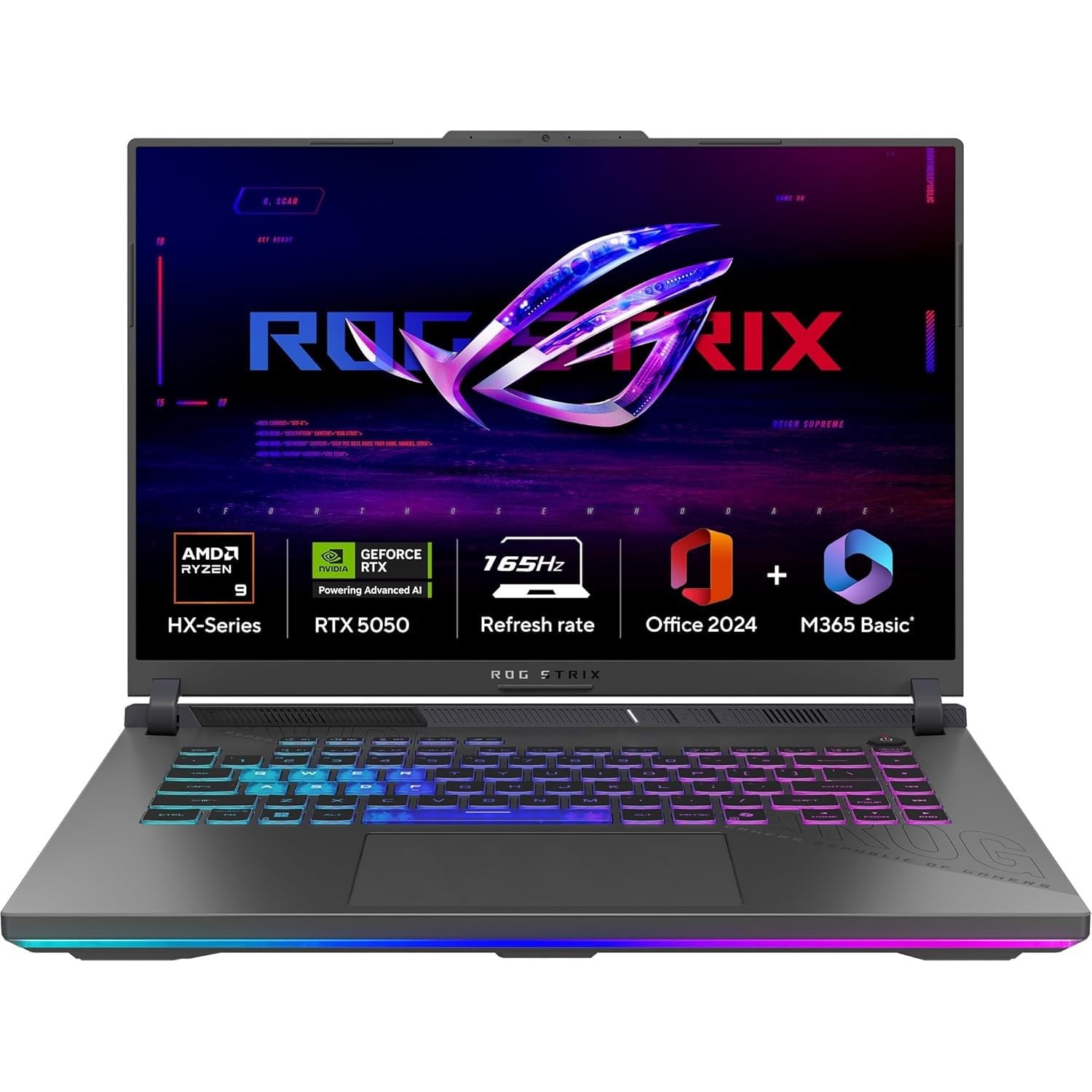
The ROG Strix G16 carries a name that means something in gaming circles.
What’s genuinely exciting here is the combination: the Ryzen 9 8940HX is a 16-core powerhouse that sits comfortably in the top 15 mobile processors globally, paired with the RTX 5050 on NVIDIA’s Blackwell architecture with DLSS 4.
The Strix G16 runs exceptionally well with the Ryzen 9 8940HX. Cooling has also been optimised with three internal fans keeping the laptop from getting cooked, with liquid metal and an improved heatsink helping disperse heat.
For a machine at this price, that’s premium-tier thermal engineering. The 16-inch 16:10 FHD+ display with ACR anti-glare film and 165Hz is also a notch above what most competitors offer at this tier.
Key Specs
- Processor: AMD Ryzen 9 8940HX (16 cores, up to 5.2GHz)
- GPU: NVIDIA RTX 5050 8GB GDDR7, Blackwell architecture, DLSS 4
- RAM: 16GB DDR5-5600 (Upgradeable up to 64GB)
- Storage: 1TB PCIe Gen4 NVMe SSD (7,000MB/s read, extra M.2 slot available)
- Display: 16″ FHD+ (1920×1200) IPS, 165Hz, 3ms, ACR Anti-glare film
- Weight: 2.5 kg
- OS: Windows 11 Home + MS Office 2024 + M365 Basic (1yr)
Gaming Performance
The Ryzen 9 8940HX is a 16-core processor. It simply doesn’t throttle during gaming, and it keeps the RTX 5050 fully fed at all times.
The RTX 5050 runs on NVIDIA’s Blackwell architecture with DLSS 4 and Max-Q technologies, which means AI-powered frame generation is available — a feature that significantly boosts performance in supported titles.
In competitive games like Valorant and CS2, you’re well above 144fps with headroom to spare. In heavier AAA titles like Cyberpunk 2077 and Forza Horizon 5, expect smooth 60–80fps on high settings at 1080p, and with DLSS 4 enabled, those numbers climb noticeably.
The 165Hz panel stays relevant throughout. The 8GB GDDR7 VRAM also gives this machine better longevity in future titles compared to 6GB competitors.
Upgrade Options
RAM is upgradeable up to 64GB DDR5 across two SO-DIMM slots. The second M.2 slot supports PCIe Gen 5, giving meaningful room for faster storage expansion down the line.
Pros
- RTX 5050 on Blackwell architecture with DLSS 4.
- Three-fan cooling with liquid metal thermal compound.
- 16:10 FHD+ display with ACR anti-glare film.
- 8GB GDDR7 VRAM.
Cons
- 16GB single-channel RAM out of the box, so a dual-channel upgrade is strongly recommended.
RTX 4050 vs RTX 4060 vs RTX 4070: Which Gaming Laptop GPU Should You Buy?
Choosing between these three GPUs is honestly where most buyers get stuck, and it’s the most important decision you’ll make when picking from the best gaming laptops in India for every budget. Here’s a detailed breakdown of who each GPU is actually built for.
RTX 4050 — The Smart Budget Pick
The RTX 4050 is the sweet spot for esports gamers and first-time buyers. If your game library is dominated by Valorant, CS2, BGMI, or Apex Legends, this GPU handles all of them with ease, well above 100fps at 1080p, consistently.
It manages casual AAA gaming too, delivering playable frame rates in titles like GTA V, Forza Horizon 5, and Elden Ring on medium-high settings.
For students and budget buyers who want real dedicated GPU performance without crossing ₹80,000–90,000, the RTX 4050 is the most sensible entry point into the RTX 40-series.
Just don’t expect it to max out Cyberpunk 2077 or run demanding titles at ultra settings without some compromise.
RTX 4060 — The One Most Gamers Should Actually Buy
If you can stretch your budget to a gaming laptop under 1 lakh with an RTX 4060, do it. The performance jump over the RTX 4050 is meaningful, not marginal.
The RTX 4060 pushes higher framerates across the board, handles demanding AAA titles at high settings without breaking a sweat, and gives you enough headroom for content creation, video editing, and light streaming.
It’s also the most future-proof option in the mid-range. For creators who game and gamers who create, this is the GPU that doesn’t force you to choose.
RTX 4070 — For Gamers Who Don’t Compromise
The RTX 4070 is where gaming laptops stop making excuses. Ultra settings at 1080p, smooth QHD gaming, serious streaming setups, 3D rendering, and demanding creative workloads – this GPU handles all of it without throttling or stuttering.
It’s not for everyone’s budget, but if you’re investing in a machine you want to use at full tilt for the next 4–5 years, the RTX 4070 is the GPU that earns that confidence.
Related: Best Gaming Laptops Under ₹1 Lakh in India (RTX 4050 & RTX 4060 Picks)
What to Check Before Buying a Gaming Laptop in India
Most buyers compare GPU names and RAM size, and miss the details that actually decide how a laptop performs in real life. Here’s what to check before you buy.
GPU Wattage (TGP) Matters More Than GPU Name
Two laptops can carry the same RTX 4050 label and perform completely differently. The reason is TGP: Total Graphics Power.
An RTX 4050 running at 45W will noticeably underperform the same GPU at 75W.
Always check the TGP before assuming two machines are comparable. A higher-wattage configuration is almost always worth the extra money.
Cooling System and Thermals
A laptop that throttles under load is a laptop that underperforms, regardless of what the spec sheet says.
Look for machines with multiple heat pipes, dual or triple fans, and preferably liquid metal thermal compound. Poor cooling doesn’t just hurt performance; it shortens the machine’s lifespan.
Display Refresh Rate and Color Accuracy
For gaming, 144Hz is the minimum worth considering in 2026. For creators, colour accuracy matters equally, so look for panels covering at least 100% sRGB. A high refresh rate with poor colour gamut is fine for pure gaming but useless for editing.
RAM and Upgradeability
16GB DDR5 is the comfortable baseline today. More importantly, check whether the RAM is soldered or uses SO-DIMM slots, as soldered RAM cannot be upgraded, ever. Always prioritise machines with at least one free slot.
SSD Storage Considerations
Modern AAA games routinely exceed 50–100GB each. A 512GB SSD fills up faster than you’d expect. Check whether a second M.2 slot is available for future expansion before committing.
Battery Life Expectations
No gaming laptop delivers strong battery life under gaming load, and that’s the honest truth. Expect 2–4 hours while gaming and plan to stay near a power outlet.
Build Quality and Portability
If you commute daily, weight matters. Under 2kg is genuinely comfortable to carry. MIL-STD-810H certification is a meaningful indicator of durability.
Related: The Ultimate Laptop Buying Guide for Students and Professionals
Are Gaming Laptops Good for Students and Daily Use?
Absolutely, with a few honest caveats. Modern gaming laptops handle college assignments, coding, video editing, and office work without breaking a sweat.
The same GPU that runs games also accelerates creative software like Premiere Pro and DaVinci Resolve. Portability has improved significantly too.
Machines like the MSI Thin A15 and ASUS Gaming V16 come in under 2kg, making daily commutes manageable.
The real trade-offs are fan noise and battery life. Under load, these machines get loud. Off the charger, expect 3–5 hours of productivity use.
FAQs
Which is the best gaming laptop brand in India?
ASUS and Lenovo lead for overall value and reliability. Dell and HP win on service support. MSI suits buyers who prioritise performance-per-rupee.
Is RTX 4050 enough for gaming in 2026?
Yes, for 1080p esports and casual AAA gaming. Valorant, CS2, and BGMI run effortlessly. Demanding titles like Cyberpunk 2077 need medium settings. It’s capable today but will feel stretched in two to three years.
Is RTX 4060 worth buying over RTX 4050?
Yes, if your budget allows. The performance gap is real – higher fps, better AAA performance, stronger future-proofing. For creators and serious gamers, the RTX 4060 is the smarter long-term investment every time.
How much RAM is ideal for gaming?
16GB DDR5 is the comfortable baseline in 2026. 32GB makes a noticeable difference for streaming, multitasking, and creative work. Anything below 16GB will noticeably bottleneck modern gaming and productivity workflows.
Are gaming laptops good for video editing?
Excellent, actually. The dedicated GPU accelerates rendering in Premiere Pro and DaVinci Resolve significantly. RTX 4060 and above handle 4K timelines smoothly. Gaming laptops often outperform similarly priced creative-focused laptops for editing workloads.
Is 144Hz necessary for gaming?
For esports titles, yes, and lower refresh rates feel noticeably sluggish once you’ve experienced 144Hz. For casual AAA gaming, 120Hz is acceptable. If you’re spending over ₹70,000 on a gaming laptop, 144Hz should be non-negotiable.
Final Verdict
The best gaming laptop in India for every budget isn’t a single machine — it’s the one that matches your use case.
For students and first-time buyers, the HP Victus or Lenovo LOQ with an RTX 4050 is the practical starting point.
Serious gamers who want longevity should stretch to an RTX 4060. Creators and power users won’t regret going for the Legion 5 2025 or ROG Strix G16.
Don’t chase specs; chase performance, cooling, and upgradeability.
Pick your budget range above, compare the options, and buy the one built for how you actually game.
Related Articles
Laptop Vs Tablet: Which One Is Best For Your Needs?
Gaming Laptop Vs Ultrabook – Which One Is Right For You?
Best Laptops for Students in India (Buyer’s Guide)
The Best Tech Gadgets for Remote Work
How Do You Keep Your Gaming Laptop Cool? 10 Best cooling solutions to follow

Kanha is a electronics engineer, tech enthusiast, and writer at technicalstudies.in. His experience in tech, coupled with excellent writing skills, makes the text easy to understand and helps the reader make the correct decision. Outside of writing, Kanha is passionate about exploring new gadgets and gaming.