
Best analytics tools on AppSumo for small businesses and marketers: compare lifetime deals, usage limits, and fit by use case before you buy.
Most small businesses don’t have a data problem. They have a visibility problem. You know traffic is coming in, but not which channel brings people who actually buy.
You run campaigns, but can’t say which one produced leads. You see conversions, but not the step where most visitors quietly leave.
Analytics answers those questions. The catch is that enterprise platforms answer them with a lot of extras you probably won’t use: custom data pipelines, multi-seat governance, and annual contracts that make sense for a 200-person marketing team, not a team of three.
For a small business, that complexity often means the dashboard goes unopened.
That’s where AppSumo comes in. It’s a marketplace where software makers offer deals, often one-time-payment lifetime deals, to reach early customers.
This gives small teams access to focused, niche analytics tools, such as privacy-friendly web analytics, heatmaps, link tracking, and reporting dashboards, without committing to a monthly subscription for each one.
A quick disclosure: deals, prices, tiers, and usage limits change often, and some listings expire. Always check the live AppSumo page before buying.
This guide compares tools by use case, not by discount size, so you can match a tool to the question you need answered rather than the price tag that caught your eye.
Quick Comparison: Which Analytics Tool Fits Your Needs?
Start here if you want to shortlist before reading the full reviews. Prices are the entry-level lifetime tier in USD at the time of writing, so check the live AppSumo listing before buying.
| Tool | Best for | Key feature to compare | Pricing model | Verdict |
|---|---|---|---|---|
| Visitor Tracking | Multi-site owners and small agencies | Live visitor stream and customer journey tracking across unlimited sites | Lifetime, from $79. Tiers scale by monthly pageviews (10,000 on the entry plan) | Best for agencies and multi-site owners |
| SearchIQ | Content-heavy sites and online stores | Site search analytics showing what visitors look for but can’t find | Lifetime, single plan at $39. Capped at 5,000 documents and 1 month of analytics | Best add-on for site search insights |
| Litlyx | Marketers and developers who want privacy-first analytics | Cookieless traffic, UTM and custom event tracking, plus AI chat over your data | Lifetime, from $39. Tiers scale by visits (50,000 on the entry plan) | Best all-rounder for beginners |
| Measuremate | Teams already committed to GA4 | GA4 audit, 100+ GTM templates, and scheduled reports | Lifetime, from $69. Tiers scale by number of projects (1 on the entry plan) | Best for fixing and automating GA4 |
| Seline | SaaS and online sellers | Revenue attribution by channel, UTM, and referrer via Stripe | Lifetime, from $59. Tiers scale by pageviews (25,000 on the entry plan) | Best for tying traffic to revenue |
| Hey Oliver | Marketers who want to act on visitor behavior | Behavior-triggered campaigns and live chat built on visitor profiles | Lifetime, from $49. Stack codes for more websites (3 on the first code) | Best for turning visitors into leads |
Best Analytics Tools on AppSumo for Small Businesses and Marketers
1. Visitor Tracking
What it does
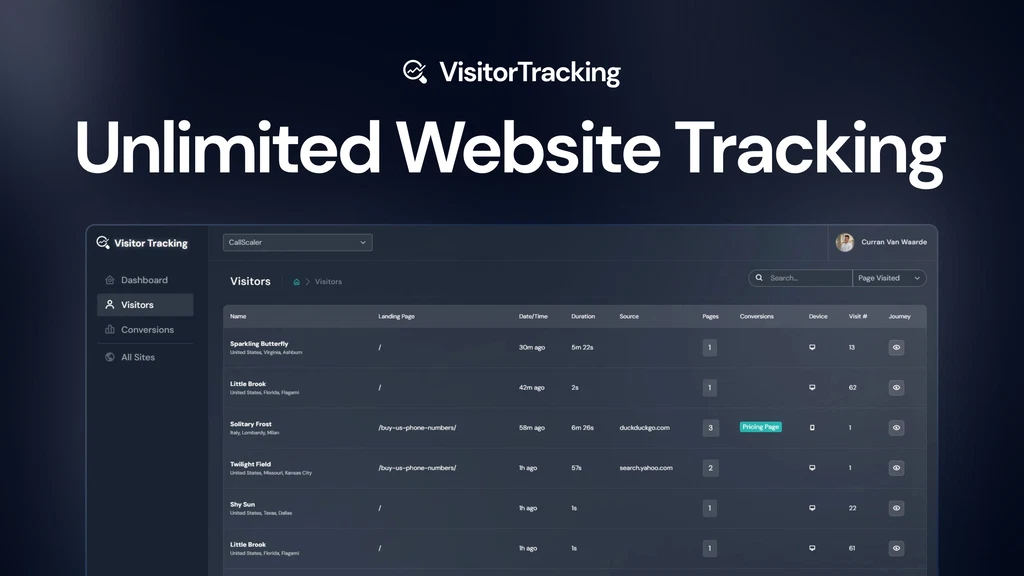
Visitor Tracking is a web analytics tool that shows what happens on your site session by session.
You see where each visitor came from, their location, how long they stayed, which pages they viewed, and whether they converted. It’s listed as an alternative to Google Analytics, Hotjar, and Mixpanel.
Key features
- Visitor Stream: a live feed of individual sessions instead of only aggregate charts.
- Customer Journey tracking: traces a customer back to the original source that brought them in.
- Conversion breakdowns: by source, page, device, and UTM, plus passive conversion tracking that shows how a site change affects conversion rate over time.
- Event tracking: clicks, click-to-call, form submissions, and hover events.
- Portfolio dashboard: all your sites in one view, with unlimited sites on every plan.
- Client access: you can give clients view-only access to their own sites.
Why it’s worth considering
Most small teams don’t need a full analytics suite. They need to know which pages and channels produce leads.
Visitor Tracking is built around that question, and the unlimited-site model with client permissions makes it practical for freelancers and small agencies. It lists integrations with WordPress, Shopify, Squarespace, Webflow, and Wix.
Who should use it
Bloggers, ecommerce owners, and marketers managing several sites who want clear attribution without building reports. Skip it if you need deep custom reporting or advanced product analytics.
The AppSumo review summary mentions limited reporting options and occasional glitches. The founder also acknowledged the app slowed as accounts grew, and says a March 2026 rebuild fixed this. Test it on your highest-traffic site during the refund window.
Pricing
Lifetime access, with plans differing mainly by monthly pageview cap.
| Plan | Price | Pageviews/month | Extra users |
|---|---|---|---|
| 1 | $79 | 10,000 | 0 |
| 2 | $158 | 25,000 | 1 |
| 3 | $237 | 50,000 | 2 |
| 4 | $316 | 100,000 | 3 |
This goes up to plan 9, which costs $711 for 800,000 pageviews per month and allows up to 8 extra users.
2. SearchIQ
What it does
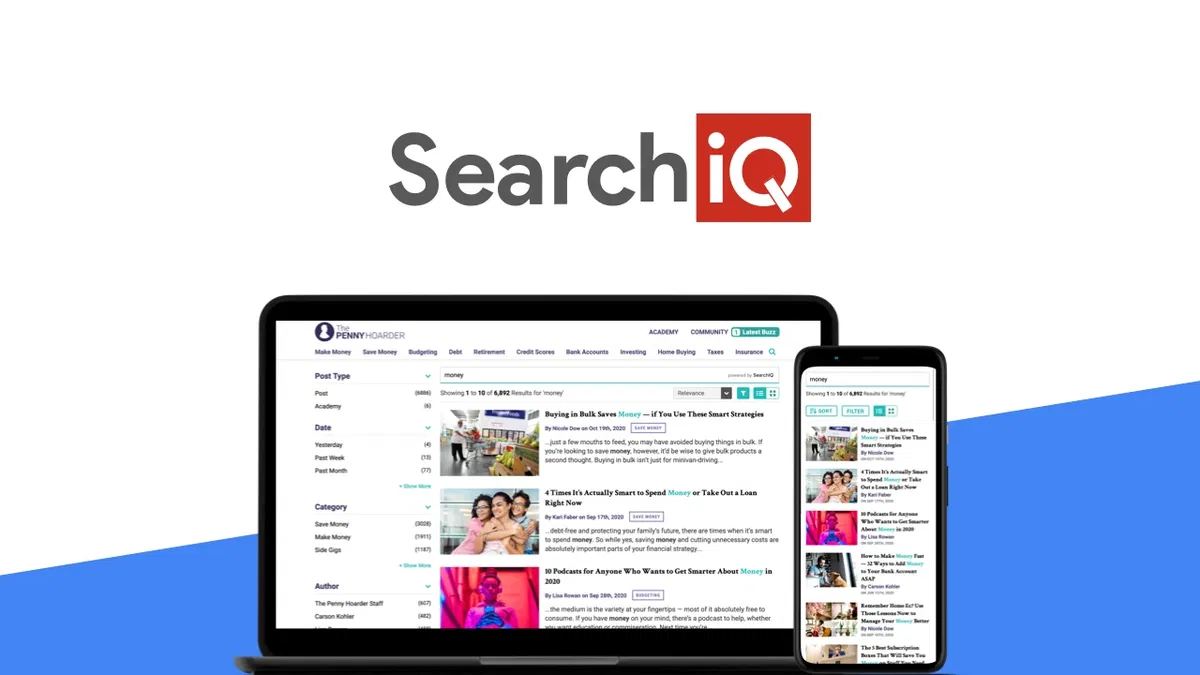
SearchIQ is a site search tool with a built-in analytics dashboard. It replaces your website’s default search box with a faster one that suggests results as people type, then records what visitors search for and what they click.
Strictly speaking, it isn’t a traffic analytics tool. It’s included here because it gives you one kind of data most analytics stacks miss: the exact words your visitors use when they can’t find something.
Key features
- Autocomplete and typo handling: fuzzy matching returns results even when a query is misspelled.
- Faceted search: visitors can filter results by category or attribute.
- Search analytics: click-through rate and search intent data in a real-time dashboard.
- Cross-domain search: one search box can cover several domains.
- Extras: white-label option, mobile optimization, CDN image delivery, and a customizable interface.
Why it’s worth considering
Search queries are unfiltered demand data. If visitors keep searching for a product you don’t stock or a topic you haven’t covered, that’s a content or catalog gap you can fix. Few analytics tools surface this directly.
Who should use it
Content-heavy sites, online stores with large catalogs, and agencies managing several client domains. It’s a poor fit if your site has only a few pages, since nobody searches a 10-page site, or if you want traffic and conversion analytics.
Pair it with a general analytics tool rather than using it as one. Reviewers praise its speed, multi-domain support, and customer service, but mention minor problems with multilingual and URL search. Test those if your audience is multilingual.
Pricing
There’s one plan, at $39 for lifetime access (listed down from $228):
- 5,000 documents
- 1 month of analytics history
- Unlimited domains
The deal isn’t stackable and is for new SearchIQ users only. You must redeem within 60 days, and purchases are refundable for 60 days.
3. Litlyx
What it does
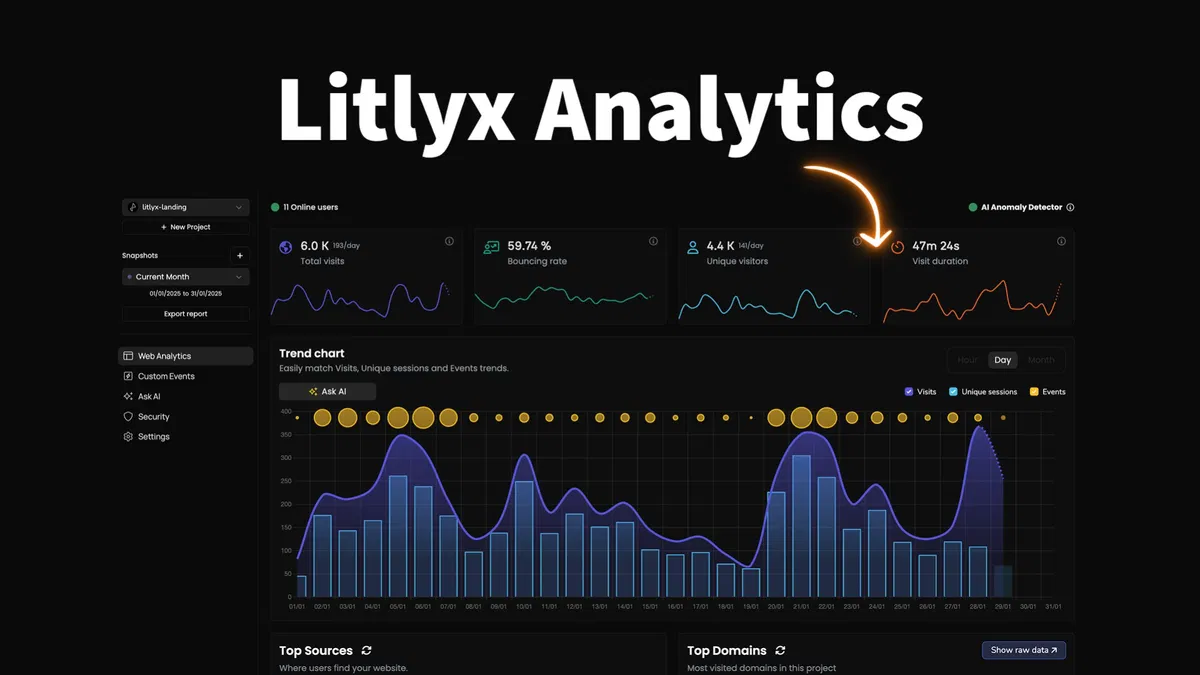
Litlyx is a cookie-free, GDPR-ready analytics platform that covers website traffic, marketing campaigns, and product events in one dashboard.
You paste in a tracking snippet and get visitor data without a consent banner for analytics cookies. It’s listed as an alternative to Google Analytics, Mixpanel, and Plausible.
Key features
- Marketing and UTM tracking: a dedicated view of campaigns, organic traffic, and paid traffic.
- Custom events and funnels: track any user action and see where people drop off.
- AI chat: ask questions about your data in plain language and get charts back.
- Visitor detail: world map, entry and exit pages, time on page, and location down to city level.
- Sharing and export: public or private dashboard links, raw data export, and JSON forwarding to your own infrastructure.
- Anomaly detection: included without a cap on every plan.
Why it’s worth considering
It targets a gap between simple privacy-first tools like Plausible, which stop at pageviews, and heavier platforms like Mixpanel. You get events, funnels, and UTM reporting without a data team. Unlimited domains and unlimited team members on every tier also suit agencies.
Also Read: 13 Best Web Analytics Tools To Improve Your Website
Who should use it
Marketers, developers, and product managers who want one privacy-friendly tool for traffic and in-product behavior. It’s less suited to teams that need a long track record, since the company is young.
Pricing
Lifetime access, with plans scaling by volume:
| Plan | Visits/events and sessions per month | Data retention | AI chat tokens | Workspaces | |
|---|---|---|---|---|---|
| 1 | $39 | 50,000 | 2 years | 50 | 1 |
| 2 | $78 | 150,000 | 3 years | 150 | 2 |
| 3 | $117 | 300,000 | 4 years | 300 | 3 |
| 4 | $156 | 600,000 | 5 years | 600 | 5 |
| 5 | $195 | 1,000,000 | 5 years | 1,200 | 10 |
You can stack up to five codes. Redeem within 60 days; purchases are refundable for 60 days, and AppSumo Plus members get the “We Got Your Back” guarantee. The AI token allowance on lower tiers is small, so don’t plan to lean on it heavily.
4. Measuremate
What it does
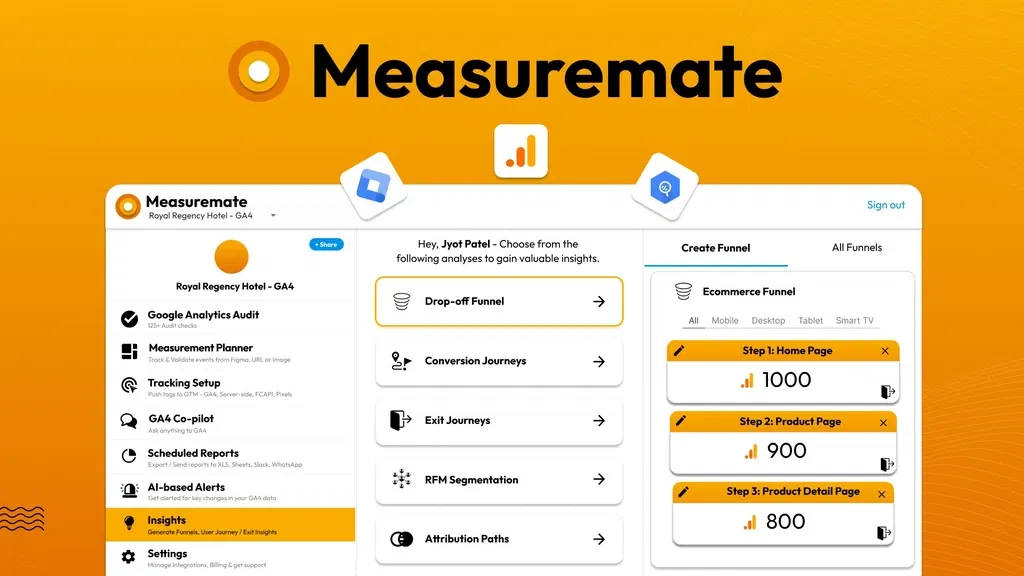
Measuremate doesn’t replace Google Analytics. It sits on top of GA4, Google Tag Manager (GTM), and BigQuery and automates the work around them: auditing your setup, deploying tags, planning events, and scheduling reports.
If GA4’s setup and reporting have been the obstacle, this tool targets that.
Key features
- GA4 audit: 125+ automated checks that flag setup errors.
- Tag deployment: 100+ GTM templates for Meta, Google Ads, LinkedIn, TikTok, and others, pushed straight to GTM.
- Measurement planner: mark up screens in Figma or from an image or URL, get AI-suggested events, and auto-generate GA4/GTM configuration.
- Scheduled reports: send GA4 and BigQuery data to Slack, WhatsApp, Google Sheets, email, or Figma.
- Insights and alerts: funnels, attribution, RFM, campaign views, AI-based alerts, and a GA4 “co-pilot” for plain-language questions.
Why it’s worth considering
Broken tracking is the quiet reason many GA4 accounts report nothing useful. The audit and template library fix that layer, and the founder says the product comes from 10+ years advising Google Analytics customers.
Reviewers praise the automation and support, though some note limited non-ecommerce templates and a learning curve.
Also Check: Best AppSumo Email Marketing Deals Worth Buying for Business Growth
Who should use it
Marketers, solopreneurs, and agencies already committed to GA4 who want to stop hand-building tags and reports.
Skip it if you want a simple standalone dashboard, because you need a Google account and a GA4 property to use it.
Pricing
Lifetime access, priced by number of projects:
| Plan | Price | Projects |
|---|---|---|
| 1 | $69 | 1 |
| 2 | $138 | 3 |
| 3 | $207 | 5 |
| Agency Growth | $276 | 10 |
Team sharing is unlimited, and you can stack up to six codes. Redeem within 60 days; purchases are refundable for 60 days.
5. Seline
What it does
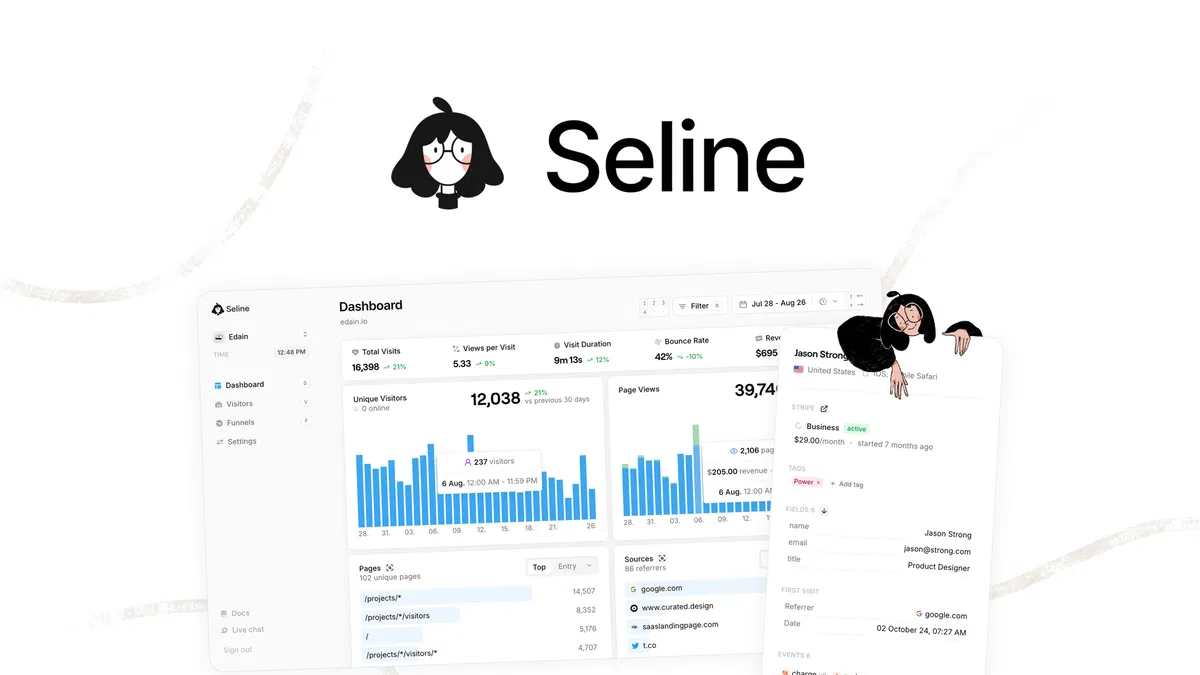
Seline is a cookieless, privacy-first web analytics tool that connects traffic to revenue.
Beyond pageviews, it tracks visitor journeys, builds funnels, and attributes sales to the channel, UTM, or referrer that produced them. It’s listed as an alternative to Google Analytics, Fathom, and Plausible.
Key features
- Revenue attribution: connect Stripe or send custom events to see which sources make money.
- Funnels: find where visitors drop off, filtered by referrer, campaign, or custom attribute.
- User profiles and journeys: identify users, add custom properties, and trace session-by-session paths.
- Lightweight tracking: a 2kb script, ad-blocker bypass, and bot detection.
- Sharing and access: public dashboard links, a public API, live view, and an AI assistant over your data.
Why it’s worth considering
Most privacy-first tools tell you where visitors come from. Seline goes further and tells you what those visitors were worth, which is the question small SaaS and subscription businesses actually care about. The integrations include Stripe, Shopify, WordPress, Webflow, and Google Tag Manager.
Who should use it
SaaS founders, bloggers, and small businesses that sell online and want revenue tied to marketing channels without cookie banners.
Skip it if you run a brochure site with no sales to attribute. It’s also a young product, founded in 2024 by a bootstrapped team of 1–10 in Poland, with reviewers mentioning some initial setup quirks.
Pricing
Lifetime access, scaled by monthly pageviews:
| Tier | Price | Pageviews/month |
|---|---|---|
| 1 | $59 | 25,000 |
| 2 | $129 | 125,000 |
| 3 | $289 | 275,000 |
| 4 | $399 | 550,000 |
| 5 | $599 | 1,000,000 |
The listing shows unlimited websites and 3-year data retention. Activate within 60 days. You can upgrade while the deal is live, but can downgrade only within 60 days of purchase. Purchases are refundable for 60 days, and Plus members get the “We Got Your Back” guarantee.
6. Hey Oliver
What it does
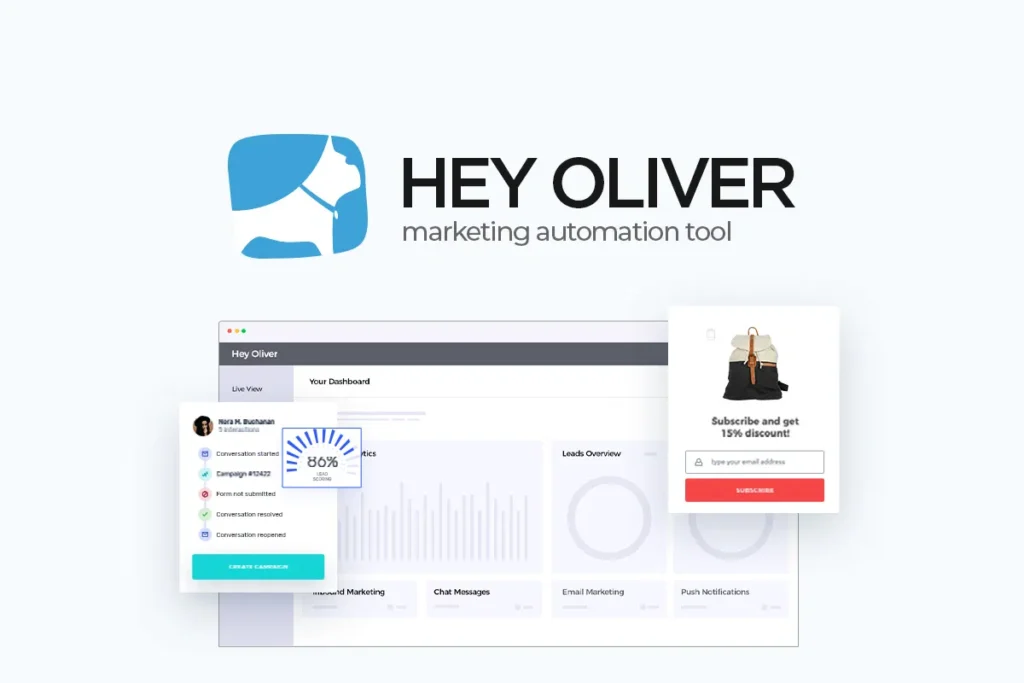
Hey Oliver is a marketing automation tool that tracks each visitor’s behavior and uses it to trigger campaigns and live chat on your site.
It sits at the edge of this category: the analytics here exist to power targeting rather than to produce reports. If you want dashboards of traffic trends, look at the other tools in this guide. If you want to act on visitor behavior, this is the one.
Key features
- Visitor profiles: each visitor gets a record with country, browser, pages viewed, landing page, referrer, clicks, downloads, and form submissions.
- Segmentation: 25+ default criteria, extended with custom tags (for example, cart contents).
- Campaigns: behavior-triggered pop-ups, calls to action, and email autoresponders.
- Live chat: unlimited chats through a customizable widget.
- Lead scoring and tracking: a lead scoring model, tracked events, and form tracking.
Why it’s worth considering
It closes the loop between “who visited” and “what do we do about it.” A visitor who read three pricing pages can be segmented and shown an offer, with no developer involved beyond pasting one script.
It lists itself as an alternative to HubSpot, with Zapier and API integrations.
Who should use it
Marketers and agencies that want to convert existing traffic and don’t already pay for chat and pop-up tools. Skip it if you want reporting depth. The tier limits cap tracked events at 10 and synced forms at 3.
Pricing
Lifetime access, scaled by stacking codes:
| Codes | Price | Websites | Audience groups | Browsing history | Team members |
|---|---|---|---|---|---|
| 1 | $49 | 3 | 10 | 12 months | 5 |
| 2 | $98 | 5 | 20 | 12 months | 10 |
| 3 | $147 | 10 | 40 | 24 months | 10 |
| 4 | $196 | 15 | 40 | 24 months | 10 |
This goes up to code 10. Visitor tracking and live chat are unlimited on every tier. It’s for new users only, with a 60-day redemption window and 60-day refund, and it’s covered by AppSumo’s “We Got Your Back” guarantee.
How to Choose the Right Analytics Tool for Your Business
Analytics tools solve different problems, so the best pick depends on the question you ask most often. A website analytics tool tells you where visitors come from.
A product analytics tool tells you what users do after signing up. A reporting layer saves you time assembling numbers. One tool rarely does all three well, so don’t assume a traffic dashboard can replace the others.
Bloggers and publishers
Your question is which sources and pages bring readers. Look for traffic source and landing page data. Visitor Tracking or Litlyx covers this, and SearchIQ can show what readers search for and don’t find.
Small businesses
You need to know which channels produce leads and sales. Prioritize conversion tracking by source and UTM, which Visitor Tracking offers. If you want to act on visitor behavior with chat or pop-ups, Hey Oliver adds that.
Marketing freelancers
Your cost is time spent building reports. If clients already use GA4, Measuremate‘s audits and scheduled reports cut the manual work. If not, an all-in-one tool avoids the extra layer.
Agencies
Look for unlimited sites and client access. Visitor Tracking lets clients view their own sites, and Litlyx offers unlimited domains with shareable dashboard links. Measuremate’s agency tiers suit teams standardizing GA4 across accounts.
SaaS founders
You need events, funnels, and revenue, not just pageviews. Seline and Litlyx both offer this, and Seline ties revenue to the channel that produced it.
Are AppSumo Lifetime Deals Worth It for Analytics Software?
Often yes, if you buy with clear eyes. A lifetime deal is a one-time payment for access to a product as the license defines it. It is not a promise that the product will exist, stay unchanged, or be supported forever.
A lifetime deal makes sense when:
- You need a stable feature set for a predictable workflow.
- The usage limits fit your current traffic.
- You want to cut recurring software costs.
- You’ve tested the tool properly inside the refund window.
It may not be the best choice when:
- Your traffic or event volume is growing fast, since you’ll outgrow the tier. Check whether upgrades are possible and what they cost.
- You rely on integrations that aren’t mature yet.
- You need enterprise-grade uptime, compliance, or support commitments.
- The company’s long-term development or your ability to export your data is unclear.
What to verify before paying
- The license: which plan the code maps to, and what “all future updates” covers.
- Usage limits: pageviews, events, projects, and data retention. SearchIQ’s one month of analytics history is a good example of a limit that’s easy to miss.
- Refund terms: the listings here offer 60 days, but “We Got Your Back” coverage differs by product. Several partner-managed listings don’t have it.
- Recurring charges: add-ons, overage fees, or AI credits that cost extra.
- Data export: whether you can take your data with you.
Read: AppSumo vs Dealify: Which Lifetime Deal Platform Is Better?
Use the refund window as a real trial. Install the tool on your actual site, check that the numbers match another source, and confirm the reports answer your question before the window closes.
Frequently Asked Questions
1. What are the best analytics tools on AppSumo?
Visitor Tracking, Litlyx, and Seline suit general analytics. Measuremate fits GA4 users, SearchIQ adds site search insights, and Hey Oliver turns visitor behavior into campaigns.
2. Can AppSumo analytics tools replace Google Analytics?
Visitor Tracking, Litlyx, and Seline can be used for most small sites. Measuremate adds to GA4 instead. Consider your need for advanced features and ad platform integrations before switching.
3. Which analytics tool is best for a small business?
Litlyx suits beginners wanting simple, privacy-friendly tracking. Visitor Tracking works well for lead and conversion tracking by source. Choose based on your main question.
4. Are AppSumo analytics tools suitable for marketing agencies?
Yes. Visitor Tracking and Litlyx offer unlimited sites with client access or shareable dashboards, and Measuremate’s agency tiers help standardize GA4 across clients.
5. Can I use analytics software without coding?
Yes. Most tools here need only a pasted tracking snippet. Measuremate and Hey Oliver also let non-developers manage tags and campaigns without writing code.
Final Verdict: Which Analytics Tool Should You Choose?
There’s no universal winner, only the right tool for the question you need answered.
- Simple, privacy-friendly tracking: Litlyx
- Multiple sites or client work: Visitor Tracking
- Revenue by channel: Seline
- Cleaner GA4 setup and reports: Measuremate
- Turning visitors into leads: Hey Oliver
- Finding what visitors can’t find: SearchIQ
The best part is that every tool here carries a 60-day refund window, so choosing isn’t a gamble. Pick one, install it on your real site, and let your own data decide.
Ready to start? Open the AppSumo listing for your pick, check today’s tier and terms, and run your 60-day test.
Related Articles
Are AppSumo Deals Really Worth It? Hidden Truth Most Buyers Ignore
AppSumo for Beginners: How to Pick Deals That Are Actually Worth It
Best Social Media Management Tools on AppSumo
Best AppSumo SEO Deals for Bloggers, Marketers & Website Owners

TechnicalStudies was started by Neeladrinath with one simple idea — give Indian students a reliable place to figure out what’s actually worth their time and money. Every recommendation here is backed by careful research, real student feedback, and honest analysis. We cover online courses, laptops, smartwatches, software deals, and learning resources — all looked at from a student’s perspective, so you can spend less time guessing and more time learning.