

A keyboard can have glowing reviews and still be a poor choice for programming. Gamers love RGB, typists love tactile feedback, and reviewers love anything that looks good on a desk. None of that tells you how a board feels at hour six of debugging.
Developers type differently. You’re constantly reaching for brackets, braces, pipes and underscores, jumping around with arrow keys and shortcuts, and living in Ctrl, Shift and Alt combinations.
That’s why the best keyboard for programming isn’t the priciest one or the one with the longest feature list. It’s the one that suits your hands, your desk and your workday.
This guide to the best keyboards for programming in India cuts through the noise. We’ll cover:
- What actually matters when you’re writing code
- Which keyboard types make sense, from budget mechanical keyboards to compact 65% and 75% layouts
- Who should buy what, whether you’re a student in a hostel or a professional working from home
- Which features are worth paying for
- Which features are mostly marketing
By the end, you’ll know exactly what to look for before spending your money.
Quick Comparison: 10 Keyboards for Programmers
| Keyboard | Type | Layout | Connectivity | Approx. price | Best for |
|---|---|---|---|---|---|
| Dell KB216 | Membrane | Full-size | Wired USB | See on Amazon | Budget-first students |
| EvoFox Fireblade TKL | Semi-mechanical | TKL (87 keys) | Wired USB | See on Amazon | Compact, backlit budget setups |
| Logitech Pebble Keys 2 K380s | Scissor | Compact, no numpad | Bluetooth (3 devices) | See on Amazon | Multi-device professionals |
| HP K160 Wireless | Membrane | Not confirmed | 2.4 GHz dongle | See on Amazon | Clutter-free desks |
| Zebronics Companion 304 (combo) | Membrane | Full-size (104 keys) | 2.4 GHz dongle | See on Amazon | One-box desk setup |
| Portronics Bubble 3.0 | Low-profile | Not confirmed | Bluetooth + 2.4 GHz (4 devices) | See on Amazon | Budget multitaskers |
| Portronics Bubble (Multimedia) | Not confirmed | Compact | Bluetooth 5.0 + 2.4 GHz | See on Amazon | Tablet-first students |
| TVS Gold Prime | Mechanical | Full-size (104 keys) | Wired USB | See on Amazon | Rugged, long-lasting desks |
| HP KM200 (combo) | Membrane | Full-size (104 keys) | 2.4 GHz dongle | See on Amazon | Warranty-conscious buyers |
| Amkette Optimus BT | Membrane | Compact (78 keys) | Bluetooth + 2.4 GHz (4 devices) | See on Amazon | Cross-platform switchers |
Our Top Picks For The Best Keyboards For Programming In India
1. Dell KB216 Wired Multimedia Keyboard
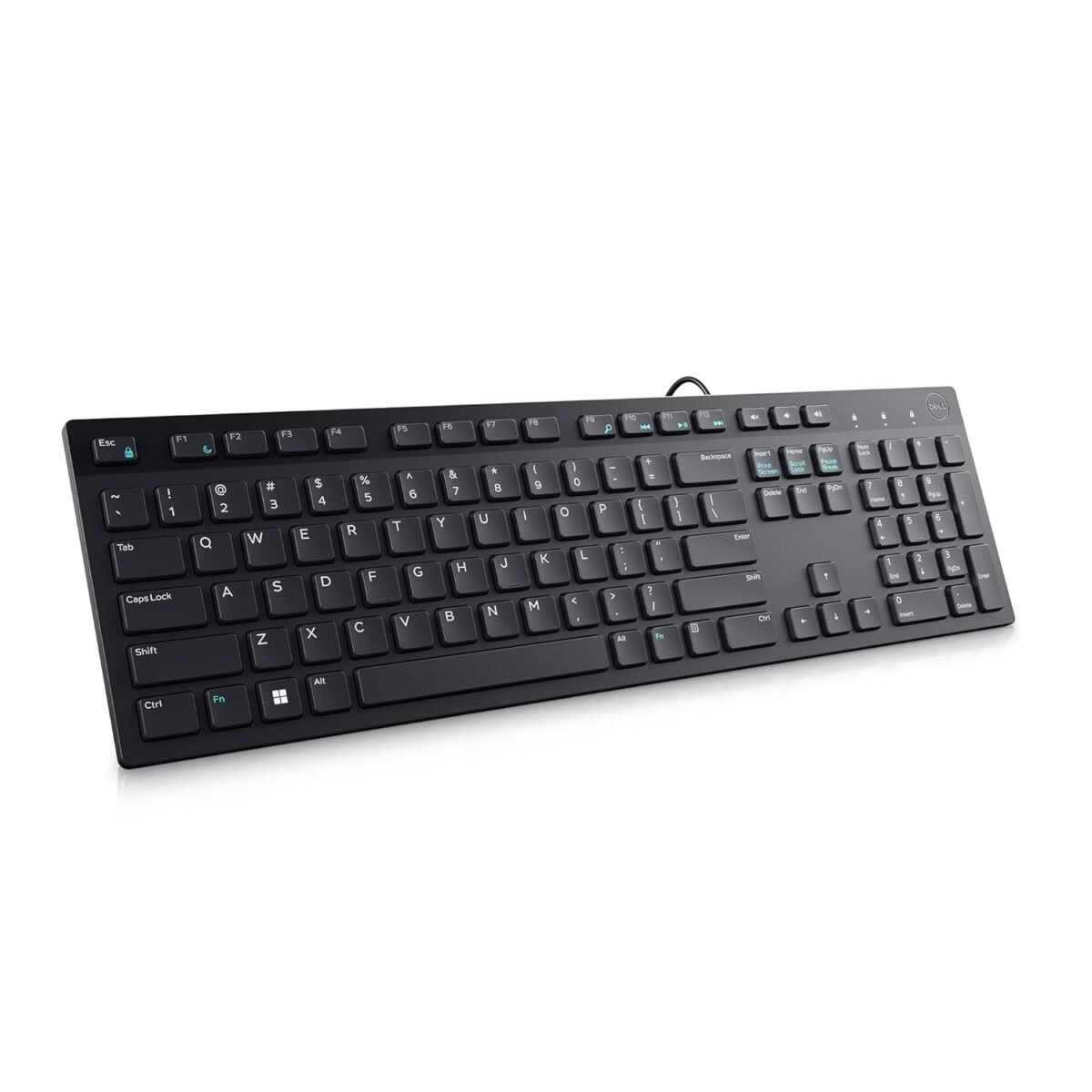
Nobody buys the Dell KB216 for its typing feel. You buy it because your first-year budget is tight, your laptop keyboard is dying, or the lab PC needs a decent plug-and-play board.
It’s the keyboard you can forget about while you focus on learning loops and recursion.
It’s a full-size layout with a number pad, and quiet chiclet-style keys that won’t annoy your roommates during a late-night coding session. There’s nothing to install.
It works with Windows, macOS, Linux (including Ubuntu), Chrome OS and Android, which suits students who dual-boot or run Linux.
The 1.8 m cable reaches a desktop tower comfortably, and two-position tilt legs let you adjust the angle a little.
We included it because it’s a dependable, no-risk baseline. It has no backlight and no mechanical feel, so it won’t be your forever keyboard for eight-hour sessions.
Who it’s for: Students on a strict budget, anyone setting up a cheap second workstation, and developers who want a spare board.
2. EvoFox Fireblade TKL Semi-Mechanical Keyboard
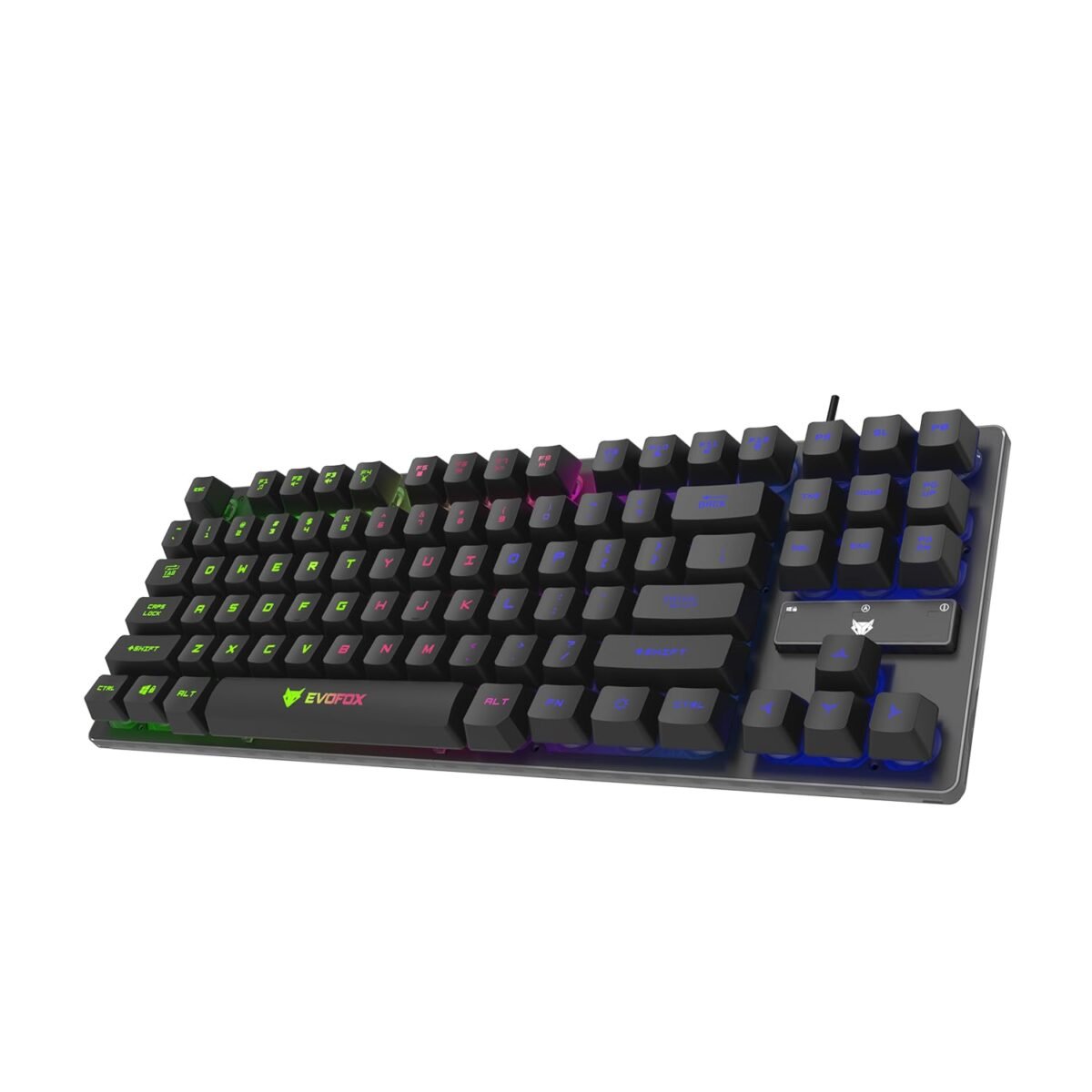
If you’re moving off a laptop keyboard and want something that feels more substantial without paying for a true mechanical board, this is the kind of keyboard you’ll probably be eyeing.
The Fireblade is a tenkeyless layout with 87 keys, which means no number pad. That’s no loss for most coding, because it frees up desk space and brings your mouse closer, which helps in a cramped hostel or PG setup.
You also get a backlight for late-night sessions, a Windows-key lock so a stray press doesn’t kick you out of a full-screen window, and indicators for Caps Lock, Scroll Lock and the Windows lock.
Check: Best Gaming Laptops in India for Every Budget
It plugs in over USB, works with Windows, Linux, Ubuntu and Mac, and has a 1.5 m cable.
We included it because it’s an affordable way to try a compact layout.
It does have limits. Reviewers describe it as semi-mechanical, with membrane roots, not true mechanical switches.
Its 10-million-keystroke rating is also well below the 50 million on true mechanical boards.
Features like the 19-key anti-ghosting matter far more to gamers than to developers, so don’t pay for them.
Who it’s for: Students and early-career developers who want a compact, backlit board with a bit more feel than a standard membrane keyboard, at a very low price.
3. Logitech Pebble Keys 2 K380s
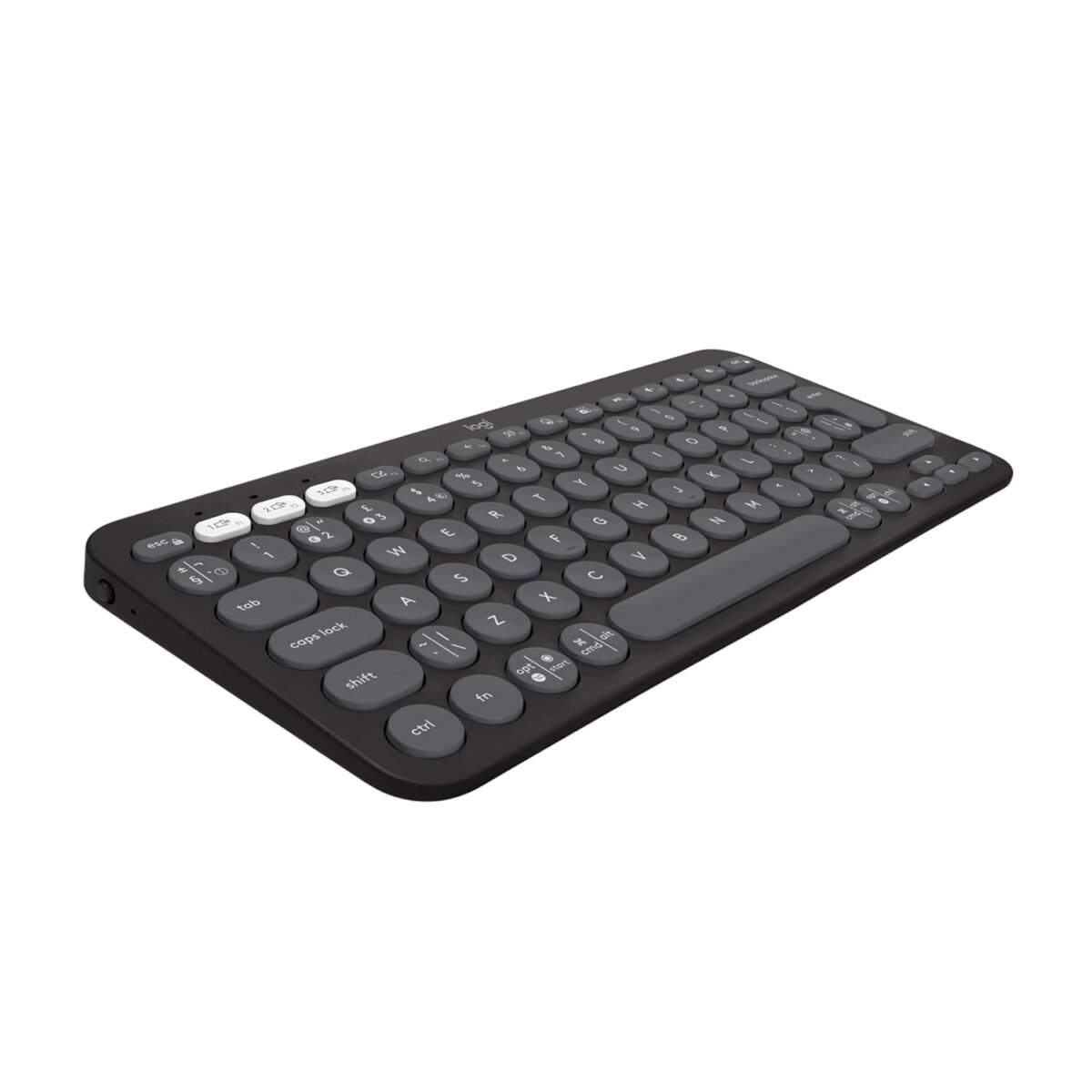
Plenty of developers now work across a laptop, a tablet and a phone, and constantly pick up whichever one they need. That’s where the K380s fits.
It pairs with up to three devices over Bluetooth Low Energy, and you switch between them with the Easy-Switch keys. So you can write code on your laptop, answer Slack on your tablet, and go back without re-pairing anything.
It’s a slim, compact board with low-profile, scooped keys. Logitech describes the typing as quiet and laptop-like, which suits a shared hostel room or an open office.
The 10 Fn shortcut keys can be remapped through the Logi Options+ app. That app only runs on Windows and macOS, so Linux users will get the default shortcuts only.
The two AAA batteries are rated for up to 36 months, so there’s no charging cable to forget on a laptop bag trip.
We included it for portability and low maintenance, not for typing feel. It has no backlight and no number pad, so it’s a poor fit if you code in dim rooms or crunch numbers often.
Who it’s for: Hybrid workers, people who code on a laptop and tablet, and anyone who wants a quiet, travel-friendly keyboard.
4. HP K160 Wireless Keyboard
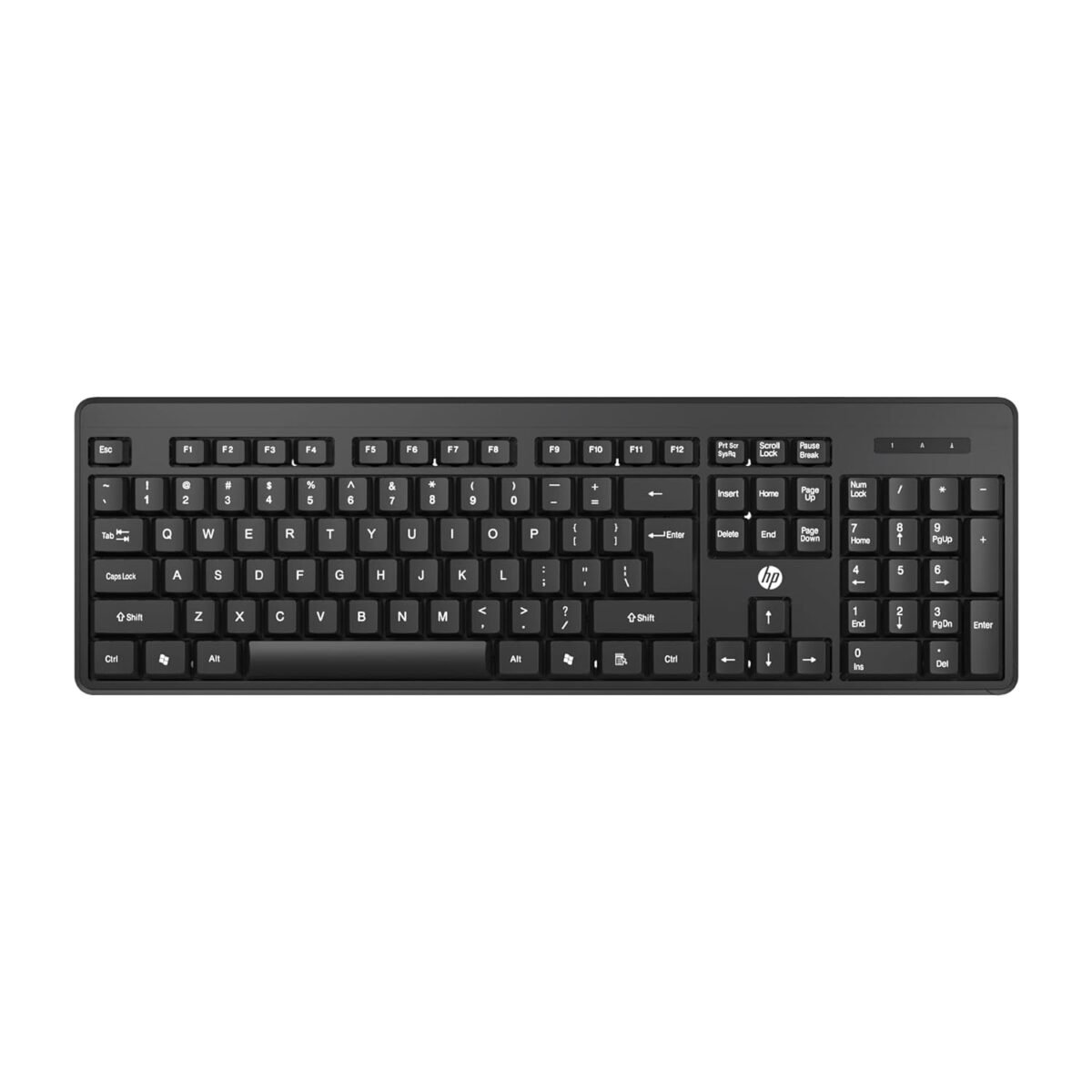
Some developers don’t want to think about their keyboard at all. They want a clean desk, no cables snaking across it, and something that works the moment it’s plugged in.
That’s the pitch of the HP K160. You plug in a small USB dongle and start typing, with no pairing, no app, and no setup.
It’s a 2.4 GHz wireless keyboard with chiclet-style keys, which HP positions as a quiet typing experience that suits a shared room.
There are 12 Fn shortcut keys for media and quick actions, so you can pause music or adjust volume without leaving your editor.
HP backs it with a 3-year warranty and 24×7 online support, which is unusually generous at this price in India, where budget peripherals often carry 6 to 12 months.
We included it for simplicity and value.
The trade-offs are real. The dongle uses a USB port, there’s no Bluetooth to pair with a tablet or phone, and it has no mechanical feel. It’s a typing tool, not an upgrade for long coding days.
Who it’s for: Students and office-based developers on a desktop or a single laptop who want a tidy, cable-free, low-cost keyboard with strong warranty cover.
5. Zebronics Companion 304 Wireless Keyboard and Mouse Combo
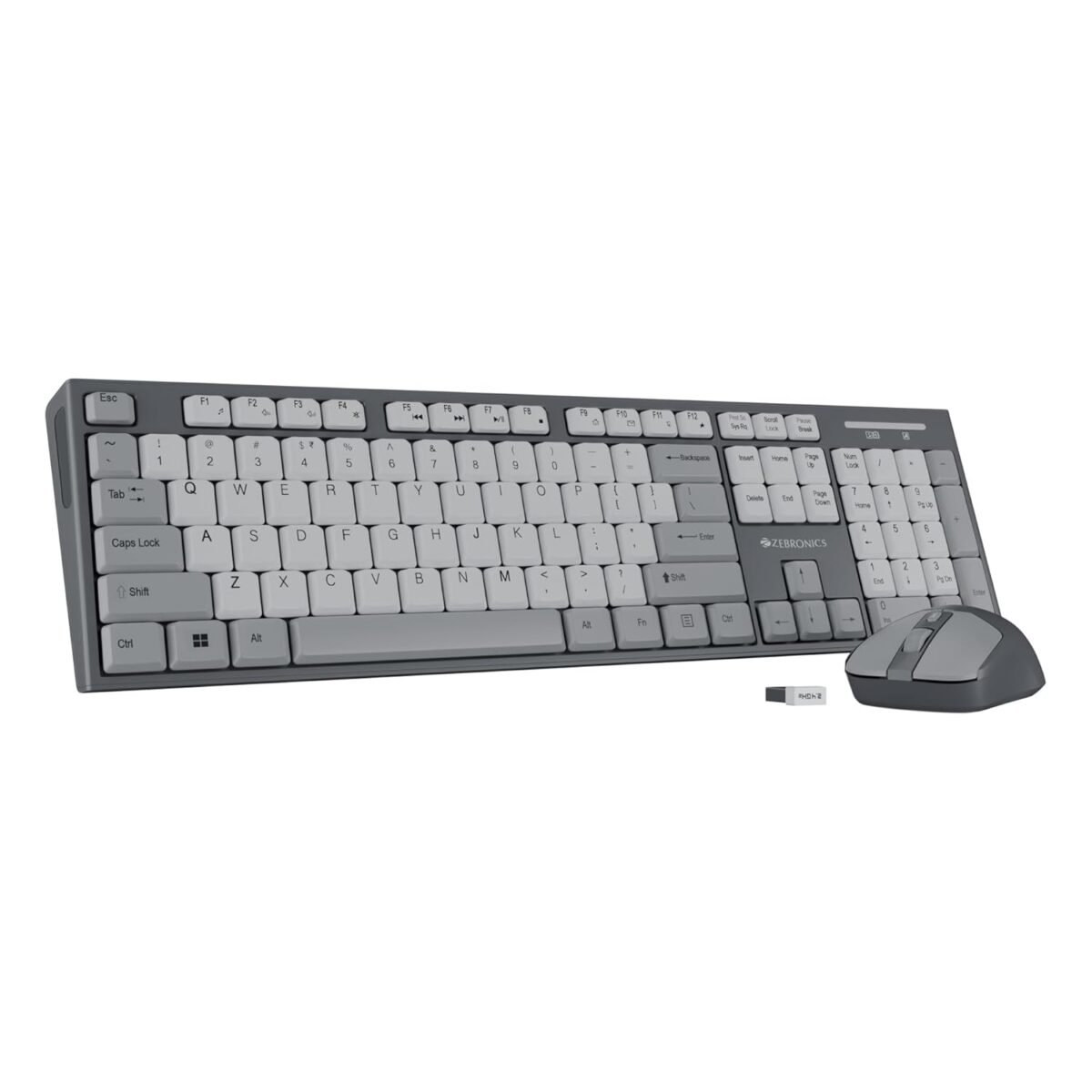
Setting up a first desk is expensive enough without buying a keyboard and a mouse separately.
The Companion 304 gives you both in one box, with a single USB nano receiver for the pair, so you plug it in and start working.
Zebronics lists it as a 2.4 GHz wireless set with a 10 m range, which is more than enough for a desk.
The keyboard has 104 keys, so you keep the full layout with a number pad. It also has a dedicated ₹ key, which is a small but useful touch if you build billing, invoicing, or fintech screens for Indian users.
Check: Best Laptops for Traders in India: Top Picks for Stock Market & Intraday Trading
The keycaps are UV-coated to resist wear, and there are 12 integrated multimedia keys plus a hot key.
A power-saving mode helps the battery last, and the keyboard runs on a single AAA. The mouse has three DPI levels, going up to 1600.
We included it for value for money.
It’s a plain membrane keyboard, and Zebronics rates it at 8 million keystrokes. That’s fine for study and light work. If you code all day, you’ll eventually want something better.
Who it’s for: Students and early-career developers who need a complete, low-cost keyboard and mouse set, especially for a first desktop setup.
6. Portronics Bubble 3.0 Wireless Keyboard
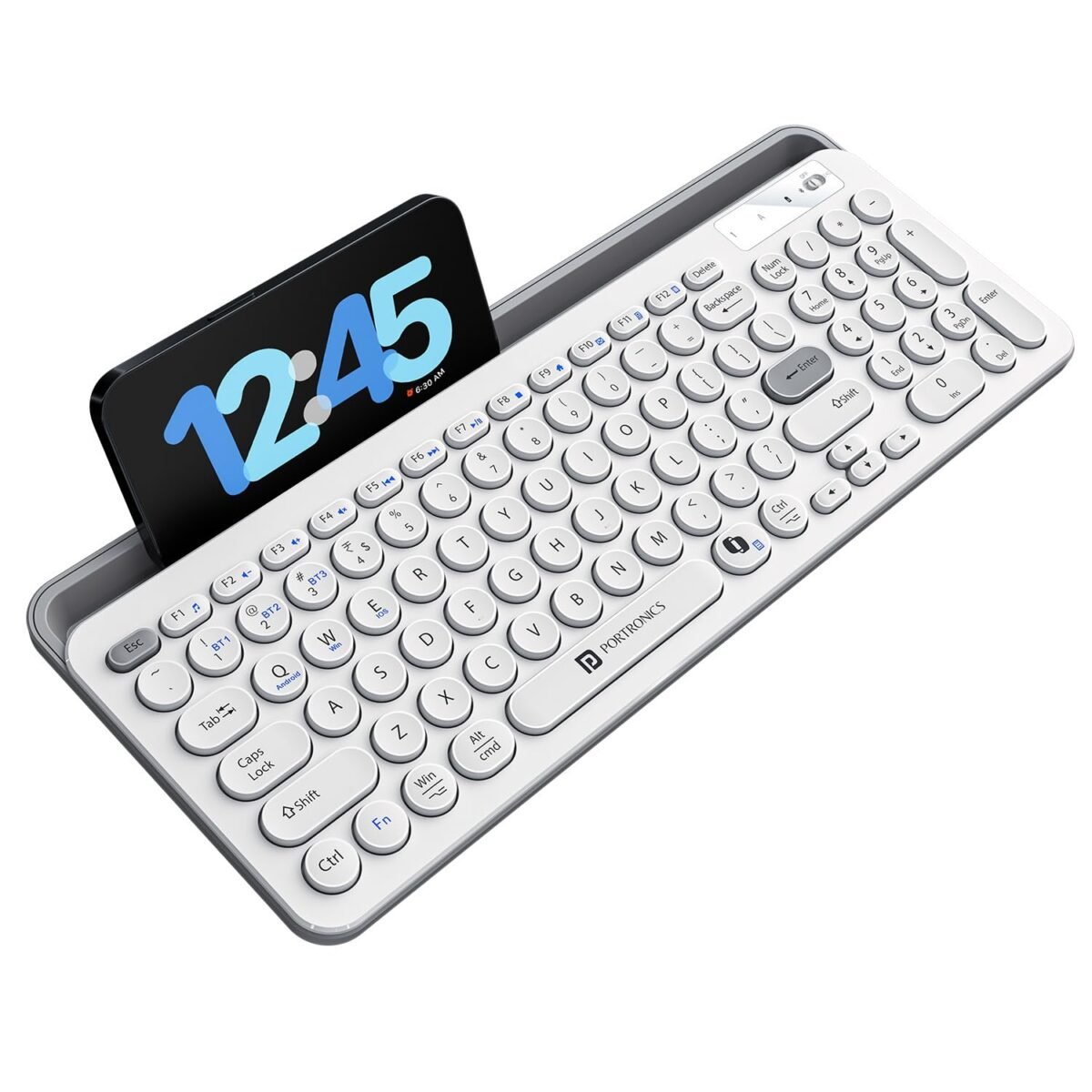
If your day involves a laptop for code, a tablet for documentation, and a phone for messages, Bubble 3.0 is built for that kind of juggling.
It connects to up to four devices at once, three over Bluetooth 5.3 and one through a 2.4 GHz USB receiver.
A built-in stand at the top holds a phone or tablet, with silicone padding to protect the screen, so your reference material stays upright next to your editor.
Portronics says the low-profile keys use an X-structure mechanism for quiet typing, and a dual-height stand lets you adjust the angle to reduce wrist strain.
It’s rechargeable over USB-C and the company says it lasts for days between charges, so you won’t be hunting for AAA batteries.
It also has a Microsoft Copilot shortcut key, though that will matter more to some people than others.
We included it for the combination of multi-device pairing, a number pad, and rechargeability at a very low price.
The catch for programmers is navigation. One buyer on a deals forum reports there are no dedicated Home and End keys, which would make Shift+Home and Shift+End awkward for selecting lines of code. Check the layout carefully before you buy.
Who it’s for: Students and early-career developers who switch between devices and want a rechargeable, wireless keyboard at the lowest possible price.
7. Portronics Bubble Multimedia Wireless Keyboard
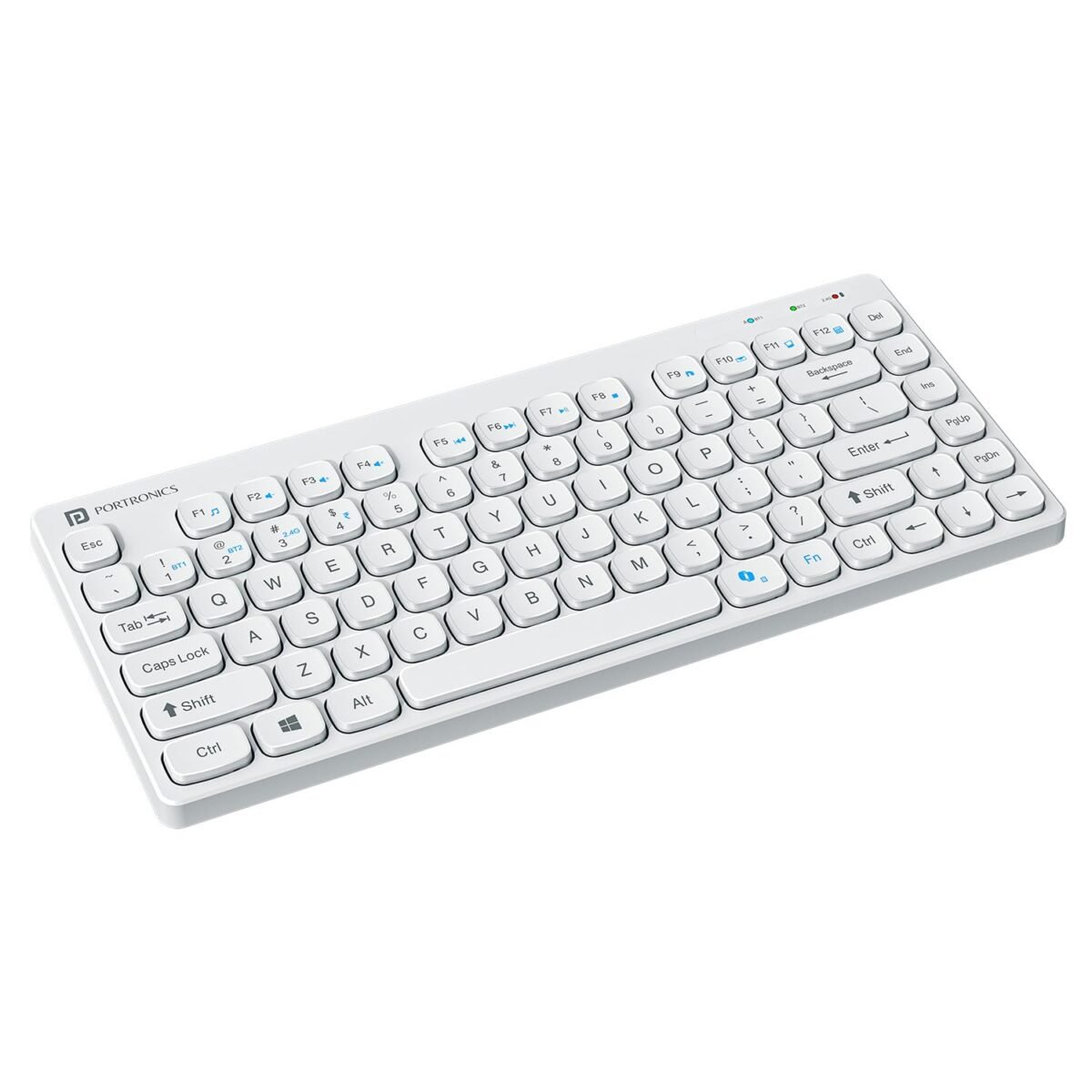
Not every student starts out with a laptop. If you’re working from a tablet or phone, whether that’s coding in a cloud-based editor, practising in a browser or just typing notes and assignments, the on-screen keyboard gets old fast. This is where a small, cheap wireless keyboard earns its place.
The Bubble pairs over Bluetooth 5.0 or a 2.4 GHz USB receiver, so it works with iPads, Android tablets, Windows machines and phones.
Listings say you can pair up to three devices, and it has a rechargeable battery. That means no AAA batteries to replace, and a USB cable you probably already own.
It’s described as compact and light enough for a backpack, and one reseller lists it at 276 g and about 29 cm wide, which is small enough to share a table with a tablet stand.
We included it as the most portable, lowest-risk entry on this list, and a sensible way to turn a tablet into a basic typing setup. Portronics also markets it as a noiseless keyboard, which helps in hostels.
It’s still a basic membrane board built for travel and light use. It won’t give you the layout or feel of a desk keyboard for long coding sessions.
Who it’s for: Students who code or write on a tablet or phone, and anyone who wants a very small, low-cost second keyboard for travel.
8. TVS Electronics Gold Prime Mechanical Wired Keyboard
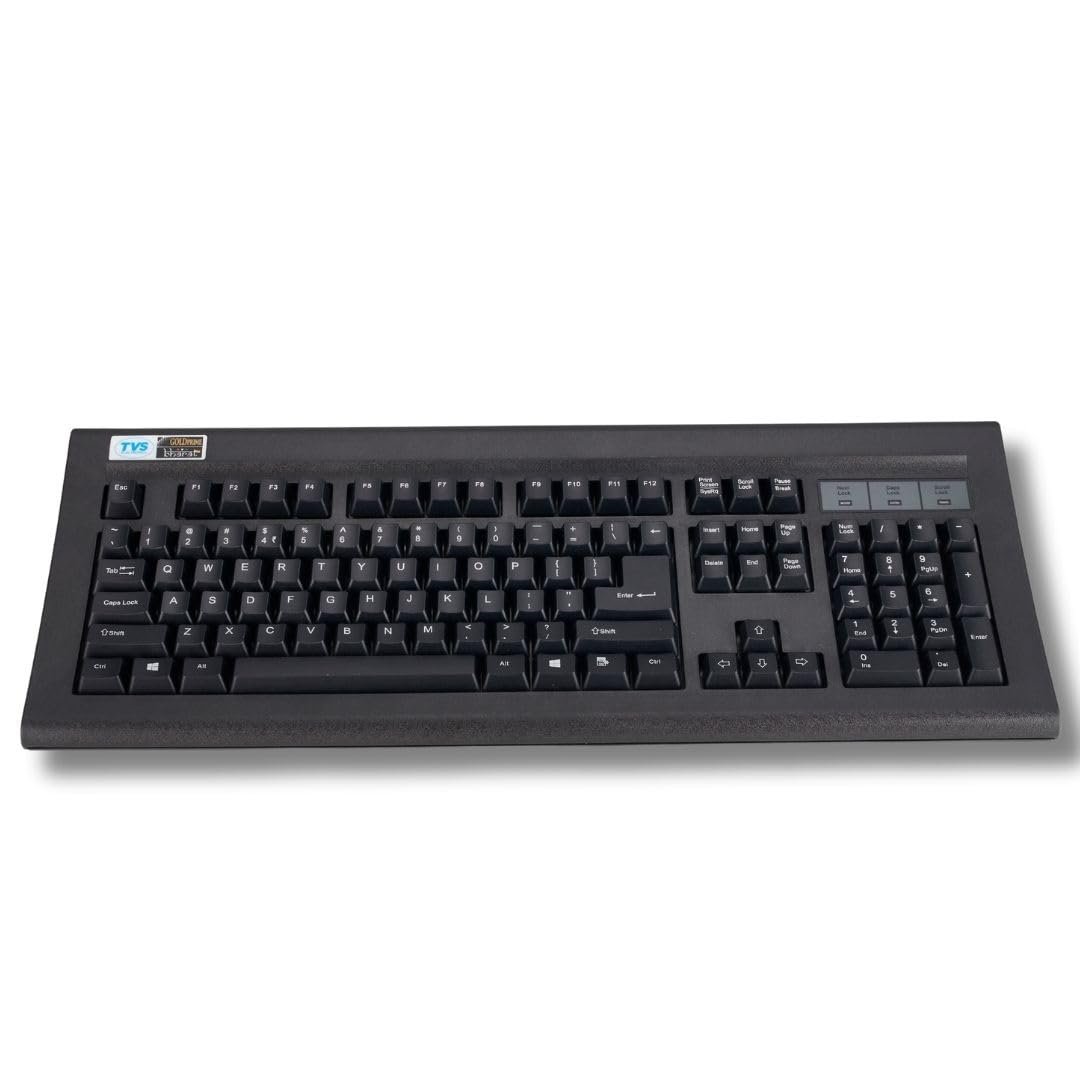
Most budget keyboards in India die from the same things: dust, heat, and months of hard daily use. The Gold Prime is TVS Electronics’ answer.
It’s an old-school, full-size mechanical keyboard built for offices and shops, and it’s meant to outlast the cheaper alternatives.
On paper, it has the numbers to back that up. TVS rates the keys at up to 50 million keystrokes and says the switches are dust-resistant.
The keycaps are laser-etched, so the legends shouldn’t fade, and the board is rated to work from -20 to 60 °C, which comfortably covers an Indian summer.
It uses a standard 104-key US layout with a number pad and has sturdy tilt legs. At about 1.28 kg, it also stays put on a desk. The 1.5 m USB cable plugs straight in, and TVS lists Linux support alongside Windows.
We included it as a durable, no-fuss full-size board with real mechanical travel, around 3.6 mm per key.
It won’t suit everyone. There’s no backlight, it’s bulky, and TVS doesn’t publish the switch type, so noise and feel are unknown.
Who it’s for: Developers who want a rugged, long-lasting wired keyboard for a home or office desk, especially in dusty or hot conditions.
9. HP KM200 Wireless Keyboard and Mouse Combo
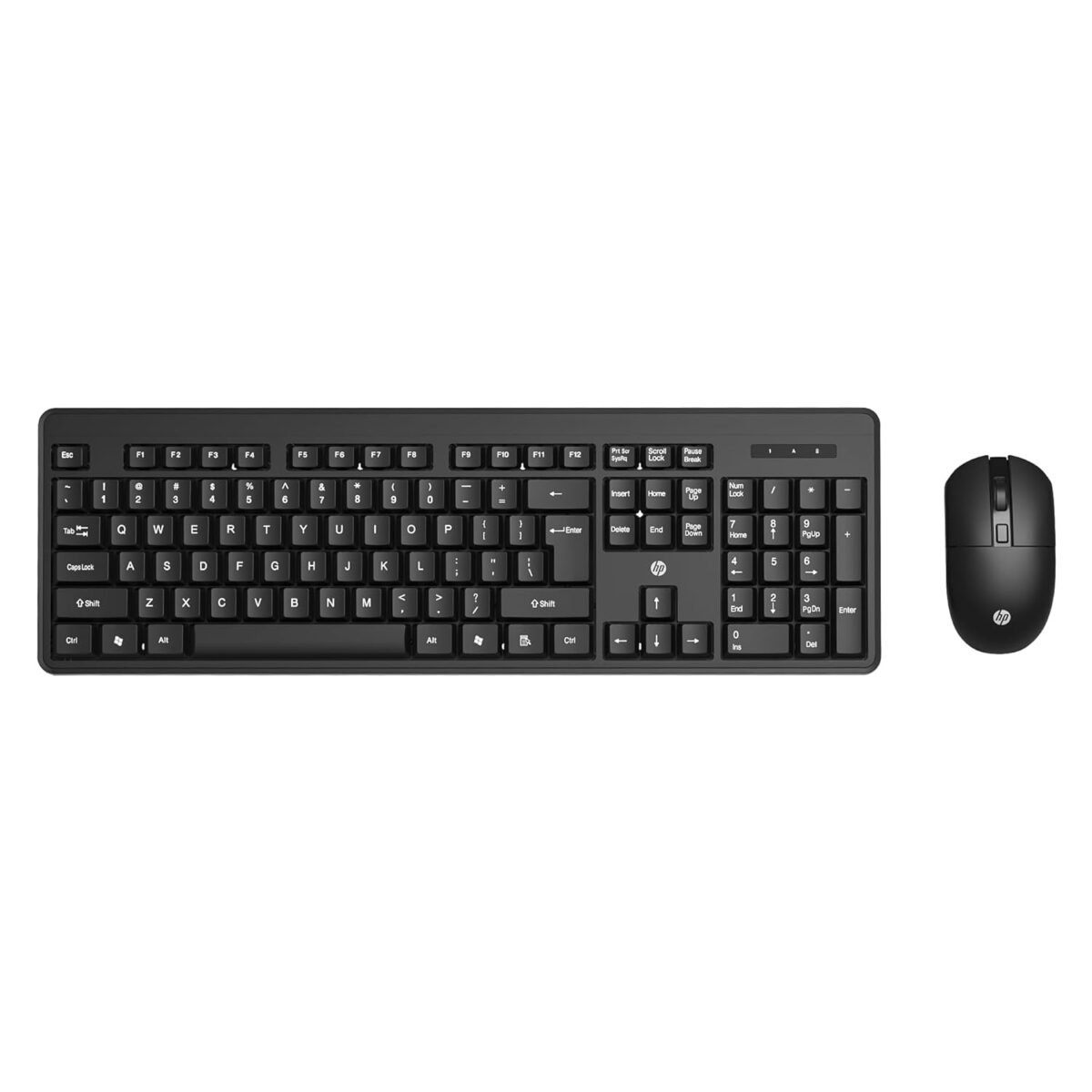
In India, the real cost of a cheap peripheral isn’t the price tag. It’s what happens when it fails in month ten, and the seller stops answering.
If that worries you, the HP KM200 is built around a simple promise: a well-known brand and a 3-year warranty, at a price that’s usually around ₹1,000.
You get a full-size keyboard with 104 quiet chiclet keys, including the number pad, plus 12 Fn shortcut keys for media and quick actions. LED indicators flag Num Lock, Caps Lock, and low battery.
The mouse has a scroll wheel and three buttons. Both connect over 2.4 GHz through one USB dongle, so you plug it in once and forget about it.
HP says the batteries last up to 12 months of everyday use, which is useful if you don’t want to replace cells every few weeks. The keyboard weighs about 880 g, so it won’t slide around on your desk.
We included it because it covers the basics reliably, with better warranty cover than most budget combos.
It’s a standard membrane keyboard with no backlight and no mechanical feel. Treat it as dependable, not exciting.
Who it’s for: Students and developers who want a fully equipped, low-risk keyboard and mouse set with proper warranty backing.
10. Amkette New and Improved Optimus BT 4-in-1 Wireless Keyboard
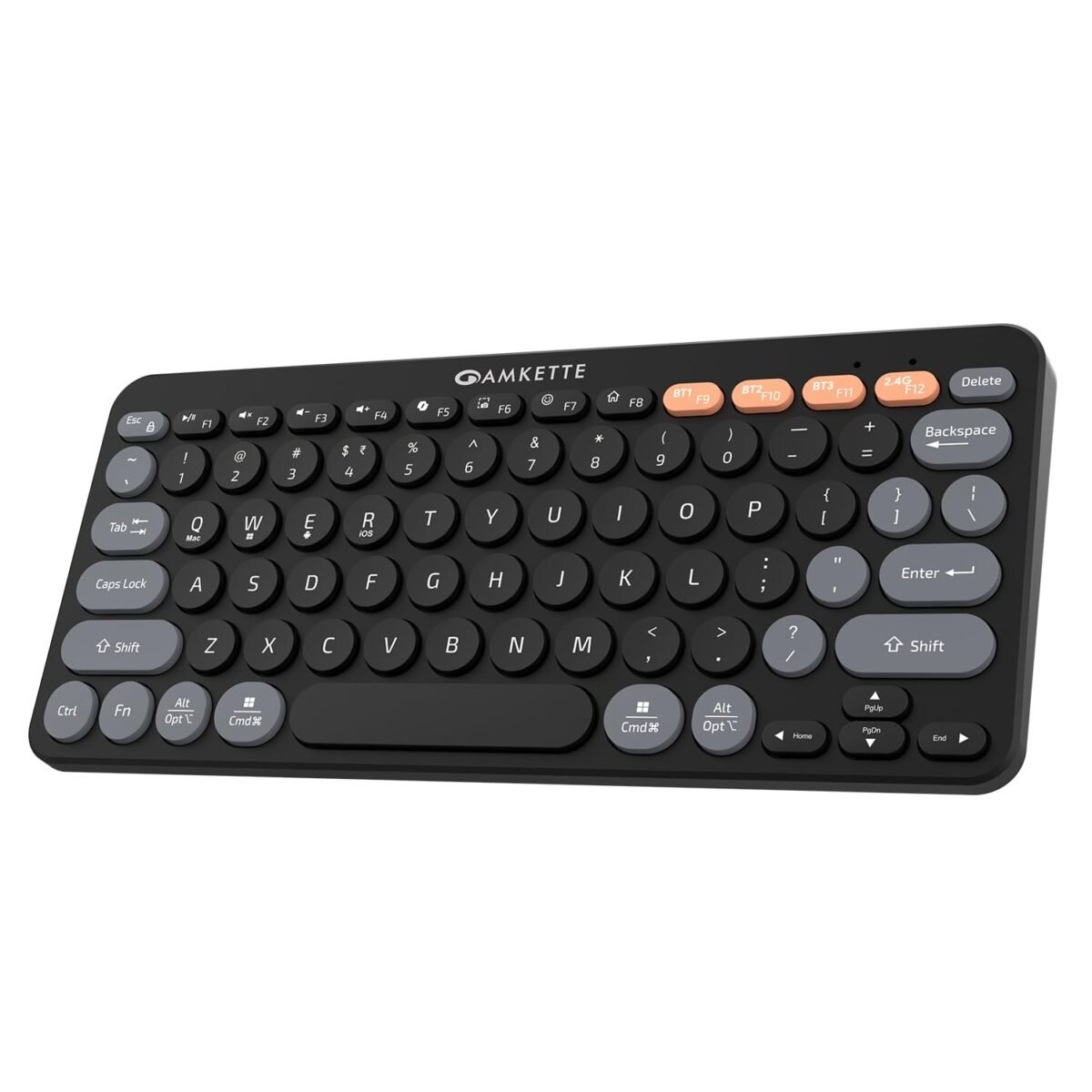
Plenty of developers don’t live in one operating system. You might have a Windows laptop at work, a MacBook or iPad at home, and an Android phone for testing.
Normally that means three different keyboards or a lot of fumbling with layouts. The Optimus BT aims to solve that with one board.
It connects to four devices at once, three over Bluetooth and one through a 2.4 GHz USB receiver, with dedicated keys to jump between them.
It lists support for Windows, macOS, Android and iOS, and a dual-OS layout means the keys work as expected on both Windows and Apple devices.
There’s also an AI key that launches Microsoft Copilot on Windows, Siri on Apple devices and Gemini on Android. It has 12 multimedia keys, an on/off switch, and an automatic sleep mode to save battery.
The keys are quiet membrane keys with a retro pop-colour look, and the range is about 10 m.
We included it because it handles a lot of switching for the money.
It’s a compact, 78-key keyboard with no backlight. Check the layout for dedicated arrow and navigation keys before you commit, since that matters when you’re moving around code.
Who it’s for: Developers and students who work across Windows, macOS, Android and iOS devices and want one inexpensive keyboard to cover all of them.
What Makes a Keyboard Good for Programming?
Key feel and typing consistency
Membrane keyboards use a rubber dome under each key, which makes them cheap and quiet but often mushy.
Scissor-switch boards, like laptop keyboards, are low and stable. Mechanical keyboards give every key its own switch: tactile (a small bump), linear (smooth) or clicky (a bump plus a loud snap).
What matters most is consistency. When every key feels the same, your fingers stop thinking about typing around hour six of debugging.
Do you need mechanical switches? No. Plenty of developers type happily on a good membrane or scissor board.
If you’re shopping for budget mechanical keyboards in India, tactile or linear switches suit a shared hostel room better than clicky ones.
Layout matters more than most people think
A full-size board keeps everything, including the number pad. TKL drops the number pad.
A 75% layout squeezes the function row and arrows closer together, 65% drops the function row, and smaller compact keyboards cut even more.
The trade-off is dedicated keys versus desk space. Programmers lean on Home, End, Page Up, Page Down, Delete, the arrow keys and F1–F12 constantly, for example, F5 to run, F10 and F11 to step through code, or Shift+Home to select a line. Compact layouts usually hide these behind an Fn layer.
That works once you’ve learned it, but it’s frustrating if the layer is awkward. Judge the actual layout, not just the size label. For most developers, TKL or 75% is the sweet spot.
Read Also: The Ultimate Laptop Buying Guide for Indian Students and Professionals
Build quality and key stability
Key wobble, keyboard flex and rattly spacebars (a sign of poor stabilizers) rarely show up on day one.
They appear after months of use. Check the frame for flex when you press hard, and look at keycaps: cheap printed legends fade, while laser-etched or double-shot keycaps last longer.
A heavier board also tends to stay put on the desk. Dust and heat wear boards faster in Indian conditions, so treat durability claims as marketing until real owners confirm them.
Wired vs wireless for developers
Wired suits a desktop setup. There’s no charging, no pairing and no battery to die mid-deadline. Wireless makes sense if you use laptops, work in different places or juggle several devices.
Bluetooth doesn’t use a USB port and can pair with multiple devices, but reconnecting after sleep can sometimes lag. A 2.4 GHz dongle is usually steadier but takes up a port.
Multi-device switching is genuinely useful if you move between a laptop, tablet and phone. If you only use one computer, you don’t need it.
Ergonomics for long coding sessions
Keep your wrists as flat and neutral as possible, not bent upward. Low-profile keyboards help with that, while taller ones may need a wrist rest.
Rests are for pauses between typing, not for resting your wrists while you type. A moderate tilt works for most people, and your forearms should stay roughly level with the desk.
Split and ergonomic designs can reduce strain, but they cost more and take time to adjust to. As for RGB lighting, it has nothing to do with writing code.
It adds cost and drains battery, so spend that money on feel, layout and build quality instead. If you get persistent pain or tingling in your hands, it’s worth seeing a doctor.
Mechanical vs Membrane vs Scissor: Which Keyboard Should Developers Buy?
Before you compare products, it helps to know which type of keyboard suits how you work. Here’s a quick comparison.
| Type | Typing feel | Noise | Durability | Best for |
|---|---|---|---|---|
| Membrane | Soft | Low | Moderate | Budget users |
| Scissor | Crisp | Low | Good | Laptop-style typing |
| Mechanical | Defined | Varies | High | Heavy typists |
You don’t need a mechanical keyboard just because you’re a programmer
Mechanical keyboards have become the unofficial uniform of developers, but code doesn’t care what’s under your keys.
A clean, comfortable layout and a keyboard that doesn’t annoy you at hour six matter far more than the switch type. If you’re a student on a tight budget, a decent membrane keyboard won’t hold your code back.
Membrane: the sensible default
Membrane keyboards, like the Dell KB216 on our list, use a rubber layer under the keys.
They’re cheap, quiet and easy to replace, which is why they dominate offices and hostels. The trade-off is a softer, sometimes mushy feel, and over time that feel can become less consistent. For a first keyboard or a spare, that’s fine.
Scissor: the laptop-style option
Scissor keyboards use a small stabilising mechanism under each key, which is why laptop typing feels crisp and short-travel. The Logitech Pebble Keys 2 is a good example, with low-profile keys and about 1.5 mm of travel.
If you’re used to your laptop’s keyboard, scissor boards feel familiar and tidy, and they work well for quiet environments and travel.
Mechanical: worth it for the right person
Mechanical boards give each key its own switch, so typing is more defined and consistent. They tend to last longer, and many let you swap parts.
They’re a good fit if you type for hours every day, work at a fixed desk and care about feel. The catch is that noise varies enormously. Clicky switches can annoy roommates, and some budget boards advertise “mechanical” loosely.
For example, the EvoFox Fireblade is described as semi-mechanical, which isn’t the same thing as true mechanical switches.
When you shop for the best mechanical keyboard for programming in India, check the actual switch type and read owner reviews, not just the listing.
The Best Keyboard Layout for Programming
Layout is the biggest decision after switch type. Every size involves a trade-off, and the right one depends on which keys you actually use.
Full-size keyboards
A full-size board gives you everything: function row, navigation cluster and number pad. That’s helpful if you work with numbers, spreadsheets or data entry. The cost is desk space, and your mouse sits further away. Boards like the Dell KB216 or TVS Gold Prime are full-size.
TKL keyboards
Tenkeyless boards drop the number pad but keep the function row and the dedicated navigation keys. That’s why TKL is the sweet spot for many developers.
You keep F5, Home, End, Page Up, Page Down and the arrows, and you gain desk space. If you rarely type numbers, this is the safest choice. The EvoFox Fireblade is an example.
75% keyboards
A 75% board squeezes the function row, arrows and a few navigation keys into a smaller frame. It’s becoming popular because you keep most of what coding needs without the bulk of TKL. The trade-off is tighter spacing, so give yourself a few days to adjust to the cramped arrow cluster.
65% and 60% keyboards
These are the most compact options, but you pay for it. A 65% layout usually removes the function row and shrinks the navigation keys.
A 60% layout removes the arrows and navigation keys too, and you reach them through an Fn layer.
That’s workable once it becomes muscle memory, but it slows you down if you constantly use F5, Home, End or Page Up and Page Down. If you’re new to coding or still learning shortcuts, avoid these until you’re sure.
Do Programmers Really Need a Mechanical Keyboard?
Short answer: No.
Code doesn’t compile faster on mechanical switches. A good membrane or scissor keyboard with a layout you like will serve most developers well.
Mechanical keyboards benefit people who type for hours at a fixed desk, want consistent key feel, or like customising switches and keycaps. They also tend to last longer.
They matter less if you’re a student on a tight budget, share a quiet room, or move between laptops and cafés.
In those cases, a quiet, compact scissor or membrane board is a smarter buy. Buy mechanical because you want the feel, not because developers are “supposed” to.
Frequently Asked Questions
Which keyboard type is best for programming?
No single type wins. Membrane suits tight budgets, scissor suits laptop-style typing, and mechanical suits heavy daily typists. Choose by layout, comfort and noise tolerance rather than technology alone.
Is a mechanical keyboard better for coding?
Not necessarily. Mechanical boards offer consistent feel and durability, but code doesn’t care. A well-built membrane or scissor keyboard with the right layout works just as well for most developers.
Are 60% keyboards good for programming?
Sometimes, with compromises. You lose the function row, arrows and navigation keys to an Fn layer, which slows down shortcuts like F5, Home and End. Best for experienced users.
Is TKL better than 75% for developers?
TKL offers more breathing room and dedicated navigation keys; 75% saves space with tighter spacing. Choose TKL for comfort, 75% if desk space matters. Both keep arrows and the function row.
Are clicky switches bad for programming?
Not for typing itself, but they’re loud. In offices, shared rooms, libraries or on calls, the noise becomes a problem. Choose tactile or linear switches if you share space.
Is a wireless keyboard good for programming?
Yes, if you use laptops, travel or switch between devices. For a fixed desktop, wired offers zero charging and fewer connection worries. Both Bluetooth and 2.4 GHz work well.
Are gaming keyboards good for developers?
Sometimes. Many offer solid build, TKL layouts and mechanical switches, but RGB and macro features add cost without helping you code. Check switch type, layout and noise before buying.
Final Verdict: What Should Developers Actually Buy?
The best keyboards for programming in India aren’t the loudest or the priciest. They’re the ones you stop noticing while you work.
On a tight budget? Start with the Dell KB216, or the HP KM200 if you want a mouse and a 3-year warranty.
Juggling a laptop, tablet and phone? The Logitech Pebble Keys 2 earns its premium.
Want a compact, backlit board for a small desk? Try the EvoFox Fireblade.
Need something rugged for a dusty desk? The TVS Gold Prime is built for it.
Whatever you pick, check the layout for Home, End and arrow keys first.
Ready to buy? Match your profile, compare live prices on Amazon India and Flipkart, and upgrade your setup today.
Related Articles
10 Best Laptops For Coding in India
Best Laptops for Students in India (Buyer’s Guide)
Best Laptops for Productivity and Multitasking in India
Best Laptops For Engineering Students In India

Kanha is a electronics engineer, tech enthusiast, and writer at technicalstudies.in. His experience in tech, coupled with excellent writing skills, makes the text easy to understand and helps the reader make the correct decision. Outside of writing, Kanha is passionate about exploring new gadgets and gaming.