
Last updated on June 23rd, 2026 at 11:25 am
₹1 lakh is the budget where gaming laptops stop making compromises and start making sense. Below this, you’re gambling with thermals and display quality. Above it, you’re paying a premium that most gamers simply don’t need.
Right now, the Indian market is sitting at an interesting crossroads; RTX 4050 laptops have gotten sharper on pricing, while RTX 4060 models have dropped close enough to justify the stretch.
Both GPUs are genuinely capable of handling AAA titles, esports, content creation, and daily college use without breaking a sweat.
But not every laptop wearing these GPUs deserves your ₹1 lakh.
This list cuts through the spec-sheet noise and only recommends machines that actually deliver on performance, thermals, display quality, real-world value, and room to upgrade down the line.
So let’s get into it.
Quick Comparison Table: Best Gaming Laptops Under ₹1 Lakh in India
| Laptop | GPU | CPU | TGP | RAM | Display | Best For | Price |
|---|---|---|---|---|---|---|---|
| ASUS TUF A16 2026 | RTX 4050 6GB | Ryzen 7 series processor | 90W | 16GB DDR5 | 16″ FHD+ 144Hz G-Sync | Best overall RTX 4050 pick | ~₹99,990 |
| Lenovo LOQ 2024 | RTX 4050 6GB | i5-13450HX | 105W | 16GB DDR5 | 15.6″ FHD 144Hz G-Sync | Max GPU performance + best display | ~₹102,053 |
| ASUS Gaming V16 | RTX 4050 6GB | Core 7 240H | 70W | 16GB DDR5 | 16″ WUXGA 144Hz | College + daily use | ~₹99,990 |
| HP Victus fb3130AX | RTX 4050 6GB | Ryzen 7 7445HS | 50W | 16GB DDR5 | 15.6″ FHD 144Hz | Best budget value pick | ~₹89,990 |
| MSI Cyborg 15 | RTX 5050 8GB | Core 5 210H | 45W | 16GB DDR5 | 15.6″ FHD 144Hz | Next-gen GPU + portability | ~₹99,990 |
Note: Laptop prices on Amazon keep fluctuating, so check the latest price on Amazon.
Best Gaming Laptops Under ₹1 Lakh in India
1. ASUS Gaming V16 — Best Overall Gaming Laptop Under ₹1 Lakh
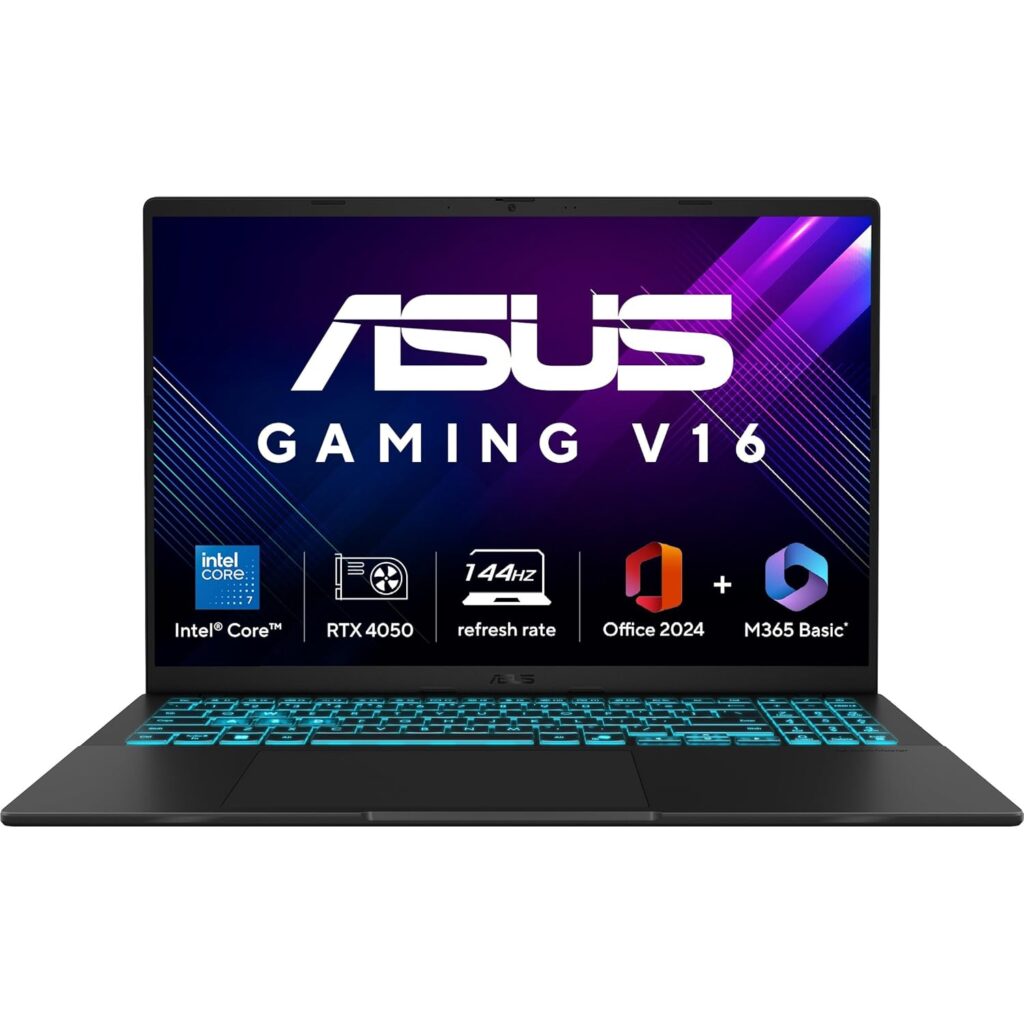
Most gaming laptops at this price either nail the GPU and botch the display, or get the thermals right and use a mediocre processor.
The ASUS Gaming V16 is one of the rare machines that doesn’t feel like it’s quietly cutting corners somewhere.
You get Intel’s Core 7 240H, a 10-core chip that boosts up to 5.2GHz, paired with an RTX 4050, 16GB DDR5 RAM, and a 16-inch 144Hz WUXGA display.
It also doesn’t look like a gaming laptop, which is honestly a win if you’re carrying it to college every day.
Gaming Performance
The RTX 4050 here runs at a 70W TDP, which is on the lower side, but in real-world gaming, it holds up better than the spec sheet suggests.
- Valorant: Consistently above 144 FPS on High settings. This thing was basically made for esports titles.
- GTA V: Handles it comfortably at High-Ultra settings, though the 6GB VRAM starts to feel tight if you push everything to the max in the Enhanced Edition.
- Cyberpunk 2077: Around 55–60 FPS on High with DLSS enabled — perfectly playable, and visually stunning on this display.
- Warzone: Comfortably crosses 120 FPS, making full use of the 144Hz panel.
- BGMI (Emulator): Smooth at Extreme frame rates. The Core 7 240H handles emulator CPU load without breaking a sweat.
Display Quality
The 16-inch WUXGA (1920×1200) panel with a 16:10 aspect ratio is a quiet highlight of this laptop.
That extra vertical screen real estate makes a noticeable difference, both in games and when you have a browser open alongside notes.
The 144Hz refresh rate is buttery smooth, and motion clarity during fast-paced games like Valorant is genuinely good.
Brightness caps around 240 nits in real-world use, which is fine indoors but can struggle in bright sunlight.
Color coverage sits at 45% NTSC, which is decent for gaming and content consumption, but not ideal for professional color work.
Thermals and Cooling
The GPU stayed well within safe operating temperatures even under sustained load, never hitting thermal limits regardless of the performance profile.
The WASD area stays comfortable during long sessions, even though the keyboard warms up slightly near the F2–F5 keys.
The dual-fan setup and dedicated heat vents do their job efficiently. Crank it to max fan mode, and it gets loud, but it doesn’t throttle, and that’s what matters.
Battery Backup
The 63WHr battery isn’t class-leading, but it’ll get you through 3–4 hours of light usage; enough for a lecture or a commute.
Gaming on battery cuts that down significantly, so keep the charger handy for longer sessions.
Upgrade Options
This is where the V16 genuinely earns points. Both RAM and SSD slots are accessible and upgradeable.
It supports up to 64GB DDR5 across dual SO-DIMM slots, and the M.2 PCIe 4.0 slot can be swapped for a larger SSD down the line. If you’re buying this now, adding another 16GB RAM later is a smart move.
Pros
- Intel Core 7 240H is a strong CPU for gaming and multitasking.
- 16:10 WUXGA display gives more screen real estate than most competitors.
- Both RAM and SSD are user-upgradeable.
Cons
- 45% NTSC coverage isn’t great for video editing or color-critical work.
2. HP Victus 15 (fb3118AX) — Best Gaming Laptop Under ₹1 Lakh for Value Buyers
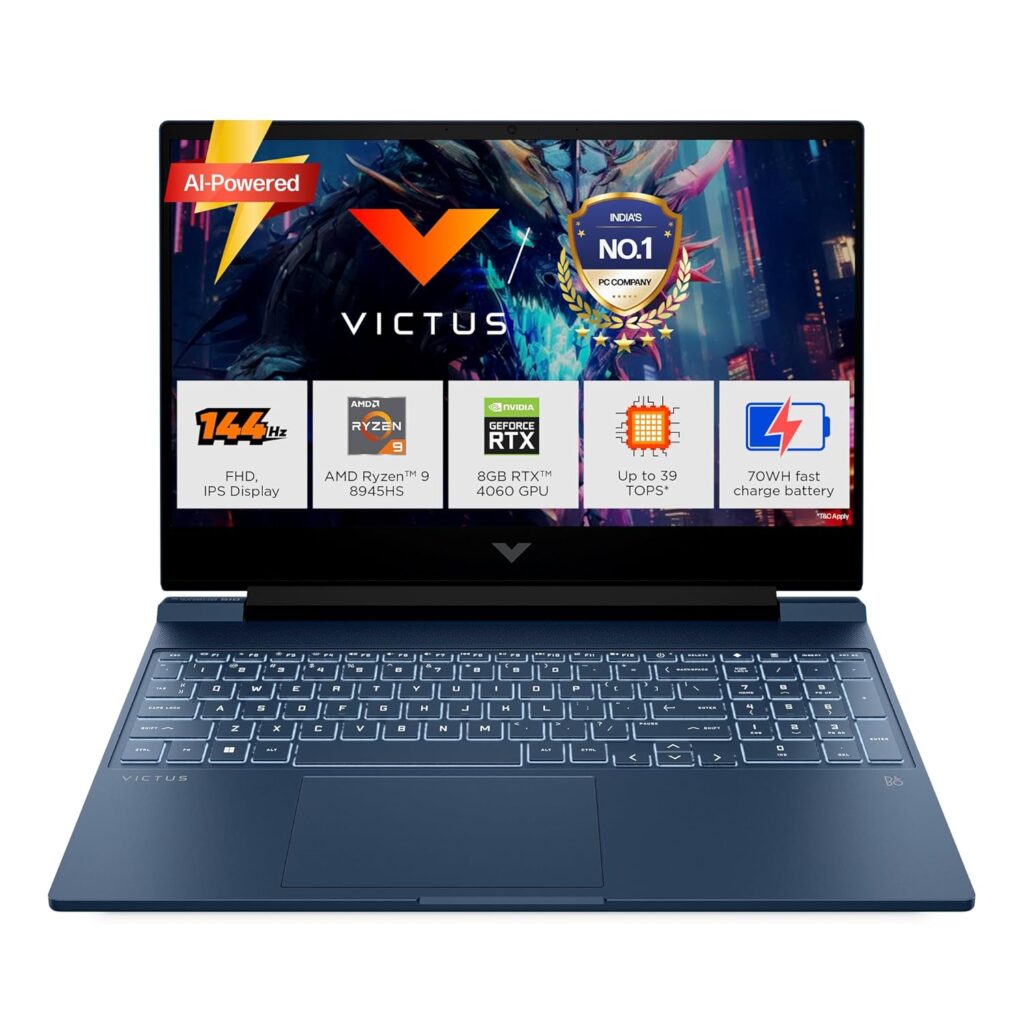
The HP Victus gaming laptop has always had one clear job: give you the most gaming laptop for the least money.
This variant with the Ryzen 7 7445HS does exactly that. What makes it stand out isn’t just the price, it’s the rare combination of an RJ-45 Ethernet port, AMD FreeSync Premium support, DDR5 RAM, and a proper IPS panel at this budget.
If you’re a college student who plays games seriously and want a machine under ₹1 lakh, the HP Victus is the machine that makes it feel like enough.
Gaming Performance
The RTX 4050 in the Victus 15 runs at a 50W TGP (TGP varies by model), which is noticeably lower than competing laptops running the same GPU at 70–75W.
That matters in heavy AAA titles, but in real-world gaming, it’s less dramatic than you’d expect.
- Valorant: Frame rates stay above 144 FPS consistently on High settings; it maxes out the display and then some. Perfect for ranked grind.
- GTA V: Runs comfortably at High settings at 1080p. No complaints for casual open-world play.
- Cyberpunk 2077: With DLSS Quality mode enabled, it maintains 60+ FPS at High settings. The kind of performance that makes the game genuinely enjoyable rather than a slide show.
- Warzone: Stays in the 90–110 FPS range on medium-high settings. Smooth and playable, though the 50W TGP shows its limits here compared to higher-wattage RTX 4050 machines.
- BGMI (Emulator): The Ryzen 7 7445HS handles emulator workloads well. Expect smooth Extreme frame rate gameplay without significant CPU bottlenecking.
Display Quality
The 15.6-inch FHD IPS panel at 144Hz is clean and functional. It covers 62.5% sRGB, which is decent for gaming, but below average for content creation.
The 300-nit brightness is the real highlight here. AMD FreeSync Premium adds variable refresh rate support, which helps eliminate screen tearing even when FPS dips below 144.
Nothing groundbreaking, but nothing to complain about either.
Thermals and Cooling
This is where the 50W TGP actually works in the Victus’s favour. The laptop stays relatively cool during normal use, and fan noise under gaming load is present but within acceptable limits.
AMD’s Ryzen architecture also runs more efficiently than Intel equivalents at similar workloads, so sustained gaming sessions don’t punish the thermals the way you’d see on some Intel-based competitors.
Battery Backup
The 52.5WHr battery is small for a gaming laptop. You’ll get around 3–4 hours on light tasks. Gaming drops that to under 2 hours. The silver lining is that HP supports fast charging, so topping up between classes is quick.
Upgrade Options
The RAM is upgradeable, though this specific variant ships with a single 16GB DDR5 stick, meaning you’re running in single-channel mode out of the box.
Adding a second 16GB stick later will unlock dual-channel bandwidth and noticeably improve gaming performance. The SSD is also swappable.
Pros
- Ryzen 7 7445HS is efficient and capable for both gaming and multitasking.
- Has an Ethernet port.
- AMD FreeSync Premium reduces tearing without requiring G-Sync.
- RAM and SSD are user-upgradeable.
Cons
- RTX 4050 runs at only 50W TGP, which is on the lower side.
- The 52.5WHr battery is smaller for a gaming laptop.
3. ASUS TUF Gaming A16 (2026) — Best RTX 4050 Gaming Laptop for Serious Gamers Under ₹1 Lakh
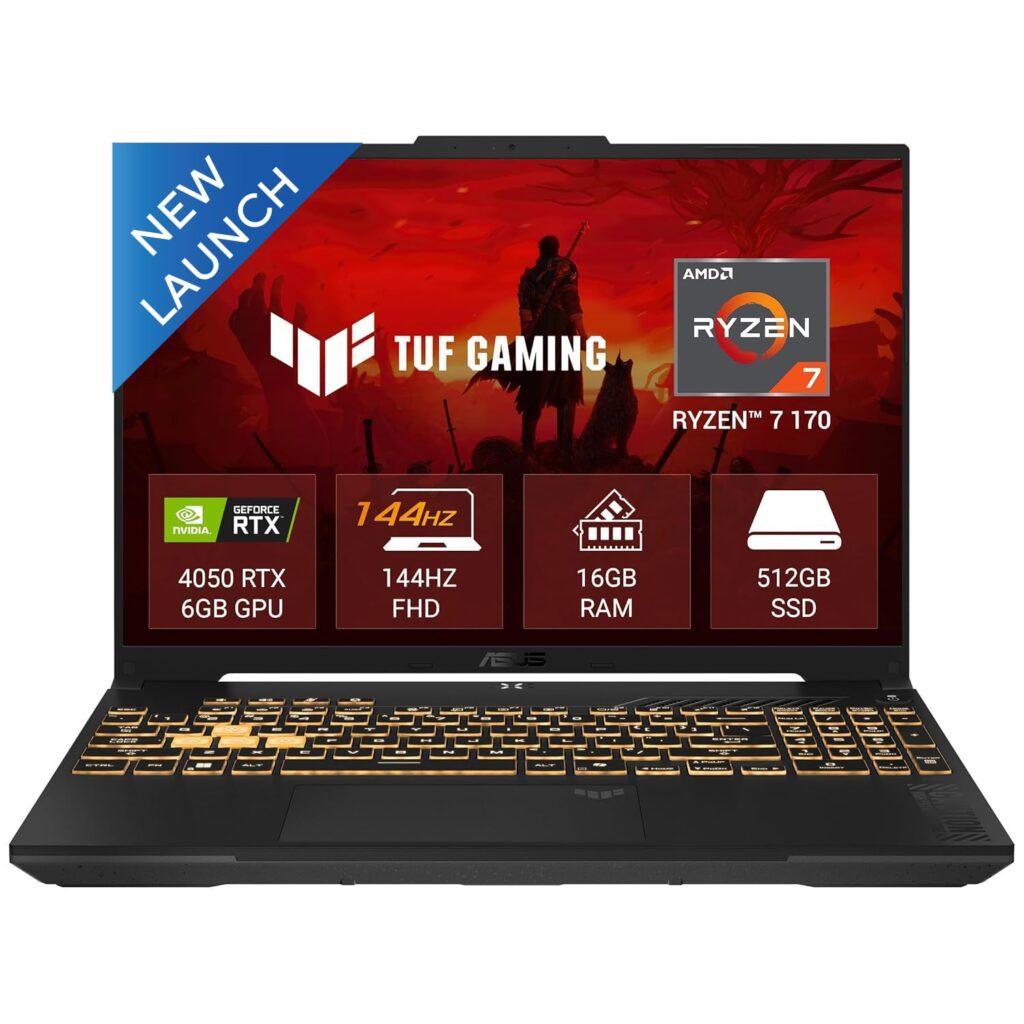
The ASUS TUF gaming laptop has always been the one you buy when you mean business.
The 2026 edition of the A16 takes that reputation and raises the stakes significantly; it comes with AMD’s Ryzen 7 series processor (8 cores, 16 threads, up to 4.75GHz), a MUX Switch, G-Sync, NVIDIA Advanced Optimus, and the RTX 4050 running at a proper 90W TDP.
That last point matters more than most buyers realise. While the HP Victus runs the same GPU at 50W and the ASUS V16 at 70W, the TUF A16 unlocks the RTX 4050 at 90W with Dynamic Boost, meaning you’re getting more GPU performance from the same chip.
Gaming Performance
This is where the TUF A16 2026 separates itself from the rest of the RTX 4050 pack.
The 90W TDP plus MUX Switch combination is a genuine performance unlock, bypassing the iGPU entirely and sending the GPU output straight to the display, cutting latency and squeezing out more FPS in the process.
- Valorant: Well above 144 FPS on High settings at all times. Hitting the display’s ceiling isn’t a challenge; it’s the default.
- GTA V: Smooth at High-Ultra settings at the native 1920×1200 resolution. The 16:10 panel actually gives you a more vertical game world to work with.
- Cyberpunk 2077: At 90W, expect a noticeable step up over lower-wattage RTX 4050 machines. High settings with DLSS Quality deliver a stable 65–75 FPS, which is genuinely good for this GPU tier.
- Warzone: 100–130 FPS range on High settings, well within the comfort zone of the 144Hz panel.
- BGMI (Emulator): The Ryzen 7 series processor with 8 cores handles emulator CPU demands comfortably.
Display Quality
The 16-inch FHD+ (1920×1200) IPS panel runs at 144Hz with 300 nits brightness and ships with G-Sync support.
Combined with the MUX Switch and Advanced Optimus, variable refresh rate gaming on this screen is genuinely tear-free and smooth.
The 16:10 aspect ratio continues to be a quality-of-life upgrade over 16:9 panels. Color coverage is solid for gaming and casual creative work.
Thermals and Cooling
The TUF A16’s thermal module is designed to handle mid-range RTX 4000 GPUs running at full blast without significant throttling, with fan noise sitting around 40 dBA in Performance mode and approximately 50 dBA in Turbo.
For everyday gaming, Performance mode is where you’ll live. Turbo mode exists for when you need to push the GPU to its absolute limit, but it gets audible.
The MIL-STD-810H military-grade build also means the chassis handles heat distribution better than typical budget gaming frames.
Battery Backup
The 56Wh 4-cell battery supports fast charging from 0 to 50% in 30 minutes, which is genuinely useful for college students dashing between classes.
Light usage will get you 4–5 hours. Gaming, predictably, cuts that down.
Upgrade Options
RAM is expandable up to 64GB via two SO-DIMM slots, and the storage can be expanded using two M.2 PCIe slots.
Pros
- RTX 4050 runs at 90W TDP.
- MUX Switch + G-Sync + Advanced Optimus.
- 16:10 FHD+ display with G-Sync is a step above most competitors.
- Expandable up to 64GB RAM and dual M.2 SSD slots.
Cons
- The 56Wh battery is modest for a 16-inch machine.
4. Lenovo LOQ 2024 (83DV018JIN) — Best Gaming Laptop Under ₹1 Lakh for GPU Headroom
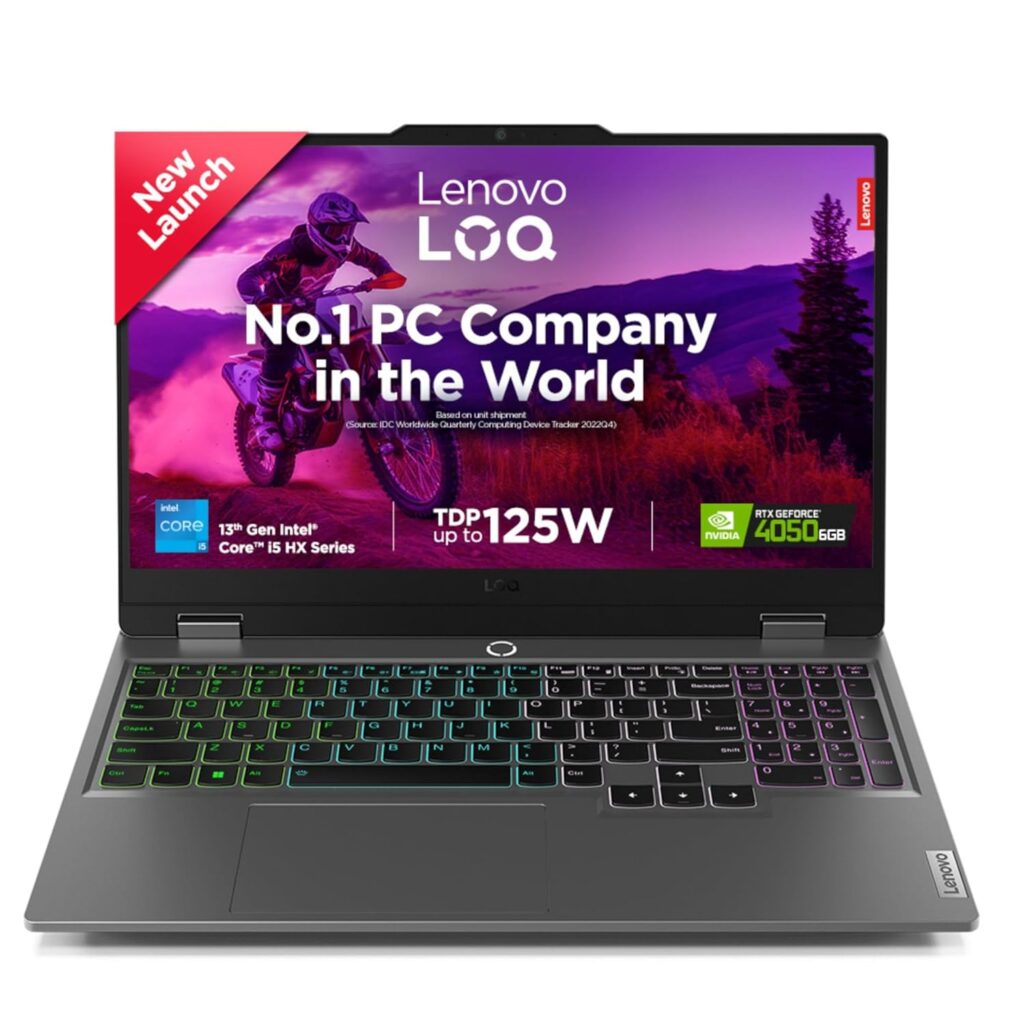
While most RTX 4050 laptops at this budget cap the GPU at 50–70W, the Lenovo LOQ 2024 runs the RTX 4050 at a 105W TGP.
That’s paired with a 100% sRGB display, G-Sync, an Ethernet port, and Lenovo’s proprietary Hyperchamber cooling system. It’s not the prettiest laptop here.
It doesn’t have a 16:10 display or the latest-gen processor. But on raw GPU performance per rupee? Nothing in this budget touches it.
Gaming Performance
The 105W TGP on the RTX 4050 is the real story here. That’s the same wattage most RTX 4060 laptops run at, which means the LOQ’s RTX 4050 performs noticeably closer to an RTX 4060 than any 50–70W variant of the same GPU.
In games that are GPU-bound, this difference is real and measurable.
- Valorant: Comfortably above 144 FPS on High settings. Esports titles are completely effortless.
- GTA V: High-to-Ultra settings at 1080p without any FPS anxiety. Smooth open-world performance throughout.
- Cyberpunk 2077: Thanks to the higher TGP, expect 65–75 FPS on High with DLSS Quality, which is meaningfully better than what a 50W or 70W RTX 4050 delivers in the same title.
- Warzone: 110–130 FPS on High settings, one of the strongest performances you’ll see from an RTX 4050 laptop.
- BGMI (Emulator): The i5-13450HX’s 10-core (6P + 4E) architecture manages emulator CPU loads without bottlenecking the GPU. Extreme frame rates, no stutters.
Display Quality
The 15.6-inch FHD IPS panel delivers 100% sRGB coverage, 300 nits brightness, 144Hz refresh rate, and G-Sync support.
The catch is it’s a standard 16:9 panel rather than the 16:10 you get on the ASUS options, so you lose that extra vertical space.
For pure gaming, though, 100% sRGB at 144Hz with G-Sync is a combination most buyers in this budget will never fully appreciate until they see it.
Thermals and Cooling
This is where the LOQ earns its biggest differentiation point.
The Hyperchamber dual-fan rear exhaust system keeps the CPU below 85°C and the GPU below 95°C across extended gaming sessions, with zero thermal throttling observed.
Lenovo engineered the Hyperchamber specifically to manage high-wattage GPUs in a compact chassis, and the 2024 redesign improved thermal efficiency further over the previous generation.
Battery Backup
The 60Wh battery is in line with the segment average. You can expect 3–4 hours on light tasks, and significantly less during gaming.
The LOQ isn’t designed to be your away-from-desk companion; it’s built to be plugged in and pushed hard.
The included 1-year Accidental Damage Protection (ADP) is a genuine bonus, though.
Upgrade Options
The LOQ 2024 ships with RAM on a single SO-DIMM slot, expandable up to 32GB, and the SSD can be swapped or supplemented using a second M.2 slot.
Adding a second 16GB stick unlocks dual-channel performance and brings a noticeable bump in gaming FPS, particularly in CPU-assisted workloads.
Pros
- 100% sRGB IPS display with G-Sync is outstanding at this price.
- Hyperchamber cooling handles the high TGP without throttling.
- RTX 4050 at 105W TGP.
Cons
- Pricing fluctuates quite a bit on Amazon, so buy during a sale.
- Ships in single-channel RAM configuration (dual-channel upgrade recommended).
5. MSI Cyborg 15 (B2RWEKG-217IN) — Best Gaming Laptop Under ₹1 Lakh for Next-Gen GPU Access
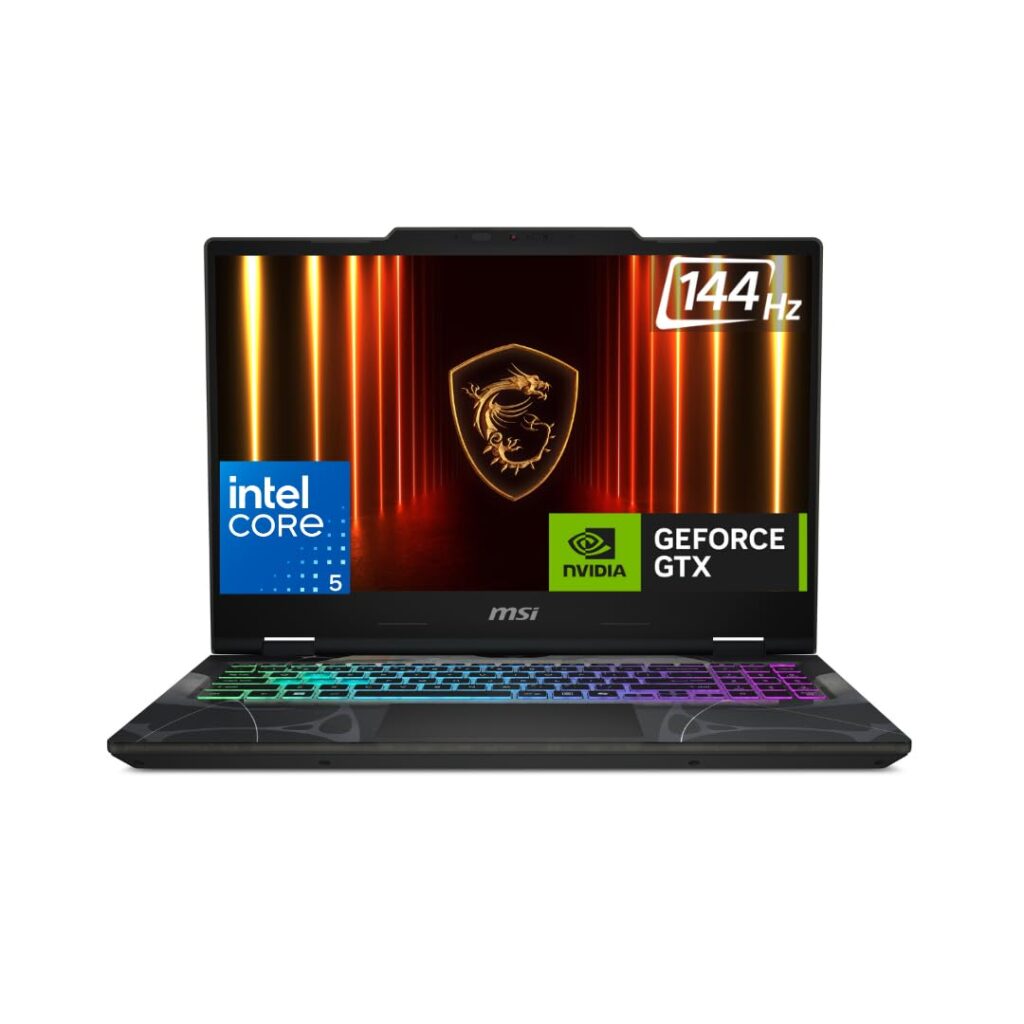
The MSI Cyborg 15 is the odd one out on this list, and intentionally so. Every other laptop here runs an RTX 4050, a GPU that’s already well-understood and well-benchmarked in the Indian market.
The Cyborg 15 brings NVIDIA’s brand-new Blackwell-based RTX 5050 with 8GB GDDR6 memory.
That matters for buyers who care about longevity, DLSS 4 with Multi Frame Generation, and driver support for the next 3–4 years.
But the RTX 5050 in the Cyborg 15 runs at just 45W TGP, making it one of the most power-limited configurations of this GPU available.
You’re getting next-gen architecture, next-gen memory, next-gen features at a heavily throttled wattage. Whether that trade-off makes sense for you depends entirely on how you game.
Gaming Performance
This is where context is everything. The RTX 5050 at 45W doesn’t outperform the Lenovo LOQ’s RTX 4050 at 105W in raw rasterisation.
But the story changes the moment DLSS 4 and Multi Frame Generation enter the picture.
- Valorant: Easily above 144 FPS. Competitive FPS titles are CPU-assisted, and the Core 5 210H handles it fine. No concerns here.
- GTA V: High settings at 1080p with comfortable frame rates. Not the strongest performer on this list in raw terms, but entirely playable.
- Cyberpunk 2077: With DLSS enabled, you get significant performance boosts in titles like Cyberpunk 2077, where DLSS 4 with frame generation can more than double raw FPS, turning a borderline experience into a genuinely smooth one. This is the GPU’s real argument.
- Warzone: Medium-High settings deliver playable frame rates in the 80–100 FPS range. Not class-leading, but the 8GB GDDR6 keeps VRAM headroom comfortable.
- BGMI (Emulator): Core 5 210H handles emulation decently, though it’s the weakest CPU on this list. Expect good performance at Extreme settings, with occasional dips during peak load.
Display Quality
The 15.6-inch FHD IPS panel at 144Hz is clean and functional. Brightness is adequate for indoor use. Where it falls behind is colour coverage.
The display covers roughly 70% of sRGB. For gaming, it’s acceptable. For content creation, photo editing, or anyone who needs colour accuracy, it’s a notable gap.
The 144Hz refresh rate and thin-bezel design are solid, but the panel is clearly where MSI cut corners to keep the price in check.
Thermals and Cooling
Here’s where the 45W TGP reveals its silver lining. The Cyborg 15’s single-fan cooling system maintains a stable performance profile with no thermal throttling.
Even under a sustained 30-minute FurMark stress test, peak GPU temperatures stayed well within the 70°C mark without throttling once.
The Cyborg 15 runs cool and quiet by design. It’s an honest trade-off.
Battery Backup
Battery life in real-world testing sits at just over 3 hours. The 55.2Wh battery, combined with Intel’s Core 5 210H, doesn’t give you much runway.
The Cyborg is very much a plug-in-to-game machine. On the upside, it supports USB-C PD charging at up to 100W, which means you can top it up with a compatible power bank or USB-C charger in a pinch.
Upgrade Options
The Cyborg 15 ships with 16GB DDR5-5600 RAM and a 512GB PCIe Gen4 NVMe SSD, both of which are accessible and upgradeable.
The single-RAM-stick configuration means you’re likely running single-channel out of the box, and adding a second 16GB stick is the first upgrade to make.
Pros
- RTX 5050 is a next-gen Blackwell GPU.
- DLSS 4 with Multi Frame Generation support.
- MIL-STD-810H build quality.
- USB-C PD charging support.
Cons
- Single-fan cooling design limits thermal ceiling.
- RTX 5050 capped at just 45W TGP.
RTX 4050 vs RTX 4060 Gaming Laptops: Which Should You Buy?
The Raw Performance Gap
The RTX 4060 is genuinely faster. In AAA titles at 1080p High settings, you’re looking at a 25–35% FPS advantage over the RTX 4050 on average, but that gap shrinks dramatically based on wattage.
The Lenovo LOQ’s RTX 4050 running at 105W performs noticeably closer to an RTX 4060 at 80W than you’d expect from a pure spec comparison.
The GPU model on the box only tells half the story. The wattage tells the other half.
When the RTX 4050 Is the Right Call
If Valorant, BGMI, CS2, or any other esports title makes up 80% of your gaming diet, the RTX 4060 is overkill.
These games are CPU-assisted and resolution-sensitive, not GPU-hungry, and the RTX 4050 at 144Hz is already more than enough.
You also get better battery efficiency, lower thermals, and ₹10,000–15,000 back in your pocket. For college students who game casually between classes, that trade-off makes complete sense.
When the RTX 4060 Is Worth Stretching For
The moment you move into AAA territory, Cyberpunk 2077, Warzone, newer open-world titles, the RTX 4060’s 8GB VRAM starts pulling serious weight.
At 6GB, the RTX 4050 begins hitting memory limits in texture-heavy environments, causing micro-stutters that no settings tweak can fully resolve.
The RTX 4060 also handles DLSS 3 Frame Generation far more effectively at higher resolutions, which future-proofs your gaming experience as games get more demanding.
For video editing and streaming, the extra VRAM and encoder headroom on the RTX 4060 make a tangible workflow difference.
Read Also: 10 Essential Accessories Every Gamer Needs for Their Laptop Setup
What to Check Before Buying a Gaming Laptop Under ₹1 Lakh
Most buyers walk into this budget looking at two numbers: the GPU model and the price. Both matter, but they’re far from the whole picture.
Here’s what actually separates a smart ₹1 lakh purchase from one you’ll regret six months later.
Also Read: Are OLED laptops Worth It For Productivity And Gaming?
GPU Wattage (TGP) Matters More Than You Think
The RTX 4050 in the HP Victus runs at 50W. The same GPU in the Lenovo LOQ runs at 105W.
That’s the same GPU name on the box, with a performance difference that can swing 20–30% in demanding games.
Manufacturers are legally allowed to sell both as “RTX 4050 laptops” without highlighting this anywhere obvious.
Before you buy, search for the exact model number and look for TGP figures. Anything below 60W on an RTX 4050 is a throttled experience. Anything above 90W is where the GPU starts reaching its actual potential.
Avoid Single-Channel RAM Configurations
Nearly every laptop on this list ships with a single 16GB RAM stick, which means you’re running in single-channel mode by default.
Dual-channel RAM can improve gaming performance by 10–15% in CPU-assisted titles like Valorant and BGMI, purely because of the wider memory bandwidth available to the GPU.
If your laptop ships with one SO-DIMM slot occupied and a second one empty, your first upgrade should always be a matching RAM stick.
It costs ₹3,000–4,000 and delivers more real-world impact than any software tweak.
Check the Cooling Design Before Buying
Look specifically for the number of heat pipes, fan count, and whether the chassis has dedicated exhaust vents or recycles hot air near the keyboard.
A laptop that runs at 95°C under load isn’t just uncomfortable; it throttles the CPU and GPU both, costing you the performance you paid for.
Dual fans with at least two or three heat pipes are the minimum you should accept at this budget.
Display Quality Is Often Ignored
Three things actually matter: refresh rate (144Hz minimum, and it should be consistent), colour coverage (100% sRGB is ideal; anything below 60% will look washed out in games and unusable for content creation), and panel brightness (300 nits is the floor for comfortable indoor use).
Upgradeability Matters for Long-Term Use
A ₹1 lakh laptop you can upgrade is worth far more than a ₹1 lakh laptop you can’t. Before buying, confirm two things: whether the RAM is soldered or socketed, and whether there’s a second M.2 SSD slot available.
Soldered RAM is the silent dealbreaker; once it fills up, there’s no path forward except buying a new machine.
Most laptops on this list offer upgradeable RAM up to 32–64GB and at least one extra SSD slot, which means you can grow into the machine over time rather than outgrowing it.
Battery Backup Expectations for Gaming Laptops
Let’s set realistic expectations: no gaming laptop under ₹1 lakh will give you six-hour gaming sessions unplugged.
That’s not a flaw, it’s physics. High-wattage GPUs draw power, and batteries at this budget range between 52–63Wh.
You’ll get 3–5 hours of light use (browsing, notes, YouTube) and under 2 hours of actual gaming.
What to look for instead: fast charging support (0–50% in 30 minutes makes a practical difference for students), and whether the laptop throttles significantly in battery mode, because some models drop to half performance without the charger plugged in.
Service Support in India
This one matters more than the spec sheet, and most buyers only think about it after something goes wrong.
Established brands like ASUS, HP, and Lenovo have extensive service networks across India, with walk-in centres in most Tier 1 and Tier 2 cities. MSI has a decent presence but can be inconsistent outside metros.
Before you finalise any purchase, check whether there’s a service centre within a reasonable distance of where you live.
Related: How To Upgrade Your Gaming Laptop Without Breaking The Warranty?
Best Gaming Laptop Brands in India Right Now
Lenovo LOQ has quickly become the benchmark for value gaming in India with aggressive GPU wattage, solid Hyperchamber cooling, and one of the widest service networks in the country, making it a near-default recommendation at this budget.
ASUS TUF is the brand you buy when durability matters as much as performance. MIL-STD-810H build quality, consistent thermals across generations, and excellent resale value make it one of the most trusted names in Indian gaming.
HP Victus wins on accessibility, offering competitive pricing, reliable after-sales support, and widespread availability across both online and offline retail channels, making it the easiest entry point for first-time gaming laptop buyers.
Acer Nitro remains a dependable mid-range choice, particularly strong on cooling and port selection, though display quality can be inconsistent across variants.
Lenovo Legion sits a tier above LOQ in both performance and price. When your budget stretches beyond ₹1 lakh, it’s the natural next step with class-leading thermals and build quality.
Frequently Asked Questions
Is RTX 4050 enough for gaming in 2026?
Yes, for esports titles and 1080p gaming, absolutely. For new AAA releases on High settings without DLSS assistance, it’s starting to show its limits, especially at 50–70W configurations.
Is RTX 4060 worth the extra money?
If you play AAA titles, stream, or edit video, yes, decisively. If you’re primarily a Valorant or BGMI player, the extra ₹15,000–20,000 buys performance you’ll rarely use.
Are gaming laptops good for video editing?
Capable, yes, great, but it depends. The RTX 4060 with 8GB VRAM handles Premiere Pro and DaVinci Resolve well. For colour-critical work, prioritise a 100% sRGB display like the Colorful P15’s QHD panel.
How much RAM is enough for gaming?
16GB DDR5 covers most games comfortably in 2026. However, always ensure it’s running in dual-channel. A single 16GB stick leaves real performance on the table versus two 8GB sticks.
Is 144Hz necessary for gaming?
For competitive gaming, 144Hz is the minimum worth owning. For purely casual gaming or story-driven titles, 60Hz works, but you’ll miss the smoothness.
Can gaming laptops last 4–5 years?
With upgradeable RAM and SSD, yes, if you bought the right GPU tier. An RTX 4060 bought today stays relevant longer than an RTX 4050 at 50W. Thermal management and build quality matter equally.
Final Verdict: Which Gaming Laptop Should You Actually Buy?
Best Overall: ASUS TUF A16 2026 — the 90W RTX 4050, MUX Switch, G-Sync, and Ryzen 7 series processor make it the most complete package under ₹1 lakh.
Best Value: HP Victus fb3118AX — Ethernet, 144Hz IPS, and a capable Ryzen 7 chip under ₹88,000. Upgrade the RAM, and it punches well above its price.
Best for Students: ASUS Gaming V16 — light, upgradeable, clean design that works in classrooms and dorms equally well.
Best Premium Option: Lenovo LOQ 2024 — 105W RTX 4050, 100% sRGB G-Sync display, Hyperchamber cooling, and free ADP make every rupee count.
If your budget is tight, start with the HP Victus and upgrade the RAM immediately. If you want the best RTX 4050 experience under ₹1 lakh without compromise, the ASUS TUF A16 2026 is where your money belongs.
More Articles
Gaming Laptop Vs Ultrabook – Which One Is Right For You?
Integrated vs Dedicated GPU: Which One Do You Really Need?
Best OLED Laptops Under ₹1 Lakh in India (Top Picks)
Best Gaming Laptops in India for Every Budget

Kanha is a electronics engineer, tech enthusiast, and writer at technicalstudies.in. His experience in tech, coupled with excellent writing skills, makes the text easy to understand and helps the reader make the correct decision. Outside of writing, Kanha is passionate about exploring new gadgets and gaming.