

Last updated on June 22nd, 2026 at 10:00 pm
At 9:15 AM, the market opens, and your laptop either keeps up or costs you money.
Traders juggling multiple TradingView tabs, Zerodha Kite, a broker terminal, and live market charts need a machine built for that pressure, not a regular office laptop that struggles the moment you open your sixth tab.
A standard office laptop handles emails and documents just fine.
But an intraday trading laptop needs to manage real-time data streams, rapid order execution, and several charting windows simultaneously without freezing or throttling.
Finding the best laptops for traders in India is harder than it looks because most buying guides treat them like gaming rigs. This guide doesn’t.
Whether you’re into intraday trading, options trading, long-term investing, or running a multi-monitor setup, we’ve covered budget to premium options with one goal — zero lag when it matters most.
So let’s get into it.
Featured Picks – Top 3 Laptops for Traders at a Glance
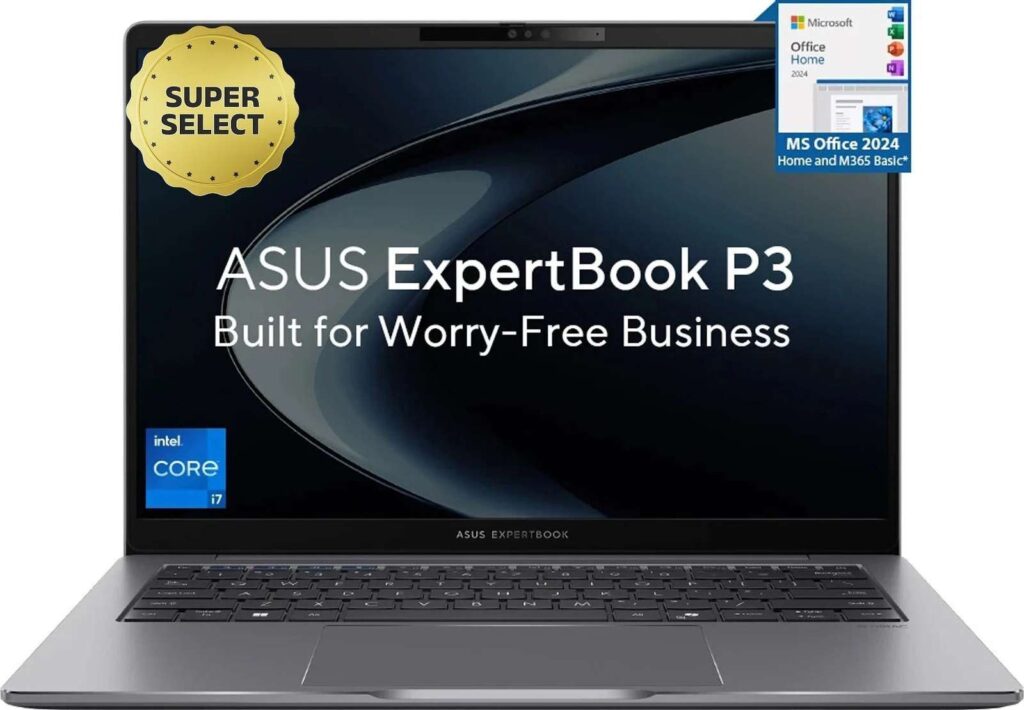
🏆 Best Overall – ASUS ExpertBook P3
32GB RAM in a 1.42 kg metal build makes this the most balanced trading laptop.
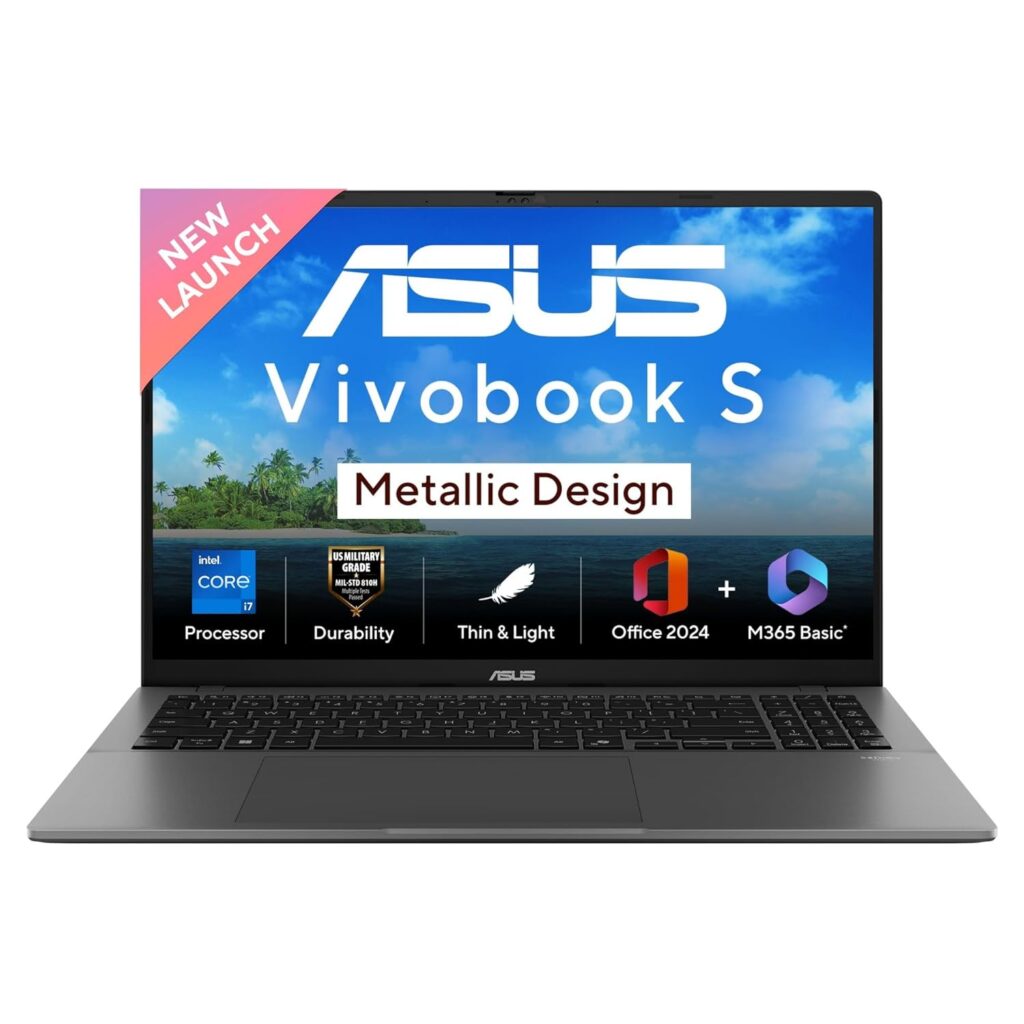
💰 Best Budget – ASUS Vivobook S16
The Core Ultra 5 225H with 16GB RAM delivers genuine trading performance.
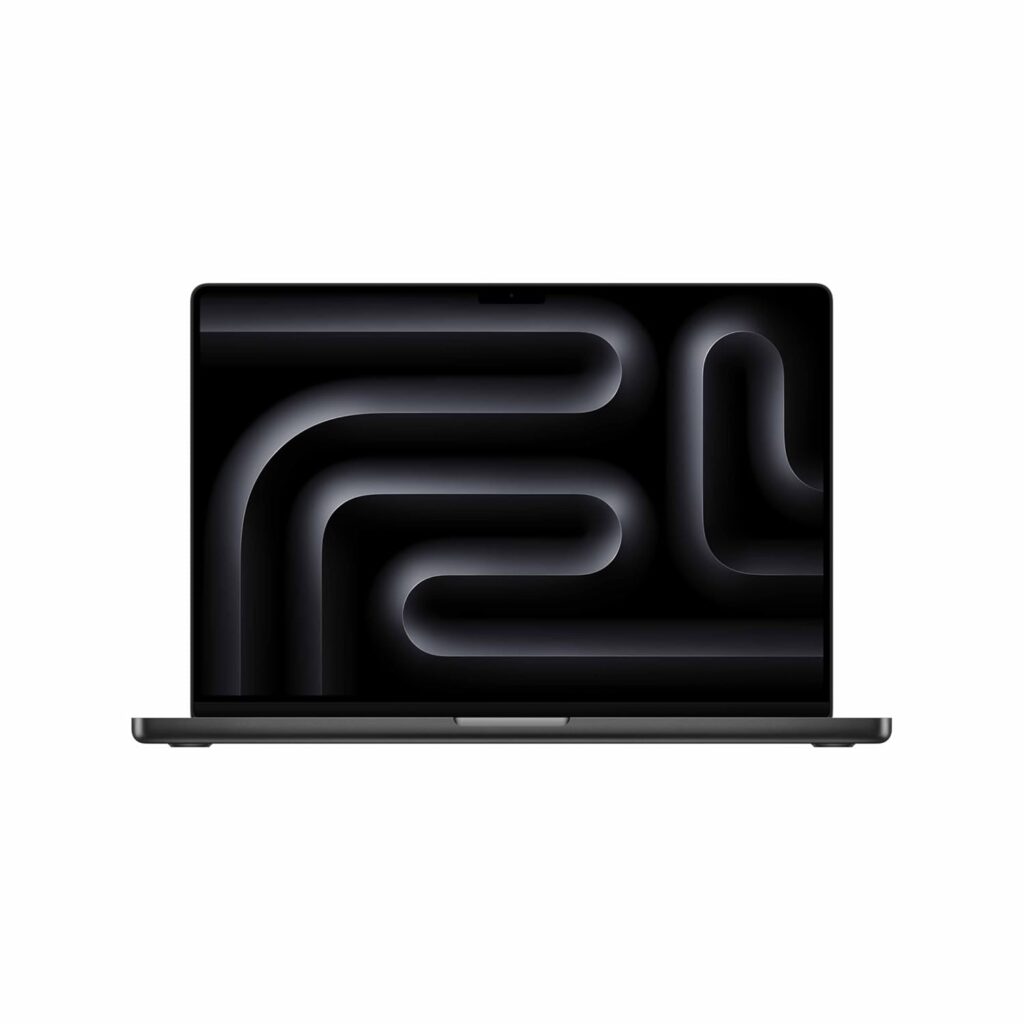
🍎 Best Premium – MacBook Pro M5 Pro
Completely silent during market hours, 12–15 hours of real battery life, and handles 15+ TradingView tabs without flinching.
Quick Comparison Table of the Best Laptops for Traders in India
| Laptop | Processor | RAM | Display | Battery Life | Best For | Price |
|---|---|---|---|---|---|---|
| Apple MacBook Pro 16 (M5 Pro, 2026) | Apple M5 Pro 18-core | 24GB | 16.2″ Liquid Retina XDR | 12–15 hrs | Professional & premium traders | ₹2,94,990 |
| Apple MacBook Air 13 (M5, 2026) | Apple M5 | 16GB | 13.6″ Liquid Retina | 10–12 hrs | Mobile & lightweight trading | ₹1,10,300 |
| ASUS Vivobook S16 | Intel Core Ultra 5 225H | 16GB | 16″ FHD 60Hz | 6–8 hrs | Budget intraday traders | ₹82,034 |
| Samsung Galaxy Book6 Ultra | Intel Core Ultra X7 Series 3 | 32GB | 16″ WQXGA+ AMOLED 120Hz | 12–15 hrs | Power users & options traders | ₹2,42,990 |
| Lenovo Yoga Slim 7 | Intel Core Ultra 7 155H | 16GB | 14″ WUXGA OLED | 8–10 hrs | Portable & mobile traders | ₹94,990 |
| HP Victus (RTX 5050) | Intel Core i7-13620H | 24GB | 15.6″ FHD 144Hz | 3–5 hrs | Multi-monitor desk traders | ₹1,19,990 |
| ASUS Gaming V16 (2025) | Intel Core 5 210H | 16GB | 16″ FHD 144Hz | 3–5 hrs | Budget multi-monitor traders | ₹88,490 |
| Dell Inspiron 15 | Intel Core i5-1334U | 16GB | 15.6″ FHD Anti-Glare | 7–9 hrs | Beginner & positional traders | ₹63,990 |
| Acer Aspire Go 14 | Intel Core Ultra 5 125H | 16GB | 14″ WUXGA IPS | 8–10 hrs | Budget mobile traders | ₹58,990 |
| ASUS ExpertBook P3 | Intel Core i7-13620H | 32GB | 14″ | 6–8 hrs | Serious intraday & options traders | ₹92,990 |
Best Laptops for Traders in India
1. Apple MacBook Pro (M5 Pro, 2026) – Best Premium Laptop for Traders
If budget isn’t a constraint, this is the trading workstation that makes every other laptop feel compromised.
The M5 Pro chip handles an absurd number of simultaneous tasks without flinching; we’re talking TradingView with 20+ chart tabs, Zerodha Kite, an Excel strategy sheet, a news feed, and a video call, all running together without a single dropped frame or thermal throttle.
That’s the real-world trading scenario this machine was built for.
Key Specifications
| Spec | Details |
|---|---|
| Processor | Apple M5 Pro (18-core CPU) |
| GPU | 20-core GPU |
| RAM | 24GB Unified Memory |
| Storage | 1TB SSD |
| Display | 16.2″ Liquid Retina XDR |
| OS | macOS |
| Color | Space Black |
Trading Performance
The M5 Pro’s unified memory architecture means your CPU, GPU, and RAM share the same high-bandwidth pool, which is why multitasking on this machine feels fundamentally different from any Windows laptop.
Live market charts render instantly. Switching between options chain analysis and your charting terminal is seamless.
The 20-core GPU also means you can drive an external 4K monitor alongside the built-in display without breaking a sweat. It is ideal for a dual-screen intraday trading setup.
Battery Backup
This is where the MacBook Pro genuinely separates itself. Expect 12–15 hours of real-world battery life during active trading sessions.
You can trade through the entire NSE session, break for lunch, and still have battery left.
Pros
- Silent operation during market hours.
- Industry-leading battery life for all-day trading.
- Stunning XDR display reduces eye strain during long sessions.
- Supports dual external monitors via Thunderbolt.
Cons
- Expensive — significant premium over comparable Windows laptops.
- macOS may require adjustment if you’re used to Windows-based trading tools.
2. Apple MacBook Air 13 (M5, 2026) – Best Lightweight Laptop for Traders
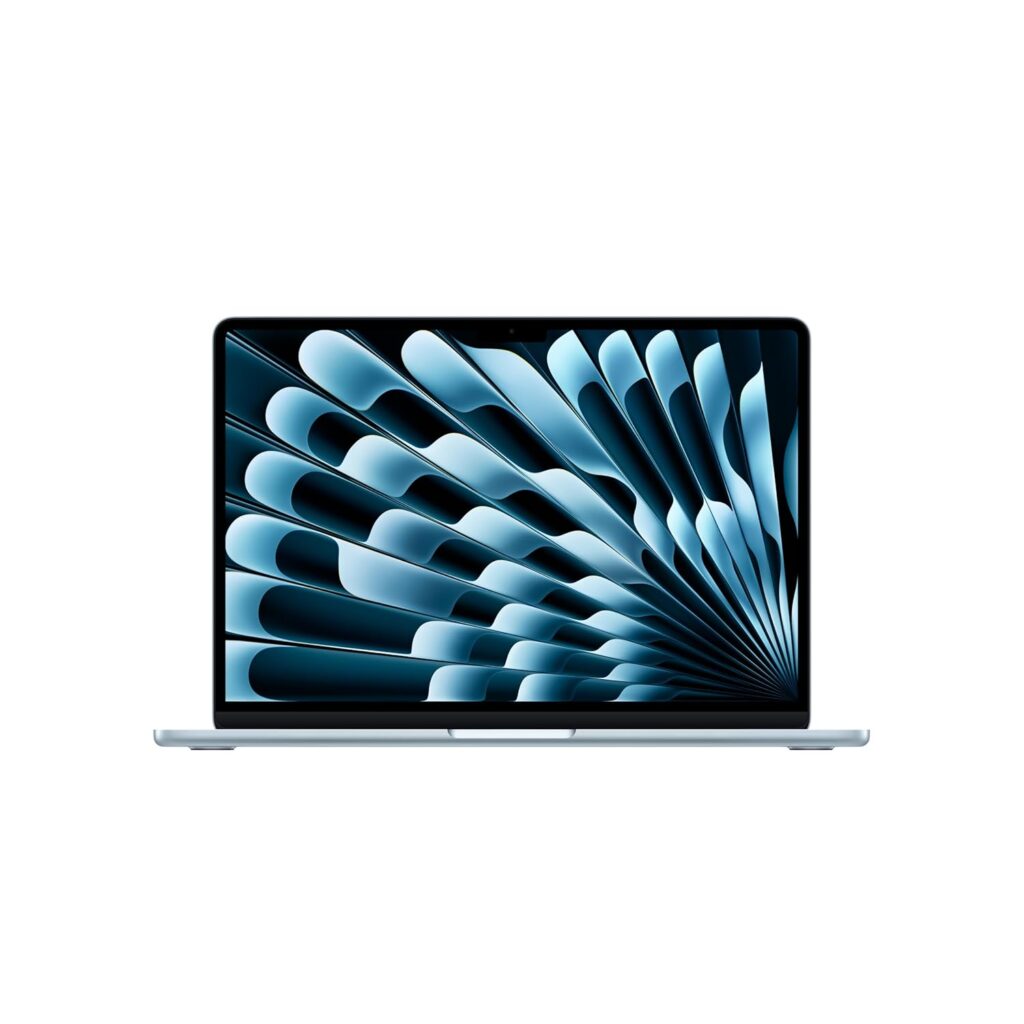
Not every trader needs a 16-inch powerhouse. If you’re trading on the move, from a café, a co-working space, or simply switching between your desk and couch during market hours, the MacBook Air 13 with M5 is the best lightweight laptop for traders who refuse to compromise on performance.
It’s fanless, featherlight, and surprisingly capable for a full trading workstation setup.
Key Specifications
| Spec | Details |
|---|---|
| Processor | Apple M5 (standard) |
| RAM | 16GB Unified Memory |
| Storage | 512GB SSD |
| Display | 13.6″ Liquid Retina |
| Camera | 12MP Center Stage |
| Security | Touch ID |
| OS | macOS |
Trading Performance
The M5 chip on the Air handles a solid trading workflow without complaint. TradingView with 10–12 chart tabs, Zerodha Kite, a browser with research open, and Excel running simultaneously sit comfortably within its capability.
The 16GB unified memory is the right call here; the base 8GB variant is worth skipping entirely for active traders.
Where the Air differs from the Pro is sustained load. Since it’s fanless, during extended screener scans or heavy backtesting, it will throttle slightly to manage heat.
For pure live market trading, which is burst activity, not continuous heavy computation, you’ll never notice this limitation. Normal market hours workflow runs completely silent and smooth.
Related: Best Laptops For Work From Home Professionals In India
Battery Backup
Expect a genuine 10–12 hours during active trading sessions. That comfortably covers the NSE session and then some.
For mobile traders who hate carrying chargers, this is a meaningful advantage over most Windows ultrabooks in the same price range.
Pros
- Fanless and completely silent
- Light enough to carry anywhere without thinking twice
- 16GB unified memory handles real trading multitasking well
- Excellent display quality for reading live market charts
- Touch ID makes login fast during time-sensitive moments
Cons
- Only two Thunderbolt ports — limited connectivity without a hub.
- The 13.6-inch screen feels tight if you prefer multiple chart windows side by side.
3. ASUS Vivobook S16 (Intel Core Ultra 5 225H) – Best Budget Laptop for Traders in India
For traders who want a capable, no-nonsense stock market trading laptop without spending MacBook money, the ASUS Vivobook S16 makes a strong case.
It packs an Intel Core Ultra 5 225H, a proper AI-era processor, into a 1.7 kg chassis that’s light enough to carry daily. It ships with Windows 11 and Office Home 2024 out of the box.
Key Specifications
| Spec | Details |
|---|---|
| Processor | Intel Core Ultra 5 225H |
| GPU | Intel Arc iGPU |
| RAM | 16GB |
| Storage | 512GB SSD |
| Display | 16″ FHD 60Hz |
| Battery | 70Whr |
| Weight | 1.7 kg |
| OS | Windows 11 + Office Home 2024 |
Trading Performance
The Core Ultra 5 225H is a meaningful step up from older generation i5 processors.
It handles TradingView with 8–10 chart tabs, Zerodha Kite, an Excel watchlist, and a browser comfortably without breaking into a sweat.
The 16GB RAM is exactly what a trading workstation needs at this price point.
The Intel Arc integrated GPU is a pleasant bonus.
It’s not for gaming, but it does handle smooth chart rendering and can support an external monitor via HDMI, which is useful if you want a basic dual-screen intraday trading setup at your desk.
The 60Hz FHD display won’t wow you, but for reading candlestick charts and order books, it’s perfectly adequate.
Battery Backup
The 70Whr battery is genuinely competitive for a 16-inch Windows laptop.
Expect around 6–8 hours of real-world battery during active trading, which is enough to cover the full NSE session without plugging in.
Not MacBook-level endurance, but solid for this category.
Pros
- Strong processor for the price.
- 16GB RAM out of the box.
- Includes Office Home 2024.
- Light at 1.7 kg for a 16-inch laptop.
- Intel Arc iGPU supports external monitor output.
Cons
- Fan noise can pick up during heavy multitasking sessions.
4. Samsung Galaxy Book6 Ultra – Best High-Performance Windows Laptop for Traders
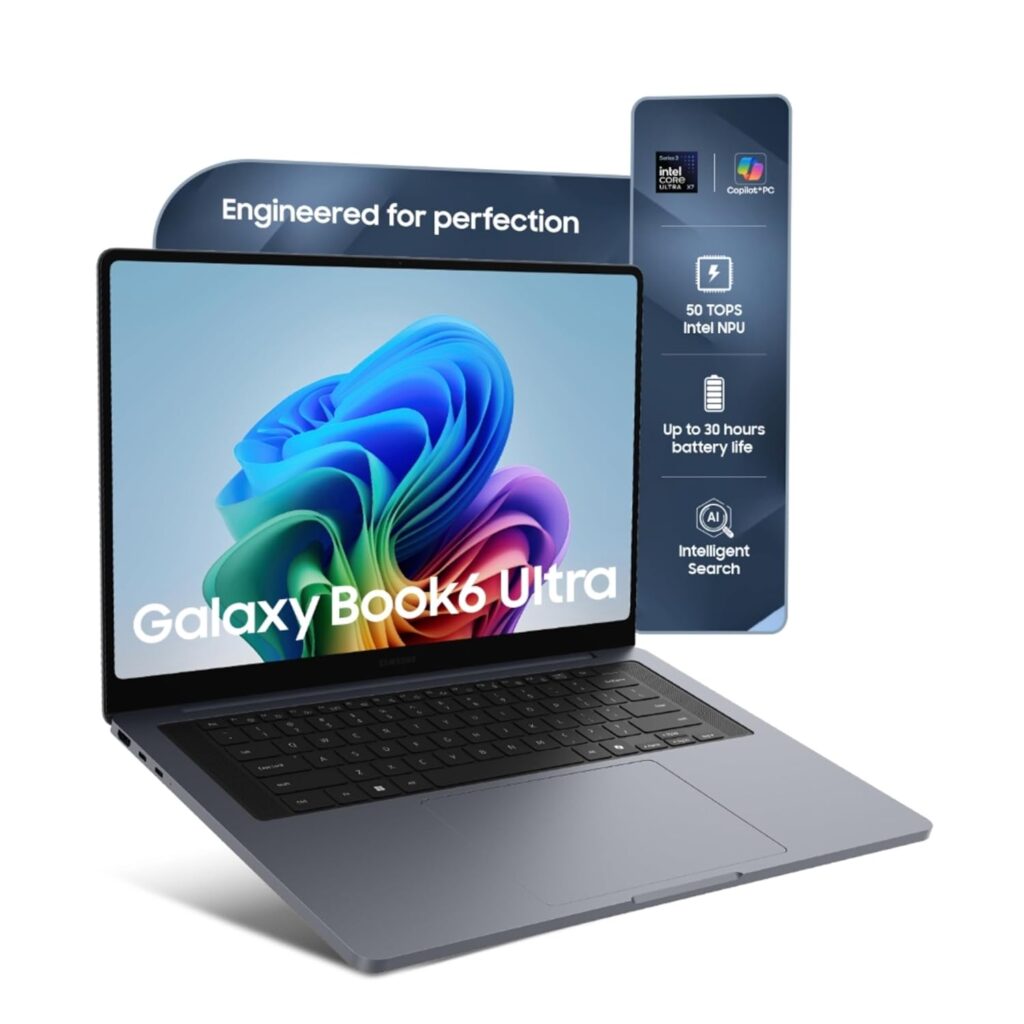
The Samsung Galaxy Book6 Ultra is what happens when you put workstation-grade specs into a premium ultrabook.
For serious options traders and intraday traders who run multiple terminals, heavy screener tools, and live charting simultaneously, the 32GB RAM and Intel Core Ultra X7 (Series 3) combination means you’re unlikely to ever hit a performance ceiling during market hours.
Key Specifications
| Spec | Details |
|---|---|
| Processor | Intel Core Ultra X7 (Series 3) |
| RAM | 32GB |
| Storage | 1TB SSD |
| Display | 16″ WQXGA+ Dynamic AMOLED 2X Touch |
| Refresh Rate | 120Hz |
| Battery Claim | 30 Hours |
| Audio | Six Speakers |
Trading Performance
32GB RAM is the headline spec here, and for traders it matters more than most reviewers acknowledge.
Running TradingView with 15+ tabs, Sensibull for options analysis, Zerodha Kite, an Excel strategy sheet, and a Telegram group for market updates, all simultaneously, this machine doesn’t blink.
The Core Ultra X7 Series 3 handles sustained multitasking better than most laptops in this segment.
The 16″ WQXGA+ AMOLED display at 120Hz is genuinely exceptional for live market charts.
The higher resolution means you can fit more chart data on screen without things feeling cramped, and the AMOLED panel delivers contrast that makes candlestick patterns visually sharp and easy to read even during fast market hours.
Battery Backup
Samsung claims 30 hours — real-world active trading will land closer to 12–15 hours, which is still outstanding for a Windows laptop of this caliber.
You can trade through the entire session, attend post-market review calls, and do evening research without charging once.
Pros
- 32GB RAM handles the most demanding multi-app trading workflows.
- AMOLED 120Hz display is exceptional for reading live market charts.
- Best-in-class battery life for a Windows trading laptop.
- 1TB SSD gives plenty of room for historical data and trading software.
- Touchscreen adds flexibility during fast market action.
Cons
- Overkill specs for casual or positional traders who don’t need 32GB RAM.
- Premium pricing.
5. Lenovo Yoga Slim 7 (Intel Core Ultra 7 155H) – Best Ultralight Laptop for Traders
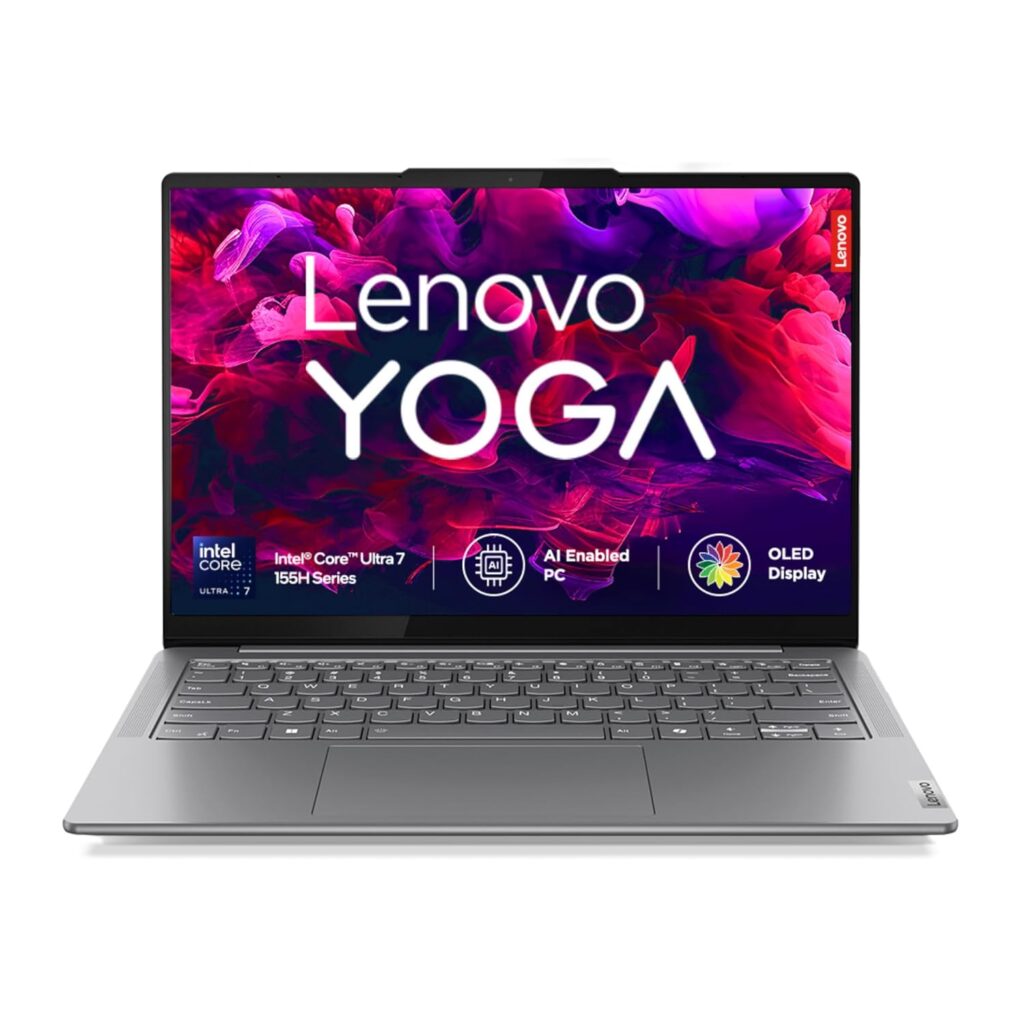
At 1.39 kg, the Lenovo Yoga Slim 7 is one of the lightest serious trading laptops you can buy. But it doesn’t sacrifice performance to get there.
Powered by the Intel Core Ultra 7 155H and featuring an OLED display, this machine is purpose-built for traders who are constantly on the move but still need a reliable, fast laptop for live market hours.
If portability is your top priority without dropping to underpowered specs, this is your machine.
Key Specifications
| Spec | Details |
|---|---|
| Processor | Intel Core Ultra 7 155H |
| RAM | 16GB |
| Storage | 512GB SSD |
| Display | 14″ WUXGA OLED |
| Weight | 1.39 kg |
| OS | Windows 11 + Office Home 2024 |
| Audio | 2W x 4 Speakers |
| Warranty | 1 Year ADP |
Trading Performance
The Core Ultra 7 155H is a proper high-performance processor and significantly stronger than entry-level i5 chips, and it comfortably handles TradingView with 10+ chart tabs, Zerodha Kite, Excel, and research browsers open simultaneously.
For intraday traders and options traders who need snappy app switching during volatile market hours, this processor delivers without hesitation.
The 14″ WUXGA OLED panel is arguably the best display on a laptop at this size for trading. OLED contrast makes candlestick charts visually crisp, which actually reduces eye strain significantly during 6-hour market sessions.
Battery Backup
Expect 8–10 hours of real-world battery during active trading sessions.
The combination of an efficient Core Ultra processor and a compact battery manages the NSE session comfortably on a single charge.
Pros
- Core Ultra 7 handles real trading multitasking without throttling.
- Comes bundled with Office Home 2024.
- 1 Year ADP warranty adds peace of mind.
Cons
- The 14-inch screen feels limiting for side-by-side multi-chart layouts.
6. HP Victus (13th Gen Core i7 + RTX 5050) – Best Laptop for Traders Who Want Multi-Monitor Power
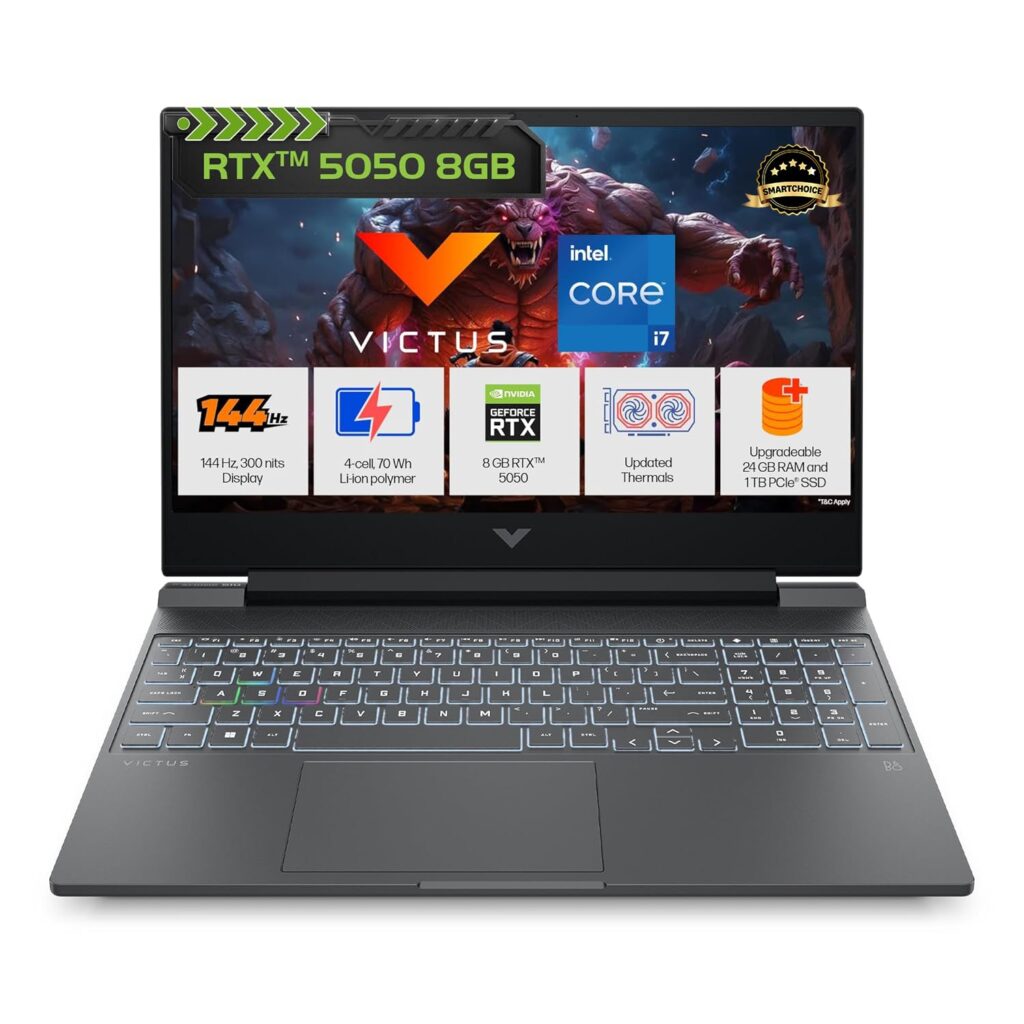
The HP Victus is a gaming laptop, and it earns its place for a specific type of trader: one who runs three or more monitors, uses GPU-accelerated screener tools, or wants maximum raw horsepower at a competitive price.
The RTX 5050 GDDR7 dedicated GPU is overkill for basic charting, but for a serious multi-screen intraday trading setup, it’s exactly what you need to drive multiple displays without any rendering lag.
Key Specifications
| Spec | Details |
|---|---|
| Processor | Intel Core i7-13620H (13th Gen) |
| GPU | 8GB NVIDIA RTX 5050 GDDR7 |
| RAM | 24GB DDR5 (Upgradeable) |
| Storage | 1TB SSD |
| Display | 15.6″ FHD 144Hz |
| Weight | 2.29 kg |
| OS | Windows 11 + M365 + Office 2024 |
Trading Performance
The i7-13620H paired with 24GB DDR5 RAM handles everything a demanding trader throws at it.
For instance, TradingView with 15+ tabs, Zerodha Kite, Sensibull, Excel backtesting sheets, and a news terminal running simultaneously without any slowdown.
The DDR5 memory architecture ensures faster data throughput compared to older DDR4 laptops in the same price range.
Connecting two or three external monitors for a full multi-screen trading workstation is effortless in this machine.
If you run GPU-accelerated data visualization tools or algorithmic trading platforms that leverage CUDA cores, this laptop supports that workflow natively.
Battery Backup
With a dedicated GPU and a high-performance processor, expect 3–5 hours of real-world battery during active trading. The HP Victus is best treated as a desktop replacement.
Pros
- RTX 5050 enables true multi-monitor trading workstation setup.
- 24GB DDR5 RAM handles the heaviest multi-app trading workflows.
- 144Hz display delivers smooth chart scrolling and response.
- Upgradeable RAM gives long-term flexibility.
- Comes bundled with M365 and Office 2024.
Cons
- Fan noise is significant under load.
- RTX 5050 adds a cost that most traders who don’t need multi-monitor setups won’t justify.
7. ASUS Gaming V16 (2025) – Best Value Gaming-Grade Laptop for Traders
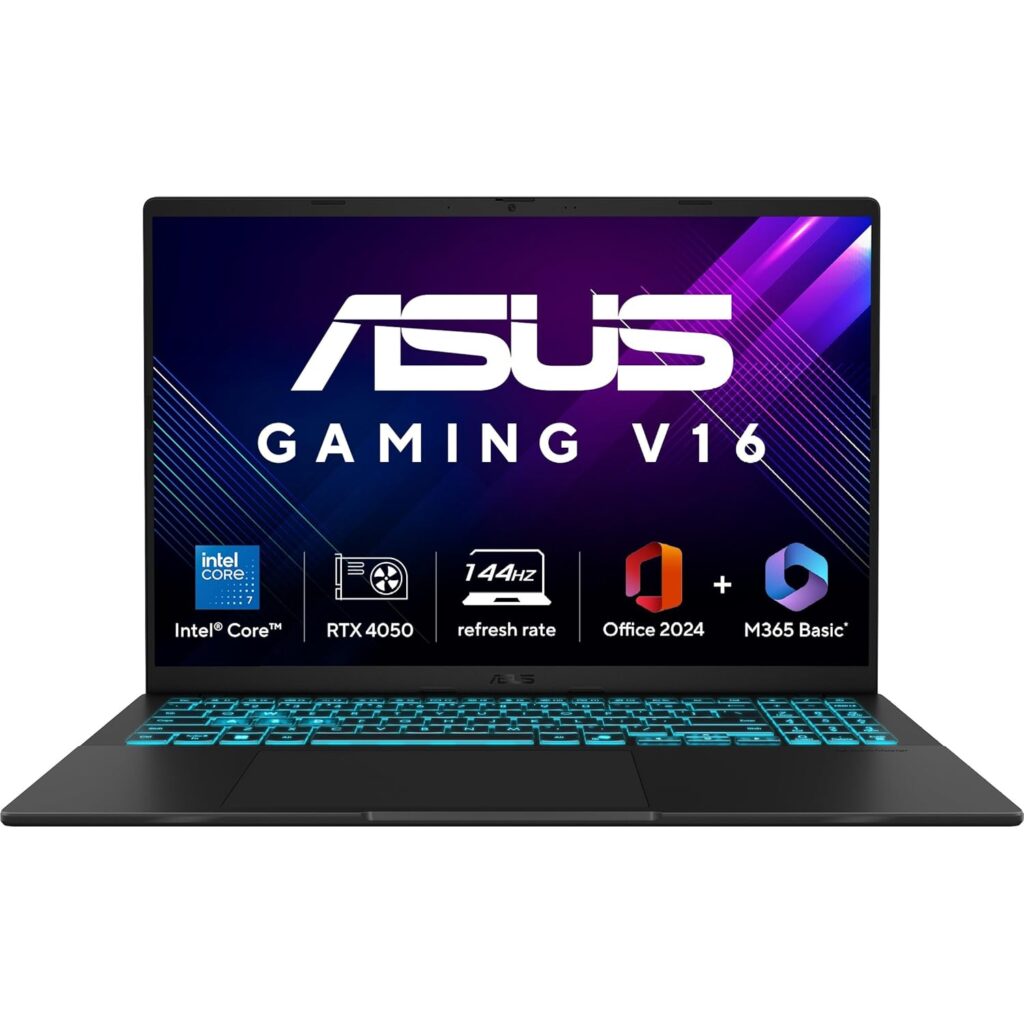
The ASUS Gaming V16 2025 sits in an interesting spot.
It’s a gaming laptop priced accessibly enough to compete with mainstream trading laptops, yet brings a dedicated RTX 4050 GPU that opens up multi-monitor trading possibilities most laptops at this price can’t match.
For traders who want dedicated GPU capability without paying premium prices, this is one of the most practical entry points you can consider.
Key Specifications
| Spec | Details |
|---|---|
| Processor | Intel Core 5 210H (14th Gen) |
| GPU | NVIDIA RTX 4050 6GB |
| RAM | 16GB |
| Storage | 512GB SSD |
| Display | 16″ FHD 144Hz |
| Weight | 1.95 kg |
| OS | Windows 11 Home + Office Home 2024 |
Trading Performance
The Core 5 210H is Intel’s 14th-gen mid-range processor that is capable enough for a solid trading workflow.
TradingView with 8–10 chart tabs, Zerodha Kite, Excel, and a research browser open simultaneously runs without meaningful friction.
The 16GB RAM hits the sweet spot for most intraday and options trading workflows without immediate upgrade pressure.
The RTX 4050 handles dual external monitors comfortably, making it a genuinely capable dual-screen trading setup.
Live market charts across multiple screens render smoothly without the GPU breaking a sweat.
The 144Hz panel adds the same chart-scrolling smoothness as the HP Victus.
Battery Backup
The ASUS Gaming V16 delivers around 3–5 hours under active trading load with the dedicated GPU running.
Switch to battery saver mode with the GPU deprioritized, and you can stretch closer to 5–6 hours, which just about covers the NSE session.
Pros
- RTX 4050 enables multi-monitor trading at an accessible price.
- 16GB RAM handles real intraday trading multitasking comfortably.
- The 16-inch 144Hz display gives generous screen space for charts.
- Comes bundled with Office Home 2024.
Cons
- Battery life requires staying close to a power source during market hours.
- Fan noise under load is noticeable.
8. Dell Inspiron 15 (13th Gen Core i5) – Best Entry-Level Laptop for New Traders
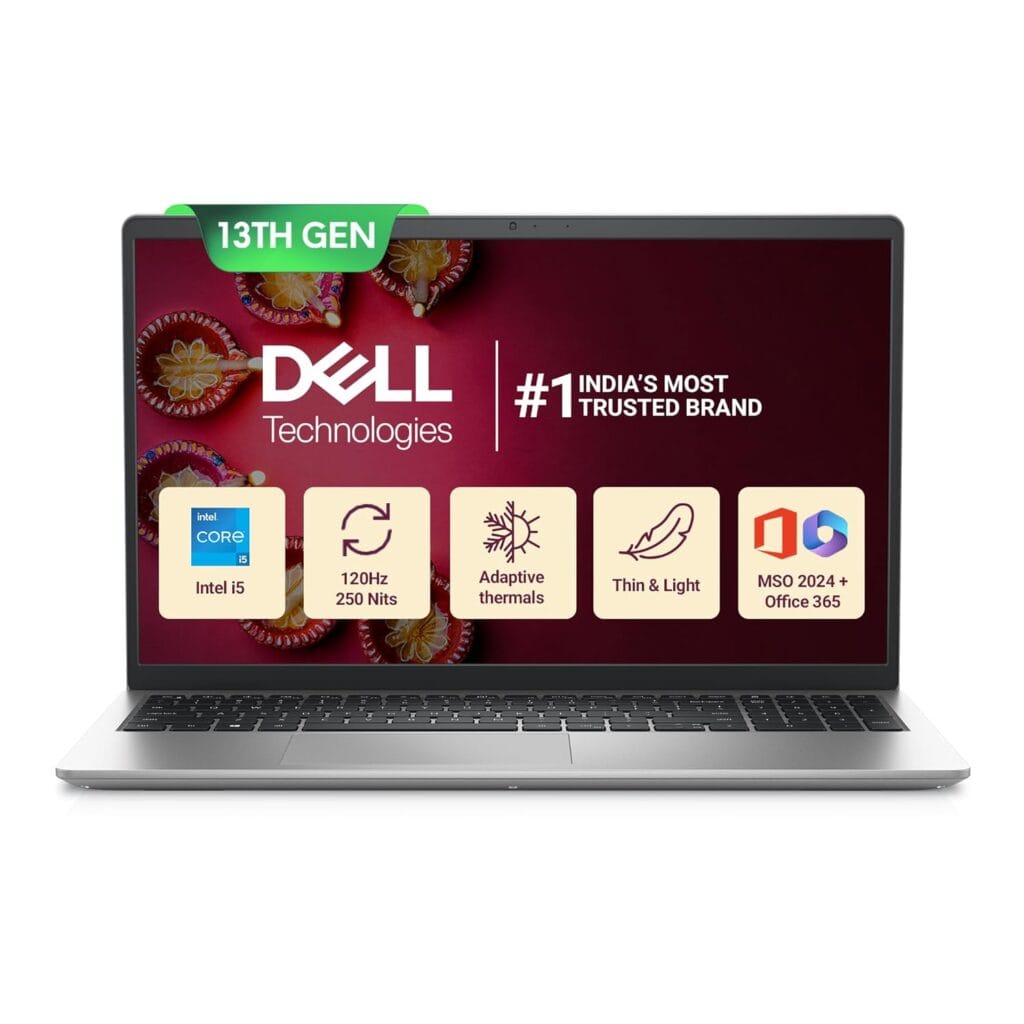
Not every trader needs a powerhouse. If you’re just getting started with stock market trading, learning the ropes on Zerodha Kite, Groww, or doing positional and long-term investing research, the Dell Inspiron 15 covers everything you need without overcomplicating your budget.
It’s thin, light at 1.62 kg, and comes with a generous 16GB RAM and 1TB SSD combination.
Key Specifications
| Spec | Details |
|---|---|
| Processor | Intel Core i5-1334U (13th Gen) |
| RAM | 16GB |
| Storage | 1TB SSD |
| Display | 15.6″ FHD Anti-Glare |
| Weight | 1.62 kg |
| OS | Windows 11 + MSO 2024 |
| Security | 12-Month McAfee |
Trading Performance
The i5-1334U is a U-series processor, meaning it’s built for efficiency over raw power.
For traders, that translates to a specific use case: comfortable for Zerodha Kite, TradingView with 5–6 chart tabs, Excel watchlists, and light research browsing simultaneously.
Push beyond that – say 10+ TradingView tabs, multiple broker terminals, and heavy screener tools running together – and you’ll start feeling the processor’s limits.
The 16GB RAM is the standout spec here and genuinely saves this laptop for trading use.
The 15.6-inch anti-glare FHD display is a thoughtful inclusion for traders, and the anti-glare coating makes a real difference when you’re reading live market charts for six hours straight under indoor lighting.
Battery Backup
The U-series processor is efficiency-focused, which helps battery life meaningfully. Expect 7–9 hours of real-world battery during active trading sessions.
Pros
- 16GB RAM at an entry-level price.
- 1TB SSD offers generous storage for trading software and historical data.
- Anti-glare display reduces eye strain during long market sessions.
- Lightweight at 1.62 kg for a 15.6-inch laptop.
Cons
- i5-1334U is a U-series chip, so it struggles under heavy simultaneous multitasking.
9. Acer Aspire Go 14 (Intel Core Ultra 5 125H) – Best Compact Budget Laptop for Traders
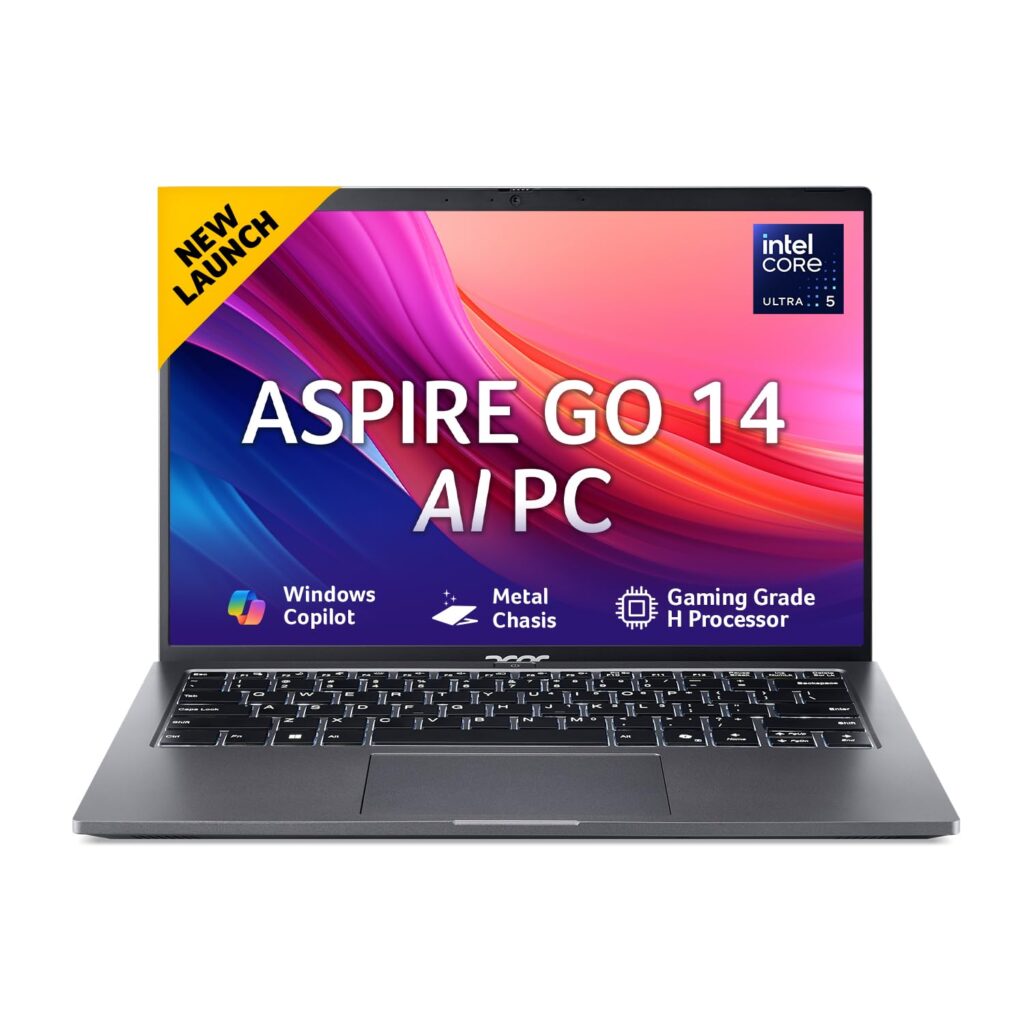
The Acer Aspire Go 14 makes a compelling case for traders who want a modern AI-era processor in a compact, lightweight body without stretching their budget.
At 1.5 kg with a Core Ultra 5 125H under the hood, it sits in a sweet spot that most budget trading laptops miss. For traders who move between locations during the day, this is a serious contender.
Key Specifications
| Spec | Details |
|---|---|
| Processor | Intel Core Ultra 5 125H |
| RAM | 16GB |
| Storage | 512GB SSD |
| Display | 14″ WUXGA IPS |
| Weight | 1.5 kg |
| OS | Windows 11 Home |
| Software | Office 2024 + M365 Basic |
Trading Performance
The Core Ultra 5 125H is a meaningful generational upgrade over older i5 processors.
It handles TradingView with 8–10 chart tabs, Zerodha Kite, Excel, and a research browser running simultaneously without noticeable lag.
The Neural Processing Unit (NPU) built into the Core Ultra architecture also helps with background AI tasks, keeping the main cores free for your active trading workflow.
The 14″ WUXGA IPS display delivers noticeably sharper resolution than standard FHD panels, which matters when you’re reading fast-moving price action during volatile market hours.
The 16GB RAM handles a full intraday trading session comfortably.
Battery Backup
The Core Ultra 5 125H’s efficiency architecture pays off here. Expect a solid 8–10 hours of real-world battery during active trading sessions.
Pros
- Core Ultra 5 125H brings modern AI-era performance at a budget price.
- WUXGA IPS display is sharper than standard FHD.
- 16GB RAM handles real trading multitasking without compromise.
- Bundled Office 2024 and M365 Basic saves on software costs.
Cons
- 14-inch screen size restricts side-by-side multi-chart layouts.
10. ASUS ExpertBook P3 (Core i7-13620H, 32GB) – Best Business Laptop for Serious Traders
The ASUS ExpertBook P3 is built for professionals who need reliability above everything else, and that philosophy translates directly to trading.
With a Core i7-13620H, 32GB RAM, and a 1TB SSD packed into a 1.42 kg metal chassis, this is arguably the most balanced all-round trading laptop on this list.
You get workstation-grade memory, a premium build, and genuine portability.
Key Specifications
| Spec | Details |
|---|---|
| Processor | Intel Core i7-13620H (13th Gen) |
| RAM | 32GB |
| Storage | 1TB SSD |
| Display | 14″ |
| Weight | 1.42 kg |
| OS | Windows 11 Home + MS Office |
| Build | Metal Chassis |
| Warranty | 1 Year ADP |
Trading Performance
32GB RAM on a 1.42 kg laptop is the ExpertBook P3’s defining trading advantage. This configuration handles the most demanding real-world trading workflows without compromise.
For instance, TradingView with 15+ chart tabs, Zerodha Kite, Sensibull for options chain analysis, an Excel backtesting sheet, a screener tool, and a news terminal all running simultaneously without any memory pressure whatsoever.
For options traders who keep multiple strategy windows open across different expiries, that headroom is genuinely valuable.
Battery Backup
The H-series processor trades some efficiency for performance, so expect 6–8 hours of real-world battery during active trading sessions. That comfortably covers the NSE session under normal trading load.
Pros
- 32GB RAM in a sub-1.5 kg laptop.
- The metal chassis feels premium and durable for daily carry.
- i7-13620H handles sustained heavy multitasking without throttling.
- 1TB SSD provides ample space for trading platforms and historical data.
Cons
- The 14-inch display feels compact for traders who prefer larger screen real estate.
How to Choose the Best Laptop for Trading
Processor Requirements for Smooth Trading
Your processor determines how well your laptop handles the chaos of live market hours.
For most traders, an Intel Core i5 (12th gen or above) or AMD Ryzen 5 5000 series gets the job done comfortably. Serious intraday or options traders running complex scans should consider an i7 or Ryzen 7.
What matters more than raw core count is single-core performance because most trading apps like Zerodha Kite, Groww, Dhan, Angel One, and TradingView rely heavily on single-threaded tasks.
A processor with strong single-core speed keeps your charts rendering smoothly and your order execution snappy even when you have 10+ tabs open.
Related: Don’t Buy a Laptop Until You Read This (Intel vs AMD Truth)
How Much RAM Do Traders Really Need?
Here’s the honest answer: 8GB will frustrate you, 16GB is the sweet spot, and 32GB is for power users.
Run TradingView with 6 chart tabs, Zerodha Kite, an Excel watchlist, and a browser with research open simultaneously; that’s easily 6–9GB of RAM consumed.
With 8GB, your system starts swapping to storage, causing noticeable lag right when you need speed most.
16GB RAM handles a full trading workstation setup without breaking a sweat. Go for 32GB only if you’re running algo trading tools or heavy backtesting software.
Related: How Much RAM Do You Really Need in a Laptop Today? A Practical Guide for Every User
Why SSD Storage Matters for Traders
An SSD won’t directly improve your trade execution, but it significantly improves your daily workflow.
Faster boot times mean you’re ready before the pre-market opens. Apps like Kite, TradingView, and Amibroker load in seconds instead of minutes.
And during multitasking-heavy sessions, an SSD keeps everything running smoothly in the background.
Related: SSD vs HDD Laptops: Speed, Price & Real-World Comparison
Best Display Size for Stock Market Trading
15.6 inches is the preferred size for most traders, enough screen real estate to keep multiple charts visible without squinting.
If portability matters, 14 inches is a solid compromise.
More important than size is panel quality. Look for an IPS display with anti-glare coating.
You’ll be staring at live market charts for hours, and a glossy or low-contrast screen causes real eye strain by afternoon. Full HD (1080p) resolution is the minimum worth considering.
Battery Life During Market Hours
Indian market hours run from 9:15 AM to 3:30 PM; that’s over six hours. If you’re trading from a café, a client’s office, or during a power cut, a weak battery is a serious risk.
Look for laptops that deliver at least 6–8 hours of real-world battery life under moderate load.
Manufacturer claims are always optimistic, so check user reviews specifically for performance during active use, not just video playback.
Do Traders Need a Dedicated GPU?
No, for most traders, an integrated GPU is completely sufficient. TradingView, Zerodha Kite, Groww, and most broker terminals are browser or light desktop apps, not graphically intensive software. Paying extra for a dedicated GPU makes no sense unless you’re running three or more external monitors simultaneously, or using data visualization tools that leverage GPU acceleration.
External Monitor Support for Multi-Chart Trading
A dual-monitor setup is a genuine productivity upgrade for active traders. One screen for your charting terminal, another for your order book and watchlist — it changes how you work.
Make sure your laptop has at least one HDMI port and one USB-C port that supports video output.
This gives you flexibility to connect a full HD or even an ultrawide monitor without adapters.
Ultrawide monitor compatibility via USB-C (DisplayPort Alt Mode) is worth checking, specifically if you plan a single wide-screen intraday trading setup.
Windows vs MacBook for Trading – Which Is Better?
This is one of the most common questions Indian traders ask, and the honest answer is: it depends on how you trade. Both platforms handle core trading tasks well in 2026, but they each have real advantages worth understanding before you spend your money.
Windows wins this category for Indian traders. Most Indian broker platforms, algo trading tools, and screener software are built primarily for Windows.
Amibroker, the most widely used technical analysis and backtesting software in India, runs natively only on Windows.
Several broker-specific executables, trading APIs, and algorithmic strategy tools either don’t have macOS versions or have versions that lag significantly behind in features.
TradingView and Zerodha Kite work perfectly on both platforms since they’re browser-based, so for traders who live entirely within web terminals, macOS is a non-issue.
But the moment you step into algo trading, custom screeners, or broker-specific desktop apps, Windows gives you far fewer compatibility headaches.
Battery Life
MacBook wins this category, and it isn’t close. The M5-based MacBooks deliver 12–15 hours of genuine all-day battery during active trading sessions. Even the best Windows laptops on this list top out at 8–10 hours under real trading load.
Portability
MacBook Air 13 is the lightest serious trading laptop available, period. But Windows has caught up considerably; the ASUS ExpertBook P3 and Lenovo Yoga Slim 7 at 1.39–1.42 kg prove that portability is no longer a MacBook exclusive.
If you’re comparing similarly priced options, Windows ultrabooks are genuinely competitive here.
Broker Platform Support
Every major Indian broker – Zerodha, Upstox, Angel One, Groww, ICICI Direct – runs flawlessly on both platforms via browser.
Web-based terminals like Kite, Sensibull, and TradingView don’t care which OS you’re on.
The gap only appears with desktop-only applications, proprietary trading terminals from smaller brokers, and Windows-exclusive charting tools.
If your entire workflow is browser-based, this distinction disappears entirely.
External Monitor Experience
Windows edges ahead for multi-monitor trading setups. Connecting two or three external displays is straightforward with Windows; just plug in via HDMI or USB-C, and it works immediately with flexible arrangement options.
MacBooks support external monitors well via Thunderbolt, but the base MacBook Air 13 officially supports only one external display at a time without workarounds.
The MacBook Pro handles multiple monitors without issue, but you’re paying a significant premium for that capability.
Is a Gaming Laptop Good for Trading?
Gaming laptops are powerful, often aggressively priced for their specs, and readily available. But the answer for most traders is: capable, but not ideal.
On the plus side, gaming laptops handle trading workloads effortlessly.
A machine built to run GPU-intensive games at high frame rates will never break a sweat running TradingView, Zerodha Kite, and Excel simultaneously.
The superior cooling systems keep performance consistent during long market sessions without thermal throttling.
For traders running algo strategies, backtesting software, or multiple broker terminals at once, that raw multitasking headroom is genuinely useful.
But the trade-offs are real. Gaming laptops are heavy, typically 2.0–2.5 kg, which makes daily carry genuinely uncomfortable.
Battery life is their biggest weakness; most deliver 3–5 hours under active load, meaning you’re anchored to a power socket during market hours.
And the dedicated GPU that drives the price up? Most trading applications simply don’t use it.
The exception is traders building a dedicated desk-based multi-monitor setup, three or more screens, GPU-accelerated screeners, or CUDA-based analytics tools.
For that specific workflow, a gaming laptop like the HP Victus or ASUS Gaming V16 makes practical sense.
For everyone else, a well-specced business ultrabook delivers a better trading experience.
Frequently Asked Questions
Is 8GB RAM enough for trading?
No, not in 2026. TradingView with multiple charts, Zerodha Kite, and Excel together consume 6–8GB easily. You’ll hit memory pressure mid-session at the worst possible moment. Always start with 16GB.
Do traders need a graphics card?
Only if you’re running three or more external monitors or GPU-accelerated algo tools. For browser-based trading on Kite and TradingView, integrated graphics handles everything perfectly.
Can I use a MacBook for trading?
Yes, for browser-based trading on TradingView and Zerodha Kite, MacBooks work flawlessly. The limitation appears with Amibroker, algo trading tools, and some broker-specific desktop terminals that are Windows-only.
Are gaming laptops good for stock market trading?
Only for desk-based multi-monitor setups. Gaming laptops offer raw power but deliver poor battery life and excessive weight, two things that hurt traders more than help. A business ultrabook is smarter for most.
Before You Buy – One Last Thing
Most traders overspend on specs they don’t need or underspend in exactly the wrong place.
The single most important spec for your trading laptop isn’t the processor, the brand, or the display. It’s RAM.
A ₹50,000 laptop with 16GB RAM will outperform a ₹60,000 laptop with 8GB RAM every single market session. Get that right first, and everything else falls into place.
Second, match the laptop to your actual workflow, not your aspirational one. If you’re trading from a fixed desk, prioritize screen size and raw performance.
If you’re mobile, battery life and weight matter more than any benchmark score.
Every laptop on this list has been evaluated through a trader’s lens — how it performs during live market hours, how it handles real multitasking under pressure, and whether it’s worth your money for what you actually do in the market.
Pick the one that fits your trading style, your setup, and your budget. Then spend the rest of your energy on what actually moves your P&L.
Related Articles
Best Laptops for Students in India (Buyer’s Guide)
Best Copilot+ PC Laptops in India for Work, Students & Creators
Best OLED Laptops Under ₹1 Lakh in India (Top Picks)
Best Laptops for Business Use in India

Kanha is a electronics engineer, tech enthusiast, and writer at technicalstudies.in. His experience in tech, coupled with excellent writing skills, makes the text easy to understand and helps the reader make the correct decision. Outside of writing, Kanha is passionate about exploring new gadgets and gaming.