
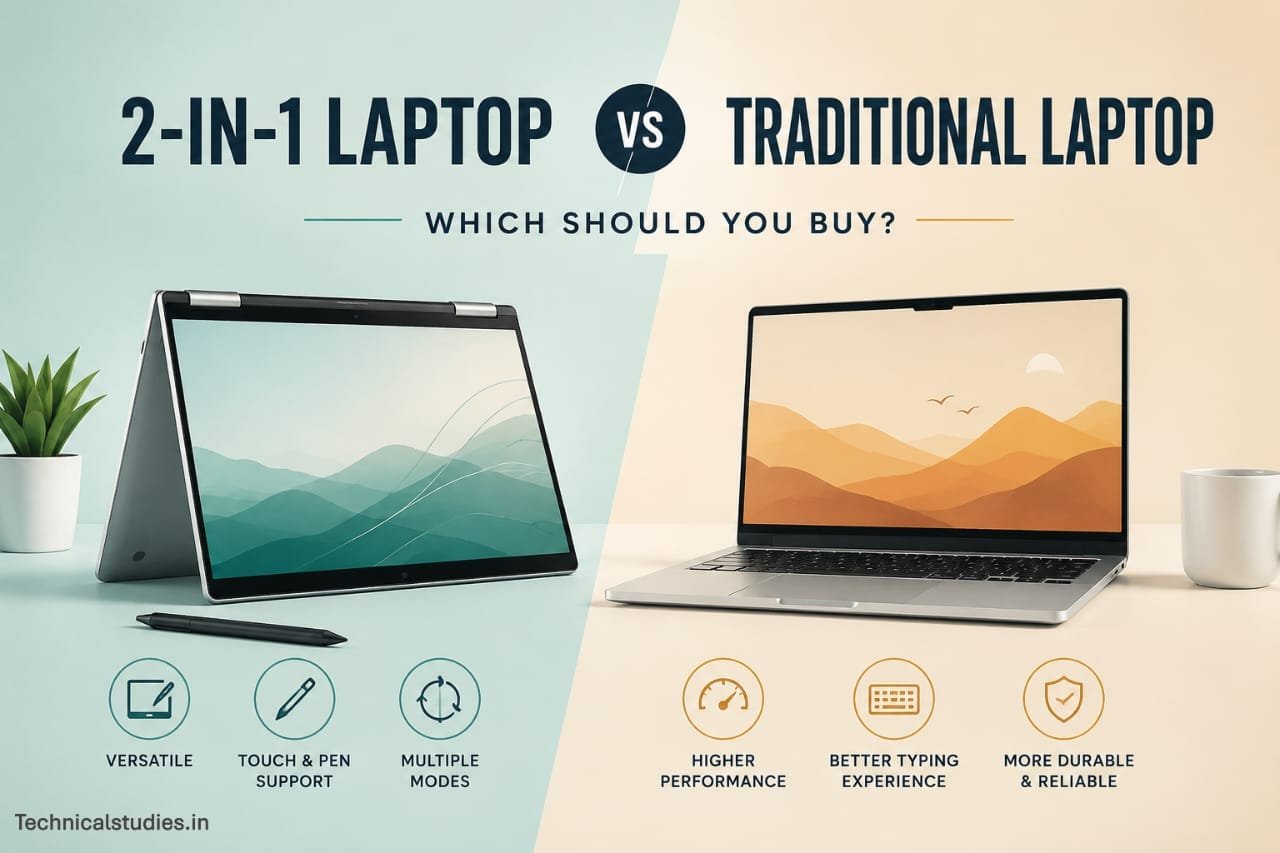
Buying a new laptop feels simple until you’re standing in the store or scrolling through tabs at midnight, staring at two very different machines that both claim to be perfect for you.
Pick wrong, and you end up with buyer’s remorse: a laptop that’s either too rigid for how you actually work, or a touchscreen convertible you never once fold into tablet mode.
That’s exactly why the 2-in-1 laptop vs traditional laptop debate trips up so many buyers. It’s not that one is objectively better. It’s that they’re built for different habits, workflows, and lifestyles.
A student who sketches notes by hand needs something different than a video editor who lives in Premiere Pro all day.
In this guide, we’re skipping the spec-sheet comparisons you’ve probably already read a dozen times.
Instead, we’ll look at real-world usability like how each type actually performs when you’re juggling deadlines, traveling, or just trying to binge a show in bed.
Whether you’re a student, a remote professional, a creative, or someone buying their first “serious” laptop, this guide will help you figure out which category actually fits your life, not just your budget.
Keep Reading.
Quick Comparison Between 2-in-1 Laptop and Traditional Laptop
| Feature | 2-in-1 Laptop | Traditional Laptop |
|---|---|---|
| Design | Foldable/detachable hinge, doubles as tablet | Fixed clamshell design |
| Portability | Slightly bulkier when folded flat, but very versatile on the go | Generally slimmer and lighter for pure laptop use |
| Performance | Good for everyday tasks; often uses lower-power chips to save battery | Can pack more powerful processors and GPUs |
| Battery Life | Moderate; touchscreen and flexible design draw more power | Usually longer, especially in non-touch models |
| Durability | More moving parts (hinge) mean slightly higher wear risk | Fewer moving parts, generally more rugged |
| Keyboard Comfort | Can feel mushy, especially in tablet/tent mode | Full-size, deep-travel keys standard |
| Touchscreen | Standard feature | Rare, often optional or unavailable |
| Stylus Support | Common, great for note-taking and sketching | Uncommon |
| Gaming | Limited; not built for heavy GPU tasks | Better suited for gaming laptops with discrete GPUs |
| Programming | Workable for light coding, less ideal for multi-window setups | Better for multitasking, larger screens, external monitor support |
| Creative Work | Great for digital art, note-taking, on-the-go editing | Better for heavy editing, rendering, and design software |
| Price | Often pricier for similar specs due to hinge/touchscreen tech | Generally more affordable for the same performance |
| Best For | Students, note-takers, artists, frequent travelers | Gamers, developers, professionals needing raw power |
TL;DR – Which Laptop Should You Buy?
Short on time? Here’s the quick answer to help you decide between a 2-in-1 laptop vs a traditional laptop.
Choose a 2-in-1 if you:
- Take handwritten notes in class or meetings
- Draw, sketch, or do digital design work
- Travel frequently and want a flexible, all-in-one device
- Attend a lot of virtual meetings and like tablet mode for quick note-taking
- Want the convenience of a touchscreen and stylus support
Choose a Traditional Laptop if you:
- Need maximum performance for demanding tasks
- Play games that require a dedicated GPU
- Program for long hours and multitask across multiple windows
- Edit videos or work with heavy creative software
- Want a sturdier build with fewer moving parts for long-term durability
Still not sure? Keep reading. We’ll break down exactly why each of these use cases matters, so you can make a confident, informed choice.
What Is a 2-in-1 Laptop?
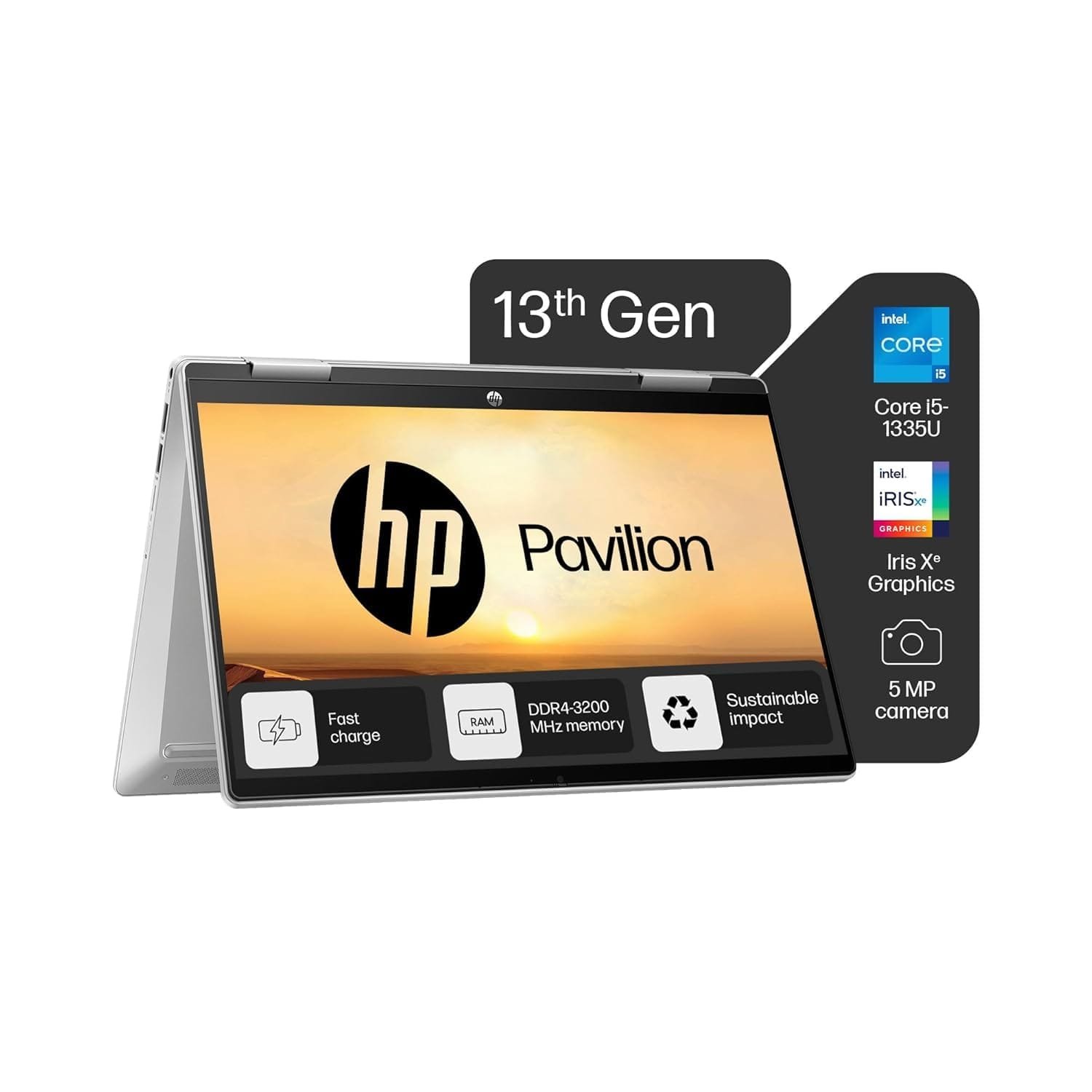
A 2-in-1 laptop is exactly what it sounds like. A device that works as both a laptop and a tablet. Instead of being locked into one rigid shape, it adapts to however you’re using it because of a flexible hinge or a detachable screen.
Types of 2-in-1 Laptops
Convertible (360° Hinge)
These have a hinge that rotates all the way around, letting you fold the screen back until it sits flush against the keyboard. The keyboard and screen are permanently attached, so you’re never juggling loose parts, just fold and go.
Detachable
These separate completely into two pieces: a screen (which is really a tablet) and a keyboard base that connects magnetically or via a physical port. Detach the screen, and you’ve got a standalone tablet. Reattach it, and it’s a laptop again.
How They Work
The magic of a 2-in-1 lies in how many ways it can adapt to your task.
- Touchscreen – Nearly all 2-in-1s come with touch-enabled displays, so you can tap, swipe, and scroll like a tablet.
- Tablet Mode – Fold the screen all the way back (or detach it), and the keyboard disengages, leaving you with a pure touch-and-stylus experience.
- Tent Mode – Prop the device up like an upside-down “V.” This is perfect for watching videos or presenting content to someone across the table.
- Presentation Mode – Fold the screen flat, facing outward, so you can hand it to someone or use it like a digital display without the keyboard getting in the way.
This flexibility is what makes 2-in-1s so appealing for note-taking, sketching, and on-the-go work. You’re not locked into one posture or interaction style.
What Is a Traditional Laptop?
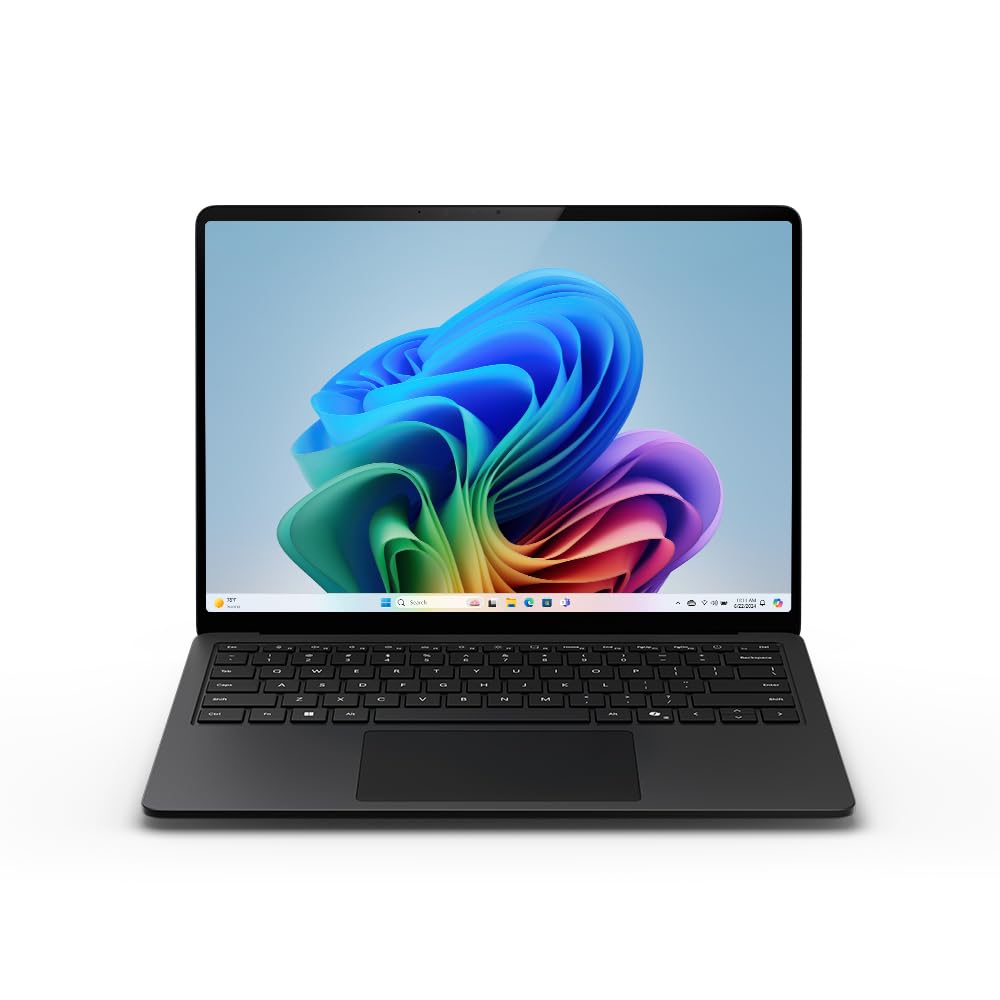
A traditional laptop is the classic, no-frills design most of us grew up using – a screen and keyboard connected by a hinge that opens and closes, and nothing more.
There’s no folding into a tablet, no detaching the screen, no tent mode. Just a solid, dependable clamshell design built to do one job well.
Here’s what typically sets traditional laptops apart.
- Fixed Keyboard: Since the design doesn’t need to accommodate tablet or tent modes, manufacturers can prioritize deep key travel and a sturdier typing feel. No mushy keys, no compromises for flexibility.
- Better Cooling: Without a hinge system eating into internal space, traditional laptops have more room for larger fans, heat pipes, and vents. This means better thermal management, especially under heavy workloads.
- Stronger Chassis: Fewer moving parts (no rotating or detaching mechanisms) means less wear and tear over time. The overall build tends to feel more rigid and durable.
- More Performance-Focused: That extra internal space isn’t just used for cooling. It also allows room for more powerful processors, discrete graphics cards, and additional ports, without worrying about keeping the device thin enough to fold or detach.
Why Most Professionals Still Prefer Them
If you talk to developers, video editors, engineers, or gamers, you’ll notice most of them still reach for a traditional laptop.
That’s not because they’re old-fashioned. It’s because raw performance, reliable cooling, and keyboard comfort matter more to them than touchscreen convenience.
When you’re compiling code for hours, editing 4K footage, or running demanding software, you need a machine that can handle sustained heavy use without overheating or throttling.
Traditional laptops are built specifically for that kind of consistent, high-performance work.
Side-by-Side Comparison at a Glance
We’ve already covered the quick-glance table, but let’s dig a little deeper into the factors that actually affect your day-to-day experience with a 2-in-1 vs traditional laptop.
Design
2-in-1s are built around flexibility and hinges or detachable mechanisms that let the device shift shape. Traditional laptops stick to the classic clamshell, prioritizing simplicity and structural rigidity over versatility.
Weight
Detachable 2-in-1s can actually feel lighter when used purely as a tablet (since you’re leaving the keyboard base behind), but convertible 2-in-1s often weigh slightly more than traditional laptops of the same screen size, due to the added hinge hardware and touchscreen glass.
Thickness
Traditional laptops tend to be slimmer overall since they don’t need reinforced hinges or touch-sensitive layers. 2-in-1s carry a bit more bulk to support their folding mechanisms.
Ports
This one usually favors traditional laptops. With more internal space, they can fit a wider variety of ports, including USB-A, HDMI, and SD card readers, without needing dongles. Many 2-in-1s, especially detachables, trim down ports to save space and weight.
Performance
Traditional laptops generally win here. They can house more powerful processors and dedicated graphics cards, since they don’t need to balance performance against battery life for tablet use.
Cooling
More internal room in traditional laptops means better airflow and more effective heat dissipation. 2-in-1s, especially thinner detachables, often rely on fanless designs that can throttle performance under sustained heavy loads.
Upgradeability
Traditional laptops, particularly larger ones, are more likely to offer upgradeable RAM or storage. 2-in-1s tend to have everything soldered in place to keep the design thin and light.
Touch Support
This is where 2-in-1s clearly lead. Touchscreens are standard, and many models come with stylus support for note-taking and drawing. Traditional laptops rarely include touch functionality.
Repairability
Traditional laptops are generally easier to repair or service, thanks to simpler internal layouts. The complex hinge systems and tightly packed components in 2-in-1s can make repairs trickier and pricier.
Real-World Advantages After Months of Use
Spec sheets tell you what a laptop can do. Daily use tells you what it’s actually like to live with. Here’s how each type holds up once the new-laptop excitement wears off.
Living with a 2-in-1 Every Day
Reading Documents
Fold the screen back into tablet mode, and suddenly reading a long PDF or research paper feels less like “working” and more like reading on a Kindle, no keyboard in the way, just you and the content.
Watching Content
Tent mode turns out to be more useful than it sounds. Prop it up on a kitchen counter while cooking, or on a tray table during a flight, and you get a hands-free screen without needing to prop your laptop awkwardly against something.
Flights
This is where 2-in-1s genuinely shine. Tray tables are tiny, and a traditional laptop’s hinge often won’t open past a certain angle before hitting the seat in front of you. A 2-in-1 folded into tablet mode sidesteps that problem entirely.
Coffee Shops
Small tables, crowded seating; tablet mode again becomes handy for quickly checking emails or scrolling through notes without needing to set up a full “workstation.”
Meetings
Fold the screen flat and hand it across the table, or use tent mode to share a presentation without spinning your whole laptop around. It’s a small thing, but it removes a lot of friction in casual meeting settings.
Tablet Convenience
Detach or fold, grab the stylus, and jot down a quick idea or sign a document; no need to dig for a notepad or switch devices entirely.
Read: Best Touchscreen Laptops in India – For Students, Designers and Engineers
Living with a Traditional Laptop
Desk Work
There’s something to be said for a laptop that just sits there, stable and predictable, while you work. No worrying about screen wobble or hinge flex during long sessions; it’s simply solid.
Heavy Workloads
Running multiple apps, compiling code, or rendering video exports in the background feels noticeably smoother. The extra cooling headroom means performance doesn’t dip as quickly under sustained pressure.
Long Typing Sessions
After a few hours of writing or coding, keyboard comfort matters more than people expect. The deeper key travel on most traditional laptops reduces finger fatigue in a way that’s hard to notice at first, but easy to feel by hour three.
External Monitors
Plugging into a second screen (or two) tends to be more seamless, thanks to the wider port selection and generally stronger GPU support for driving multiple displays.
Better Stability
No detaching, no folding, no worrying about a hinge loosening over time. It’s a small peace of mind, but for anyone who’s had a 2-in-1’s hinge get wobbly after a year of use, it’s a real advantage.
Check: Best Laptops For Work From Home Professionals In India
Situations Where a 2-in-1 Becomes Frustrating
It’s easy to fall for the flexibility of a 2-in-1 in a store demo. But once you’re living with one daily, a few annoyances tend to surface that marketing pages conveniently skip over.
Keyboard Folds Behind the Screen
When you switch to tablet mode, the keyboard doesn’t disappear. It just flips around to the back, exposed keys and all.
That means you’re essentially holding a device with an active (though disabled) keyboard pressed against your palms, which can feel odd and adds unnecessary bulk compared to an actual tablet.
Fingerprints
Touchscreens mean constant contact with the display. Within days, you’ll notice smudges and fingerprints building up, especially if you use it in tablet or tent mode often. It’s a minor thing, but it adds up if you’re particular about a clean screen.
Heavier Than Tablets
Despite folding into a “tablet,” a 2-in-1 in tablet mode still carries the weight of a full keyboard base tucked behind it. If you’re expecting iPad-like lightness, you’ll likely be disappointed. It’s noticeably heavier to hold for long reading sessions.
Limited Cooling
Many 2-in-1s, especially thinner convertible models, use fanless designs to keep things slim. That works fine for browsing and documents, but push them with demanding tasks, and you’ll notice performance throttling faster than on a traditional laptop.
Expensive Repairs
Hinges, touchscreens, and detachable connectors all add complexity and cost when something breaks.
A cracked touchscreen on a 2-in-1 tends to be pricier to replace than a standard laptop display, and hinge repairs can be a hassle to even find a technician for.
Awkward Lap Usage
Using a 2-in-1 in tablet or tent mode while sitting on a couch or in bed can feel unstable.
Without a hard, flat surface, the device can wobble, and the extra weight from the keyboard base makes it less comfortable to hold than a purpose-built tablet.
Limited Upgradeability
Most 2-in-1s solder RAM and storage directly onto the motherboard to save space. That means the specs you buy are the specs you’re stuck with, no upgrading down the line if you find yourself needing more storage or memory.
Glossy Display Reflections
Touchscreens typically use glossy glass, which looks great in a store but becomes a real annoyance under bright lights or sunlight.
Working outdoors or near a window often means fighting glare, which is something matte traditional laptop screens handle much better.
Performance Comparison
Performance isn’t just about the chip inside; it’s about how well the chassis lets that chip breathe. This is one of the biggest, most overlooked differences in the 2-in-1 laptop vs traditional laptop debate.
A traditional laptop’s larger body allows for better airflow and heat dissipation, which means the processor can run at higher speeds for longer without throttling.
A 2-in-1’s slimmer, hinge-constrained design often can’t dissipate heat as efficiently, so even a powerful chip may slow itself down to avoid overheating during extended use.
Office Work
Both handle everyday tasks like email, browsing, word processing, and spreadsheets without breaking a sweat. This is where the performance gap barely matters; either laptop type will feel snappy for basic productivity.
Multitasking
Traditional laptops tend to hold up better with a dozen browser tabs, a video call, and a document open simultaneously. Better cooling means the system can sustain higher performance instead of throttling mid-task.
Read: Best Laptops for Productivity and Multitasking in India
Photo Editing
2-in-1s handle light photo editing reasonably well, especially with stylus support for touch-up work.
But for large batch edits or high-resolution RAW files, traditional laptops with stronger processors and better cooling tend to feel noticeably faster.
Video Editing
This is where the gap widens significantly. Video editing pushes sustained heavy loads on the CPU and GPU for extended periods, and this workload exposes a 2-in-1’s cooling limitations.
Traditional laptops, especially those with discrete GPUs, handle rendering and exporting far more comfortably.
AI & Machine Learning
Training models or running local AI workloads demands consistent, high-performance computing over long stretches.
Traditional laptops with dedicated GPUs and robust cooling are far better suited here; most 2-in-1s simply aren’t built for this kind of sustained intensity.
Read: Best Copilot+ PC Laptops in India for Work, Students & Creators
Coding
Light-to-moderate coding works fine on either device. But if you’re compiling large projects, running multiple containers, or working with resource-heavy IDEs, a traditional laptop’s cooling and multitasking headroom makes for a smoother experience over long coding sessions.
Read: Top 10 Best Laptops For Coding in India
Virtual Machines
Running VMs is demanding by nature. You’re essentially asking your laptop to power two systems at once.
Traditional laptops, with more RAM headroom and better thermal management, handle this far more reliably than most 2-in-1s, which can struggle to sustain performance under that kind of load.
Battery Life Comparison
On paper, battery life comparisons seem simple: bigger battery, longer life, right? In reality, several factors quietly drain your battery, and they affect 2-in-1s and traditional laptops differently.
Why Battery Capacity Isn’t Everything
Two laptops with identical battery capacities (measured in Wh) can have wildly different real-world battery life.
It comes down to what’s actually consuming that power: the display technology, touch sensors, processor efficiency, and even the software optimizing background tasks.
A bigger battery on an inefficient device can still underperform a smaller battery on a well-optimized one.
OLED vs IPS
Many 2-in-1s use OLED displays for their sharper contrast and vibrant colors, which are great for watching content or design work, but OLED panels typically consume more power than IPS displays, especially when showing bright, colorful content for extended periods.
Traditional laptops more commonly stick with IPS panels, which tend to be more power-efficient for everyday use.
Touchscreen Power Usage
Touch functionality isn’t free. The sensors and additional display layers required for touch response draw extra power continuously, even if you’re not actively touching the screen.
This is one reason 2-in-1s often see shorter battery life compared to non-touch traditional laptops with similar specs.
High Refresh Rate
Smoother scrolling and animations from high refresh rate displays (90Hz, 120Hz, and beyond) look great, but they demand more power to maintain those higher frame rates.
Some 2-in-1s pair high refresh screens with touch support, compounding the battery drain.
Read: Best OLED Laptops Under ₹1 Lakh in India (Top Picks for)
Durability and Hinge Longevity
This is a topic most buying guides gloss over, but if you’re planning to keep your laptop for several years, it deserves real attention.
360° Hinge Wear
A convertible 2-in-1’s hinge isn’t just a simple opening mechanism. It’s engineered to rotate a full 360 degrees, thousands of times, over the life of the device.
That’s significantly more mechanical stress than a traditional laptop hinge, which only ever opens to roughly 130-150 degrees. More movement means more opportunities for wear over time.
Loose Hinges
After a year or two of regular folding, some 2-in-1 owners notice their hinge starting to feel looser. The screen might not hold its angle as firmly, or it may wobble slightly when typing.
This is rarely a dealbreaker early on, but it’s a common long-term complaint that traditional laptop users simply don’t encounter.
Accidental Pressure
Because 2-in-1s are designed to be folded and handled in different positions, they’re also more exposed to accidental pressure.
Someone leaning on the screen in tablet mode, or the device getting squeezed in a bag while folded flat. Traditional laptops, used in one consistent position, face less of this kind of stress.
Tablet Mode Stress
When you fold a convertible into tablet mode, the keyboard is pressed directly against the back of the screen.
Over time and repeated use, this can contribute to wear on both the hinge mechanism and the screen’s structural support, especially on lower-end models with less reinforced builds.
Long-Term Reliability
None of this means 2-in-1s are fragile, as most are engineered to handle years of folding.
But traditional laptops, with their simpler, single-purpose hinge design, generally have fewer failure points and tend to hold up more predictably over the long haul.
Business Laptops vs Consumer Models
It’s worth noting that premium business-focused laptops (2-in-1 or traditional) typically undergo more rigorous durability testing, drop tests, hinge cycle tests, and spill resistance than budget consumer models.
If long-term reliability is a priority, checking whether a laptop meets military-grade (MIL-STD-810) testing standards is often a better indicator of durability than the form factor alone.
Display, Touchscreen, and Stylus Support
Touchscreens and stylus support are arguably the biggest reason people choose a 2-in-1 in the first place. But their usefulness depends heavily on how you actually plan to use them.
Touchscreen Usefulness
For scrolling, zooming into photos, or quickly tapping through a presentation, a touchscreen adds a layer of convenience that’s hard to go back from once you’re used to it.
It’s especially handy in tablet or tent mode, where using a trackpad isn’t practical.
Active Pen Support
Most 2-in-1s support an active stylus – a pen with pressure sensitivity that detects how hard you’re pressing, allowing for more natural, precise input.
This is a step above the passive styluses used on non-touch devices, which lack that pressure-sensitive nuance.
Handwriting
If you’ve ever wanted to ditch paper notebooks, this is where 2-in-1s genuinely deliver. Handwriting recognition software has improved significantly, letting you jot notes by hand and later convert them into searchable, editable text.
Drawing
For digital artists or anyone who sketches ideas, pressure-sensitive stylus input paired with a touchscreen makes for a genuinely useful lightweight drawing tablet, especially handy for quick concept sketches or annotating designs on the go.
PDF Annotation
Marking up contracts, research papers, or design mockups directly on the screen with a stylus is far more intuitive than trying to comment via a trackpad and keyboard.
This is a small but genuinely time-saving feature for anyone who reviews documents regularly.
Whiteboard Usage
In meetings, tablet or tent mode combined with a stylus turns your laptop into an impromptu digital whiteboard. This is useful for brainstorming sessions or walking someone through an idea visually instead of just talking through it.
Gaming Experience
If gaming is anywhere on your priority list, this section alone might settle the 2-in-1 vs traditional laptop debate for you.
Cooling
Gaming pushes a laptop’s CPU and GPU to their limits for extended periods, generating substantial heat.
Traditional laptops have the internal space for larger fans, more heat pipes, and better-ventilated chassis designs for keeping temperatures in check during long gaming sessions.
2-in-1s, built to stay thin for folding and portability, simply don’t have room for this level of cooling hardware.
GPU Performance
Serious gaming requires a dedicated graphics card, and dedicated GPUs run hot and draw significant power, both of which are hard to accommodate in a slim, hinge-based design.
Most 2-in-1s rely on integrated graphics, which handle light or older games fine but struggle with modern, graphically demanding titles.
Sustained FPS
Even if a 2-in-1 technically has decent specs on paper, sustained frame rates during gaming tell a different story.
Without adequate cooling, performance throttles as the device heats up, meaning your frame rate can drop noticeably 20-30 minutes into a gaming session. But this is not the case with traditional laptops.
Fan Noise
Traditional gaming laptops are built to run their fans at full speed when needed, prioritizing performance over silence. 2-in-1s, designed for everyday portability and quieter operation, often can’t move enough air to properly cool demanding games, even if it means accepting some noise.
Upgrade Limitations
Serious gamers often want the option to upgrade RAM or storage down the line as game requirements grow.
Traditional laptops are more likely to offer this flexibility, while 2-in-1s frequently solder components in place to preserve their slim profile.
Why Gaming Laptops Are Usually Traditional Designs
It comes down to physics as much as design philosophy. Powerful GPUs need robust cooling, and robust cooling needs space.
Space that a folding or detaching mechanism simply doesn’t allow for without making the device impractically thick.
This is why you’ll rarely, if ever, see a 2-in-1 marketed as a serious gaming laptop. The form factor and the performance requirements of gaming are fundamentally at odds.
Repairability and Upgradeability
Most buyers think about specs at purchase time, but rarely consider what happens three or four years down the line when something needs fixing or upgrading.
This is where the gap between 2-in-1s and traditional laptops becomes especially important.
RAM
Traditional laptops, particularly larger and business-oriented models, are more likely to offer upgradeable RAM slots, letting you add memory as your needs grow.
2-in-1s almost universally solder RAM directly to the motherboard to save space, meaning whatever you buy is what you’re stuck with for the life of the device.
SSD
Storage upgrades follow a similar pattern. Many traditional laptops include an accessible M.2 slot, making a storage upgrade a straightforward, affordable fix when you run low on space.
2-in-1s often use soldered or hard-to-access storage, making upgrades difficult or impossible without professional help.
Battery Replacement
Traditional laptops generally use more standardized battery designs that are easier for technicians (or even DIYers) to access and replace.
2-in-1s, with their tightly packed internals built around the hinge mechanism, often require more disassembly and specialized parts for a battery swap.
Screen Replacement
A cracked screen is never fun, but it’s considerably more expensive on a 2-in-1. Touchscreen displays cost more to manufacture and replace than standard non-touch panels, and the added digitizer layer increases both the part cost and the complexity of installation.
Hinges
This is a repair category that’s essentially unique to 2-in-1s. A malfunctioning 360° hinge isn’t a simple swap. It’s often integrated closely with the display cabling and chassis, making hinge repairs both pricier and harder to find technicians for, compared to a standard laptop hinge repair.
Availability of Spare Parts
Traditional laptops, especially popular models, tend to have a longer track record and wider availability of third-party replacement parts. 2-in-1s, with more proprietary and specialized components, can mean longer wait times and higher costs when something breaks.
Which Professionals Should Choose Each?
Different careers come with different daily demands. Here’s a quick recommendation table to help you match your profession to the right laptop type.
| Professional | Recommended Laptop | Why |
|---|---|---|
| Students | 2-in-1 | Handwritten notes, portability, and tablet mode for reading make campus life easier |
| Teachers | 2-in-1 | Presentation mode and stylus support help with grading, annotating, and classroom demos |
| Doctors | 2-in-1 | Tablet mode is ideal for quick patient notes, charts, and moving between rooms |
| Engineers | Traditional | CAD software and simulation tools need strong, sustained processing power |
| Developers | Traditional | Compiling code and multitasking across windows benefit from better cooling and performance |
| Graphic Designers | 2-in-1 | Stylus support and touchscreen make sketching and digital illustration far more natural |
| Video Editors | Traditional | Rendering and exporting demand serious GPU power and sustained cooling |
| Architects | Traditional | 3D modeling software requires strong graphics performance and reliable multitasking |
| Writers | Traditional | Long typing sessions call for keyboard comfort and consistent, uninterrupted performance |
| Business Professionals | 2-in-1 | Frequent meetings, presentations, and travel favor flexibility and tablet convenience |
| Frequent Travelers | 2-in-1 | Compact tablet mode is a lifesaver on flights, trains, and cramped workspaces |
| Sales Professionals | 2-in-1 | Tablet mode makes client presentations and on-the-spot note-taking smoother |
Frequently Asked Questions
Are 2-in-1 laptops worth buying?
Yes, if you value flexibility, note-taking, sketching, or tablet mode. They’re worth it for students, creatives, and travelers, but traditional laptops offer better value for performance-focused users.
Do 2-in-1 laptops last as long as traditional laptops?
Generally, no. The 360° hinge experiences more mechanical stress over time, leading to potential wobbling or wear. Traditional laptops, with simpler hinges, tend to hold up longer.
Which is better for college students?
2-in-1 laptops usually win here. Handwritten notes, portability, tablet mode for reading, and stylus support make them ideal for lectures, studying, and campus life generally.
Are 2-in-1 laptops good for coding?
They work fine for light coding, but sustained compiling, multitasking, or resource-heavy IDEs perform better on traditional laptops due to superior cooling and processing headroom.
Which is better for gaming?
Traditional laptops, without question. They offer dedicated GPUs, better cooling, and sustained performance, which 2-in-1 designs simply aren’t built to support.
Do touchscreens drain battery faster?
Yes. Touch sensors and additional display layers consume extra power continuously, even without active use, making touchscreen 2-in-1s generally less battery-efficient than non-touch laptops.
Are 360-degree hinges reliable?
Modern hinges are engineered for thousands of rotation cycles and generally hold up well. However, they experience more wear than fixed hinges, especially in budget models.
Which type offers better value for money?
Traditional laptops typically deliver more performance per dollar, since they skip touchscreen and hinge costs. 2-in-1s add value through versatility, not raw specs.
Conclusion
Here’s the honest, practical answer: if your work fits in a keyboard and a browser, buy traditional. If your work fits in your hands, buy 2-in-1.
Video editors, developers, and gamers should stop overthinking it and get a traditional laptop.
The cooling and performance gap isn’t marginal; it’s the difference between a smooth workflow and constant throttling.
Students, teachers, and anyone who takes notes by hand or presents to people face-to-face will genuinely use a 2-in-1’s flexibility every single day, not just on the spec sheet.
Your move: open your calendar from last week. If you spend more time typing at a desk than moving between rooms, screens, or meetings, buy traditional. If the opposite is true, buy a 2-in-1. That one habit tells you more than any review ever will.
Related Articles
Are OLED laptops Worth It For Productivity And Gaming?
SSD vs HDD Laptops: Speed, Price & Real-World Comparison
How To Clean And Maintain A Laptop Like A Pro For Peak Performance?
The Ultimate Laptop Buying Guide for Indian Students and Professionals in India

Kanha is a electronics engineer, tech enthusiast, and writer at technicalstudies.in. His experience in tech, coupled with excellent writing skills, makes the text easy to understand and helps the reader make the correct decision. Outside of writing, Kanha is passionate about exploring new gadgets and gaming.